
Products compared
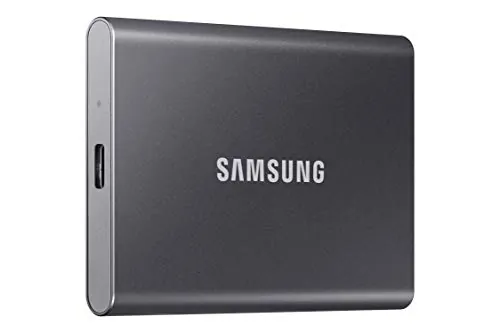
Samsung
Samsung Portable SSD T7 1TB Titan Gray
U.S. 1TB Titan Gray T7 portable solid-state drive; Samsung identifies part MU-PC1T0T/AM.
Model MU-PC1T0T/AM
Amazon ASIN B0874XN4D8
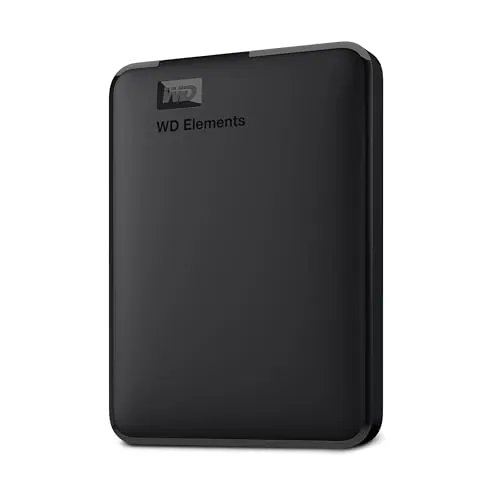
Western Digital
WD Elements Portable 2TB Black
U.S. 2TB Black WD Elements Portable hard drive; the exact part number appears in WD's U.S. specification page and product overview.
Model WDBU6Y0020BBK-WESN
Amazon ASIN B06W55K9N6
Differences that matter
Sources for Host connection and cable in the box
Sources for Manufacturer-listed body size
Start with the file set, not the speed headline
The exact Samsung unit in this comparison is the 1TB Titan Gray T7, model MU-PC1T0T/AM; the exact WD unit is the 2TB Black Elements Portable, model WDBU6Y0020BBK-WESN. The WD carries the larger capacity label, while Samsung identifies the T7 as an SSD and WD identifies Elements Portable as an HDD. Decide first whether your chosen drive needs to hold more than 1TB by itself, leaving room for formatting and system reporting.
Samsung lists up to 1,050 MB/s sequential read and up to 1,000 MB/s sequential write. Its manual ties maximum rates to host and cable support for USB 3.2 Gen 2 and UASP. Those are maker-stated ceilings, not a promise about your computer or a measured comparison with WD. WD's pages identify an HDD and USB 3.2 Gen 1 interface, but we have no comparable same-host transfer test for this pair.
Match the connector and cable to each host
For the T7, Samsung's box list includes a USB-C-to-C cable and a USB-C-to-A cable. For the exact WD 2TB model, WD lists a Micro-B drive connector, USB 3.2 Gen 1 / USB 3.0 / USB 2.0 compatibility, and a USB-A cable in the box. Before buying, check the actual port on every computer or device you plan to use. If a port does not match the cable route, verify the adapter or replacement cable separately rather than assuming it is included.
The two connection setups are not interchangeable by name alone: Micro-B describes the drive-side connector on WD, while the included cable listing describes a USB-A host-side route. Samsung's T7 has a different interface and cable set. Check operating-system guidance as well: WD lists Windows 10+ and notes that reformatting may be needed for other systems; Samsung's T7 manual lists Windows 7+, Mac OS X 10.10+ and Android Lollipop+ and discusses supported file formats.
Use dimensions as a packing check, not a fit guarantee
Samsung lists the T7 body at 3.3 × 2.2 × 0.3 inches. WD lists the exact 2TB Elements model at 4.35 × 3.23 × 0.59 inches. If one will live in a bag or sleeve, compare the internal usable space and leave room for the attached cable; listed body dimensions do not tell you whether a particular pocket or case will fit it.
A practical pre-buy check is to measure the smallest opening where the drive will sit, compare that opening to the listed body dimensions, and then account for the plug and cable bend. If the intended host has only USB-C ports, the T7's manual lists a C-to-C option; the WD box list names a USB-A cable, so confirm a compatible setup for that host before choosing WD.
Product details
Samsung Portable SSD T7 1TB Titan Gray
Before you buy
Community discussions
Keeping a game library on a drive attached to a handheld
Samsung Portable SSD T7 1TB Titan Gray
A Steam Deck owner describes using a 1TB Samsung T7 as a game library, secured to the device with Velcro and connected by a short USB-C cable.
What to check
If you plan to take a drive from desk to handheld, check how you would carry it and connect it while keeping the charging port accessible.
Common questions
Which drive has the larger labeled capacity?
The WD Elements Portable in this comparison is labeled 2TB; the Samsung T7 is labeled 1TB. Actual available space can be lower because of formatting and the way operating systems report capacity.1TB Portable SSD T7 USB 3.2 Gen 2 (Gray) | Samsung US2TB WD Elements Portable (exact SKU WDBU6Y0020BBK-WESN) | Western Digital USSamsung Portable SSD T7 User Manual (English)WD Elements Portable Product Overview
Does the T7 reach 1,050 MB/s on every computer?
No. Samsung calls this an up-to sequential read rate and says performance depends on the host. Its manual lists USB 3.2 Gen 2 and UASP conditions for the stated maximum rate. That is not a head-to-head test against the WD drive.1TB Portable SSD T7 USB 3.2 Gen 2 (Gray) | Samsung USSamsung Portable SSD T7 User Manual (English)
What cables are listed as included?
Samsung's T7 manual lists both USB-C-to-C and USB-C-to-A cables. WD's exact 2TB product page lists a Micro-B drive connector, and the WD product overview lists a USB-A cable in the box. Check the current exact listing before purchase in case package contents change.Samsung Portable SSD T7 User Manual (English)2TB WD Elements Portable (exact SKU WDBU6Y0020BBK-WESN) | Western Digital USWD Elements Portable Product Overview
Can I use the WD drive with a Mac or another non-Windows computer?
WD lists Windows 10+ and says reformatting may be required for other operating systems. Check the manufacturer's current compatibility and setup instructions for your exact computer and existing file system before use; back up needed files before reformatting.2TB WD Elements Portable (exact SKU WDBU6Y0020BBK-WESN) | Western Digital USWD Elements Portable Product Overview
Sources and scope
No head-to-head speed, sustained-transfer, durability or reliability test is represented. Capacity labels are not guarantees of formatted free space. Check the exact computer ports, operating system and the current listing before buying.
Related comparisons
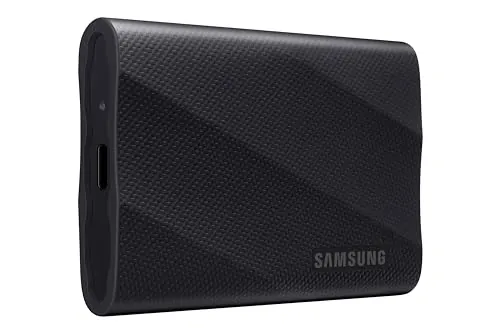
Samsung T7 1TB vs T9 1TB: Check Your USB Port Before Upgrading
These are both regular 1TB drives: the gray T7 MU-PC1T0T/AM uses USB 3.2 Gen 2 (10Gbps), while the black T9 MU-PG1T0B/AM uses Gen 2x2 (20Gbps). Samsung's peak sequential figures come from internal testing; they are not independent real-world results. The T9's maximum tier requires a Gen 2x2 host, suitable cable, and UASP. If your device has only Gen 2 or older, its headline speed advantage is not available.
Read comparison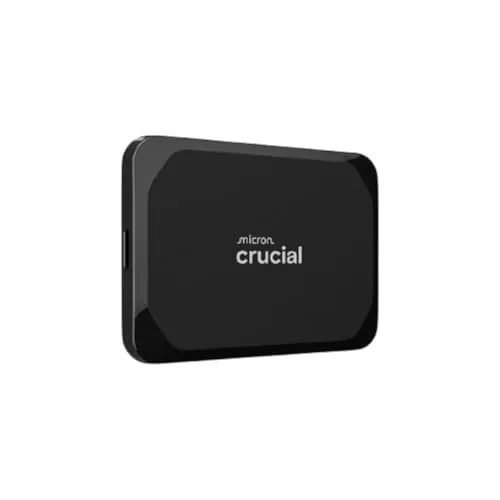
Samsung T7 1TB MU-PC1T0T/AM vs Crucial X9 CT1000X9SSD902
This guide compares the exact 1TB Samsung T7 in Titan Gray (MU-PC1T0T/AM, ASIN B0874XN4D8) with the black Crucial X9 listing (CT1000X9SSD902, ASIN B0CGW1FQV4). Samsung's US-specific T7 datasheet lists both USB-C-to-C and USB-C-to-A cables and AES-256 hardware encryption with optional password mode in Samsung software. Crucial's X9 1TB family flyer lists a USB-C-to-C cable, exFAT formatting and Windows File History, Apple Time Machine and Acronis True Image workflows. The Crucial flyer names CT1000X9SSD9, without the 02 suffix in the assigned retail model, so confirm the exact seller box before relying on its package list. This is a feature and setup comparison, not a speed test.
Read comparison