
Products compared
Samsung
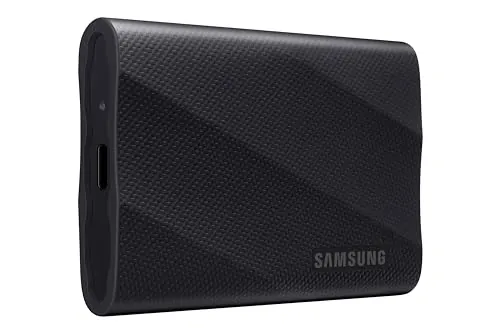
Samsung Portable SSD T9 1TB (Black)
U.S. 1TB black configuration. The T9 is the shorter of the two listed bodies, while the official 1TB datasheet lists USB 3.2 Gen 2x2 and both USB-C-to-C and USB-C-to-A cables.
Model MU-PG1T0B/AM
Amazon ASIN B0CHFSWM2P
SanDisk
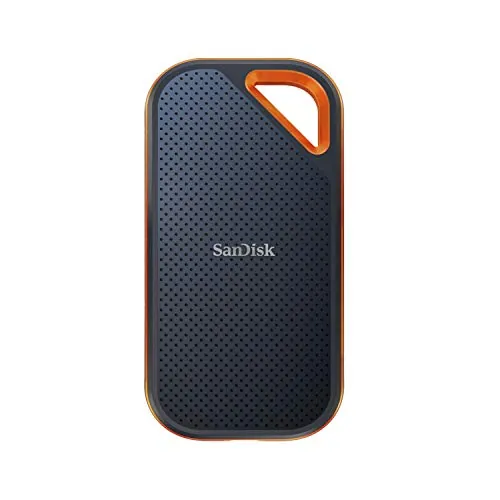
SanDisk Extreme PRO Portable SSD 1TB
Exact 1TB model SDSSDE81-1T00-G25. It is longer but thinner and lighter in the maker's listed dimensions and includes a carabiner loop and two cable types.
Model SDSSDE81-1T00-G25
Amazon ASIN B08GV9M64L
Differences that matter
What matters most to you?
Choose a priority to see what it changes.
Sources for 1TB interface and maximum speed conditions
Sources for Included cables and connecting to your host
Sources for Body dimensions and carry setup
Sources for Environmental statement
Sources for Companion software task
Start by matching the exact 1TB models
This guide compares the U.S. black Samsung Portable SSD T9 1TB, model MU-PG1T0B/AM, with the SanDisk Extreme PRO Portable SSD 1TB, model SDSSDE81-1T00-G25. Check those codes on the listing before comparing price or assuming that a different capacity or similarly named portable SSD has the same contents.
The main practical question is whether the host, physical carry setup and companion software match what you plan to do. The models share the listed USB 3.2 Gen 2x2 interface and cable types, while the manufacturers emphasize different management tasks and environmental details.
Check the host before paying for a speed ceiling
Both exact 1TB models list USB 3.2 Gen 2x2 (20Gbps). Samsung rates the T9 at up to 2,000 MB/s read and 1,950 MB/s write. SanDisk lists up to 2,000 MB/s read and write. These are maker figures under their stated conditions, not an apples-to-apples test.
Samsung's page says its maximum requires the host device and cable to support Gen 2x2 and UASP to be enabled. SanDisk cautions that performance may be lower depending on the host, interface and use. Check the computer's specific port details; a USB-C connector does not, by itself, identify the port's data mode. Both packages list C-to-C and C-to-A cables, which addresses connector types but does not make every host a Gen 2x2 host.
Choose by carry shape and handling requirements
Samsung lists the T9 at 3.5 × 2.4 × 0.6 inches and 4.3 ounces. SanDisk lists the Extreme PRO at 4.34 × 2.26 × 0.4 inches and 77.5 grams, and the page shows a carabiner loop. So the T9 has the shorter listed long side, while the SanDisk is thinner and lighter by listed mass. Measure the actual pocket, sleeve or tether you use instead of treating either outline as an automatic fit.
SanDisk also publishes an IP65 statement and a disclosure describing its limited test conditions and clean-and-dry requirement before use. This is not a submersion guarantee. Samsung's cited U.S. product page and datasheet list up-to-3-meter drop resistance but do not list an IP rating in the reviewed sections. That leaves the T9's IP rating unknown from these sources; it does not prove that the drive lacks one.
Match the software to the task you need
Samsung describes Magician for the T9's drive-health monitoring and firmware updates, and says firmware updates require an internet connection. Its U.S. T9 page lists Windows, macOS and Android software compatibility with minimum OS versions. SanDisk describes Memory Zone for Android phone-file access, backup and moving files to the SSD, with download and installation required.
These are different software workflows, not evidence of a product-performance winner. Check current app availability and compatibility against your exact phone or computer, particularly if you need an app feature rather than simple external storage.
Product details
Samsung Portable SSD T9 1TB (Black)
- Capacity and exact model
- 1TB; MU-PG1T0B/AM Source
- Interface
- USB 3.2 Gen 2x2 (20Gbps) Source
- Maximum sequential rating
- Up to 2,000 MB/s read and 1,950 MB/s write; Samsung says reaching its maximum requires a supporting host and cable and UASP mode Source
- Listed body
- 3.5 × 2.4 × 0.6 in (W × H × D); 4.3 oz Source
- Box contents
- T9 SSD, USB Type-C-to-A cable, USB Type-C-to-C cable, quick user manual and warranty statement Source
- Documented management software
- Samsung Magician includes drive-health monitoring and firmware updates; firmware updates require an internet connection Source
SanDisk Extreme PRO Portable SSD 1TB
- Capacity and exact model
- 1TB; SDSSDE81-1T00-G25 Source
- Interface
- USB-C connector; USB 3.2 Gen 2x2 interface Source
- Maximum sequential rating
- Up to 2,000 MB/s read and write; SanDisk notes results can be lower depending on host, interface and usage conditions Source
- Listed body
- 4.34 × 2.26 × 0.4 in (L × W × H); 77.5 g Source
- Box contents
- SSD, USB-C-to-C cable, USB-C-to-A cable, safety and warranty guide Source
- Documented carry/environment features
- Carabiner loop and IP65 water/dust statement; the maker's disclosure gives test limits and says the drive must be clean and dry before use Source
Before you buy
Community discussions
A T9 1TB owner is running short of space during Final Cut Pro work
Samsung Portable SSD T9 1TB (Black)
A Final Cut Pro user says their Samsung T9 1TB is filling up fast and asks whether moving to a T7 would introduce noticeable editing lag. They report that the T9 works well for them but do not give the host port, project sizes, or a measured speed comparison.
What to check
Separate the storage-capacity problem from any editing-response concern. Check how much working footage and library space your own projects need; if transfer or editing speed matters, compare the drives on the same host, port, cable, project, and workflow rather than treating this post or a T7 reply as a benchmark for the SanDisk or T9.
Common questions
Will either drive reach its advertised maximum on any USB-C port?
No such universal result is established by the sources. Both list USB 3.2 Gen 2x2, while Samsung specifically says maximum performance requires a Gen 2x2-capable host and cable with UASP mode enabled. SanDisk also cautions that actual performance may be lower depending on host, interface and use. Check the host's port specification and treat the stated figures as manufacturer maxima, not a promised transfer rate.Portable SSD T9 1TB USB 3.2 | Samsung US1TB SanDisk Extreme PRO Portable SSD | SanDisk
Do their 1TB U.S. packages include the same cable types?
The Samsung T9 datasheet and SanDisk's exact 1TB page each list one USB-C-to-C cable and one USB-C-to-A cable. Confirm the delivered listing names the exact product code before relying on a retailer's bundle contents.Samsung Portable SSD T9 Datasheet, Revision 1.01TB SanDisk Extreme PRO Portable SSD | SanDisk
Does SanDisk's IP65 claim mean it can be submerged?
No. SanDisk describes its own limited test conditions, including water flow for three minutes and limited dust contact, and says the drive must be clean and dry before use. That is not an immersion or waterproof guarantee. The Samsung sources checked for this guide do not identify a T9 IP rating, so ask Samsung if that is a purchase requirement.1TB SanDisk Extreme PRO Portable SSD | SanDiskPortable SSD T9 1TB USB 3.2 | Samsung USSamsung Portable SSD T9 Datasheet, Revision 1.0
Which companion app fits each workflow?
Samsung describes Magician for drive-health monitoring, firmware updates and related functions, with internet access needed for firmware updates. SanDisk describes Memory Zone for Android phone-file access, backup and moving files onto the SSD; installation is required. Check the apps' current requirements for your device.Portable SSD T9 1TB USB 3.2 | Samsung US1TB SanDisk Extreme PRO Portable SSD | SanDisk
Sources and scope
This is a source-based feature and setup comparison, not a hands-on speed, durability, drop, water/dust, security or reliability test. Manufacturer maximum speeds depend on the host and test conditions. SanDisk publishes an IP65 statement with specific test and handling qualifications; the Samsung U.S. page and datasheet reviewed here do not list an IP rating, which does not establish that the T9 lacks one. Verify the exact part number, host port and current software requirements before purchase.
Related comparisons
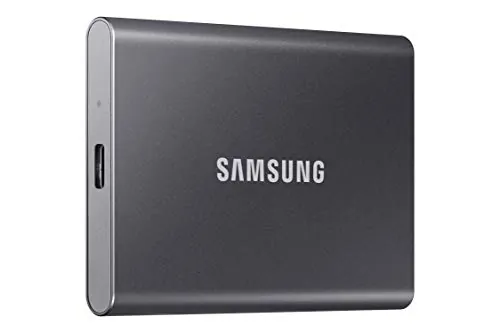
Samsung T7 1TB vs T9 1TB: Check Your USB Port Before Upgrading
These are both regular 1TB drives: the gray T7 MU-PC1T0T/AM uses USB 3.2 Gen 2 (10Gbps), while the black T9 MU-PG1T0B/AM uses Gen 2x2 (20Gbps). Samsung's peak sequential figures come from internal testing; they are not independent real-world results. The T9's maximum tier requires a Gen 2x2 host, suitable cable, and UASP. If your device has only Gen 2 or older, its headline speed advantage is not available.
Read comparisonSamsung T7 1TB vs SanDisk Extreme PRO V2 1TB: Check Your USB Port and Pocket
For Samsung's Titan Gray T7 MU-PC1T0T/AM and SanDisk Extreme PRO Portable SSD SDSSDE81-1T00-G25, first check the host's actual USB standard, then compare the supplied cables and the drive's dimensions against your setup. The SanDisk's stated 2,000 MB/s ceiling depends on a compatible USB 3.2 Gen 2x2 host; USB-C shape or a USB4 label alone does not establish that support. Both manufacturers list USB-C-to-C and USB-C-to-A cables. Samsung lists the smaller device footprint. Published speed ratings are not a head-to-head test.
Read comparison