
Products compared
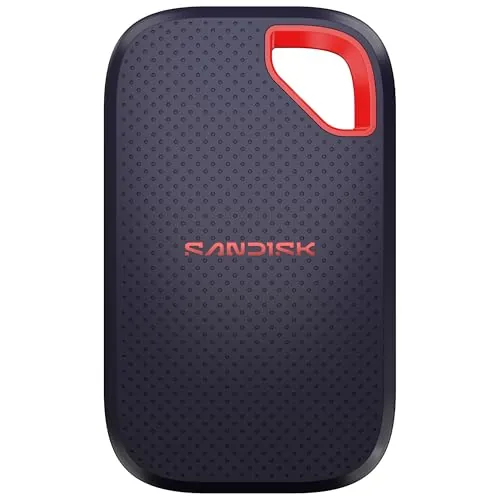
SanDisk
SanDisk Extreme Portable SSD (V3), 1TB Black
Exact black 1TB variant; SanDisk lists one USB-C-to-USB-C cable in the box.
Model SDSSDE70-1T00-G25
Amazon ASIN B0GMWYYRQL
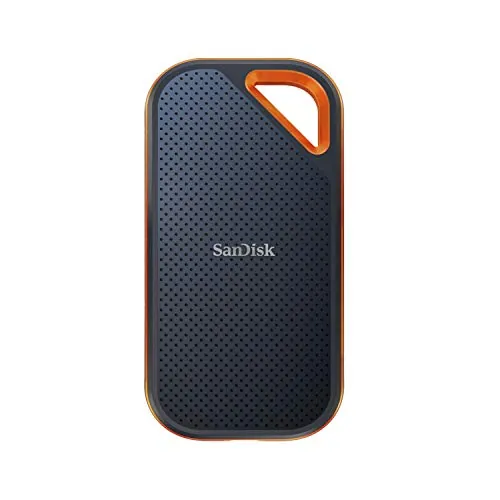
SanDisk
SanDisk Extreme PRO Portable SSD (V2), 1TB Black
Exact black 1TB variant; SanDisk lists both USB-C-to-USB-C and USB-C-to-USB-A cables in the box.
Model SDSSDE81-1T00-G25
Amazon ASIN B08GV9M64L
Differences that matter
What matters most to you?
Choose a priority to see what it changes.
Sources for Listed interface and sequential maximums
Sources for Cable included for your host
Sources for Listed dimensions and weight
Start with the port and cable you actually use
Both exact products are sold as 1TB USB-C drives. SanDisk lists a C-to-C cable with the Extreme V3 and both C-to-C and C-to-A cables with the PRO V2. If an older laptop or desktop has only a compatible USB-A data port, that extra PRO V2 cable can avoid sourcing a separate cable. Confirm the retail box matches the maker's listed contents.
For transfer-rate planning, check the computer's port specification rather than its connector shape. The PRO V2 exact 1TB page lists USB 3.2 Gen 2x2; SanDisk's linked datasheet lists the same 20Gbps interface for the SDSSDE70 family. The V3 datasheet's SKU table identifies the blue 1TB sibling, while the current product page confirms the assigned black G25 model. Treat that family-level interface evidence carefully and verify the black G25 listing. Either way, SanDisk's own disclaimers say actual performance may be lower depending on host, interface and conditions.
The PRO V2's write number is a ceiling, not a test result
The V3 black 1TB listing says up to 2000 MB/s sequential read and 1700 MB/s sequential write. The PRO V2 exact 1TB listing says up to 2000 MB/s for both. SanDisk bases the figures on internal testing and warns that results vary with the host and conditions. If your workflow regularly writes large files, the PRO V2's higher published write ceiling is a reason to investigate—not proof of the speed difference you will see.
If you do not need the PRO V2's C-to-A cable or specifically value that listed ceiling, its larger body and higher listed weight are concrete trade-offs to compare against your bag or pocket space. The V3 is the smaller, lighter option on SanDisk's listed dimensions.
Confirm the exact 1TB model before checkout
The V3 black 1TB model is SDSSDE70-1T00-G25; its blue 1TB sibling ends in G25B. The selected PRO V2 is SDSSDE81-1T00-G25. Check the model string and included cables on the seller's exact listing, especially if a bundle or color selector changes the offer.
This comparison does not recommend a purchase date or quote a current price. It answers the stable setup question: V3 for smaller listed dimensions and weight; PRO V2 when the second cable or its higher published write ceiling matters enough to justify the larger body.
Product details
SanDisk Extreme Portable SSD (V3), 1TB Black
- Published sequential ceilings
- Up to 2000 MB/s read and up to 1700 MB/s write; SanDisk says results may be lower depending on host, interface and conditions. Source
- Interface
- USB 3.2 Gen 2x2 (20Gbps) is listed for the SDSSDE70 product family in SanDisk's linked datasheet; its 1TB SKU table names the blue G25B variant. Check the black G25 offer and host specifications. Source
- Included cable
- USB-C to USB-C cable Source
- Listed body size and weight
- 3.35 × 2 × 0.39 in; 46.9 g Source
SanDisk Extreme PRO Portable SSD (V2), 1TB Black
- Published sequential ceilings
- Up to 2000 MB/s read and 2000 MB/s write; SanDisk says results may be lower depending on host, interface and conditions. Source
- Interface
- USB 3.2 Gen 2x2; USB-C connector Source
- Included cables
- USB-C to USB-C and USB-C to USB-A cables Source
- Listed body size and weight
- 4.34 × 2.26 × 0.4 in; 77.5 g Source
Before you buy
Community discussions
Checking how you would replace the original cable
SanDisk Extreme PRO Portable SSD (V2), 1TB Black
Someone with the 2TB version of the Extreme PRO V2 lost the included cable and asked how to replace it.
What to check
Check the cable supplied with the 1TB listing and the connector on your computer. If you need a spare, look up the maker’s replacement guidance.
Common questions
Is the Extreme PRO V2 guaranteed to write faster?
No. SanDisk publishes a higher maximum write ceiling for the PRO V2 (2000 MB/s versus 1700 MB/s for the V3 black 1TB page), but these are internal-test figures with host and use-condition caveats. They are not a direct test of the two drives on your computer.1TB Black SANDISK Extreme Portable SSD (V3)1TB SanDisk Extreme PRO Portable SSD
Which package includes a USB-A cable?
SanDisk's exact 1TB PRO V2 page lists both C-to-C and C-to-A cables. The V3 black 1TB page lists a C-to-C cable. Check the actual offer contents because marketplace bundles can differ.1TB Black SANDISK Extreme Portable SSD (V3)1TB SanDisk Extreme PRO Portable SSD
Does a USB-C port mean I will get the advertised transfer rate?
No. The connector shape alone does not specify the host's data interface. Confirm the port and system support for the drive's listed interface, then treat SanDisk's rate figures as conditional maximums rather than expected results.SANDISK Extreme Portable SSD Product Specifications1TB SanDisk Extreme PRO Portable SSD
Sources and scope
This is a source-based comparison of the exact U.S. black 1TB model numbers, not a benchmark or reliability test. SanDisk's maximum transfer figures come from internal testing and can be lower depending on the host, interface and conditions. Its current V3 product page identifies the exact SDSSDE70-1T00-G25 offer; the linked SDSSDE70 family datasheet documents Gen 2x2 and also labels the 1TB blue SKU, so confirm the black model number on the exact offer. The listed cable bundle does not establish a host port's transfer rate. No firmware-status conclusion is made for an individual drive.
Related comparisons
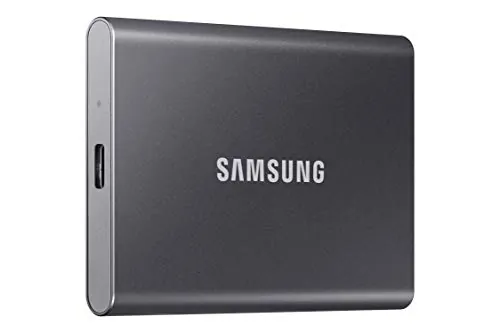
Samsung T7 1TB vs SanDisk Extreme PRO V2 1TB: Check Your USB Port and Pocket
For Samsung's Titan Gray T7 MU-PC1T0T/AM and SanDisk Extreme PRO Portable SSD SDSSDE81-1T00-G25, first check the host's actual USB standard, then compare the supplied cables and the drive's dimensions against your setup. The SanDisk's stated 2,000 MB/s ceiling depends on a compatible USB 3.2 Gen 2x2 host; USB-C shape or a USB4 label alone does not establish that support. Both manufacturers list USB-C-to-C and USB-C-to-A cables. Samsung lists the smaller device footprint. Published speed ratings are not a head-to-head test.
Read comparison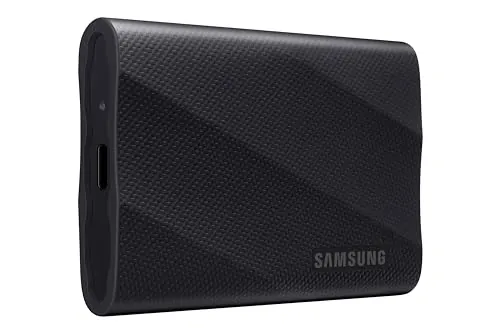
Samsung T9 vs SanDisk Extreme PRO 1TB: Port, Cable and Carry Fit
This U.S. comparison covers the black 1TB Samsung Portable SSD T9 (MU-PG1T0B/AM) and SanDisk Extreme PRO Portable SSD (SDSSDE81-1T00-G25). Both list USB 3.2 Gen 2x2 and include USB-C-to-C and USB-C-to-A cables. Samsung's 1TB write rating is up to 1,950 MB/s; SanDisk lists up to 2,000 MB/s read/write, but those manufacturer figures use different test disclosures and do not establish a real-world speed winner. Pick the T9 for its shorter listed body or Samsung Magician workflow; pick the SanDisk for its thinner/lighter listed body, attachment loop, stated IP65 conditions or Memory Zone phone-file workflow.
Read comparison