
Products compared
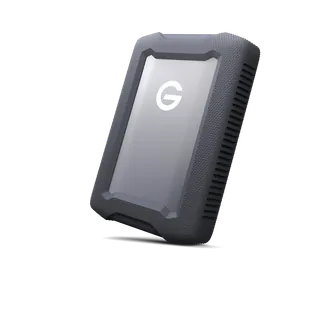
SanDisk Professional
SanDisk Professional G-DRIVE ArmorATD 2TB
Exact 2TB USB-C portable HDD SKU. WD lists macOS 11+ and Time Machine compatibility, and Windows 10+ via reformat.
Model SDPH81G-002T-GBA1D
Amazon ASIN B0C9YM3HST
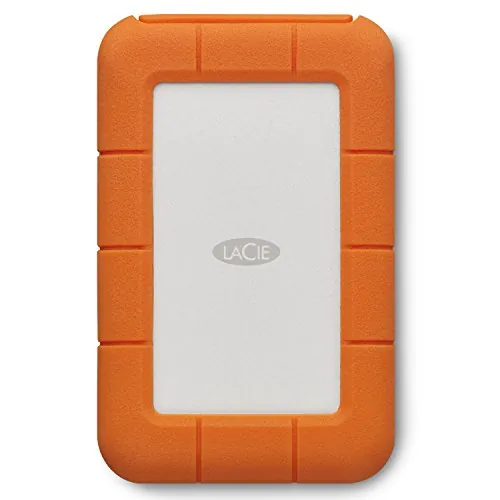
LaCie
LaCie Rugged USB-C 4TB
Exact 4TB Rugged USB-C HDD model. Seagate's current support page identifies STFR4000800 as 4TB and lists a USB-C interface.
Model STFR4000800
Amazon ASIN B01MSSJ32J
Differences that matter
What matters most to you?
Choose a priority to see what it changes.
Sources for Starting file-system workflow
Start with the job: working capacity or backup setup
The assigned ArmorATD is a 2TB model; STFR4000800 is the 4TB LaCie Rugged USB-C. If you routinely archive large photo or video projects, the listed capacity difference may matter more than the similar portable-HDD form. Capacity labels are nominal; actual user space can be lower and this guide does not estimate file counts.
For a Mac Time Machine destination, WD lists the exact ArmorATD SKU as macOS 11+ / Time Machine-compatible. LaCie's Quick Install Guide says the Rugged USB-C ships exFAT for Mac and PC, but a Mac reformat is needed for Time Machine and erases existing data. The guide's explicit setup instruction is the useful pre-buy distinction; back up before formatting.
Check the host port and package before the field trip
Both have a USB-C device interface in the maker documentation. WD's exact 2TB page lists both USB-C-to-USB-C and USB-C-to-USB-A cables. Seagate's U.S. data sheet lists those cable types for the 4TB–5TB package grouping and maps STFR4000800 to 4TB. Confirm your exact offer and host port rather than assuming any similarly named Rugged bundle has the same box contents.
The published USB or 5Gbps interface ceiling is not a prediction for a backup job: host port, cable, workload and HDD behavior also matter. We do not estimate transfer duration or compare measured speed.
Read protection claims as limits, not a test winner
WD's page describes its IP54 basis as internal testing for water splashing against the enclosure and limited dust contact that does not interfere with operation, followed by a clean-and-dry-before-use instruction. Its 1TB/2TB shock note gives 1.2m on carpeted concrete. Seagate's current LaCie Rugged USB-C page states IP52 dust/drip protection and explicitly says the drive is not waterproof; it lists a 4 ft drop rating, while the reviewed U.S. data sheet specifies the LaCie drop condition as nonoperating.
These labels and conditions differ. A drop onto a different surface, while operating, or exposure beyond the stated ingress terms is not established by these sources. Keep another copy of important files and compare the exact maker limitation to your own handling needs; no matched durability test is presented.
A quick pre-buy decision path
1. Match the capacity and SKU to the offer: 2TB SDPH81G-002T-GBA1D or 4TB STFR4000800. 2. Identify your starting computer and file system. 3. If you need Time Machine on LaCie, move existing files elsewhere before the required reformat. 4. Match the included cable type to the host. 5. Review the exact ingress/drop condition you care about without treating the claims as comparable accident guarantees.
If neither capacity or setup path fits your actual host and backup plan, keep comparing. For important work, an external drive should not be the only copy; the product pages do not establish recovery after a particular failure.
Product details
SanDisk Professional G-DRIVE ArmorATD 2TB
- Capacity and interface
- 2TB; USB-C, USB 3.2 Gen 1; maker lists a 5Gbps interface ceiling, not a tested transfer result Source
- Host setup
- macOS 11+ (Time Machine-compatible); Windows 10+ via reformat Source
- In the box
- USB-C-to-USB-C cable, USB-C-to-USB-A cable and Quick Start Guide Source
- Published field limits
- WD states IP54 under its internal test description and 1.2m shock resistance on carpeted concrete for 1TB/2TB capacities Source
LaCie Rugged USB-C 4TB
- Capacity and interface
- 4TB HDD; one USB-C interface listed for this exact model Source
- Starting format and Time Machine
- Quick Install Guide says preformatted exFAT for PC and Mac; Time Machine use requires reformatting for Mac, which deletes stored data Source
- Included cables
- The historically retrieved U.S. data sheet lists USB-C and USB-C-to-USB-A cables for the 4TB–5TB package group and maps STFR4000800 to 4TB Source
- Published field limits
- Current LaCie Rugged USB-C product page states IP52 dust/drip protection and up to 4 ft (1.2m) drop resistance; the linked U.S. data sheet describes the drop rating as nonoperating Source
Before you buy
Community discussions
Connecting a USB-C drive to an older iMac
LaCie Rugged USB-C 4TB
A LaCie Rugged USB-C 4TB owner had a 2015 iMac and wanted to know which type of cable their computer would take.
What to check
Identify the ports on the computer you will use and check whether the drive’s exact box includes a cable for one of them.
Common questions
Which one is simpler for Time Machine?
For the exact 2TB ArmorATD SKU, WD lists macOS 11+ and Time Machine compatibility. LaCie's Quick Install Guide says its drive must be reformatted for Mac for Time Machine and warns that reformatting deletes stored data. If you choose LaCie for this use, back up existing files before the format change.2TB G-DRIVE ArmorATD (exact SKU SDPH81G-002T-GBA1D)LaCie Rugged USB-C Quick Install Guide
Can I move files between a Mac and Windows PC?
LaCie's guide says it starts formatted exFAT for PC and Mac. WD lists Windows 10+ use via reformat for this ArmorATD SKU. Check the exact host/software requirements and drive format before moving files; neither description is a measured compatibility test for every computer.2TB G-DRIVE ArmorATD (exact SKU SDPH81G-002T-GBA1D)LaCie Rugged USB-C Quick Install Guide
Are both drives waterproof or equally drop resistant?
No such conclusion follows from these sources. WD's IP54 note is based on its described internal splash/limited-dust test, and its 2TB shock note names carpeted concrete. Seagate currently states IP52 dust/drip protection for Rugged USB-C and says it is not waterproof; the reviewed U.S. data sheet describes the LaCie's 4 ft drop condition as nonoperating. These conditions are not directly comparable.2TB G-DRIVE ArmorATD (exact SKU SDPH81G-002T-GBA1D)LaCie Rugged USB-C Data Sheet (historically retrieved U.S. edition)LaCie Rugged USB-C External Hard Drive (U.S. product page)
Will the included cable fit my computer?
WD lists both USB-C-to-USB-C and USB-C-to-USB-A cables for this exact SKU. Seagate's U.S. data sheet lists those cable types for its 4TB–5TB package group; confirm the offer is STFR4000800 and check your computer's available port.2TB G-DRIVE ArmorATD (exact SKU SDPH81G-002T-GBA1D)LaCie Rugged USB-C Support Page (STFR4000800 4TB)LaCie Rugged USB-C Data Sheet (historically retrieved U.S. edition)
Sources and scope
This is a manufacturer-feature and setup comparison, not a matched drop, ingress, crush, transfer-speed or reliability test. The listed capacities differ. WD's 1.2 m shock claim for this 2TB SKU specifies carpeted concrete; Seagate's 4 ft drop claim is identified in its data sheet as nonoperating. Those unlike conditions do not show which drive is more likely to survive a real accident.
Related comparisons
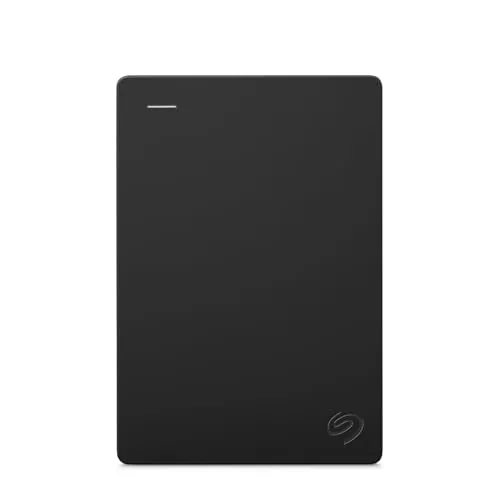
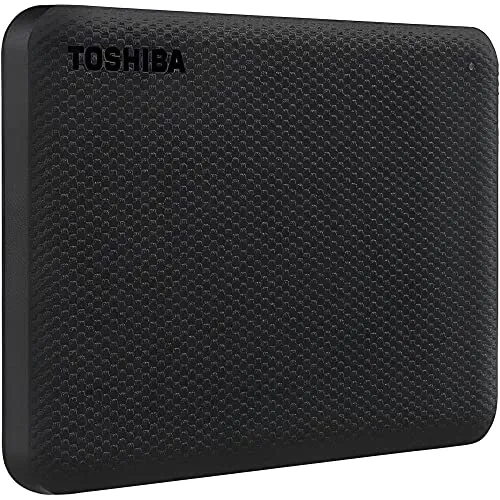
Seagate Portable 1TB vs Toshiba Canvio Advance 1TB: Backup Apps, Cable, and Size
These exact black 1TB drives share USB-powered portable storage, but their published workflows differ. Seagate documents plug-and-play PC setup and drag-and-drop use without installing software. Toshiba documents downloadable Windows-only scheduled-backup and password-lock utilities. Toshiba lists a smaller, lighter drive body. Check your computer's USB connector and operating system before ordering, especially if you use USB-C-only hardware or a Mac.
Read comparison
WD My Passport 1TB vs Toshiba Canvio Advance 1TB: Backup Setup and Host Fit
Both are black 1TB portable hard drives with USB 3.2 Gen 1-class connections and USB 2.0 compatibility. WD documents Acronis backup software, password protection and hardware encryption for its exact 1TB Black SKU; Toshiba describes Windows-only backup software with file/folder and schedule controls. The practical choice turns on host setup, preferred backup workflow and the small listed thickness/weight difference—not a speed or reliability claim.
Read comparison