
Products compared
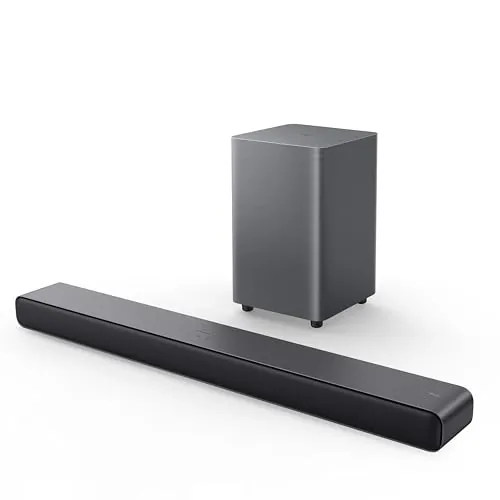
TCL
TCL S55H S Class 2.1 Channel Sound Bar with Wireless Subwoofer
U.S. S55H model; TCL describes a 2.1-channel system with a wireless subwoofer. This comparison follows the black S55H version; check the specific seller listing for included items.
Model S55H
Amazon ASIN B0D1JBBJ6S
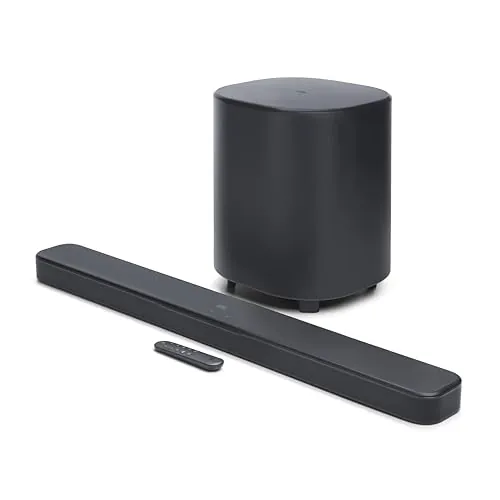
JBL
JBL Bar 500MK2 5.1-Channel Soundbar System with Dolby Atmos and DTS Virtual:X
JBL identifies the U.S. Bar 500MK2 as item JBLBAR500M2BLKAM. The manufacturer lists a wireless subwoofer in the system package.
Model BAR 500MK2; U.S. item JBLBAR500M2BLKAM
Amazon ASIN B0FHBVS6GC
Differences that matter
What matters most to you?
Choose a priority to see what it changes.
Sources for HDMI routing and listed formats
Sources for Subwoofer in manufacturer package
Sources for Soundbar body dimensions (W x H x D)
Sources for Subwoofer dimensions (W x H x D)
Draw the TV and source connections
The key difference is where an HDMI source can plug in. TCL documents the S55H's HDMI eARC port as the link to the TV and explicitly lists HDMI Input as No. Connect a console or streaming box to the TV, then send TV audio back to the S55H over the TV's eARC/ARC port. TCL's manual also shows optical TV audio as a fallback if the TV has optical out; its manual says to check the TV/device settings and describes enabling CEC for HDMI use.
JBL documents one HDMI video input and one TV output with eARC. Its manual shows a digital source plugged into HDMI IN and the bar's HDMI OUT/eARC connected to the TV. The manual also documents optical TV audio as a route when video stays connected to the TV. JBL lists HDR10+ and Dolby Vision pass-through, but the exact result depends on the connected gear and format support; its manual does not guarantee full HDMI-CEC compatibility across all devices.
Match music playback to your library
TCL's S55H is documented for Bluetooth and USB playback. The U.S. manual lists MP3, WMA, WAV and FLAC files from USB storage up to 64GB, which is useful if your music already lives on a drive in those formats. JBL also offers Bluetooth and U.S. USB playback, but its manual lists MP3 for USB.
JBL adds Wi-Fi music paths, including Google Cast and AirPlay through a compatible phone and home network; the JBL One app is part of the documented setup. JBL says service availability varies by country and some features require subscriptions. TCL's S55H materials reviewed here document Bluetooth and USB music, not Wi-Fi casting. No sound-quality ranking follows from these connection options.
Check the footprint of both pieces
Measure the spot under your TV as well as the floor space for a subwoofer. TCL lists a 31.89 x 2.36 x 3.86-inch bar and a 7.68 x 12.6 x 7.68-inch subwoofer. JBL lists a 37 x 2.0 x 4.1-inch bar and a 12.8 x 15.7 x 12.8-inch subwoofer. JBL's listed bar is narrower vertically but longer across the shelf; its subwoofer is larger in each listed dimension. Treat these as product dimensions rather than required clearances, and account separately for cables and outlet access.
A four-check pre-buy routine
1. List your TV's labeled HDMI ARC/eARC and optical outputs, then verify its sound-output settings in the TV manual. 2. Decide whether any source must feed the soundbar first: the TCL has no HDMI video input, while the JBL has one documented HDMI IN and TV eARC output. 3. Compare the audio formats or streaming method you actually use: TCL lists four USB music formats; JBL documents Wi-Fi casting and MP3 USB playback. 4. Measure the shelf, cable bend space and separate subwoofer floor spot, including access to power. Finally, check the seller listing's box contents to confirm the subwoofer and any needed cable or mount are included.
Product details
TCL S55H S Class 2.1 Channel Sound Bar with Wireless Subwoofer
JBL Bar 500MK2 5.1-Channel Soundbar System with Dolby Atmos and DTS Virtual:X
- TV/source connection
- 1 HDMI video input and 1 HDMI output with eARC; optical and Bluetooth audio inputs Source
- Network music
- Google Cast, AirPlay and JBL One-enabled streaming services; setup and service conditions apply Source
- Published dimensions
- Soundbar 37 x 2.0 x 4.1in; subwoofer 12.8 x 15.7 x 12.8in Source
Before you buy
Community discussions
Fitting a soundbar beneath a shelf
TCL S55H S Class 2.1 Channel Sound Bar with Wireless Subwoofer
A TCL C7K owner considered the S55H and wanted a bar that could mount beneath an existing shelf.
What to check
Measure the shelf, cable clearance and space around the TV. Check the mounting options for each exact bar.
Connecting a soundbar to an older TV with optical audio
TCL S55H S Class 2.1 Channel Sound Bar with Wireless Subwoofer
An S55H owner with an older Samsung TV used its optical audio output because the TV did not have HDMI eARC.
What to check
Look at the labels beside your TV’s audio ports. Check which input each bar offers and which TV remote controls you can use in that setup.
Common questions
Can I plug a streaming box into the TCL S55H and pass the picture through it?
The TCL U.S. page says HDMI Input: No; its manual shows the bar's HDMI eARC connector for TV/device audio return. Plan to connect the streaming box to the TV, then check whether your TV can output audio to the bar over eARC/ARC or optical.TCL S55H S Class 2.1 Channel Sound Bar — TCL U.S.S55H User Manual, S55H-US_UM_V2.2 — TCL Support
Does JBL's HDMI input guarantee my TV and devices will work with every feature?
No universal compatibility is established here. JBL lists one HDMI video input and one HDMI output with eARC, and documents HDR10+ and Dolby Vision pass-through; its manual says full compatibility with all HDMI-CEC devices is not guaranteed. Verify the exact ports, formats and settings for your connected TV and source.JBL Bar 500MK2 Black U.S. product pageJBL Bar 500MK2 Owner's Manual (English, V6)
Which supports local USB files or network casting?
TCL's S55H manual lists MP3, WMA, WAV and FLAC USB playback. JBL's manual says U.S. USB audio playback is MP3 and documents Google Cast/AirPlay through the home network and JBL One app. JBL notes online-service availability and subscriptions vary.S55H User Manual, S55H-US_UM_V2.2 — TCL SupportJBL Bar 500MK2 Owner's Manual (English, V6)
Sources and scope
This guide compares manufacturer-documented connection options and dimensions, not sound, surround effect, latency or HDMI performance. A TV or source must support the required ports and settings; supported audio or HDR results depend on the devices and content. JBL notes service availability varies by country and some features require subscriptions. Retailer package contents are not confirmed for every seller listing; check the exact offer if inclusion of the wireless subwoofer, cable or another accessory matters.
Related comparisons
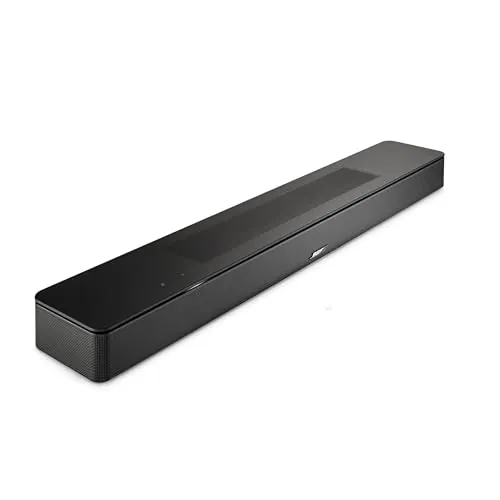
JBL Bar 500MK2 vs Bose Smart Soundbar: Included Subwoofer, TV Ports and Placement
This U.S. comparison focuses on four purchase checks: what arrives in the box, where a game console or player connects, the space each bar and bass setup needs, and which remote workflow is documented. JBL's Bar 500MK2 Black page lists a separate wireless subwoofer, one HDMI video input and one eARC output. Bose's Smart Soundbar package lists one bar with HDMI and optical cables; Bose describes bass modules as compatible optional add-ons and documents TV audio over eARC/ARC or optical. No matched listening test was performed, so choose by package, wiring and placement rather than an audio-quality ranking.
Read comparison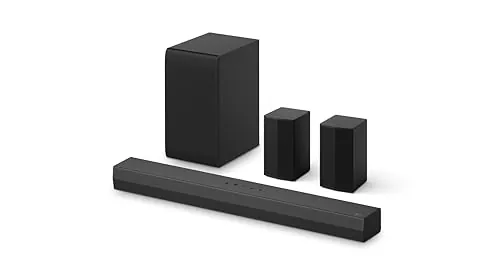
JBL Bar 500MK2 vs LG S40TR: Rear Speakers, Power and TV Wiring
This U.S. comparison answers a practical setup question, not which system sounds better. LG's S40TR product page lists rear speakers in the box; its footnote says the pair must connect to each other by wire and one speaker needs AC power. JBL's Bar 500MK2 box list names the main bar and a wireless subwoofer, while its manual shows that subwoofer has its own power connector. JBL also documents an HDMI IN for a player or console and HDMI OUT to the TV's eARC/ARC port. Before choosing, map the TV connection, outlet locations and rear-speaker cable path in your room.
Read comparison