
Products compared
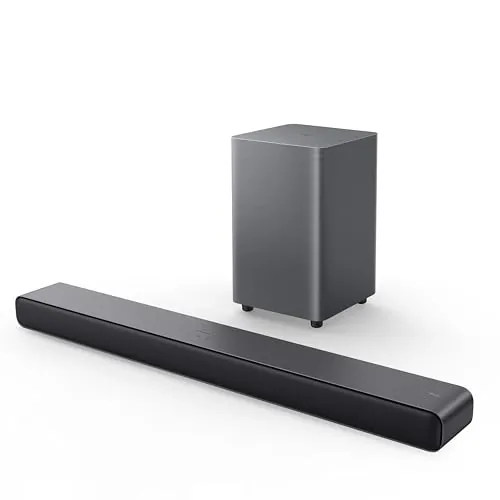
TCL
TCL S55H S Class 2.1 Channel Sound Bar with Wireless Subwoofer
TCL U.S. 2.1 soundbar package with a separate wireless subwoofer. The manual identifies a two-piece placement and power setup; measure both locations before buying.
Model S55H
Amazon ASIN B0D1JBBJ6S
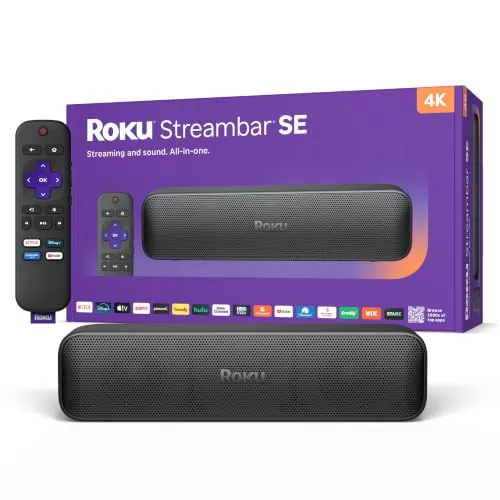
Roku
Roku Streambar SE
Roku's single-bar 2.0 starting configuration combines TV audio with an integrated Roku streaming player. Roku documents optional expansion with a compatible Roku Wireless Subwoofer; wireless Roku satellite speakers are not supported with Streambar SE.
Model 9104R
Amazon ASIN B0CTBF4MKS
Differences that matter
What matters most to you?
Choose a priority to see what it changes.
Sources for Built-in TV streaming versus connecting an existing source
Sources for What occupies the room and needs power
First decide whether you need a streaming player
TCL's S55H is described as a 2.1 soundbar package with a separate wireless subwoofer. TCL lists HDMI eARC, digital optical and Bluetooth music streaming; the cited product material does not list a built-in TV streaming player.
Roku Streambar SE adds a Roku streaming interface inside a single soundbar. For a non-Roku TV, Roku's setup instructions include connecting to the internet, downloading updates and activating a Roku account. If you already have a TV or player you want to keep, ask whether that built-in streaming role adds value to your setup.
Count components, outlets and nearby space
The TCL S55H manual describes two power cords: both soundbar and subwoofer need power, and it calls for the subwoofer to remain less than 9.8 ft from the bar. Measure the real room and locate both outlets before choosing the included subwoofer package.
Streambar SE begins as a one-bar 2.0 setup. Roku documents 2.1 expansion with Wireless Subwoofer models 9200 or 9201, while its compatibility guide says Wireless Speakers do not work with Streambar SE. The subwoofer is an extra component, so check its own location and power requirements if you plan to add it.
Match the TV ports and audio output setting
TCL's product page lists HDMI eARC and optical input, and the exact S55H manual documents ARC/eARC or optical TV-audio paths. Roku recommends using the TV's HDMI ARC port. If a TV has no ARC, Roku support says to use HDMI and optical; its product page labels the optical cable optional, so verify the package instead of assuming it is in every box.
For Streambar SE, Roku instructs users to set the TV audio output to PCM-Stereo or Stereo and says that the SE cannot play Dolby Audio or DTS audio formats. Check the actual TV's audio menu and port labels. No claim here ranks the two bars' sound or compares latency.
Product details
TCL S55H S Class 2.1 Channel Sound Bar with Wireless Subwoofer
- System and inputs
- TCL lists the S55H as a 2.1-channel soundbar with wireless subwoofer, HDMI eARC, digital optical input and Bluetooth music streaming. Source
- Placement and power
- The exact S55H U.S. manual describes two power cords, power for both soundbar and subwoofer, and a subwoofer distance under 9.8 ft from the bar. Source
- TV audio paths
- The S55H manual documents HDMI ARC/eARC or optical TV-audio connection; it also describes Bluetooth music from an external device, not built-in TV streaming. Source
Roku Streambar SE
- Streaming setup
- Roku identifies model 9104R as Streambar SE with built-in streaming. On a non-Roku TV, setup requires an internet connection and activation with a Roku account. Source
- Speaker expansion
- Roku lists Streambar SE 9104R as 2.0 by itself and 2.1 with compatible Roku Wireless Subwoofer models 9200 or 9201; Roku Wireless Speakers are not compatible with Streambar SE. Source
- TV connection and audio format
- Roku recommends HDMI ARC; without ARC its support instructions call for HDMI plus optical. For Streambar SE, Roku says the TV audio output must be PCM-Stereo (or Stereo), because the bar cannot play Dolby Audio or DTS audio formats. Source
Before you buy
Community discussions
Connecting a soundbar to an older TV with optical audio
TCL S55H S Class 2.1 Channel Sound Bar with Wireless Subwoofer
An S55H owner with an older Samsung TV used its optical audio output because the TV did not have HDMI eARC.
What to check
Look at the labels beside your TV’s audio ports. Check which input each bar offers and which TV remote controls you can use in that setup.
Common questions
Does the TCL S55H have streaming apps built in?
The cited TCL S55H page lists TV-audio connections and Bluetooth music streaming from external devices, not a built-in streaming player. Roku documents Streambar SE 9104R as combining built-in Roku streaming with a soundbar.TCL S55H S Class 2.1-Channel Sound Bar with Wireless SubwooferRoku Streambar SE product details, model 9104R
Can I add a subwoofer to Streambar SE later?
Roku says Streambar SE model 9104R can form a 2.1 setup with compatible Roku Wireless Subwoofer models 9200 or 9201. Roku Wireless Speakers are not compatible with the SE.How to set up a Roku surround sound system
What if my TV has no HDMI ARC port?
Roku's Streambar SE instructions say to connect HDMI plus optical when ARC is unavailable. TCL's S55H manual also documents optical TV audio. Roku's product page labels optical cable optional while support describes it as included, so verify the chosen Streambar SE package and confirm the TV has an optical output.How to set up your Roku Streambar SETCL S55H U.S. User Manual V2.2Roku Streambar SE product details, model 9104R
Will Streambar SE play a Dolby or DTS TV-audio output?
Roku says Streambar SE cannot play Dolby Audio or DTS audio formats and instructs users to set the TV audio output to PCM-Stereo or Stereo. Check the audio menu on the exact TV before buying.How to set up your Roku Streambar SEHow to set up Streambar SE with a non-Roku TV system
Does the S55H subwoofer need a power outlet?
The exact S55H manual describes separate power for the soundbar and subwoofer and says to keep the subwoofer less than 9.8 ft from the bar. The subwoofer is wireless for the audio link, but the manual still requires its power connection.TCL S55H U.S. User Manual V2.2
Sources and scope
This guide compares the TCL S55H and Roku Streambar SE (9104R) by documented setup and package details; it does not test sound quality, bass, loudness, latency, dialogue clarity or reliability. Roku's product and support information differ on whether the optical cable is included. If your TV lacks ARC, check the exact package for that cable before buying.
Related comparisons

Roku Streambar SE 9104R vs Sony HT-S100F: TV Ports, Streaming and Remote Setup
This U.S. comparison covers the Roku Streambar SE model 9104R and Sony HT-S100F. Roku combines a soundbar with built-in 4K streaming and an included remote with TV power, volume and mute buttons; TV audio needs HDMI ARC or HDMI plus optical and Roku's SE setup requires PCM stereo from the TV. Sony is a soundbar for audio from an existing TV or source; its manual documents HDMI ARC or optical TV input, Dolby Digital or two-channel Linear PCM, plus Bluetooth and USB playback. Sony includes a remote and batteries, and the manual explains when the TV remote's IR signal may need to pass through the bar. Neither product is presented as the better-sounding option: the choice turns on source, ports, audio settings and controls.
Read comparison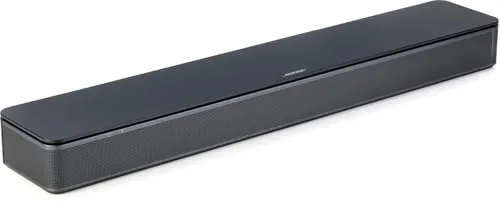
Roku Streambar SE vs Bose TV Speaker: Streaming and TV Connection Fit
Roku Streambar SE combines a Roku streaming player with TV audio. Bose TV Speaker is documented as a TV-audio speaker with HDMI ARC or optical input and Bluetooth from a mobile device. Roku’s exact setup requires internet/account activation and PCM Stereo for TV audio; Bose Support identifies Dolby Digital and PCM 2.0 support for model 838309-1100. Check your television’s actual ports and source-output settings before choosing.
Read comparison