
Products compared
UGREEN
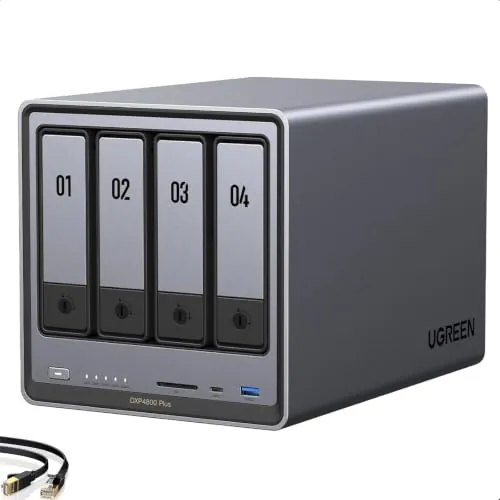
UGREEN NASync DXP4800 Plus 4-Bay NAS (Diskless)
This is the diskless DXP4800 Plus version; UGREEN says SATA HDDs and M.2 NVMe SSDs are selected separately. Its product page lists one 10GbE and one 2.5GbE port.
Model DXP4800 Plus
Amazon ASIN B0D22JRHZB
UGREEN
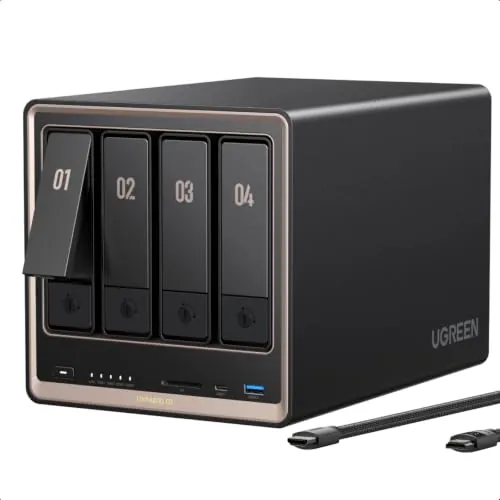
UGREEN NASync DXP4800 GT 4-Bay NAS (Diskless)
This is the diskless DXP4800 GT version. UGREEN lists two 10GbE ports and a U.2 option for compatible drives in front bays 1 and 2, replacing the SATA drive in each occupied bay.
Model DXP4800 GT
Amazon ASIN B0GTZC19FX
Differences that matter
What matters most to you?
Choose a priority to see what it changes.
Sources for Drive bays and U.2 option
Sources for RAM and onboard system storage
Sources for HDMI and Plex hardware-transcoding path
Start with the network you already plan to connect
The Plus lists one 10GbE and one 2.5GbE RJ45 port; the GT lists two 10GbE ports. If your design uses a single 10GbE workstation alongside equipment on a 2.5GbE network, the Plus exposes that mixed port pair directly. If a second 10GbE port is an actual need, the GT is the one with two. Check the workstation adapter, switch or direct connection and cable as a complete path before treating a port label as useful to your setup.
UGREEN says the GT can aggregate its ports with a compatible managed switch for aggregate bandwidth across multiple connections. Its own guide notes that link aggregation does not double every transfer. This comparison does not predict a single workstation’s copy speed or evaluate SMB Multichannel.
Sketch the drive plan before deciding on U.2
Both are four-bay diskless systems with two M.2 NVMe slots. The GT’s documented extra option is compatible U.2 NVMe in front bay 1 or 2, but a U.2 drive occupies that bay instead of its SATA drive. The two M.2 slots are separate. If you want four front SATA drives plus M.2, the shared four-SATA/two-M.2 layout is the relevant starting point; if U.2 in a front bay is part of the plan, account for which SATA slot it displaces.
“Diskless” refers to the user storage drives not being supplied. UGREEN separately lists a 128GB system SSD for the Plus and 64GB eMMC system storage for the GT. The pages also list 8GB RAM in both, DDR5 in Plus and DDR4 in GT, with expansion up to 64GB. Verify exact compatible drive and memory modules before ordering.
Separate HDMI output from media-transcoding requirements
UGREEN lists 4K HDMI for both. The Plus page specifically describes 4K 60Hz HDMI playback, while its GT specification row reviewed here lists 4K HDMI without a refresh rate. UGREEN’s hardware guide makes a separate Plex distinction: the Plus is listed among models on the Intel Quick Sync hardware-transcoding path; the AMD-based GT is not on that path. The same guide says a Plex hardware-transcoding setup also requires graphics access in Docker, configuration and an active Plex Pass.
That is a supported workflow distinction, not a promise that a given movie will transcode or play at a particular quality. Check whether your clients can Direct Play your media, what formats need conversion, and whether Plex’s current setup requirements fit before choosing around this feature. Do not infer all media support from the HDMI line or the processor name.
Product details
UGREEN NASync DXP4800 Plus 4-Bay NAS (Diskless)
- Network and drive layout
- 1×10GbE RJ45 + 1×2.5GbE RJ45; 4 SATA bays and 2 M.2 NVMe slots. The product is diskless for user storage. Source
- Memory and system storage
- 8GB DDR5, expandable up to 64GB; UGREEN lists a 128GB SSD as the system disk. The system disk is distinct from the user drive bays. Source
- HDMI and Plex scope
- UGREEN lists 4K HDMI and describes HDMI playback at 4K 60Hz. Its Plex guide lists the Intel Pentium Gold 8505 model on the Quick Sync hardware-transcoding path, subject to Plex and Docker setup requirements. Source
UGREEN NASync DXP4800 GT 4-Bay NAS (Diskless)
- Network and drive layout
- 2×10GbE RJ45; 4 SATA bays and 2 M.2 NVMe slots. Compatible U.2 NVMe drives can occupy front bay 1 or 2 instead of that bay’s SATA drive. Source
- Memory and system storage
- 8GB DDR4, expandable up to 64GB; UGREEN lists a 64GB eMMC system disk. UGREEN says the platform can use compatible ECC memory but the installed 8GB module is non-ECC. Source
- HDMI and Plex scope
- UGREEN lists 4K HDMI. Its NAS hardware guide says the DXP4800 GT does not support the Intel Quick Sync Plex hardware-transcoding path; this is not a benchmark of general media playback or every software workflow. Source
Before you buy
Community discussions
Checking more than the cabinet opening
UGREEN NASync DXP4800 Plus 4-Bay NAS (Diskless)
A DXP4800 Plus buyer measured a nook in a bookcase and asked whether the enclosure would leave enough space around the unit.
What to check
Measure the shelf opening and depth available behind the NAS. Check the manufacturer’s clearance guidance and leave room for the connectors.
Common questions
Do either of these diskless offers include the hard drives for the four user bays?
No. UGREEN calls both models diskless and says the SATA HDDs or M.2 NVMe SSDs are selected separately. The product pages list internal system storage (128GB SSD for Plus and 64GB eMMC for GT); those are not the four SATA bays or two M.2 user-storage slots. Check drive compatibility before ordering.UGREEN NASync DXP4800 Plus 4-Bay NAS for Content CreatorsUGREEN NASync DXP4800 GT 4-Bay NAS | Dual 10GbE, ECC & U.2
Does a GT with two 10GbE ports provide 20Gbps to one computer?
UGREEN describes up to 20Gbps aggregate bandwidth across multiple connections when using link aggregation with compatible managed-switch equipment. Its material does not make that a single-transfer guarantee. The NAS, client, switch, cabling, drives, protocol and workload all affect actual copies.UGREEN NASync DXP4800 GT 4-Bay NAS | Dual 10GbE, ECC & U.2Which UGREEN NAS Should You Buy? Hardware Guide
Can the GT use U.2 drives and still use all four SATA drives?
No, not in the same occupied front bay. UGREEN says a compatible U.2 NVMe drive can occupy GT front bay 1 or 2 instead of that bay’s SATA drive. The two M.2 slots are a separate interface.UGREEN NASync DXP4800 GT 4-Bay NAS | Dual 10GbE, ECC & U.2
Which model is documented for Plex hardware transcoding with Intel Quick Sync?
UGREEN lists the DXP4800 Plus and its Intel Pentium Gold 8505 on the Quick Sync path; its hardware guide says the AMD-based DXP4800 GT does not support Intel Quick Sync hardware transcoding. UGREEN also notes that Plex hardware transcoding needs graphics access inside the Docker container, proper Plex configuration and an active Plex Pass. Confirm that your media and playback client need transcoding; this guide does not test playback.UGREEN NASync DXP4800 Plus 4-Bay NAS for Content CreatorsUGREEN NASync DXP4800 GT 4-Bay NAS | Dual 10GbE, ECC & U.2Which UGREEN NAS Should You Buy? Hardware Guide
Do both product pages promise the same HDMI output mode?
UGREEN lists 4K HDMI for both. The Plus page specifically describes HDMI playback at 4K 60Hz; the GT page’s reviewed specification row says 4K HDMI but does not state a refresh rate there. Check the GT documentation for your intended output mode rather than inferring it from the Plus page.UGREEN NASync DXP4800 Plus 4-Bay NAS for Content CreatorsUGREEN NASync DXP4800 GT 4-Bay NAS | Dual 10GbE, ECC & U.2
Sources and scope
This is a specification and workflow comparison, not a network, storage, transcoding, media-playback, reliability or drive-performance test. A 10GbE port or UGREEN’s link-aggregation statement does not guarantee a file-copy rate. UGREEN lists 4K HDMI on both product pages; the Plus page specifically describes 4K 60Hz playback, while the GT specification reviewed here lists 4K HDMI without stating a refresh rate in that spec row. UGREEN describes the Plus on its Intel Quick Sync Plex hardware-transcoding path and says the GT does not support that Intel Quick Sync path; compatible files, Docker graphics access, Plex configuration and an active Plex Pass remain relevant. Check UGREEN’s current compatibility list for exact drives and memory before buying.
Related comparisons
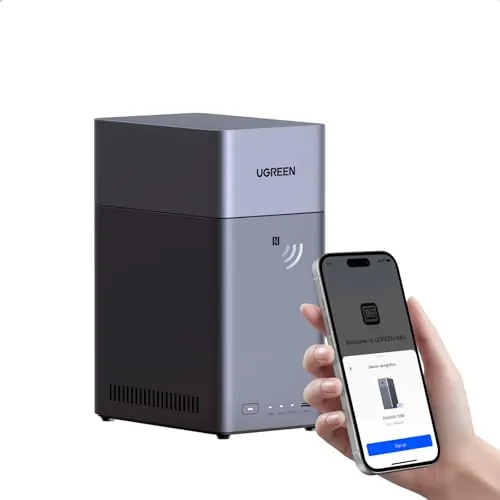
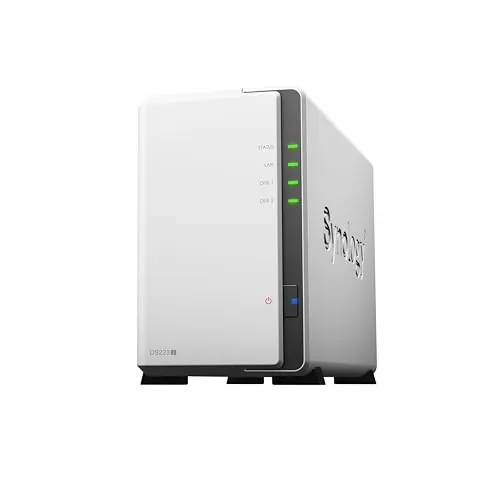
UGREEN DH2300 vs Synology DS223j: Direct HDMI or a Synology App Workflow?
The UGREEN DH2300 and Synology DS223j are diskless two-bay NAS units with one 1GbE LAN port. UGREEN documents a 4K60 HDMI route and UGOS phone-photo backup; Synology lists Drive, Photos, Hyper Backup and Cloud Sync. Verify exact drive compatibility and usable space, and plan a backup destination outside the NAS.
Read comparison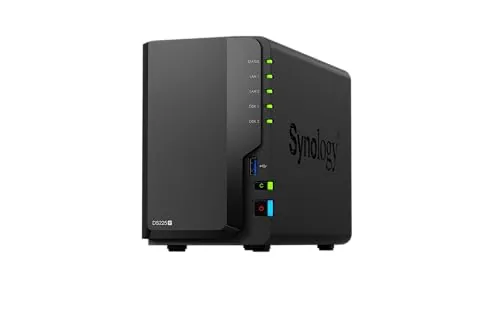
Synology DS225+ vs DS223j: Network, Drives and Setup Compared
Both are diskless, two-bay Synology NAS units with a 1GbE port. DS225+ adds a 2.5GbE port, 2GB RAM and a listed expansion path; DS223j lists 1GB and 1GbE only. Compare your network path and verify every planned drive against the exact model and DSM version before ordering.
Read comparison