
Products compared
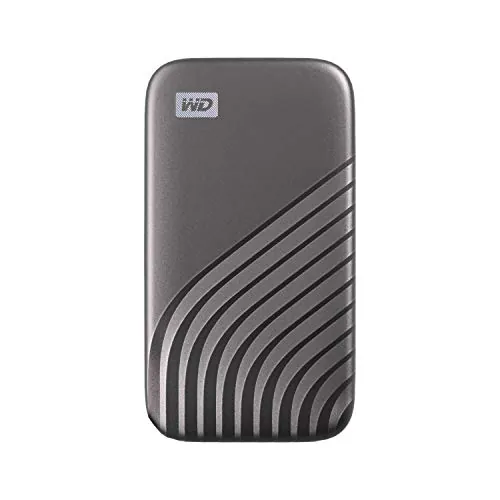
WD
WD My Passport SSD 1TB Space Gray
U.S. 1TB Space Gray retail package. WD's datasheet names the 1TB Space Gray base model WDBAGF0010BGY and lists a USB-C-to-C cable plus USB-C-to-A adapter.
Model WDBAGF0010BGY-WESN
Amazon ASIN B08F27QGHX
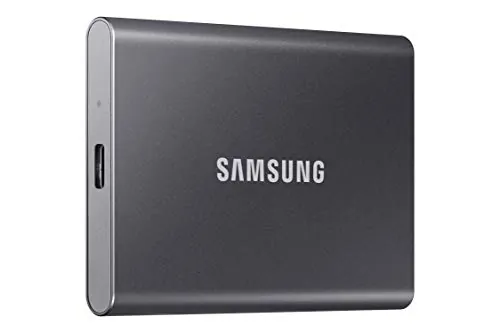
Samsung
Samsung Portable SSD T7 1TB Titan Gray
Standard U.S. 1TB Titan Gray T7. This identity excludes the T7 Touch and T7 Shield; Samsung lists a USB-C-to-C and a separate USB-C-to-A cable in the box.
Model MU-PC1T0T/AM
Amazon ASIN B0874XN4D8
Differences that matter
What matters most to you?
Choose a priority to see what it changes.
Sources for What is in the box for USB-A hosts
Sources for Published USB interface
Sources for OS and file-system setup
Quick answer: decide by the cable setup you want
These 1TB models share a USB 3.2 Gen 2 interface class. Their clearest documented everyday setup difference is what comes in the box: WD lists a USB-C-to-C cable and a USB-C-to-A adapter, while Samsung lists separate USB-C-to-C and USB-C-to-A cables.
If you move between USB-A and USB-C computers, both offer a documented way to connect. The choice is whether you want the adapter arrangement or two dedicated cables. Neither package choice proves a speed advantage. Check the exact listing package before checkout.
Host interface: match the port generation, not just the plug
WD lists USB 3.2 Gen 2 up to 10 Gb/s and backward interface entries down through USB 2.0; Samsung specifies USB 3.2 Gen 2 (10 Gbps). The T7 manual says lower USB generations can limit transfer speed and notes UASP support in its setup guidance.
Before buying, identify the actual port on the device you plan to use and check its USB data generation, cable path, OS and external-storage support. USB-C describes the connector shape, not the data-rate capability. Manufacturer maximums do not establish your real-world transfer speed, and this page does not include a controlled comparison.
File-system planning for more than one host
WD says the My Passport SSD is ready to use with PC and Mac but warns that other operating systems may require reformatting and that compatibility varies by hardware and OS. Samsung says the T7 ships formatted exFAT and documents that read/write behavior varies by OS and file system.
If you want to use the drive with a computer and a mobile device, console or another host, check each device's current support and the files you need to share. Plan the file system before copying data; formatting for one host may affect access on another. This is setup guidance from the manuals, not a promise that a specific phone or console will work.
Before you buy: a three-step host check
1. Write down the ports on each intended host: USB-C, USB-A or another connector. 2. Check the port's USB data generation and whether the host supports external storage and the needed file system. 3. Choose the package: WD's listed C-to-C cable plus A adapter, or Samsung's separate C-to-C and C-to-A cables.
Samsung’s U.S. product page identifies the gray 1TB T7 as MU-PC1T0T/AM. WD’s datasheet lists WDBAGF0010BGY for 1TB Space Gray; the Amazon package identifier in this comparison is WDBAGF0010BGY-WESN. Confirm the capacity, color and model code in the listing you select. No price or current-stock claim is made.
Product details
WD My Passport SSD 1TB Space Gray
Before you buy
Community discussions
A MacBook setup with a 4TB T7
Samsung Portable SSD T7 1TB Titan Gray
A MacBook owner describes mounting a 4TB Samsung T7 for photography and video files; in that setup, a right-angle adapter affected charging-port access and the attached drive felt bulkier than desired.
What to check
Check which laptop port the drive will use. Make sure the cable or adapter leaves room for your charger and fits how you pack both devices.
Common questions
Which one includes a USB-A cable?
Samsung's standard T7 documentation lists a separate USB-C-to-A cable and a USB-C-to-C cable. WD lists a USB-C-to-C cable plus a USB-C-to-A adapter. Check the exact listing package before ordering.Data Sheet: My Passport SSDSamsung Portable SSD T7 Datasheet, Revision 2.0 (2024)
Will either one reach its published maximum speed on any USB-C port?
No such guarantee is documented. Both manufacturers specify USB 3.2 Gen 2, and Samsung says performance depends on host configuration and cable; its manual says lower USB generations can limit speed and calls out UASP support. No head-to-head test on your host is included here.Data Sheet: My Passport SSDSamsung Portable SSD T7 Datasheet, Revision 2.0 (2024)Samsung Portable SSD T7 User Manual, English
What should I check before using the drive with more than one device?
Check each host's external-storage support, port/interface and file-system compatibility. WD says reformatting may be needed for other operating systems; Samsung documents an exFAT default but notes that read/write support varies by OS. Reformatting may affect access from other devices.Data Sheet: My Passport SSDSamsung Portable SSD T7 User Manual, English
Sources and scope
This compares the U.S. WD My Passport SSD 1TB Space Gray package (WDBAGF0010BGY-WESN; WD’s datasheet lists the base model WDBAGF0010BGY) with the standard Samsung T7 1TB Titan Gray (MU-PC1T0T/AM), not the T7 Touch or T7 Shield. Both manufacturers list USB 3.2 Gen 2, but this page does not use an independent head-to-head throughput test. Peak figures are manufacturer-labeled maximums and do not predict a particular host’s transfer rate. The bundled-adapter-versus-separate-cable distinction comes from manufacturer documentation; confirm package contents in the exact retail listing before purchase.
Related comparisons
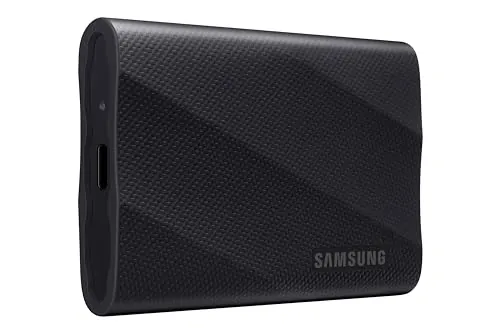
Samsung T7 1TB vs T9 1TB: Check Your USB Port Before Upgrading
These are both regular 1TB drives: the gray T7 MU-PC1T0T/AM uses USB 3.2 Gen 2 (10Gbps), while the black T9 MU-PG1T0B/AM uses Gen 2x2 (20Gbps). Samsung's peak sequential figures come from internal testing; they are not independent real-world results. The T9's maximum tier requires a Gen 2x2 host, suitable cable, and UASP. If your device has only Gen 2 or older, its headline speed advantage is not available.
Read comparison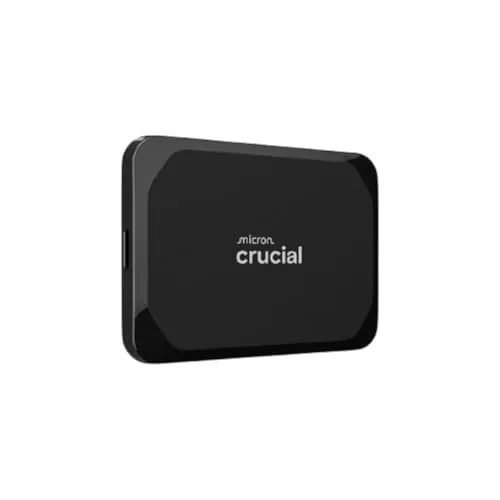
Samsung T7 1TB MU-PC1T0T/AM vs Crucial X9 CT1000X9SSD902
This guide compares the exact 1TB Samsung T7 in Titan Gray (MU-PC1T0T/AM, ASIN B0874XN4D8) with the black Crucial X9 listing (CT1000X9SSD902, ASIN B0CGW1FQV4). Samsung's US-specific T7 datasheet lists both USB-C-to-C and USB-C-to-A cables and AES-256 hardware encryption with optional password mode in Samsung software. Crucial's X9 1TB family flyer lists a USB-C-to-C cable, exFAT formatting and Windows File History, Apple Time Machine and Acronis True Image workflows. The Crucial flyer names CT1000X9SSD9, without the 02 suffix in the assigned retail model, so confirm the exact seller box before relying on its package list. This is a feature and setup comparison, not a speed test.
Read comparison