
Products compared
WD
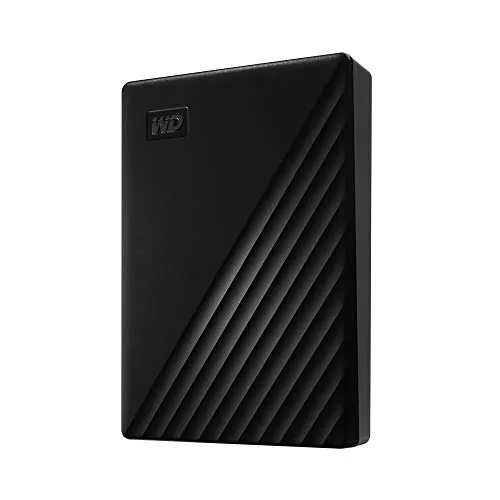
WD My Passport Portable HDD 4TB (Black)
Black, single-drive 4TB My Passport. WD's exact part table identifies WDBPKJ0040BBK-WESN as the black 4TB version. The datasheet lists backup/device-management software, password protection and hardware encryption; download and installation are required for the software.
Model WDBPKJ0040BBK-WESN
Amazon ASIN B07VTW2LPX
Western Digital
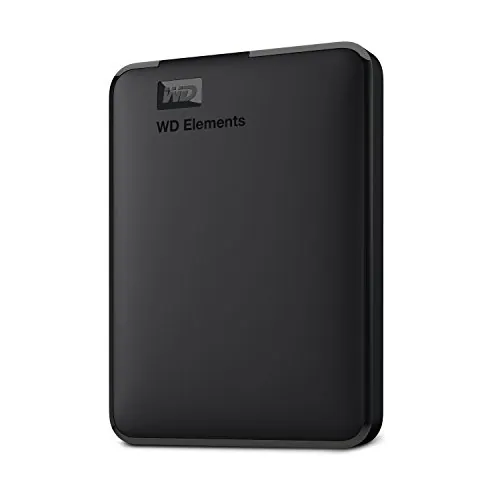
WD Elements Portable 4TB External Hard Drive (Black)
Black, single-drive 4TB Elements Portable. WD's exact US page lists the WDBU6Y0040BBK-WESN 4TB model, plug-and-play expandability and a USB-A cable. Its compatibility matrix lists no WD Security password protection or hardware encryption for Elements Portable USB 3.0; that matrix does not assess third-party tools.
Model WDBU6Y0040BBK-WESN
Amazon ASIN B0713WPGLL
Differences that matter
What matters most to you?
Choose a priority to see what it changes.
Sources for Exact black 4TB part and box setup
Sources for WD backup and password-protection workflow
Sources for USB connection and operating-system preparation
Sources for Listed size for a desk, shelf or sleeve
Start with the exact part and the job it needs to do
The listing data pair is two black, single-drive 4TB models, not every My Passport or Elements variant. Compare WDBPKJ0040BBK-WESN with WDBU6Y0040BBK-WESN on the selected offer. Both include a USB-A cable; a USB-C-only computer may need an appropriate adapter or cable.
If this will be a recurring PC backup, decide whether you want to install and configure My Passport's WD backup/device-management software. If you only need extra storage, WD describes Elements as plug-and-play expansion; verify its operating-system format requirements before writing files.
Treat security features as setup choices, not guarantees
WD lists password protection and hardware encryption for My Passport. Its compatibility matrix lists neither capability for Elements Portable USB 3.0 and defines its password-protection column as setting a drive password with WD Security. That is a statement about WD's listed features; it does not tell you whether a separate tool is suitable or predict what happens to your data.
Before storing sensitive files, check the current instructions for the exact drive and your intended operating system, decide who controls any password, and keep another backup. No external drive specification replaces a tested backup and recovery plan.
Measure the space instead of assuming a fit
WD publishes a smaller 4TB length-and-width footprint for My Passport. Use those figures as a comparison starting point, then measure the device and the space you have, including room for the connector and cable.
For Elements, WD lists 0.93 inches of height while the selected listing data/retailer observation is 0.83 inches. Because those sources disagree, this guide does not recommend it for a tight vertical clearance or sleeve based on thickness. Check the exact item or measure it directly if depth is decisive.
Product details
WD My Passport Portable HDD 4TB (Black)
- Exact model and capacity
- Black 4TB model WDBPKJ0040BBK-WESN. Source
- Connection and included cable
- Micro-B connector; USB 3.2 Gen 1/USB 3.0 with USB 2.0 compatibility. Box contents list a USB-A cable. Source
- WD software and security features
- WD lists device-management/backup software, password protection and hardware encryption. Download and installation are required; terms apply and account registration may be required. Source
- WD-listed dimensions
- 4TB model: 4.22 × 2.95 × 0.75 in (L × W × H); 0.46 lb. Source
WD Elements Portable 4TB External Hard Drive (Black)
- Exact model and capacity
- WD lists the black WDBU6Y0040BBK-WESN as its 4TB Elements Portable model. Source
- Connection and included cable
- Micro-B connector; USB 3.2 Gen 1, USB 3.0 and USB 2.0 interfaces. WD lists an included USB-A cable. Source
- Operating-system setup
- WD lists Windows 10+ compatibility and says reformatting may be required for other operating systems; compatibility can vary by hardware and OS. Source
- WD-listed dimensions
- 4TB model: 4.35 × 3.23 × 0.93 in (L × W × H); 0.51 lb. The listing data/retailer thickness observation differs, so verify depth if it matters. Source
Before you buy
Community discussions
Choosing between two portable 4TB lines
WD Elements Portable 4TB External Hard Drive (Black)
A shopper set a 4TB target for their files and considered both WD Elements Portable and My Passport among their options.
What to check
Estimate the room your files will need, then compare the case size and supplied cable for the exact 4TB versions.
Common questions
Does WD Elements Portable support WD Security password protection?
WD's compatibility matrix lists no hardware encryption and no password protection through WD Security for Elements Portable USB 3.0. The matrix does not assess third-party tools or establish a security outcome.WD External Drive Hardware Encryption Compatibility Matrix
Does My Passport require WD software to store files?
WD lists device-management and backup software with My Passport and says download and installation are required. Confirm the current setup steps if you plan to use those software functions; this comparison does not claim the drive requires that software for every storage use.Data Sheet: My Passport Portable HDD Storage (US product document)
Will either 4TB drive fit in my sleeve or desk compartment?
WD lists My Passport at 4.22 × 2.95 × 0.75 inches and Elements Portable at 4.35 × 3.23 × 0.93 inches. The selected listing data/retailer observation differs on Elements thickness, and listed size is not a fit guarantee. Measure the exact unit and leave cable clearance.4TB Black My Passport, exact model selector WDBPKJ0040BBK-WESN4TB WD Elements Portable, exact model WDBU6Y0040BBK-WESN
Can I connect these drives to any computer?
Both list a Micro-B connector, USB 3.2 Gen 1/USB 3.0, USB 2.0 compatibility and a USB-A cable. WD says Elements lists Windows 10+ and may require reformatting for other operating systems. Check your host port and WD's current OS setup instructions before using the drive.Data Sheet: My Passport Portable HDD Storage (US product document)4TB WD Elements Portable, exact model WDBU6Y0040BBK-WESN
Sources and scope
This US comparison covers the exact black 4TB parts WDBPKJ0040BBK-WESN (My Passport, ASIN B07VTW2LPX) and WDBU6Y0040BBK-WESN (Elements Portable, ASIN B0713WPGLL). WD's compatibility matrix describes WD Security password support and built-in encryption for drive families; it does not establish security outcomes or rule on third-party software. WD lists a 0.93-inch Elements thickness while the selected listing data/retailer observation is 0.83 inch; this guide does not use depth to promise fit. Manufacturer dimensions are listed specifications, not a hands-on measurement. No transfer-speed, durability, reliability or security testing was performed.
Related comparisons
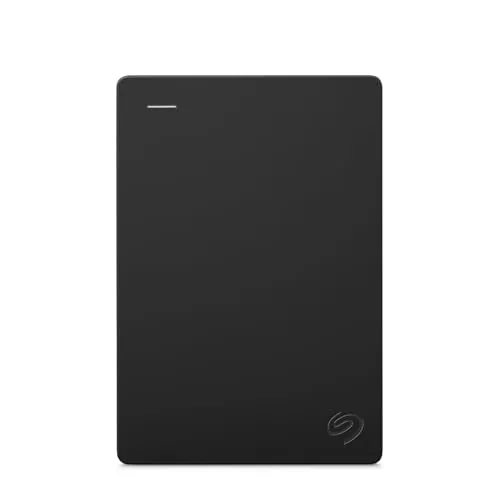
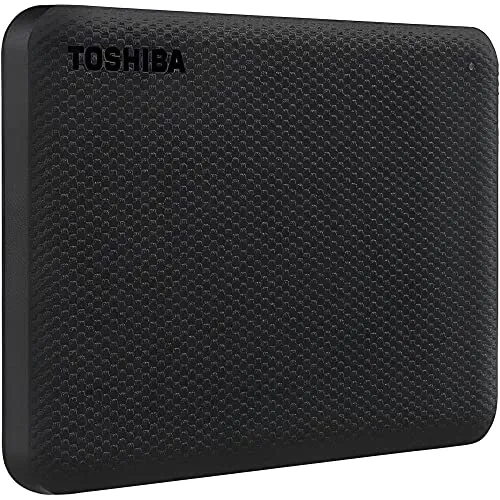
Seagate Portable 1TB vs Toshiba Canvio Advance 1TB: Backup Apps, Cable, and Size
These exact black 1TB drives share USB-powered portable storage, but their published workflows differ. Seagate documents plug-and-play PC setup and drag-and-drop use without installing software. Toshiba documents downloadable Windows-only scheduled-backup and password-lock utilities. Toshiba lists a smaller, lighter drive body. Check your computer's USB connector and operating system before ordering, especially if you use USB-C-only hardware or a Mac.
Read comparison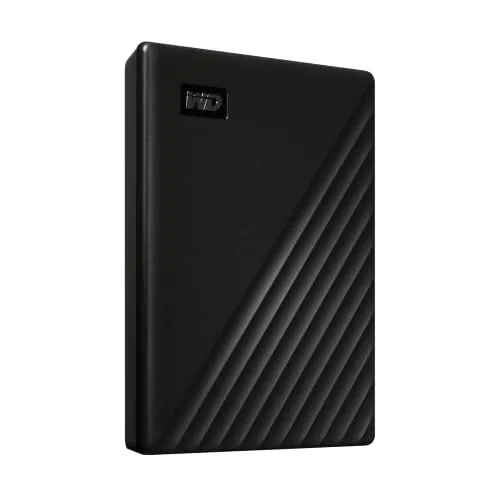
WD My Passport 1TB vs Toshiba Canvio Advance 1TB: Backup Setup and Host Fit
Both are black 1TB portable hard drives with USB 3.2 Gen 1-class connections and USB 2.0 compatibility. WD documents Acronis backup software, password protection and hardware encryption for its exact 1TB Black SKU; Toshiba describes Windows-only backup software with file/folder and schedule controls. The practical choice turns on host setup, preferred backup workflow and the small listed thickness/weight difference—not a speed or reliability claim.
Read comparison