
Pickagu

Headsets

Find your model below to compare what is included and how the differences affect everyday use.

3 comparisons

Headsets comparisons

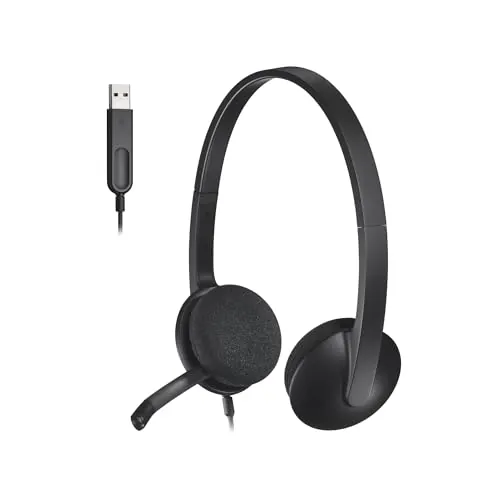
Logitech H340 USB Computer Headset - Black · H340 / 981-000507
Logitech H340 USB Computer Headset - Black
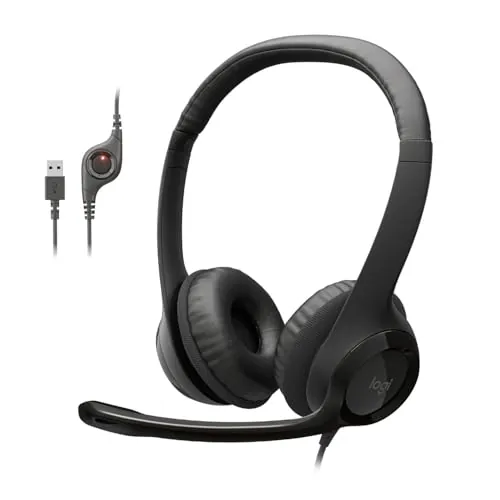
Logitech H390 USB Computer Headset - Black USB-A · H390 / 981-000014
Logitech H390 USB Computer Headset - Black USB-A

Logitech H340 vs H390 USB-A Headsets: Inline Controls or Foam Cushions?

These black USB-A wired headsets differ in two practical ways: where you change volume and mute, and the material that rests against your ears. Logitech's H340 guide directs audio and mute adjustments to system settings; the H390 puts volume and mute controls on its cable. H340 has swivel-mounted foam cushions, while H390 has swivel-mounted leatherette cushions. Measure the USB cable route and decide whether you prefer a physical control pod or software controls before ordering.

Read comparison

Logitech H390 USB Headset, Black · H390 / 981-000014
Logitech H390 USB Headset, Black
HyperX Cloud Alpha Wired Gaming Headset, Red · Cloud Alpha / HX-HSCA-RD/AM / 4P5L1AA#ABL
HyperX Cloud Alpha Wired Gaming Headset, Red

Logitech H390 vs HyperX Cloud Alpha: USB-A or 3.5mm?

The exact Logitech H390 offer is the wired USB-A model 981-000014; the red HyperX Cloud Alpha is a wired 3.5mm CTIA headset with a detachable microphone. Both document inline volume and mic-mute controls. Match the headset plug to a host that supports both audio and microphone, then decide whether you want to tuck the H390 boom aside or unplug the Cloud Alpha mic.

Read comparison
Logitech H390 USB Computer Headset, Black (USB-A) · 981-000014
Logitech H390 USB Computer Headset, Black (USB-A)
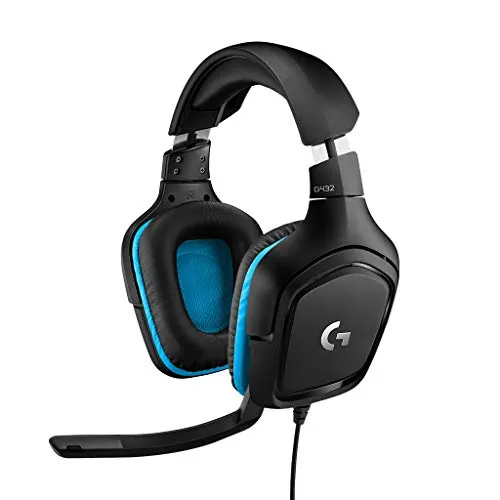
Logitech G432 Wired Gaming Headset, Black/Blue · 981-000769
Logitech G432 Wired Gaming Headset, Black/Blue

Logitech H390 vs Logitech G432: USB and 3.5 mm Connections, Mic Mute and Software

These exact wired models suit different desk and device layouts. The Black H390 981-000014 connects directly by USB-A and puts volume and mute buttons on its cable. The Black/Blue G432 981-000769 includes a USB audio adapter and splitter cable, also documents a 3.5 mm route for compatible analog hosts, and mutes when you flip its boom up. Logitech G HUB is needed for G432's DTS Headphone:X 2.0 and EQ presets on Windows; it is a separate software feature requirement, not the basic wired connection or physical mute action.

Read comparison