
Products compared
Logitech
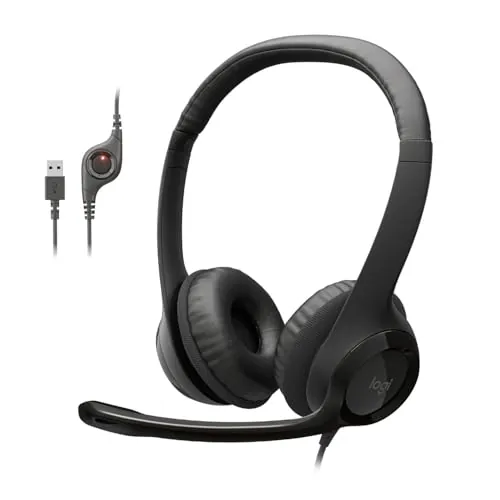
Logitech H390 USB Headset, Black
Assigned black USB-A configuration; integrated cable, rotating boom and inline controls.
Model H390 / 981-000014
Amazon ASIN B000UXZQ42

HyperX
HyperX Cloud Alpha Wired Gaming Headset, Red
Assigned red 3.5mm wired configuration with detachable boom microphone and PC extension cable in the documented kit.
Model Cloud Alpha / HX-HSCA-RD/AM / 4P5L1AA#ABL
Amazon ASIN B074NBSF9N
Differences that matter
Sources for Boom microphone handling
Sources for Inline controls and software setup
Sources for Cables and package confirmation
Start with the port on the device you will actually use
The assigned H390 is the black 981-000014 configuration with USB-A. Logitech's H390 family page also presents a USB-C version, so do not use the family name alone to confirm the plug on a listing. The red Cloud Alpha connects through a 3.5mm 4-pole CTIA headset plug. These are different connection paths, and neither source promises compatibility with every computer, console or adapter.
Before checkout, locate the host port and confirm it supports microphone input as well as headphone output. If a desktop has separate microphone and headphone jacks, or the device only has USB-C, confirm the required adapter and cable path for that specific host instead of assuming one is in the box.
Choose how you want to put the microphone away
The H390 boom rotates so it can be moved aside but remains attached in the cited documentation. Cloud Alpha's boom mic detaches. If you routinely store the headset in a case or use it without a mic, decide whether an attached boom that rotates out of the way or a removable part better matches your routine; this describes handling only, not voice performance.
Both brands document inline volume and mute controls. After connecting, check the system and calling app's selected input/output devices and mute state. Logitech's guide specifically recommends confirming computer and app settings; the sources do not establish identical app behavior across platforms.
Confirm the cable kit against your desk setup
HyperX lists a detachable headset cable, detachable microphone, PC extension cable and Quick Start Guide with Cloud Alpha. Logitech's H390 product page identifies the USB-A wired configuration, while the extracted in-box section does not enumerate a complete package list. If a specific cable length, adapter or spare component matters, verify the exact offer rather than treating an unlisted part as included.
These manufacturer documents support a fit decision by connector, control location and microphone handling. They do not provide a controlled sound, voice, comfort or call-quality comparison, so no universal headset winner follows from the listed features.
Product details
Logitech H390 USB Headset, Black
- Host connector
- USB-A on the assigned 981-000014 configuration; Logitech's H390 family page also presents a separate USB-C selection, so verify the listing code. Source
- Boom and controls
- Rotating boom mic can be moved out of the way; inline volume and mic-mute controls. Source
- Setup
- Connect the USB plug to the computer, then check the operating system and calling app's selected input and output devices. Source
HyperX Cloud Alpha Wired Gaming Headset, Red
- Host connector
- 3.5mm 4-pole CTIA headset connection; confirm the host port carries both audio and microphone or verify a suitable adapter separately. Source
- Boom and controls
- Detachable microphone and inline audio-volume/mute controls on the cable. Source
- Documented kit
- Headset, detachable headset cable, detachable mic, PC extension cable and Quick Start Guide. Source
Before you buy
Community discussions
Checking which microphone a replacement cable uses
HyperX Cloud Alpha Wired Gaming Headset, Red
A Cloud Alpha owner tried a cable with its own microphone and said the input switched away from the headset’s boom mic.
What to check
Try a short call with the mic and cable you will use. Check what the host selects as its recording input.
Common questions
Will the Logitech H390 work with a USB-C-only computer?
The selected ASIN is listed as H390 model 981-000014 and the exact setup guide depicts a USB-A plug. Logitech's current H390 family page offers a separate USB-C selection, but that does not change this assigned configuration. Check the selected model code or verify a suitable adapter for your host.Logitech H390 USB Headset product page (model 981-000014)Logitech H390 USB Headset setup guide
Can the H390 boom mic be removed?
Logitech describes the H390 boom as rotating so it can be moved out of the way. The cited H390 sources do not describe it as detachable. HyperX explicitly describes the Cloud Alpha mic as detachable.Logitech H390 USB Headset product page (model 981-000014)HyperX Cloud Alpha product page
What comes with the Cloud Alpha?
HyperX lists the headset, detachable headset cable, detachable microphone, PC extension cable and Quick Start Guide. Confirm the seller's exact offer if a particular accessory is essential.HyperX Cloud Alpha product page
Which one has better sound or microphone quality?
The cited sources describe connectors and controls, not a matched listening or microphone test. Choose based on host compatibility and the cable/microphone routine you prefer; this guide does not rank sound, call quality or comfort.Logitech H390 USB Headset product page (model 981-000014)HyperX Cloud Alpha product page
Sources and scope
These are wired headsets with different host connectors, so setup depends on the ports and audio routing on the exact computer or device. Logitech currently offers USB-A and USB-C versions under the H390 family; the selected ASIN/listed model is the USB-A 981-000014. Logitech's cited product page does not enumerate the box contents in its extracted in-box section. HyperX documents the included cable and mic kit. No comparable listening, microphone, call-quality, comfort or durability tests support a performance ranking.
Related comparisons
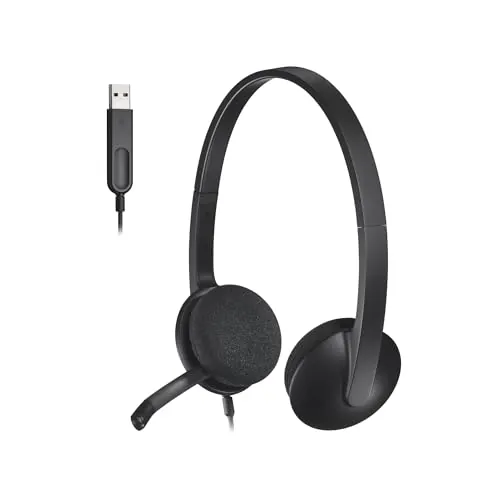
Logitech H340 vs H390 USB-A Headsets: Inline Controls or Foam Cushions?
These black USB-A wired headsets differ in two practical ways: where you change volume and mute, and the material that rests against your ears. Logitech's H340 guide directs audio and mute adjustments to system settings; the H390 puts volume and mute controls on its cable. H340 has swivel-mounted foam cushions, while H390 has swivel-mounted leatherette cushions. Measure the USB cable route and decide whether you prefer a physical control pod or software controls before ordering.
Read comparison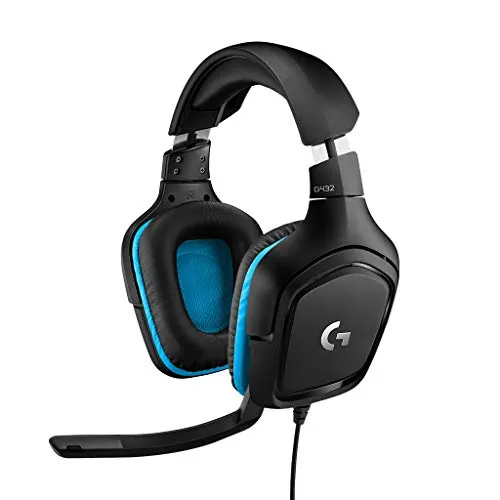
Logitech H390 vs Logitech G432: USB and 3.5 mm Connections, Mic Mute and Software
These exact wired models suit different desk and device layouts. The Black H390 981-000014 connects directly by USB-A and puts volume and mute buttons on its cable. The Black/Blue G432 981-000769 includes a USB audio adapter and splitter cable, also documents a 3.5 mm route for compatible analog hosts, and mutes when you flip its boom up. Logitech G HUB is needed for G432's DTS Headphone:X 2.0 and EQ presets on Windows; it is a separate software feature requirement, not the basic wired connection or physical mute action.
Read comparison