
Products compared
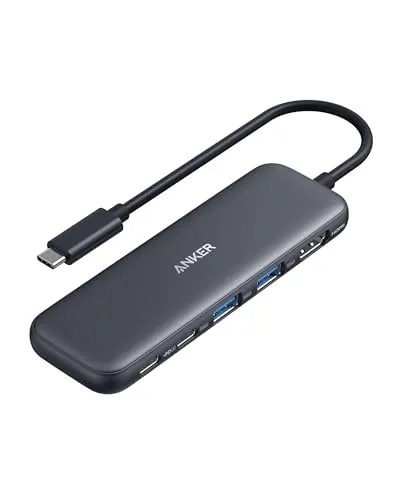
Anker
Anker 332 USB-C Hub (5-in-1), Black
Anker 332 A8355, black U.S. listing A8355011. Anker lists HDMI, two USB-A data ports, one USB-C data port and a separate USB-C PD input. Its published HDMI ceiling is 4K at 30 Hz; the FAQ also lists 1080p at 60 Hz. The USB-C data port does not output video.
Model A8355 / A8355011
Amazon ASIN B0BQLLB61B
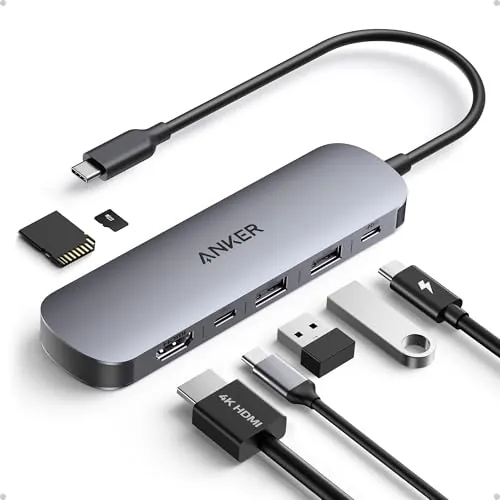
Anker
Anker Nano USB-C Hub (7-in-1, 4K HDMI), Gray
Anker Nano A83D2, gray U.S. listing. Its seven-port set adds SD and microSD slots to HDMI, two USB-A data ports, one USB-C data port and USB-C PD input. Anker lists HDMI up to 4K at 60 Hz, subject to the host and display chain; its support page says the host USB-C port must support DP Alt Mode. The PD input is not a data or video port.
Model A83D2
Amazon ASIN B0DXJQT19B
Differences that matter
What matters most to you?
Choose a priority to see what it changes.
Sources for HDMI mode for the display you actually use
Sources for SD and microSD workflow
Sources for Which USB-C port does what
Sources for Pass-through power and extra accessories
Sources for Laptop-side port access and physical fit
Start with the display and card workflow
If the monitor you already own is used at up to 4K and 30 Hz, and you do not insert SD or microSD cards, the 332's published feature set may be enough. The Nano changes the choice if you need the integrated card slots or a verified 4K-at-60-Hz path.
Those two reasons are independent. You might need Nano's card slots even with a 1080p monitor, or you might want its listed 4K60 mode without using card media. The model name and port count do not tell you which of those features matters to your desk.
Verify the USB-C host port before expecting video
Both guides send external video through HDMI. Anker's support guidance for both exact models says the connected laptop USB-C port must support DisplayPort Alternate Mode. Check the manual or official spec for the particular port you plan to use; another USB-C port on the same laptop may have different capabilities.
Then check the HDMI cable and monitor for the target resolution and refresh rate. A hub's listed maximum describes its capability under the stated connection conditions, not an automatic setting for every connected display.
Read the port labels as separate paths
The 332 and Nano each list USB-A data ports, one USB-C data port and a distinct USB-C PD input. Anker's support pages say the USB-C data port is not video output; the PD input is for an external charger to pass power to the laptop. Use HDMI for the display and do not plug data peripherals into the PD input.
The products both list up to 5 Gbps for their USB data ports. That is a published interface rate, not a measured file-copy result, and the listed materials do not prove that either hub transfers a particular file faster in your setup.
Check physical access and box contents at the listing level
Before buying, compare the exact listing images with the laptop side where you plan to connect the hub. Check that the host connector can reach, neighboring laptop ports remain usable, and—if you choose Nano—you can access the card slots with your usual desk arrangement. The manufacturer pages do not publish clearance for your laptop, so measure or inspect your own layout rather than assuming a fit.
If you want pass-through charging, account for a charger and USB-C-to-USB-C cable that meet the stated PD requirements; Anker specifically says the Nano wall charger is not included. Check the exact seller's box list for an HDMI cable or bundled charger before checkout. Package contents can vary, so this page does not promise an unverified cable in the box.
Product details
Anker 332 USB-C Hub (5-in-1), Black
- HDMI output listed by Anker
- Up to 3840 × 2160 at 30 Hz; the FAQ also lists 1080p at 60 Hz Source
- Built-in ports
- HDMI; two USB-A data ports; one USB-C data port; one USB-C PD input. The USB-C data port does not output video. Source
- Laptop pass-through charging
- Up to 85 W laptop output from up to 100 W PD input; a compatible 100 W charger and USB-C cable are required for the stated maximum, and the hub reserves 15 W. Source
Anker Nano USB-C Hub (7-in-1, 4K HDMI), Gray
- HDMI output listed by Anker
- Up to 4K at 60 Hz in mirror or extend modes; host USB-C video support, HDMI cable and display still matter Source
- Built-in ports
- HDMI; two USB-A data ports; one USB-C data port; SD and microSD slots; one USB-C PD input Source
- Laptop pass-through charging
- Up to 85 W laptop output from up to 100 W PD input, with 15 W reserved by the hub; Anker says the wall charger is not included Source
Before you buy
Community discussions
Packing a small hub with the ports you use
Anker Nano USB-C Hub (7-in-1, 4K HDMI), Gray
A traveler wanted a small hub with a few specific connections, including a card reader. Another person suggested the Anker Nano A83D2.
What to check
List the cables and cards you travel with, then check the port layout on both hubs.
Common questions
Will the Anker Nano A83D2 give every laptop 4K at 60 Hz?
No. Anker lists that ceiling for A83D2, but says the laptop's USB-C port must support DP Alt Mode. The HDMI cable and display must also support the mode you want. Confirm those details for the exact laptop port and monitor before buying.Anker Nano USB-C Hub (7-in-1, 4K HDMI), exact A83D2 support pageAnker A83D2 HDMI Compatibility Guidance
Can the USB-C data port on either hub connect a monitor?
No. Anker identifies the USB-C data port as data-only on both models. The 332 and Nano use their HDMI port for the documented external-display connection; their separate PD-IN ports are for charging the laptop.Anker A8355 USB-C Port GuidanceAnker A83D2 USB-C Port Guidance
Does the Anker 332 support only 30 Hz at every resolution?
No. Anker lists up to 4K at 30 Hz, and its 332 FAQ separately lists 1080p at 60 Hz. Match the resolution and refresh rate to your actual monitor use.Anker 332 USB-C Hub (5-in-1), U.S. product pageAnker 332 USB-C Hub (5-in-1) FAQ
Do either of these hubs include a charger or HDMI cable?
Anker explicitly says the Nano's wall charger is not included. The manufacturer sources checked here do not establish that an HDMI cable is included with either exact listing; confirm the selected listing's package contents. Pass-through charging also requires a compatible charger and USB-C cable.Anker Nano USB-C Hub (7-in-1, 4K HDMI), exact A83D2 support pageAnker A8355 USB-C Port Guidance
Sources and scope
This comparison covers the black U.S. Anker 332 A8355 (part A8355011) and gray Anker Nano A83D2. Anker lists the 332 HDMI output up to 4K at 30 Hz and the Nano up to 4K at 60 Hz; these are documented ceilings, not guaranteed results on every laptop, cable or display. The host USB-C port must support DP Alt Mode for video. On both hubs, the USB-C data port is data-only and the PD-IN port is for charging the host, not video or peripherals. The maker pages do not give clearance measurements for a specific laptop setup; check the product images and your laptop’s port layout before purchase. Anker says the Nano wall charger is not included; confirm the exact offer for any HDMI cable or charger. No throughput, display-quality, charging-speed or reliability testing is represented.
Related comparisons
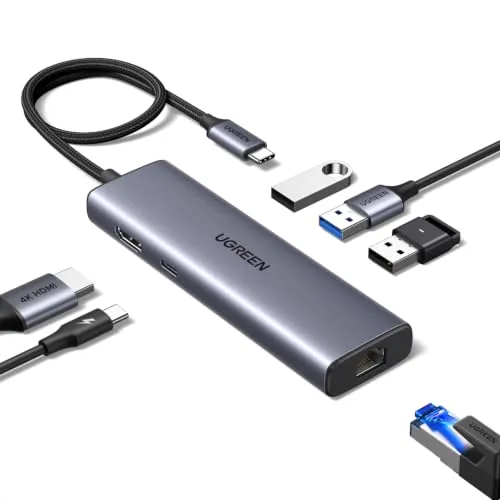
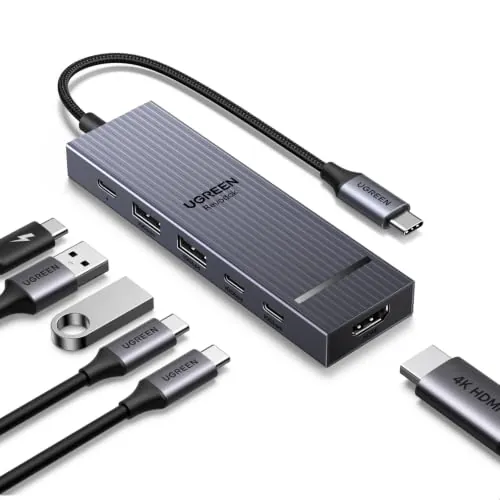
UGREEN Revodok 15598 vs Revodok Pro 45363: Ports, HDMI and Charging
The Revodok 15598 gives you built-in Gigabit Ethernet and three USB-A data ports, but its HDMI output is listed up to 4K at 30 Hz and its extra USB-C socket is for charging only. The Revodok Pro 106 (SKU 45363) replaces Ethernet with USB-C data ports and lists HDMI up to 4K at 60 Hz when the host supports DP 1.4. Both list up to 100W PD input. UGREEN’s U.S. FAQ lists up to 85W to the host for 45363; confirm the 15598 U.S. offer’s host-output rating separately.
Read comparison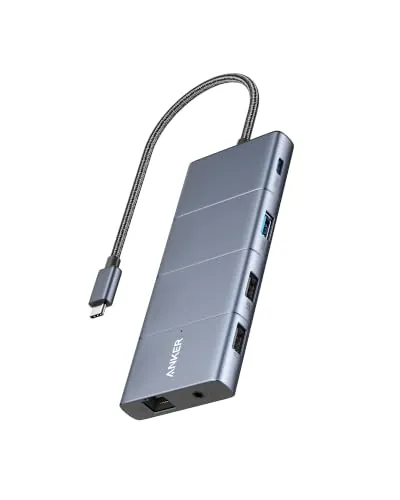
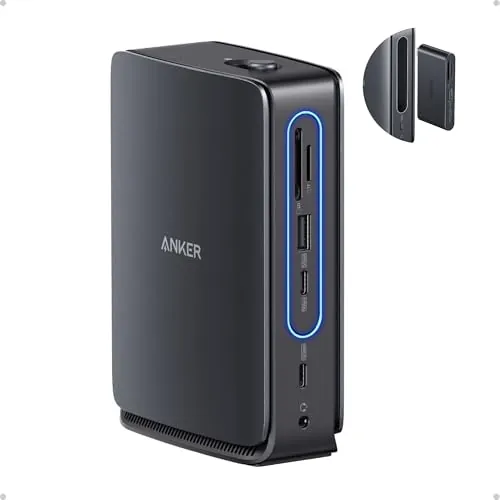
Anker 565 A8388 vs Nano A83C3: Monitor Ports, Host Limits, and Desk Setup
The Anker 565 A8388 puts one HDMI and one DisplayPort in a single hub that travels as a unit. The Nano A83C3 has a powered desk dock with two HDMI ports and a DisplayPort, plus a detachable hub with one HDMI for a lighter travel setup. Check your laptop's DP Alt Mode, display-version and GPU limits first; Anker's Nano page and manual differ on its dual-monitor maximum.
Read comparison