
Products compared
Anker
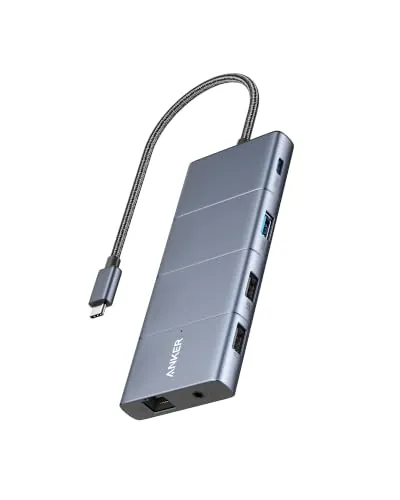
Anker 565 USB-C Hub (11-in-1)
Gray U.S. model with one attached USB-C host cable, one HDMI output, and one DisplayPort output in a single hub.
Model A8388
Amazon ASIN B09Q5V9G5P
Anker
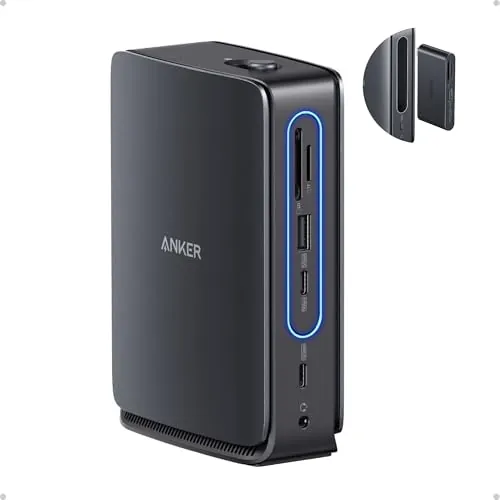
Anker Nano Docking Station (13-in-1, Built-In Removable Hub)
Black U.S. model with a powered desktop dock and detachable 6-in-1 hub. The dock has two HDMI and one DisplayPort output; the removed hub has one HDMI output.
Model A83C3
Amazon ASIN B0FCLC1RMM
Differences that matter
What matters most to you?
Choose a priority to see what it changes.
Sources for Documented multi-monitor modes by host signal
Sources for Host port checks before checkout
Start with the monitor cables and desk plan
The A8388 has one HDMI and one DisplayPort in one fixed hub. That can match a desk with one cable of each type and keeps the hub's HDMI, DP, Ethernet, audio, USB, and card connections together if you travel with it. Its attached host cable is about 8.27 inches on Anker's U.S. product page.
The A83C3 desk dock has two HDMI 2.0 outputs and one DisplayPort. Its detachable 6-in-1 hub has one HDMI output plus its own USB and card connections. The smaller module does not take the desktop dock's DisplayPort, wired Ethernet, or audio jack with it. Choose by the section that will be connected to your monitors, not just the total number of sockets advertised for the product.
Match the display mode to your laptop's port and operating system
Both manuals require a laptop USB-C port with DisplayPort Alt Mode for video. The 565 manual's Windows table lists one 4K/30 display or dual 1080p with a DP 1.2 host; with DP 1.4 it lists one 4K/60 display or two 2K/60 displays. For macOS it says the external monitors mirror one another; its table lists dual 4K/30 with DP 1.2 or dual 4K/60 with DP 1.4.
The Nano manual's dock table lists, for a DP 1.2 USB-C host, one 4K/30 monitor, two 1080p/60 monitors, or three 1600×900/60 monitors. With DP 1.4 it lists one 4K/60, two 1440p/60, or three 1080p/60 monitors. Its guide says Windows Extended Mode is supported and macOS external monitors mirror. These are manufacturer tables; the manual says actual results can vary with laptop hardware and the built-in display's own limits also matter.
There is a specific unresolved Nano mode conflict: its current U.S. page says dual 4K/60 is possible when both laptop and monitors support DSC, while the manual table lists dual 1440p/60 for DP 1.4. If dual 4K/60 is essential, confirm the exact laptop, monitors, and cable arrangement with Anker instead of treating either headline as a guarantee.
Plan host charging separately from video
The 565's manual lists a USB-C PD input for a 100 W charger and up to 85 W pass-through to the laptop; its guide says the charger and cable are not included. Video uses the host's DP Alt Mode; charging is a separate PD path. Its USB-C data port and PD input are not display outputs.
The Nano dock's manual package diagram includes a 140 W wall adapter and a 1 m USB-C host cable, and describes up to 100 W laptop output from the dock. When the removable hub is used directly, charging the laptop requires a separate PD wall charger and USB-C cable, which the manual says are not included. The dock's 100 W path and travel hub's PD-in setup are different configurations.
Before checkout, verify your laptop's exact USB-C display and charging capabilities, its GPU's external-screen maximum, and which dock section will be used. The selected hub's port labels cannot confirm that a particular laptop supports the requested monitor layout or charging behavior.
Product details
Anker 565 USB-C Hub (11-in-1)
- Video outputs
- One HDMI and one DisplayPort; both are video outputs, while USB-C data ports do not output video Source
- Host video and power requirements
- Host USB-C must support DP Alt Mode for displays; pass-through laptop charging requires a compatible PD charger and cable, sold separately Source
- Pass-through power
- With a 100 W PD charger and cable, the hub supports up to 85 W pass-through to a laptop; charger and cable are not included Source
Anker Nano Docking Station (13-in-1, Built-In Removable Hub)
- Desktop dock video outputs
- Two HDMI 2.0 ports and one DisplayPort 1.4; the detached hub provides one HDMI port Source
- Host video and power requirements
- Host USB-C must support DP Alt Mode for video and Power Delivery for charging; the dock uses the included 140 W adapter and USB-C cable Source
- Detached hub charging
- Charging the laptop through the detached hub requires a separate PD charger and USB-C cable; Anker lists those as not included Source
Before you buy
Community discussions
An Anker 565 buyer checks the host and display needs of a handheld
Anker 565 USB-C Hub (11-in-1)
A buyer asks whether the exact Anker 565 11-in-1 hub would suit a Steam Deck. The question identifies the host but does not establish compatibility or a tested display setup.
What to check
Before choosing a hub for a handheld, write down the exact display, power, and peripheral connections you need, then compare them with the current documentation for that host and the dock.
Checking the cable and power layout for an under-desk hub
Anker 565 USB-C Hub (11-in-1)
A shopper wanted to mount a USB hub under a desk and had preferences about the host cable and power supply. A reply suggested looking at the Anker 565 A8388.
What to check
Measure how far the hub will sit from your computer and check where its host cable and power connection would need to run.
Common questions
Will either hub work with any laptop USB-C port?
No blanket compatibility can be inferred from the connector shape. Anker's manuals require USB-C DP Alt Mode for video; charging also depends on Power Delivery. Check the exact laptop port and its supported external-display count before choosing.Anker 565 A8388 User Guide, EnglishAnker Nano A83C3 User Guide, English
Can a Mac show different pictures on two external monitors through these hubs?
Anker's manuals say the external monitors mirror the same content on macOS. The A8388 manual says Windows supports different content across displays, and the A83C3 manual says Windows Extended Mode is supported; confirm the laptop GPU's actual display limit as well.Anker 565 A8388 User Guide, EnglishAnker Nano A83C3 User Guide, English
Does the Nano's detached hub keep the dock's DisplayPort and wired network?
No. The detached hub has one HDMI and its own USB and card connections. DisplayPort, Ethernet, and the audio jack are on the main dock, so those stay at the desk when the hub is removed.Anker Nano A83C3 User Guide, EnglishAnker Nano Docking Station (13-in-1, Built-In Removable Hub), Model A83C3
What display mode should I expect from the Nano with two monitors?
The English manual lists dual 1440p/60 for a DP 1.4 host and dual 1080p/60 for a DP 1.2 host. The current U.S. product page says dual 4K/60 is available when both laptop and monitors support DSC. Because those maker statements differ, verify the exact host, monitors, and desired mode with Anker before ordering for dual 4K/60.Anker Nano A83C3 User Guide, EnglishAnker Nano Docking Station (13-in-1, Built-In Removable Hub), Model A83C3
Does the Nano include power for its desktop dock and detachable hub?
The manual's package overview shows a 140 W wall adapter and a USB-C host cable for the dock. For laptop charging while the hub is detached, the manual says a separate PD wall charger and USB-C cable are not included.Anker Nano A83C3 User Guide, English
Sources and scope
This guide compares the manufacturers’ listed ports, host requirements, display-mode tables, and included power setup. It does not establish compatibility or tested speed for a particular laptop, monitor, cable, or workload. Anker says dual 4K at 60 Hz on the Nano A83C3 requires DSC on both the host and monitors; its English manual separately lists dual 2560 × 1440 at 60 Hz for the DP 1.4 display mode. Check the exact display mode you need against current documentation for your laptop, screens, cables, and selected ports before buying.
Related comparisons
Anker 565 A8388 vs 575 A8392: Check Power and Monitor Fit
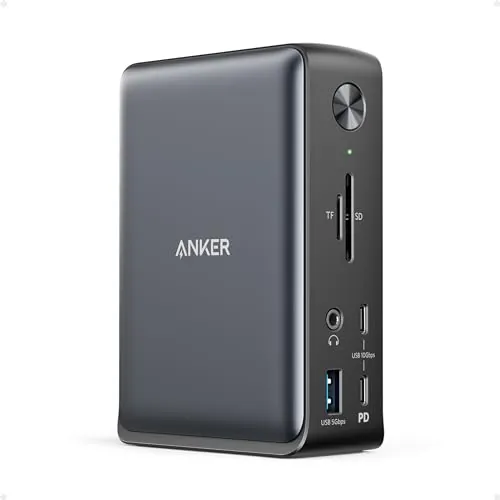
The 565 pairs HDMI with DisplayPort and needs a separate PD charger and charge cable. The 575 includes an adapter and host cable, adds a second HDMI socket, and documents host-dependent modes for as many as three external displays. Its host port is rated up to 85 W. The 565 manual also describes up to 85 W to the laptop, but Anker's support summary and manual differ on the power input. Check the laptop's video mode, operating system and charging needs before buying.
Read comparison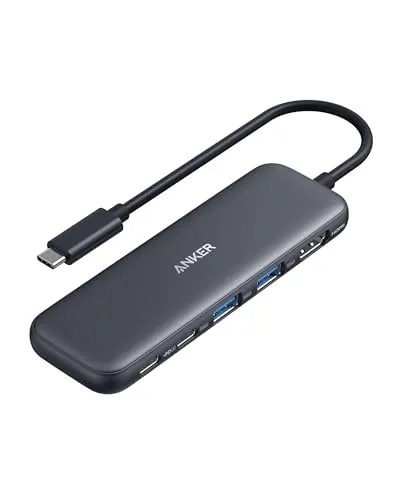
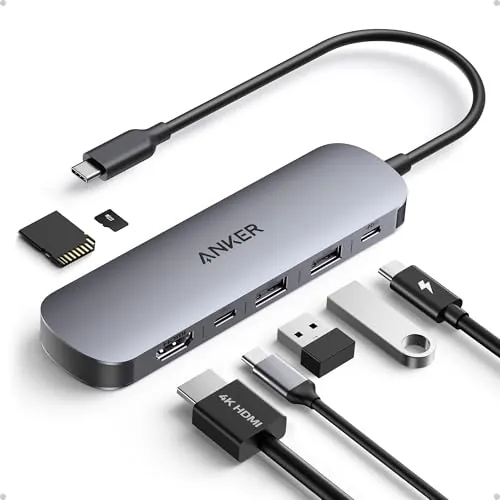
Anker 332 A8355 vs Nano A83D2: HDMI Modes, Card Slots and Port Fit
The useful difference is not simply five ports versus seven. The Anker 332 A8355 lists HDMI up to 4K (3840 × 2160) at 30 Hz and 1080p at 60 Hz, while the Nano A83D2 lists HDMI up to 4K at 60 Hz and adds SD and microSD slots. Those display figures depend on the laptop's USB-C video support and the connected HDMI cable and display. On both hubs, HDMI is the display output; the USB-C data port does not carry video, and the separate PD input is for charging the laptop. Compare the intended laptop port and the product's connector/port layout before ordering, then choose by the display mode and card workflow you will actually use.
Read comparison