
Products compared
Anker
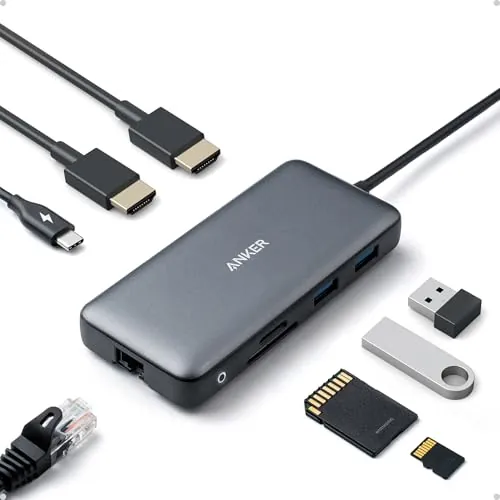
Anker 553 USB-C Hub (8-in-1)
The Anker 553/A8380 in this comparison is model A83800A1. Anker's exact U.S. documentation lists two HDMI outputs, two USB-A data ports, Gigabit Ethernet, SD and microSD UHS-I slots, and USB-C PD input. For video, Anker requires host USB-C DisplayPort Alt Mode; its listed modes vary by DisplayPort version and operating system, and Anker says the two HDMI displays mirror on Mac.
Model A83800A1
Amazon ASIN B0874M3KW4
UGREEN
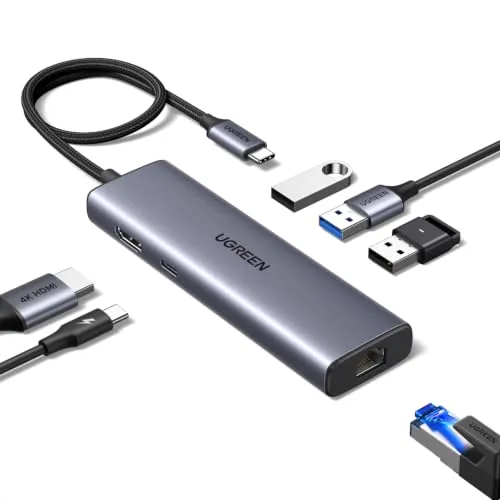
UGREEN Revodok 6-in-1 USB-C Hub, SKU 15598
The UGREEN Revodok compared here is SKU 15598. UGREEN's model table and exact-SKU product documentation list one HDMI output up to 4K/30Hz, three USB-A 3.0 data ports and Gigabit Ethernet. Its regional 15598 page describes the USB-C socket as a charging input only, not a data or video port. The currently linked U.S. destination redirects to a general collection, so confirm the selected U.S. offer's host-charging output and included charger before relying on a wattage figure.
Model 15598
Amazon ASIN B0BW2TLQ8S
Differences that matter
What matters most to you?
Choose a priority to see what it changes.
Sources for USB data and card workflow
Start with the screen plan
The Anker 553 A8380 is the only one of these two with two HDMI sockets. That is useful when a compatible laptop setup needs two physical HDMI connections, but it does not settle whether both monitors can show different content. Anker says the two HDMI displays mirror on macOS and makes its listed modes conditional on the host's DisplayPort version and operating system.
The UGREEN 15598 has one HDMI output, and its model-specific row lists up to 4K at 30 Hz. For either hub, confirm that the laptop's USB-C port outputs video and check the laptop's own external-monitor limits. A USB-C connector by itself does not prove that it carries video.
Match the hub to your everyday devices
Choose Anker's port mix if moving camera or other media files from both SD and microSD cards is part of the routine: Anker lists one UHS-I slot for each. The 553 also lists two USB-A data ports. UGREEN's exact 15598 row lists three USB-A ports and shows a dash under Card Slot. Read that dash as a field not listed in the table; if a built-in reader is a must-have, verify the exact U.S. offer rather than assuming.
Both exact models list Gigabit Ethernet, so use the remaining differences to decide: HDMI count, USB-A count and reader needs. The 15598 USB-C socket is charging-only in UGREEN's regional exact-SKU documentation; neither hub's cited USB-C power socket is a downstream USB-C data connection.
Pre-buy check: host, display, then power
1. Find the laptop's exact model and check the maker's port documentation for USB-C video/DisplayPort Alt Mode, DisplayPort version and maximum simultaneous external displays. 2. List the monitors, desired resolution and refresh, and whether each must be an independent desktop; compare that list with Anker's DP/OS table or UGREEN's one-output 4K/30 listing. 3. Count wired peripherals and SD formats. 4. If the hub should charge the laptop, compare the laptop's required power with the exact retail unit's PD output and verify whether a wall charger and cable are included.
Do not use a hub's 100W PD input label as the laptop-output figure. Anker specifies up to 85W pass-through and calls for a 100W PD charger and USB-C cable. For the U.S. 15598 listing, the current product destination redirects and regional exact-SKU sources show differing laptop pass-through numbers; confirm the U.S. offer's label before treating any wattage as applicable.
Product details
Anker 553 USB-C Hub (8-in-1)
- Display ports and host condition
- Two HDMI outputs. Anker's table lists single 4K/60Hz and dual Windows modes by DP 1.2 or DP 1.4; macOS dual HDMI mirrors. The host USB-C port must support DP Alt Mode for video. Source
- Peripheral and card ports
- Two USB-A data ports (up to 5Gbps), one SD and one microSD UHS-I slot, and Gigabit Ethernet. Source
- Power input and laptop pass-through
- Anker lists a 100W maximum PD input and up to 85W pass-through to the laptop; it specifies a 100W USB-PD wall charger and USB-C-to-USB-C cable for that setup. Confirm those accessories in the exact retail offer. Source
UGREEN Revodok 6-in-1 USB-C Hub, SKU 15598
- Display and peripheral port mix
- The UGREEN comparison table's separate 15598 row lists one HDMI output up to 4K/30Hz, three USB-A data ports, Gigabit Ethernet and 5Gbps maximum listed data rate. Its Card Slot cell is a dash; treat that as not listed there, not as a confirmed statement about every offer. Source
- USB-C port function and PD
- UGREEN's exact regional SKU 15598 product page describes a 100W PD input and says the USB-C port supports charging only, not data or video. The page reports a regional host pass-through figure; this guide does not transfer that output rating to the U.S. offer. Source
Before you buy
Community discussions
Choose ports around your media workflow
Anker 553 USB-C Hub (8-in-1)
A MacBook Air M3 buyer linked the exact Anker 553/PowerExpand ASIN and said USB and SD-card access mattered for video editing and screenwriting.
What to check
List the USB devices and SD cards you expect to connect, then compare each hub’s card-reader and peripheral layout with that list before choosing.
Common questions
Will the Anker's two HDMI ports give my Mac two separate external desktops?
Anker says the A8380's dual HDMI displays mirror on macOS, showing the same image. If you need two independent Mac screens, check a hub whose exact model and your Mac both document that mode.Anker 553 USB-C Hub (8-in-1), A8380 — U.S. product documentation
Which hub has SD and microSD slots?
Anker's 553 support page lists SD and microSD UHS-I slots. UGREEN's table has a separate 15598 row whose Card Slot cell is a dash, not an explicit statement that every bundle lacks a reader; confirm the exact offer if this matters.Anker 553 USB-C Hub (8-in-1) — exact-model ports and compatibilityUGREEN Revodok comparison table, separate SKU 15598 row (UK market) and model specs
Does either USB-C port work for a USB-C data accessory?
The exact Anker support listing describes its USB-C port as PD-IN; UGREEN describes its 15598 USB-C port as charging-only. Neither cited port is documented here as downstream USB-C data.Anker 553 USB-C Hub (8-in-1) — exact-model ports and compatibilityUGREEN Revodok 1061 6-in-1 USB-C Hub, exact SKU 15598 (Australia market)
Does the UGREEN's 100W PD label mean it sends 100W to a U.S. laptop?
No such U.S. output claim is made here. The current U.S. 15598 page redirects, and official regional 15598 pages report different pass-through values. Confirm the selected U.S. offer's host-output rating and charger requirements before relying on it.UGREEN Revodok 1061 6-in-1 USB-C Hub, exact SKU 15598 (Australia market)UGREEN Revodok comparison table, separate SKU 15598 row (UK market) and model specs
Sources and scope
This is a feature-fit comparison of exact hub models using manufacturer documentation, not a device compatibility or performance test. HDMI output requires compatible video from the host USB-C port; check your laptop maker's port, GPU and OS display limits. Anker states its A8380 dual HDMI screens mirror on macOS. UGREEN identifies SKU 15598 on its Australia page and a distinct SKU 15598 row on its UK comparison table; those pages confirm the port configuration, but regional power pass-through output figures differ. The currently linked U.S. 15598 product page redirects to a general collection, so this guide does not promise a U.S. laptop-output wattage. Verify the exact selected U.S. offer's PD output and package before purchase.
Related comparisons
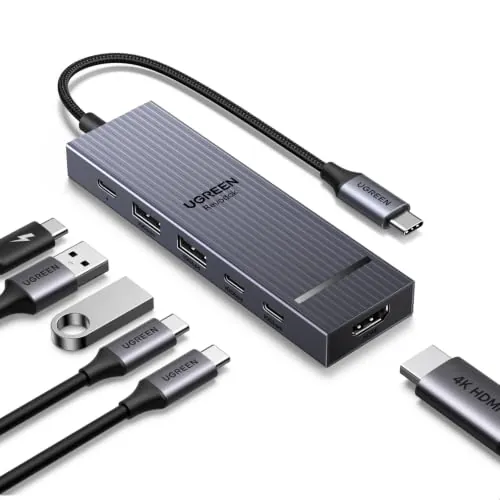
UGREEN Revodok 15598 vs Revodok Pro 45363: Ports, HDMI and Charging
The Revodok 15598 gives you built-in Gigabit Ethernet and three USB-A data ports, but its HDMI output is listed up to 4K at 30 Hz and its extra USB-C socket is for charging only. The Revodok Pro 106 (SKU 45363) replaces Ethernet with USB-C data ports and lists HDMI up to 4K at 60 Hz when the host supports DP 1.4. Both list up to 100W PD input. UGREEN’s U.S. FAQ lists up to 85W to the host for 45363; confirm the 15598 U.S. offer’s host-output rating separately.
Read comparison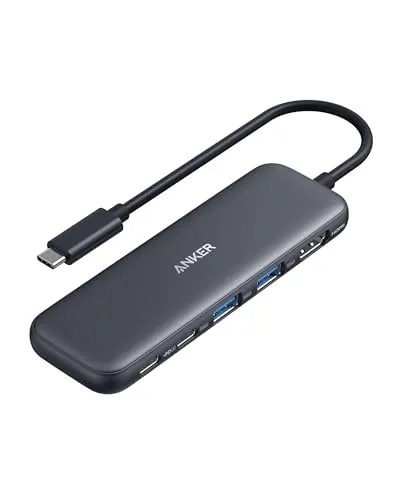
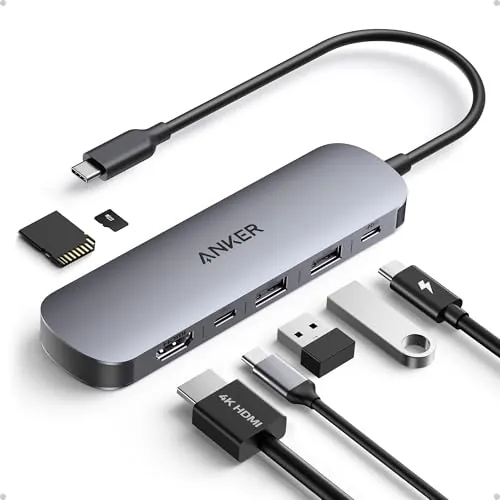
Anker 332 A8355 vs Nano A83D2: HDMI Modes, Card Slots and Port Fit
The useful difference is not simply five ports versus seven. The Anker 332 A8355 lists HDMI up to 4K (3840 × 2160) at 30 Hz and 1080p at 60 Hz, while the Nano A83D2 lists HDMI up to 4K at 60 Hz and adds SD and microSD slots. Those display figures depend on the laptop's USB-C video support and the connected HDMI cable and display. On both hubs, HDMI is the display output; the USB-C data port does not carry video, and the separate PD input is for charging the laptop. Compare the intended laptop port and the product's connector/port layout before ordering, then choose by the display mode and card workflow you will actually use.
Read comparison