
Products compared
Anker
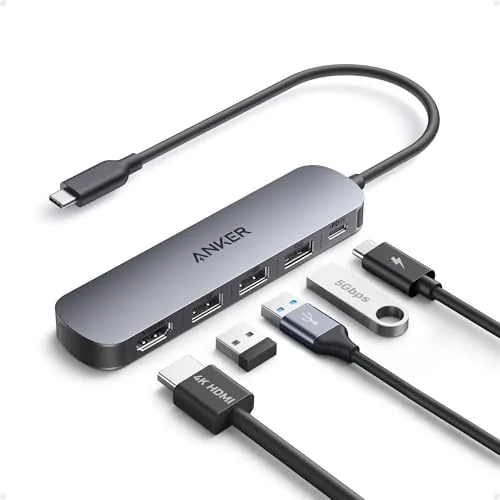
Anker USB-C Hub (5-in-1, 4K HDMI)
Five-port USB-C hub identified by Anker as model A8357, with one USB-A 3.0 data port, two USB-A 2.0 data ports, HDMI, and a USB-C PD input. Check the exact U.S. retail offer for package contents and regional details.
Model A8357
Amazon ASIN B0DKT8BB4M
Belkin
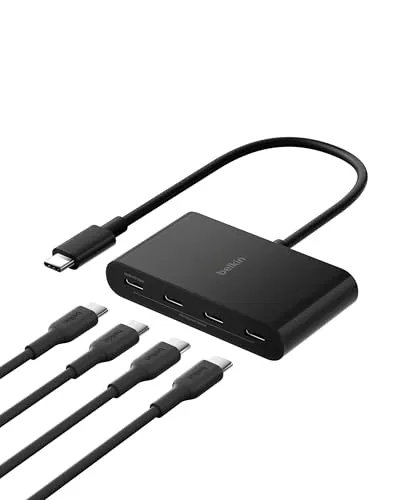
Belkin Connect USB-C to 4-Port USB-C Hub
U.S. black package SKU AVC018btBK with a tethered USB-C host cable and four USB-C 3.2 Gen 2 ports.
Model AVC018btBK
Amazon ASIN B0BY27XSJ3
Differences that matter
What matters most to you?
Choose a priority to see what it changes.
Sources for Accessory plug direction
Sources for Fastest documented accessory data path
Sources for Hub-to-computer data ceiling
Sources for Host and cable check
Start from the plug on the accessory side
Anker A8357 is the fit to check first when the cable you want to plug into the hub ends in USB-A. Its three USB-A ports are not equivalent: Anker lists one USB-A 3.0 data port and two USB-A 2.0 data ports. Belkin AVC018 goes the other way at the accessory side, with four USB-C 3.2 Gen 2 ports and a tethered USB-C host cable.
For a desk with a USB-A keyboard, mouse and storage drive, write down which hub socket each item would use before ordering. If you must use a cable or adapter to change a plug, verify that it supports the exact device and data mode; connector conversion alone does not change a hub's rating.
Compare the rated path, not a headline port count
For A8357, the documented ceilings are 5Gbps on its single USB-A 3.0 data port and 480Mbps on each of its two USB-A 2.0 data ports. A device plugged into one of the 480Mbps sockets does not inherit the other port's 5Gbps rating.
Belkin lists up to 10Gbps for its USB-C ports and separately states that the maximum transfer rate between AVC018 and the computer is 10Gbps. Four 10Gbps-rated sockets therefore do not create a 40Gbps connection to the host. The listed values are ceilings; this guide has not measured file copies or what happens when multiple peripherals are active.
Check the host and the complete cable path before you buy
For the device that matters most, trace the data path from computer to hub to peripheral: identify the host port, hub connector, peripheral plug and any cable or adapter between them. Check the computer maker's exact port specification and the peripheral's own USB requirement. The slowest supported segment can limit the path, and the product pages do not establish the speed your particular computer and drive will achieve.
Belkin identifies AVC018 as a USB-C hub for USB-C devices and lists Mac, Windows and Chromebook compatibility; its FAQ gives the 10Gbps host link maximum. Anker's A8357 page lists Mac, Windows and ChromeOS use but gives additional DP Alt Mode and Power Delivery requirements for its overall advertised laptop compatibility. Those notes do not certify every device or establish data speed from the USB-C connector shape alone.
Belkin identifies package SKU AVC018btBK. The Anker source identifies model A8357 but does not specify whether every U.S. retail offer has the same package contents or warranty terms. Check the exact retailer offer and host documentation if those details are part of your decision. This comparison does not promise video output or charging behavior.
Product details
Anker USB-C Hub (5-in-1, 4K HDMI)
A8357 is the direct choice when your existing peripheral leads are USB-A. Use the single 5Gbps USB-A port for a device whose data path needs that published ceiling; the two other USB-A ports are rated at 480Mbps.
- Accessory-side ports
- One USB-A 3.0 data port plus two USB-A 2.0 data ports Source
- Published data ceilings
- Up to 5Gbps on the USB-A 3.0 port; up to 480Mbps on each USB-A 2.0 port Source
- Host requirements for full advertised use
- Anker's page lists supported Mac, Windows and ChromeOS systems and says the laptop port should support DisplayPort Alt Mode and Power Delivery; it does not make that a data-rate benchmark or prove compatibility with every USB-C device. Source
Belkin Connect USB-C to 4-Port USB-C Hub
AVC018 is the all-USB-C layout. Belkin documents four USB-C Gen 2 ports and a 10Gbps maximum link to the computer. USB-C shape alone does not mean a host, drive or cable supports that ceiling.
- Accessory-side ports
- Four USB-C 3.2 Gen 2 ports; built-in tethered USB-C host cable Source
- Published data ceiling
- Up to 10Gbps per documented USB-C port; the maximum hub-to-computer data rate is also 10Gbps Source
- Host requirement
- Belkin lists USB-C host devices including Mac, Windows and Chromebook; the connected host, peripheral and their data-capable link must support the rate you need Source
Before you buy
Community discussions
Counting USB-C devices before adding a display
Belkin Connect USB-C to 4-Port USB-C Hub
An AVC018 owner used USB-C for several accessories and was looking for a hub that could also add a display connection.
What to check
List each device, display and power connection. Check the documented role of each hub port against your host’s capabilities.
Common questions
Are all three Anker A8357 USB-A ports 5Gbps?
No. Anker lists one USB-A 3.0 port rated up to 5Gbps and two USB-A 2.0 ports rated up to 480Mbps. Check which port your data device uses.Anker USB-C Hub (5-in-1, 4K HDMI) User Guide and Product Description (A8357)
Do Belkin's four 10Gbps ports provide a 40Gbps link to the computer?
No. Belkin's FAQ states the hub-to-computer maximum is 10Gbps. The per-port ratings cannot be added into a faster host link, and the sources do not establish simultaneous full-rate transfers.Belkin Connect USB-C to 4-Port USB-C Hub (AVC018) FAQs
Will either hub reach its listed data ceiling with any USB-C computer?
The connector shape alone does not establish a data rate. Check the computer's exact port specifications, the connected device and any cable or adapter in between. For Anker's other advertised functions, separately confirm the host requirements stated by Anker; this article does not promise a video or charging result.Anker USB-C Hub (5-in-1, 4K HDMI), Model A8357Belkin Connect USB-C to 4-Port USB-C Hub (AVC018) FAQs
Which hub is easier if my current accessories use USB-A?
Anker has native USB-A ports. Belkin's AVC018 uses USB-C ports, so a USB-A accessory would need a compatible cable or adapter; changing the connector does not raise the data rate the accessory, cable, host and hub can negotiate.Anker USB-C Hub (5-in-1, 4K HDMI) User Guide and Product Description (A8357)Belkin Connect USB-C to 4-Port USB-C Hub (AVC018) FAQs
Sources and scope
Anker’s manufacturer source identifies hub model A8357, but does not tie its U.S. listing offer B0DKT8BB4M to a specific regional bundle. Check the exact listing for package and warranty details. Belkin identifies its U.S. black package as AVC018btBK; the code may also appear with different capitalization. Published transfer values are maximum specifications, not measurements. The sources do not establish simultaneous full-rate bandwidth, a particular host’s achieved rate, display output, charging performance, adapter behavior, or USB-C-to-USB-A cable compatibility.
Related comparisons
Anker 332 A8355 vs Nano A83D2: HDMI Modes, Card Slots and Port Fit
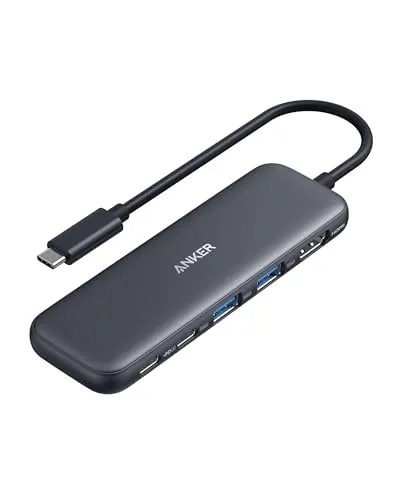
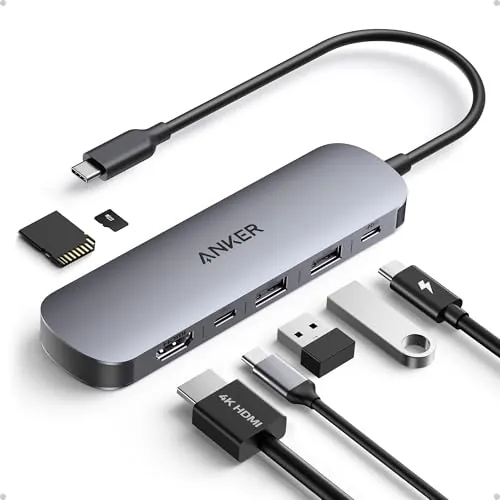
The useful difference is not simply five ports versus seven. The Anker 332 A8355 lists HDMI up to 4K (3840 × 2160) at 30 Hz and 1080p at 60 Hz, while the Nano A83D2 lists HDMI up to 4K at 60 Hz and adds SD and microSD slots. Those display figures depend on the laptop's USB-C video support and the connected HDMI cable and display. On both hubs, HDMI is the display output; the USB-C data port does not carry video, and the separate PD input is for charging the laptop. Compare the intended laptop port and the product's connector/port layout before ordering, then choose by the display mode and card workflow you will actually use.
Read comparison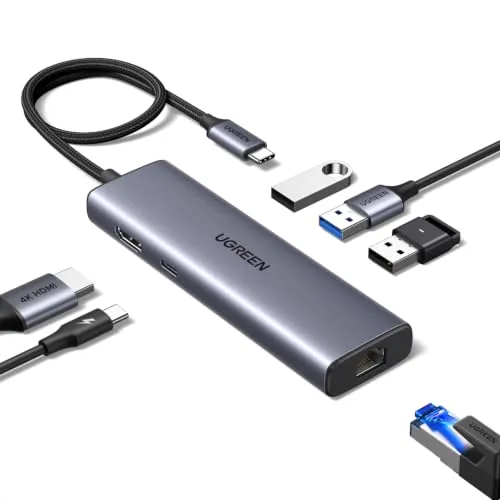
UGREEN Revodok 15598 vs Revodok Pro 45363: Ports, HDMI and Charging
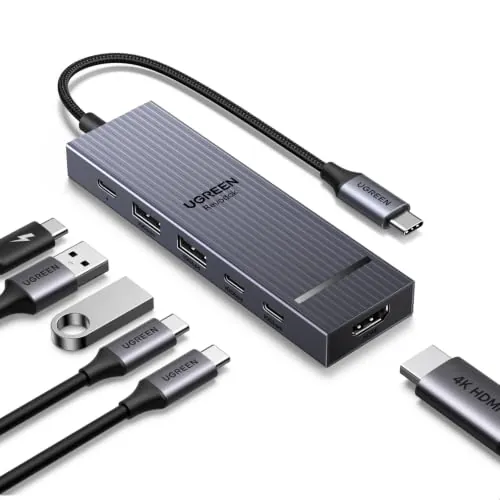
The Revodok 15598 gives you built-in Gigabit Ethernet and three USB-A data ports, but its HDMI output is listed up to 4K at 30 Hz and its extra USB-C socket is for charging only. The Revodok Pro 106 (SKU 45363) replaces Ethernet with USB-C data ports and lists HDMI up to 4K at 60 Hz when the host supports DP 1.4. Both list up to 100W PD input. UGREEN’s U.S. FAQ lists up to 85W to the host for 45363; confirm the 15598 U.S. offer’s host-output rating separately.
Read comparison