
Products compared
Anker
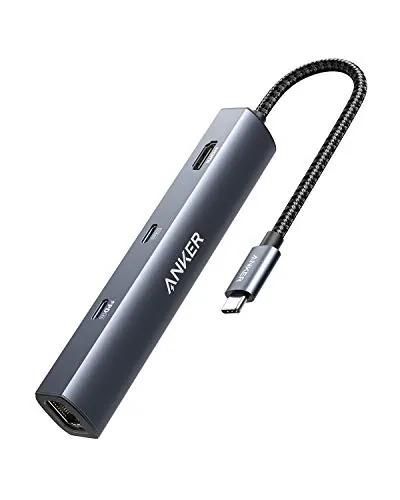
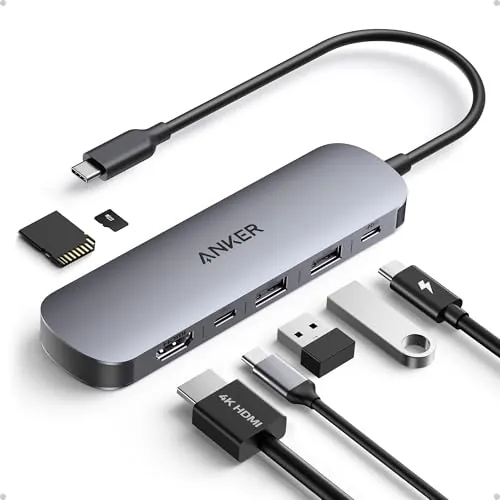
Anker 543 USB-C Hub (6-in-1)
The B08C9HZ5YT offer is listed as A83650A1, part A8365. Anker’s current A8365 page documents HDMI up to 4K at 30 Hz and laptop power delivery up to 53 W with the stated 65 W charging setup; it does not cross-reference this exact Amazon suffix.
Model A8365
Amazon ASIN B08C9HZ5YT
Anker
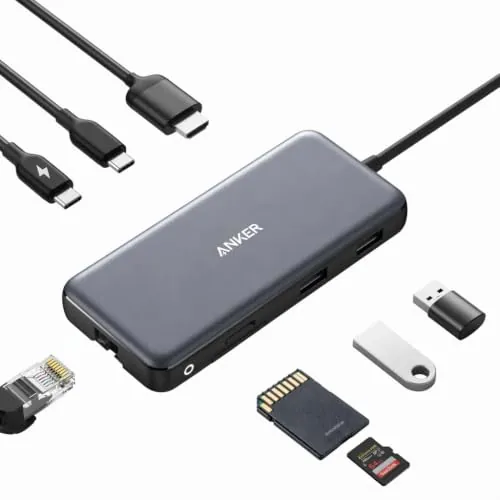
Anker 555 USB-C Hub (8-in-1)
The B087QZVQJX offer is listed as A83830A1, part A8383. Anker’s A8383 materials document one HDMI output up to 4K at 60 Hz and laptop power delivery up to 85 W from a 100 W PD input, with 15 W reserved for hub operation; those pages do not cross-reference this exact Amazon suffix.
Model A8383
Amazon ASIN B087QZVQJX
Differences that matter
What matters most to you?
Choose a priority to see what it changes.
Sources for HDMI mode and host requirement
Sources for Laptop pass-through power
Sources for Display connections on the hub
Sources for Amazon offer suffix and package details
Start with the laptop port and the screen mode
For A8365, Anker lists HDMI up to 4K at 30 Hz and says the computer's USB-C port must support DisplayPort Alt Mode. For A8383, Anker lists one HDMI output up to 4K at 60 Hz; its technical page makes the 60 Hz condition explicit: the host must support DisplayPort 1.4. Match those requirements against the actual port you plan to use, then verify the monitor and cable support the same mode.
Both hubs document one HDMI display connection. Anker says the USB-C data ports do not output video, so don't count one as a second display port. The cited specifications are not a test of your laptop, monitor or operating system, and do not establish a dual-monitor configuration.
Check the charger requirement against your laptop
A8365's up-to-53 W laptop output depends on a compatible laptop, a 65 W PD charger and a cable that supports 65 W; Anker says the laptop must accept 65 W input. A8383's up-to-85 W output assumes a 100 W PD input and a 100 W-capable cable, with 15 W reserved for the hub's operation. The US product pages say the charger is not included.
Treat these as setup conditions and published maxima, not expected charge rates for every workload. Before buying, compare the laptop's stated input requirement with the hub's conditional output and confirm you own or plan to buy the required charger and cable. The A8365 product page explicitly says its cable is not included; for A8383, inspect the exact marketplace bundle rather than assuming a cable is supplied.
Confirm the exact model suffix before checkout
The Amazon offers compared here are B08C9HZ5YT (listed as A83650A1, part A8365) and B087QZVQJX (listed as A83830A1, part A8383). Anker’s current technical pages identify models A8365 and A8383 but do not cross-reference the Amazon suffixes or box revisions. The comparison therefore covers documented A8365/A8383 features only; it does not confirm a seller’s package revision or included cable.
Open the exact offer and confirm its model code, included items and power accessory. If the suffix or package differs from the offer details above, verify the specifications for that exact product before relying on this family-level comparison.
Product details
Anker 543 USB-C Hub (6-in-1)
Anker 555 USB-C Hub (8-in-1)
- HDMI output
- One HDMI output; up to 4K at 60 Hz when the host supports DisplayPort 1.4. The USB-C data port does not output video. Source
- Laptop pass-through power
- Up to 85 W from a 100 W PD input after the hub's stated 15 W reservation; Anker specifies a 100 W PD charger and cable for this maximum. The charger is not included. Source
Before you buy
Community discussions
Connecting an ultrawide display through a hub
Anker 543 USB-C Hub (6-in-1)
A MacBook Neo owner asked about connecting an ultrawide monitor. A respondent identified an Anker A8365 as the hub they used.
What to check
Check the video support of the specific port on your laptop, then match it to the display input and resolution you plan to use.
Reaching the spot where the hub will sit
Anker 555 USB-C Hub (8-in-1)
An Anker A8383 owner found the attached host cable short for their layout and asked what to look for if the hub needed to sit farther away.
What to check
Measure the distance from the laptop port to your intended hub position, with space for the cable to bend.
Counting data ports for music gear
Anker 555 USB-C Hub (8-in-1)
A musician asked how to connect two USB audio devices and keep the laptop powered. A respondent using an A8383 described having to distinguish its data and power-only connections.
What to check
List each device that needs a data connection and count the ports separately from the charger input.
Common questions
Can both hubs run a 4K monitor at 60 Hz?
The A8365 page lists HDMI up to 4K at 30 Hz. The A8383 page lists one HDMI output up to 4K at 60 Hz, and Anker's technical guidance says 60 Hz requires a host with DisplayPort 1.4. Check the exact laptop port, monitor mode and cable; no pair-specific setup was tested.Anker 543 USB-C Hub (6-in-1), Model A8365Anker 555 USB-C Hub (8-in-1), Model A8383Anker A8383 technical FAQ — display and power requirements
How much laptop charging power do they pass through?
Anker lists up to 53 W for A8365 under a 65 W charging setup and up to 85 W for A8383 from a 100 W input after 15 W reserved for hub operation. These are conditional maxima. Compare the requirement for your laptop and bring the compatible charger and cable; the hub pages say the charger is not included.Anker 543 USB-C Hub (6-in-1), Model A8365Anker 555 USB-C Hub (8-in-1), Model A8383Anker A8383 technical FAQ — display and power requirements
Can I connect a second monitor to the USB-C data port?
Anker says the USB-C data ports on these hubs do not provide video. Each page documents one HDMI output. Check whether your laptop has an independent supported display output if you need another screen; the cited hub documentation does not establish a dual-display configuration.Anker 543 USB-C Hub (6-in-1), Model A8365Anker 555 USB-C Hub (8-in-1), Model A8383
Do the official pages confirm the exact Amazon A1 model suffixes?
No. The Amazon offers are listed as A83650A1 and A83830A1, while Anker’s current technical pages identify A8365 and A8383 without cross-referencing those suffixes or seller package revisions. Confirm the model code and included items on the exact offer before buying.Anker 543 USB-C Hub (6-in-1), Model A8365Anker 555 USB-C Hub (8-in-1), Model A8383Anker Service — 555 USB-C Hub, A8383 product description
Sources and scope
The Amazon offers compared here are B08C9HZ5YT (listed as A83650A1, part A8365) and B087QZVQJX (listed as A83830A1, part A8383). Anker’s current official pages document A8365 and A8383 but do not cross-reference these exact Amazon suffixes or box revisions. This guide compares only the documented A8365/A8383 features; confirm the exact model and included items on the selected offer. No host, laptop or monitor combination was tested, and the maximum display and power figures are conditional manufacturer specifications.
Related comparisons
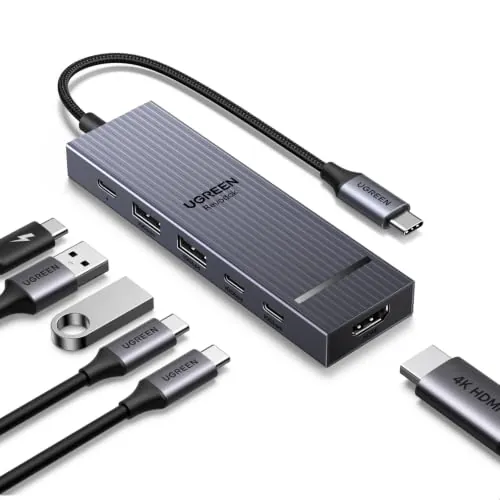
UGREEN Revodok Pro 106 vs Anker 555 A8383: Which Ports Fit Your Desk?
For a desk built around USB-C accessories, the UGREEN Revodok Pro 106 (SKU 45363) gives you two downstream USB-C data ports plus two USB-A ports. The Anker 555 (A8383) has one USB-C and two USB-A data ports, then adds Gigabit Ethernet and UHS-I SD and microSD readers. Both list HDMI up to 4K at 60Hz and up to 85W of laptop power from a 100W PD input. Check the laptop's exact USB-C video support and power needs before choosing; connector shape alone does not confirm either feature.
Read comparison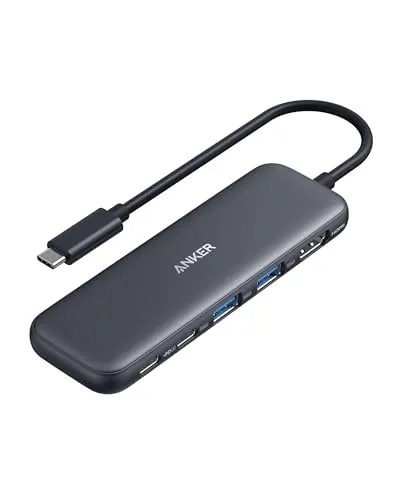
Anker 332 A8355 vs Nano A83D2: HDMI Modes, Card Slots and Port Fit
The useful difference is not simply five ports versus seven. The Anker 332 A8355 lists HDMI up to 4K (3840 × 2160) at 30 Hz and 1080p at 60 Hz, while the Nano A83D2 lists HDMI up to 4K at 60 Hz and adds SD and microSD slots. Those display figures depend on the laptop's USB-C video support and the connected HDMI cable and display. On both hubs, HDMI is the display output; the USB-C data port does not carry video, and the separate PD input is for charging the laptop. Compare the intended laptop port and the product's connector/port layout before ordering, then choose by the display mode and card workflow you will actually use.
Read comparison