
Products compared
Anker
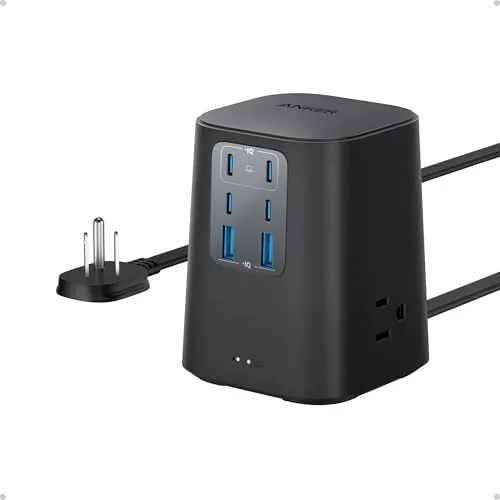
Anker Charging Station (9-in-1, 100W)
A91C6 exposes four USB-C and two USB-A sockets for cables you select. Its official specifications reserve up to 100W for USB-C1 or C2 when used individually, list 15W maximum at C3/C4 and 12W maximum per USB-A, and cap total USB output at 100W. Confirm your device’s cable length and port needs before arranging the desk.
Model A91C6
Amazon ASIN B0CSFQQVVT
Anker
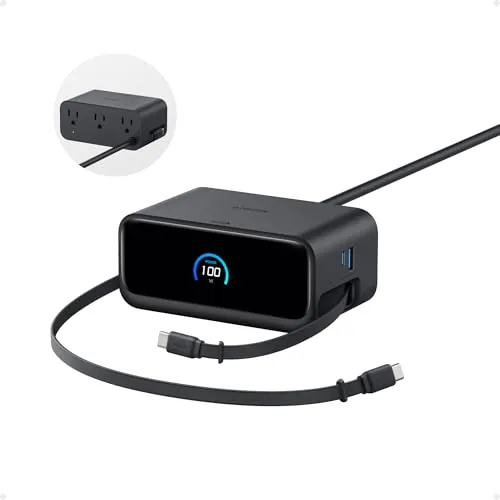
Anker Nano Charging Station (7-in-1, 100W)
Two retractable USB-C leads extend up to approximately 2.33 ft. Nano also has a separate USB-C socket and a USB-A socket. Use the published shared-output combinations to plan simultaneous charging.
Model A91C8
Amazon ASIN B0DFH1DNNT
Differences that matter
What matters most to you?
Choose a priority to see what it changes.
Sources for USB outlet layout
Sources for Cable reach for devices and wall outlet
Sources for AC limits and desk footprint
Plan two cable routes, not one
First measure from the station to each device, then separately measure from the station to the wall outlet. A91C6 uses USB-C and USB-A sockets for cables you choose. The Nano A91C8’s InstaCord system has preset USB lead stops up to about 2.33 ft, and Anker recommends a separate longer cable through USB-C2 or USB-A when a device sits farther away.
The current exact-model manufacturer pages reviewed do not provide a matched AC power-cord length for the two products. Do not carry an advertised USB-lead length over to the AC cord; check the exact seller package or product label before relying on outlet reach.
Count suitable ports and understand the shared budget
A91C6 is a 9-in-1 station with four USB-C sockets and two USB-A sockets. Anker rates C1 and C2 up to 100W only when used individually, C3 and C4 at up to 15W each, and each USB-A at up to 12W; its combined USB output is 100W. A higher port count therefore does not mean more than 100W of USB output in total.
Nano A91C8 has three USB-C ports and one USB-A port alongside integrated cable reach. Each USB-C port is rated up to 100W on its own, while Anker lists explicit allocations for two-, three- and four-port combinations. For example, two USB-C ports may be allocated 67W plus 33W or 50W plus 50W. Match the table row to the ports you plan to use; the numbers are listed limits, not measured device charging rates.
Check your AC devices and tabletop space
Both Anker product pages list AC input at 125V, 60Hz and 10A, and list 1000W AC output. The separate 100–240V input range belongs to the built-in USB module; it does not establish that the AC outlets accept another country’s mains voltage. Check the physical label and current manufacturer instructions for your use.
A91C6 is listed at 3.15 × 3.15 × 4.06 inches, while Nano A91C8 is 4.76 × 2.86 × 2.09 inches. Compare the footprint to the desk spot and keep enough access to the sockets and cable outlets you plan to use.
Make the choice from your device map
Choose A91C6 when you need more separate USB socket positions and want to select the cables yourself. Choose Nano when the built-in USB reach fits nearby devices and its shared port allocations suit the planned charging combination. If your outlet is farther away, verify AC cord length independently for either item; Nano’s published 2.33-foot figure is USB lead reach.
Before checkout, write down each device, its required USB connection and input, the ports to be occupied together, device-to-station distance and outlet-to-station distance. If the published output table does not show a combination that meets the requirements, compare another charging station rather than assuming the maximum applies to every port at once.
Product details
Anker Charging Station (9-in-1, 100W)
- USB layout and power
- Four USB-C ports (C1/C2: 100W max individually; C3/C4: 15W max each), two USB-A ports (12W max each); total USB output 100W. Source
- AC input and external size
- AC electrical rating 125V~, 60Hz, 10A; AC output listed as 1000W. Dimensions 3.15 × 3.15 × 4.06 in / 80 × 80 × 103 mm. Source
Anker Nano Charging Station (7-in-1, 100W)
- USB layout and cable reach
- Three USB-C ports, one USB-A port, and integrated retractable USB-C cable(s); the longest listed preset is approximately 2.33 ft. The product FAQ recommends a separate longer cable through USB-C2 or USB-A when needed. Source
- USB sharing and AC rating
- Up to 100W at one USB-C port alone. Anker publishes multi-port allocations (for example 67W + 33W or 50W + 50W for two USB-C ports). AC input is rated 125V~, 60Hz, 10A; USB module input range is separately listed as 100–240V~, 50–60Hz. Source
- External size
- 4.76 × 2.86 × 2.09 in / 121 × 72.6 × 53.2 mm. Source
Before you buy
Community discussions
Reaching two devices without loose cables on the floor
Anker Nano Charging Station (7-in-1, 100W)
A shopper considering an Anker Nano Charging Station wanted to replace two long desk cables with leads that could retract into the charger.
What to check
Measure the route from the station to each device. Check the built-in lead lengths and which other connections you would still need.
Common questions
Does A91C6 provide 100W to two USB-C devices at the same time?
The official specifications say USB-C1 or C2 can reach 100W when used individually and list a 100W total USB output. They do not establish two simultaneous 100W outputs or a particular split for a device pair; check the applicable port combination and device requirements.Anker Charging Station (9-in-1, 100W), A91C6 product specificationsAnker Charging Station (9-in-1, 100W): official USB output specifications
How far can the Nano A91C8 built-in USB cable reach?
Anker lists seven preset lengths, with the longest about 2.33 ft. Its FAQ recommends using a separate longer USB-C cable through USB-C2 or USB-A for devices beyond that reach.Anker Nano Charging Station (7-in-1, 100W), A91C8 product specifications and FAQ
Can I use either station’s AC outlets abroad because the USB input says 100–240V?
That is not established. Both product pages list AC input as 125V~, 60Hz, 10A and separately state that the built-in USB module accepts 100–240V. Those are different electrical specifications; confirm AC requirements from the physical label and current manufacturer guidance.Anker Charging Station (9-in-1, 100W), A91C6 product specificationsAnker Nano Charging Station (7-in-1, 100W), A91C8 product specifications and FAQ
Sources and scope
This guide compares current exact-model Anker product and support specifications; it does not test charging speed, compatibility, surge response, thermal behavior, reliability or cable lifespan. The official pages reviewed do not provide a comparable AC power-cord length for both models, so measure outlet-to-station reach from the exact retail offer or packaging. USB-module 100–240V input text does not establish international AC-outlet suitability; the listed AC electrical rating for each is 125V~, 60Hz, 10A.
Related comparisons
Anker 351 A9192 vs Nano Clamp A9196: Outlets, USB Sharing, and Desk Fit
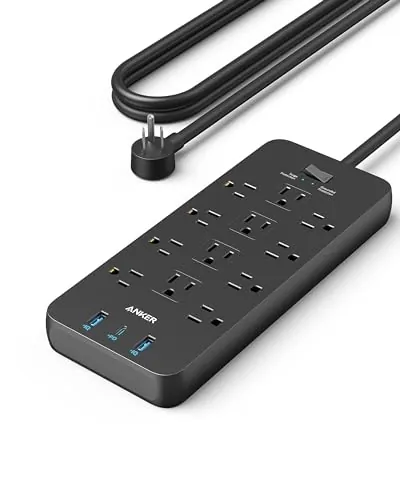
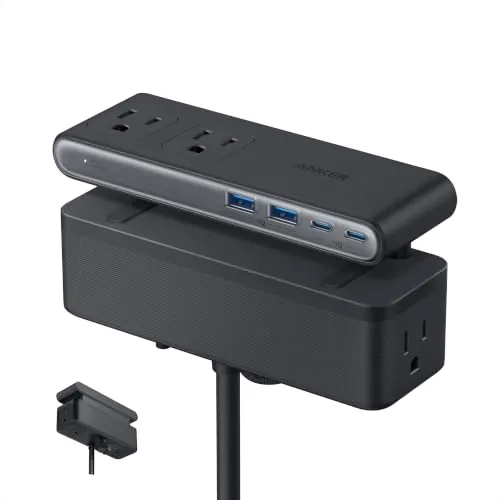
Anker 351 A9192 is a flat, wall-mountable strip with twelve AC outlets, one USB-C and two USB-A ports. Nano A9196 puts six AC outlets across a desk clamp and adds two USB-C plus two USB-A ports, with up to 70 W available from one USB-C port under the stated conditions. Compare how many AC adapters you need, where plugs must sit, and what the USB ports deliver when used together. Measure the desk edge and the 2.61-inch body below it before relying on the clamp.
Read comparison
Kasa HS300 vs Anker 351 A9192: Smart Outlets or 12 AC Positions?
These strips share a 15 A / 1,875 W maximum AC load, so Anker's twelve sockets do not raise the combined limit. Kasa HS300 adds six independently controlled outlets, schedules and energy-use viewing over secured 2.4 GHz Wi-Fi. Anker A9192 provides twelve AC outlets plus USB-C and USB-A charging; its 20 W USB-C output depends on whether the USB-A ports are in use.
Read comparison