
Products compared
Anker
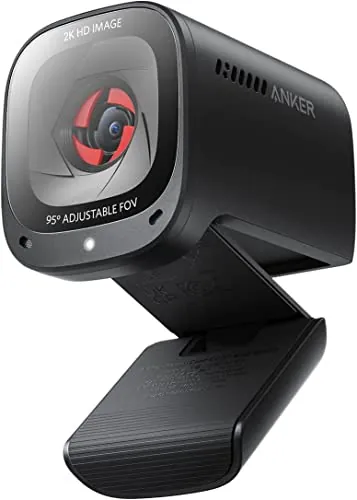
Anker PowerConf C200 Webcam
listing is the black C200; Anker Japan identifies black part number A3369011.
Model A3369 / A3369011 Black
Amazon ASIN B09MFMTMPD
Logitech
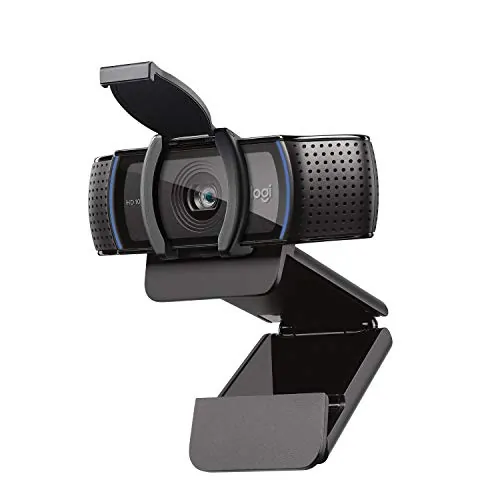
Logitech C920s PRO HD Webcam
US Logitech product page identifies the black C920s PRO HD Webcam under part number 960-001257.
Model C920s / 960-001257 Black
Amazon ASIN B07K986YLL
Differences that matter
What matters most to you?
Choose a priority to see what it changes.
Sources for Framing choices and app controls
Sources for Cable, computer port and camera selection
Sources for Privacy cover and desk placement
Start with the frame you need
C200 is the straightforward choice when you need a published angle preset: Anker lists 65°, 78° and 95° through AnkerWork. Its manual also lists video modes through 2K at 30 fps. Those are configuration choices, not a comparison of how sharp or flattering either camera looks.
The C920s US page lists a 78° diagonal view and 1080p/30 or 720p/30 modes. It also advertises Logi Tune adjustments for zoom and field of view, but does not state the changed angle range. If your desk demonstration needs a specific wide frame, use C200's published 95° preset as a known setting; for Logitech, confirm the actual software and call-app options on your computer before relying on a particular crop.
Check the cable and select the camera in your call app
The C200's webcam-side connector is USB-C, but the supplied lead in its manual ends in USB-A for the computer. Anker says to open the desired app and manually select the webcam and its microphones if the system or software needs it. Its AnkerWork PC app is documented for firmware updates and settings; Anker's product page lists support for Windows 7/8/10/11 or macOS 10.11+, while the software caveat on that page says AnkerWork for Mac requires macOS 10.14 or later.
C920s comes with a fixed 5 ft USB-A cable that plugs into a USB-A computer port. Logitech's US page promotes Logi Tune to adjust settings such as zoom and FOV. Check for the needed port, then open your meeting app and verify that it selected the intended camera and a supported video setting. This avoids treating the webcam's published maximum mode as a promise about every host or meeting app.
Choose the privacy and placement routine
C200 has a built-in sliding lens cover. Its manual says the camera turns off automatically when that cover blocks the lens. The same guide shows an adjustable clip/stand for a monitor and a ¼-inch tripod socket; you provide the tripod.
C920s uses a separate shutter that snaps over the camera lens and is opened or closed manually. Its clip can tilt up or down, and the guide also documents a ¼-inch tripod thread with the tripod sold separately. A covered lens is a physical camera privacy step; the reviewed manuals do not document either cover as a microphone mute. Choose based on the physical workflow you will use and verify your monitor fits the clip.
Keep the comparison within what the documents prove
The source set describes features, modes and setup. It does not include a comparable camera test. That means it cannot tell you which produces better detail, color, focus, low-light results or sound in your room. If those outcomes are the deciding factor, look for a comparable test using the same lighting, distance, app and call settings.
The Anker exact black part number is A3369011 on Anker Japan's official listing. The model manual applies to C200/A3369, but that storefront is regional; confirm the Amazon US offer's package and software support if those details affect your purchase.
Product details
Anker PowerConf C200 Webcam
Before you buy
Community discussions
Checking whether a webcam keeps its framing
Anker PowerConf C200 Webcam
A PowerConf C200 owner said their crop changed after closing AnkerWork and returned when they opened it again.
What to check
Set the framing you need and then close the companion app. Check whether the meeting app still shows the same crop when the camera reconnects.
Common questions
Which webcam has the wider documented framing preset?
Anker's C200 page lists 65°, 78° and 95° choices through AnkerWork. Logitech lists a 78° diagonal view and also advertises Logi Tune zoom/FOV settings, but the reviewed Logitech page does not give the adjusted numeric range. Do not infer that Logitech cannot adjust wider; check the current software controls if a specific angle matters.Anker PowerConf C200 product pageLogitech C920s PRO HD Webcam - US
Are the two included computer cables the same?
No. The C200 manual shows the provided USB-C-to-USB-A cable: USB-C plugs into the webcam and USB-A into the computer. The C920s setup guide lists an attached 5 ft USB-A cable. Verify your computer has the matching port before ordering.Anker PowerConf C200 A3369 User ManualLogitech C920s PRO HD Webcam Complete Setup Guide
Does covering the lens turn off the camera?
The C200 manual explicitly says the camera turns off automatically when blocked by its cover. The C920s guide documents a separate shutter that is manually opened and closed, without stating that it powers off the camera. Neither source says a lens cover mutes microphone audio.Anker PowerConf C200 A3369 User ManualLogitech C920s PRO HD Webcam Complete Setup Guide
Can I mount either webcam on a tripod?
Both model manuals document a ¼-inch tripod thread and say the tripod is not included. Each also shows a monitor clip; confirm your display shape and thickness against the clip before buying.Anker PowerConf C200 A3369 User ManualLogitech C920s PRO HD Webcam Complete Setup Guide
Sources and scope
This is a setup-feature comparison, not a camera or microphone test. The Anker exact black part number is identified on Anker Japan's official C200 page, so confirm the actual US offer's package and regional software details. Logitech lists a 78° diagonal view and also describes Logi Tune zoom/FOV adjustments without stating their range. Neither source set establishes comparative image, autofocus, low-light or sound quality.
Related comparisons
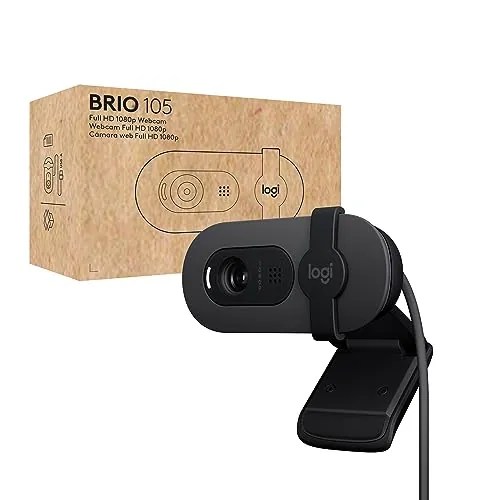
Logitech Brio 105 vs C920s: Camera Modes, Mounting and Privacy
Both webcams list 1080p/30 and 720p/30 video over an attached USB-A cable. Brio 105 uses fixed focus, a 58° diagonal view and an integrated sliding shutter; C920s lists autofocus, a diagonal 78° view, a separate attachable shutter and a ¼-inch tripod thread. Compare the exact desk, privacy and workplace-management needs before choosing.
Read comparison
Elgato Facecam 4K vs Anker PowerConf C200: Capture Modes, Focus Distance and Mic Setup
Facecam 4K supports 2160p60 only over USB 3 and only in MJPG; its USB 2 modes stop at 1080p60. PowerConf C200 (A3369) tops out at 2K30 in its manual, offers autofocus and three framing angles, and includes dual microphones. Measure your camera distance and check the app’s actual input options before choosing.
Read comparison