
Products compared
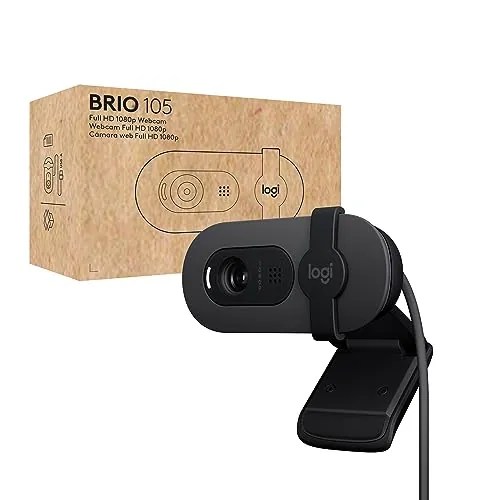
Logitech
Logitech Brio 105 Business Webcam, Graphite
North America Graphite business webcam; attached USB-A cable
Model Brio 105 (960-001579)
Amazon ASIN B0CGZJR7WK
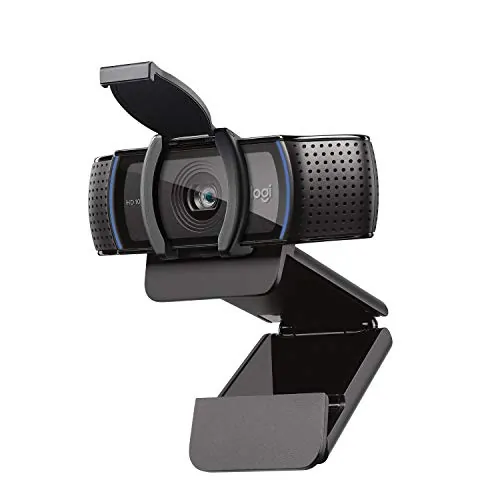
Logitech
Logitech C920s PRO HD Webcam, Black
U.S. Black C920s; attached USB-A cable and separate privacy shutter
Model C920s (960-001257)
Amazon ASIN B07K986YLL
Differences that matter
What matters most to you?
Choose a priority to see what it changes.
Sources for Video modes and focus behavior
Sources for Built-in microphone configuration
Sources for USB port and attached cable
Sources for Mounting and physical privacy shutter
Sources for Business software and deployment documentation
The resolution modes match; focus and framing do not
Both models list 1080p at 30 fps and 720p at 30 fps. Brio 105 also lists a 58° diagonal field of view and fixed focus, with no autofocus. C920s lists a diagonal 78° field of view and autofocus. The choice is about those documented camera modes and framing preferences, not a tested winner for sharpness, focus speed, or low-light calls.
If the camera stays at a fixed desk position, set it where you plan to use it and decide whether a fixed-focus, narrower listed view or the C920s's autofocus and wider listed view better matches that arrangement. Do not treat the field-of-view figures as a promise about how many people fit at a specific distance.
Check the desk connection and where the camera can mount
Both connect over USB-A with a 5 ft (1.5 m) attached cable. Before ordering, confirm a USB-A port is available at the computer or dock and that the cable reaches the planned monitor position. If the computer only has USB-C, confirm an adapter or dock separately.
Both include a monitor-style clip. C920s's setup guide also documents a ¼-inch tripod thread and notes that the tripod is not included. The Brio 105 datasheet lists its attached monitor/LCD/laptop clip but does not list a tripod thread. If a separate stand is necessary for the Brio, verify that mounting need with Logitech before purchase.
Choose the privacy shutter you prefer to handle
Brio 105's privacy shutter is integrated and slides over the lens. C920s ships with a separate privacy shutter; Logitech's quick guide shows attaching it to the camera and moving it by hand. If cameras are deployed to many desks, the integrated shutter may reduce one setup step; if you prefer the C920s, check the shutter is present in the exact seller package before setup.
The microphone listings also differ. Logitech gives the Brio 105 one omnidirectional microphone with a listed range up to 1 m, but does not specify output channels. Logitech describes the C920s's two microphones as stereo. That is a configuration difference, not evidence of better sound; check your call app if its capture channels matter.
For a managed workplace, check the exact support requirement
Brio 105 is positioned as a business webcam. Its datasheet names Google Meet and Works With Chromebook certifications and says Logitech Sync supports company-wide deployment and monitoring/management. The same document says Sync requires Logi Tune downloaded on individual devices and notes Logi Tune is not available on ChromeOS.
Logitech's Logi Tune supported-device list includes C920s HD Pro. The C920s product page and setup guide do not make the same Sync deployment claim or list the Brio 105 certifications. If those management or certification details matter for your workplace, confirm them against your organization's requirements. The available documents do not show whether C920s works with other business systems.
Product details
Logitech Brio 105 Business Webcam, Graphite
- Video modes and focus
- 1080p/30 or 720p/30; 58° diagonal field of view; fixed focus, no autofocus Source
- Connection and cable
- USB-A plug-and-play; attached cable is 5 ft (1.5 m) Source
- Privacy and mounting
- Integrated sliding lens shutter; attached clip for monitors, LCD displays and laptops Source
- Workplace deployment
- Logitech Sync supports company-wide deployment and device monitoring/management; certified for Google Meet and Works With Chromebook Source
- Built-in microphone
- One omnidirectional microphone, listed range up to 1 m; output channel format not specified Source
Logitech C920s PRO HD Webcam, Black
- Video modes and focus
- 1080p/30 or 720p/30; diagonal 78° field of view; autofocus Source
- Connection and cable
- Attached USB-A cable, 5 ft (1.5 m) Source
- Privacy and mounting
- Separate attachable privacy shutter included; universal clip and ¼-inch tripod thread; tripod not included Source
- Built-in microphones
- Two microphones; Logitech describes stereo audio Source
- Software support
- Listed by Logitech as a supported Logi Tune desktop webcam; Tune capabilities vary by device Source
Before you buy
Community discussions
A work-from-home user values a physical privacy shutter
Logitech C920s PRO HD Webcam, Black
A remote worker asked about webcams for Teams meetings. A C920s Pro user described the physical shutter they can flip up and down.
What to check
Decide whether you prefer an integrated shutter or a separate cover to handle, and check the exact C920s listing's package contents before buying.
Common questions
Do both webcams support 1080p at 30 fps?
Yes. Logitech lists 1080p/30 for both; each also lists 720p/30. The shared modes do not establish equal image quality in a call.Logitech Brio 105 DatasheetLogitech C920s PRO Full HD Webcam, U.S. product page
Which webcam has autofocus?
The C920s lists autofocus. Brio 105 lists fixed focus and no autofocus. Logitech's feature descriptions do not compare focus speed or real-world sharpness.Logitech Brio 105 DatasheetLogitech C920s PRO Full HD Webcam, U.S. product page
Can either webcam connect to a USB-A port?
Both use an attached USB-A cable listed at 5 ft (1.5 m). Check the port and cable reach where you will place the camera; do not assume a USB-C adapter is in the box.Logitech Brio 105 DatasheetLogitech C920s Quick Start Guide
Is the C920s tripod included?
No. Its quick-start guide documents a ¼-inch tripod thread and explicitly says the tripod is not included. The Brio 105 datasheet documents an attached monitor/laptop clip but does not list a tripod thread.Logitech C920s Quick Start GuideLogitech Brio 105 Datasheet
How do the privacy shutters differ?
The Brio 105 has an integrated slider over the lens. The C920s box includes a separate shutter that the quick guide shows attaching and then opening or closing by hand.Logitech Brio 105 DatasheetLogitech C920s Quick Start Guide
Is the Brio 105 the only webcam supported by Logitech software?
No. Logitech lists both Brio 105 and C920s HD Pro among supported Logi Tune desktop webcams. Separately, Brio 105's business datasheet documents Sync deployment and named certifications; this comparison does not infer that the C920s is incompatible with business systems.Logi Tune Supported DevicesLogitech Brio 105 Datasheet
Sources and scope
This is a comparison of Logitech's published specifications and setup materials, not a camera or microphone test. Published modes and field-of-view descriptions do not establish real-call image quality, autofocus speed, framing at a particular distance, or sound quality. The Brio 105 source does not specify its audio output channels.
Related comparisons
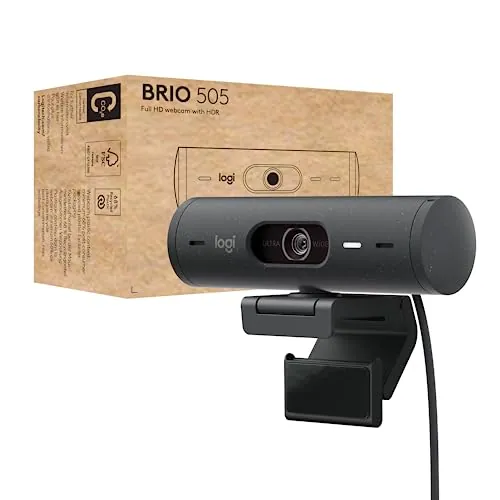
Logitech Brio 505 vs Brio 105: Framing, USB and Host Setup
Both exact U.S. graphite models are listed for Full HD 1080p/30. The purchase difference is the setup around that resolution: Brio 505 adds selectable 65°/78°/90° framing, autofocus, 4x digital zoom and a tilting Show Mode, with Logi Tune and host limitations for its special controls. Brio 105 keeps a fixed 58° view and fixed focus and ships with an attached USB-A cable. Check the computer's port, operating system, camera position and need for listed meeting certifications before choosing. No hands-on image, focus-speed or microphone comparison was performed.
Read comparison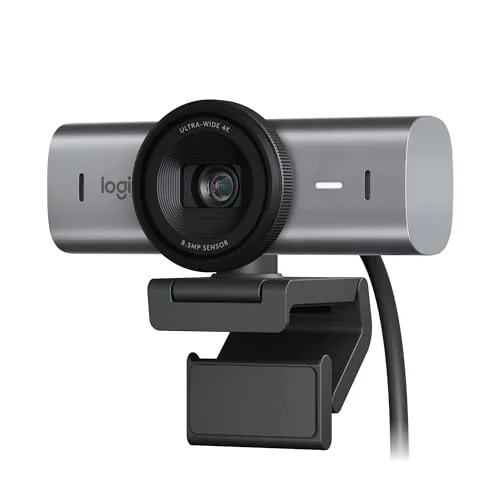
Logitech Brio 105 960-001579 vs MX Brio 960-001545: 1080p Calls or 4K Capture?
The Graphite Logitech Brio 105 (960-001579) tops out at 1080p/30, has fixed focus and an attached USB-A cable. The Graphite MX Brio (960-001545) lists 4K/30 and 1080p/60 modes, a USB-C 3.0 connection, advanced Logitech software controls and a tilt-down Show Mode. These are published capabilities, not an image-quality test: check your video app, computer port and software policy before choosing the higher-spec camera.
Read comparison