
Products compared
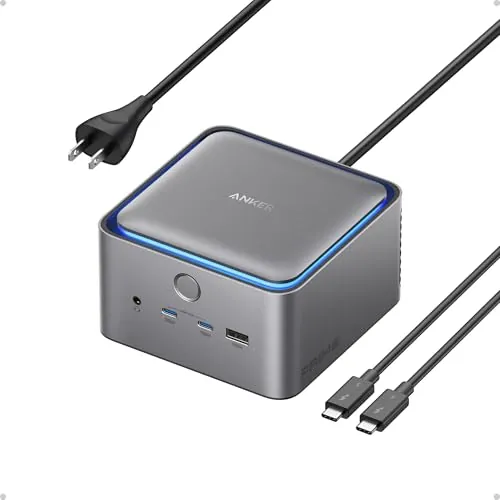
Anker
Anker Prime Thunderbolt 5 Docking Station
14-in-1 Thunderbolt 5 dock; gray finish for the U.S. Anker A83B5 configuration.
Model A83B5
Amazon ASIN B0DSVVJXK5
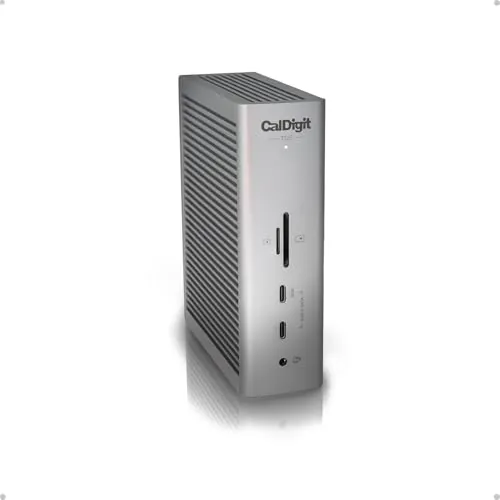
CalDigit
CalDigit Thunderbolt Station 5
15-port Thunderbolt 5 dock; the U.S. listing identifies a 1.0 m cable and Space Gray finish. Confirm the current offer contents if those details matter to your setup.
Model TS5 (TBT5-TS5-US-AMZ listing; 1.0 m cable, Space Gray)
Amazon ASIN B0F2GMPJYB
Differences that matter
What matters most to you?
Choose a priority to see what it changes.
Sources for Downstream Thunderbolt 5 ports
Sources for Direct display socket options
Sources for Power arrangement
Sources for SD-format reader
Start with the laptop, not the dock's port count
The key unknown is your host. Anker's A83B5 page lists Windows 10/11 and macOS 14.5 or later and its support guidance provides host-specific display conditions. CalDigit lists macOS 15 or later and Windows 11 with additional Thunderbolt and processor requirements, and excludes Windows PCs with Thunderbolt 3 for TS5. Match your exact laptop and OS to the current source before treating a display mode as available.
If you provide the laptop model and monitors, the decision can be narrowed further. Without them, neither dock can be promised to produce a particular number of displays or resolution/refresh combination.
Choose by the devices that will stay on the desk
A83B5 lists two downstream TB5 ports. TS5 lists three. Make a list of the actual fast peripherals and mark whether each requires Thunderbolt rather than USB alone; that is the clearest reason to value the TS5's extra downstream port.
For cards, Anker lists SD and TF readers, while CalDigit explicitly names SD and microSD UHS-II. Check the card's shape and the reader standard you need. Do not infer that an unspecified reader is UHS-II or that advertised interface rates are a result you will see in a particular workflow.
Plan the monitor cable and power brick
Anker lists an HDMI 2.1 or DisplayPort 2.1 socket on A83B5 and its support page says the HDMI and DP paths are not simultaneous. CalDigit lists DisplayPort plus display connections through Thunderbolt. This is a connector-planning difference, not a guarantee about monitor count; verify the exact host path and mode.
Both brands list up to 140W host charging. Their power arrangements differ: Anker describes A83B5 as built-in-power, while CalDigit lists a separate 240W PSU for TS5. The PSU rating is not the host-charge figure. Measure the space and cable route for the separate supply as part of the desk check.
A practical pre-buy checklist
Before ordering, write down (1) the laptop model and OS, (2) each display's input and requested mode, (3) which devices specifically need Thunderbolt, (4) whether your card is SD or microSD and its reader standard, and (5) where the dock and any separate power supply can sit. If the host/display combination is not explicitly covered by the maker's documentation, ask the manufacturer instead of inferring support from connector counts.
This comparison covers the U.S. Anker Prime TB5 Dock A83B5 and the standard CalDigit TS5, not TS5 Plus. The reviewed TS5 listing identifies a 1.0 m cable and Space Gray finish; confirm those details on the offer you choose.
Product details
Anker Prime Thunderbolt 5 Docking Station
Before you buy
Community discussions
Planning a dual-display editing and storage setup
Anker Prime Thunderbolt 5 Docking Station
An Anker Prime Thunderbolt 5 dock owner describes a video-editing setup with two 4K screens and external NVMe storage.
What to check
List the displays and drives you will use at the same time. Check your laptop’s supported display modes and map each device to a port on the exact dock you plan to buy.
Common questions
Does the CalDigit TS5 send 240W to my laptop?
No such claim is made here. CalDigit lists a separate 240W power supply for the dock and separately specifies up to 140W host charging. Check your computer's own charging requirements and the dock maker's power notes.Thunderbolt Station 5 (TS5)
Can the Anker A83B5 use HDMI and DisplayPort at the same time?
Anker presents HDMI 2.1 or DisplayPort 2.1 as selectable output choices and its support guidance says the HDMI and DP paths cannot both be used simultaneously. Confirm monitor routing and host support for your setup.Anker Prime Thunderbolt 5 Docking Station (A83B5)What Should I Do if the Dock Cannot Connect a Monitor or Dual Monitors? (A83B5)
Will either dock drive two or more monitors from my laptop?
The connector list does not answer that for an unspecified computer. Check your exact laptop, OS, graphics capability and requested monitor modes against the relevant dock's current host-specific guidance before buying.What Should I Do if the Dock Cannot Connect a Monitor or Dual Monitors? (A83B5)Thunderbolt Station 5 (TS5)
When does the TS5's extra downstream Thunderbolt port matter?
It matters if your desk plan includes a third device that specifically needs a downstream Thunderbolt connection. Count the devices and verify their host, cable and mode requirements; port count alone is not a transfer-speed result.Thunderbolt Station 5 (TS5)
Sources and scope
Manufacturer-specification comparison only. The exact laptop, display chain and requested modes are not specified, and no controlled performance or reliability testing was reviewed.
Related comparisons
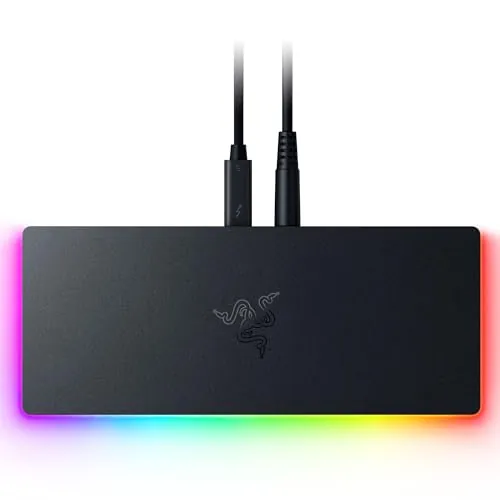
CalDigit TS5 vs Razer Thunderbolt 5 Dock Chroma: M.2 Storage or More Listed I/O?
Both docks advertise up to 140W host charging. The CalDigit TS5 lists microSD, 2.5GbE and more USB-C/audio connections; the Razer Thunderbolt 5 Dock Chroma documents an open M.2 slot for an SSD you supply. Host capabilities determine which display modes you can use.
Read comparison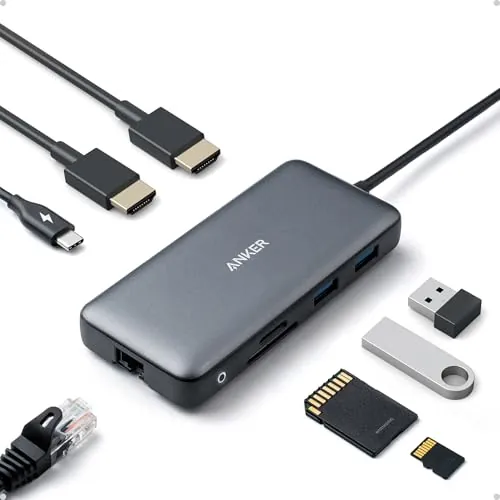
Anker A8380 vs Plugable UD-3900: Laptop Video Path and Charging
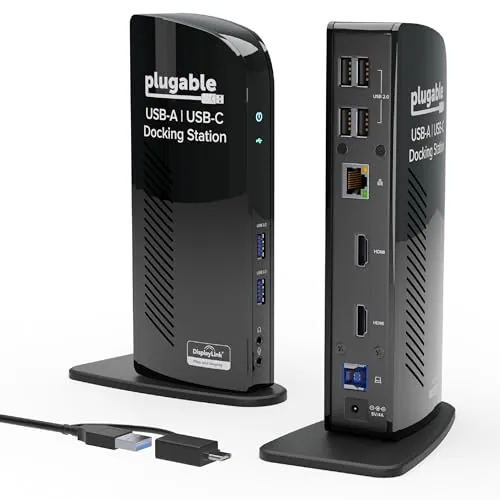
Anker PowerExpand 8-in-1 A8380 and the updated Plugable UD-3900 each support two HDMI displays and use different video paths. The original UD-3900 had one HDMI and one DVI port. A8380 needs USB-C DisplayPort Alt Mode; its listed dual-screen modes depend on the host's DisplayPort version. UD-3900 uses a USB-A/USB-C data connection with DisplayLink software and is listed for two displays up to 1920 × 1200 at 60 Hz. A8380 can pass through up to 85 W from a suitable PD setup; UD-3900 does not charge the laptop. Check your exact port, monitor mode, driver policy and the UD-3900's rear ports before ordering.
Read comparison