
Products compared
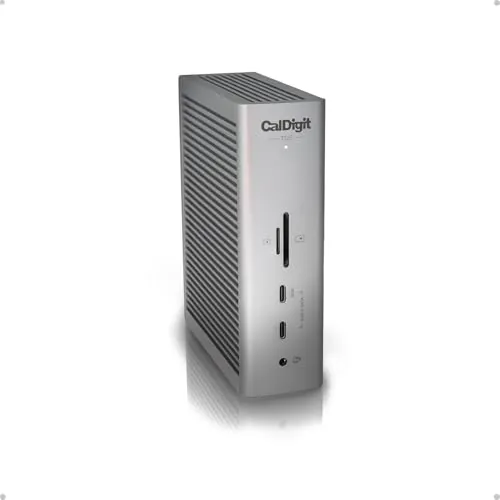
CalDigit
CalDigit TS5 Thunderbolt Station 5 (1.0m, Space Gray)
The exact U.S. 1.0 m Space Gray listing maps to CalDigit's TS5. Its product page lists 15 ports, three downstream Thunderbolt 5 ports, a 2.5GbE connection, separate SD/microSD readers and three distinct audio connections; CalDigit states up to 140W host power delivery.
Model TS5
Amazon ASIN B0F2GMPJYB
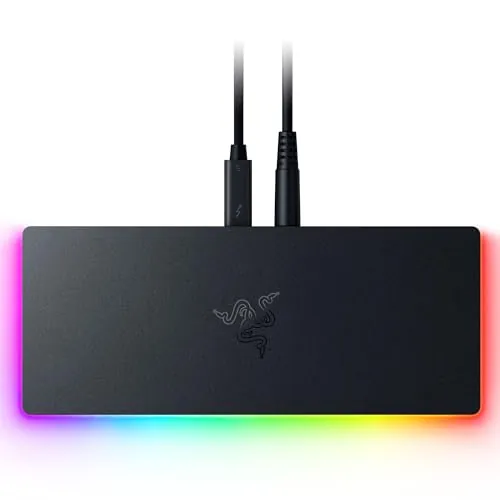
Razer
Razer Thunderbolt 5 Dock Chroma (Black)
The exact black U.S. Razer SKU is RC21-02290100-R3U1. Razer describes an open M.2 2280 PCIe Gen4x4 bay for a buyer-supplied SSD, up to the page's 8TB expansion limit, plus Thunderbolt 5 connections, USB-A/C, SD, Gigabit Ethernet, combo audio and up to 140W host power delivery.
Model RC21-02290100-R3U1
Amazon ASIN B0FDMLTDB3
Differences that matter
What matters most to you?
Choose a priority to see what it changes.
Sources for Ports for peripherals
Sources for Display configurations
Sources for Host power and package detail
Pick your expansion path: internal M.2 or a named port mix
Razer explicitly documents an open M.2 2280 PCIe Gen4x4 slot and tells buyers to add their own SSD, up to its stated 8TB expansion limit. The Razer page's port-count copy conflicts between 10 and 11, so compare the named connections instead. CalDigit enumerates 15 total ports, including a separate microSD reader, 2.5GbE and three 3.5 mm audio connections. If you use external storage, the TS5 lists three downstream Thunderbolt 5 ports; no transfer-speed comparison is made.
Treat display figures as host-dependent
CalDigit scopes dual 4K 240Hz to compatible Macs or Windows computers that support it and lists triple 4K 144Hz for supported Windows Thunderbolt 5 PCs; Apple M5 Pro/Max models have their own display limits. Razer advertises triple 4K 144Hz or an 8K 60Hz display, while warning that host capabilities and Apple Silicon display limits still apply. Confirm monitor inputs, the exact laptop's display support and required cables before treating a dock headline as an available configuration.
Compare the power and setup requirements
Both manufacturers advertise up to 140W host power delivery, so that maximum alone does not distinguish the pair. CalDigit lists a 240W supply, power cord and 1.0 m Thunderbolt 5 cable in the TS5 carton. Razer labels a 250W power input and directs Chroma lighting setup through Synapse; its reviewed U.S. page does not include an equally detailed box inventory. CalDigit publishes minimum OS/host requirements and notes that USB4 Ethernet needs PCIe tunneling. Check your computer's own charging, operating-system, Thunderbolt/USB4 and display capabilities.
Product details
CalDigit TS5 Thunderbolt Station 5 (1.0m, Space Gray)
Prefer the TS5 when its enumerated card, network, USB-C or audio connections map directly to devices you will keep attached. Confirm laptop requirements and external-monitor support.
- Ports
- 15 listed total, including 3 downstream Thunderbolt 5, 3 USB-C, 2 USB-A, SD and microSD UHS-II, 2.5GbE, and three 3.5 mm audio connections Source
- Host charging
- Up to 140W; CalDigit's listed box contents include a 240W power supply and power cord Source
- Display modes
- Up to dual 4K 240Hz on compatible Macs/Windows hosts; up to triple 4K 144Hz on supported Windows Thunderbolt 5 PCs; M5 model limits apply Source
- Requirements
- CalDigit lists macOS 15+; for Windows, Windows 11+, Thunderbolt 4+, Intel 12th Gen+ and NVM firmware 43.3+; USB4 Ethernet requires PCIe tunneling Source
Razer Thunderbolt 5 Dock Chroma (Black)
Choose this model when adding an SSD inside the dock is an intentional requirement. Confirm the SSD is a separate item, your laptop's host/display support and any Razer lighting software needs.
- Storage
- Open M.2 2280 PCIe Gen4x4 slot; Razer says add your own SSD, up to 8TB Source
- Listed connections
- Thunderbolt 5 host/downstream, 2 × USB-A Gen 2 10Gb/s, 1 × USB-C Gen 2 10Gb/s, UHS-II SD, 1Gb Ethernet and combo audio; Razer page's total count is inconsistent Source
- Host charging
- Up to 140W power delivery; dock page labels a 250W power input Source
- Displays and hosts
- Advertised up to triple 4K 144Hz or 8K 60Hz; Razer says host limits, including Apple Silicon's external-display limit, apply Source
Before you buy
Community discussions
Checking two displays on a MacBook Air M2
CalDigit TS5 Thunderbolt Station 5 (1.0m, Space Gray)
An M2 MacBook Air owner with the standard CalDigit TS5 asked whether two monitors connected by USB-C-to-DisplayPort cables could work together.
What to check
Check how many external displays your exact Mac supports, then match your cables, display resolutions and refresh rates to the dock and host.
Common questions
Does the Razer dock include an M.2 SSD?
Razer describes an open M.2 2280 slot so you can add your own SSD, up to the page's listed 8TB expansion limit. Treat the drive as a separate purchase unless the exact offer explicitly says otherwise.Razer Thunderbolt 5 Dock ChromaHow to install additional storage into the Razer Thunderbolt 5 Dock Chroma
Do both docks deliver 140W to a laptop?
Both manufacturers advertise up to 140W host power delivery. Your computer must support the relevant USB-C power-delivery input; confirm its charging requirements and the dock's exact host connection before relying on the maximum figure.TS5 (1.0m) - Thunderbolt Station 5 (Space Gray)Razer Thunderbolt 5 Dock Chroma
Which one supports three monitors?
Both advertise triple 4K at up to 144Hz in supported configurations. CalDigit scopes triple displays on Windows to compatible Thunderbolt 5 PCs and lists specific Mac conditions; Razer says Apple Silicon model limits can cap external display count. Check your exact computer and monitor inputs rather than relying on the dock headline.TS5 (1.0m) - Thunderbolt Station 5 (Space Gray)Razer Thunderbolt 5 Dock Chroma
Are the Razer dock's port totals settled?
Its current U.S. page uses both 10-port and 11-port descriptions. Compare the port types shown on that exact page and verify the physical layout you need; this guide does not base a choice on the overall count.Razer Thunderbolt 5 Dock ChromaBuy Razer Thunderbolt 5 Dock Chroma - Black
What should I verify on my laptop first?
Check its Thunderbolt/USB4 support, native external-display limit, required charging power, and any OS or firmware conditions. CalDigit lists detailed Windows requirements and says USB4 Ethernet depends on PCIe tunneling; Razer notes its monitor ceiling varies with the host and that macOS/Apple Silicon can set display limits.TS5 (1.0m) - Thunderbolt Station 5 (Space Gray)TS5 Thunderbolt Station 5 User ManualRazer Thunderbolt 5 Dock Chroma
Sources and scope
Razer's U.S. product page gives conflicting 10-port and 11-port descriptions; this guide compares listed connection types rather than treating its total count as settled. Display/PD outcomes depend on the exact host and monitor configuration.
Related comparisons
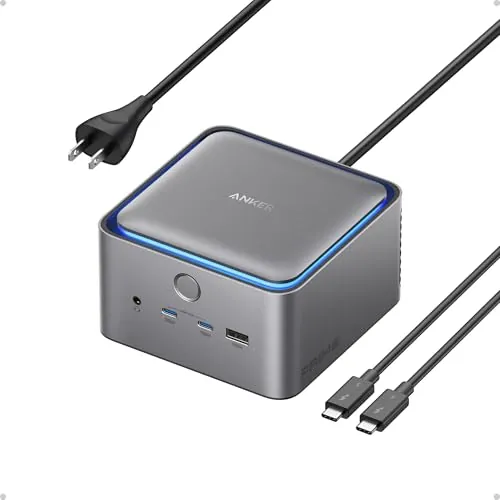
Anker Prime TB5 A83B5 vs CalDigit TS5: Built-In Power or More TB5 Ports?
Both docks list up to 140W host charging. Their practical differences are the A83B5's built-in power and HDMI-or-DisplayPort socket versus TS5's separate 240W supply, third downstream TB5 port and UHS-II readers. Check the exact laptop and monitor path before expecting a display count.
Read comparison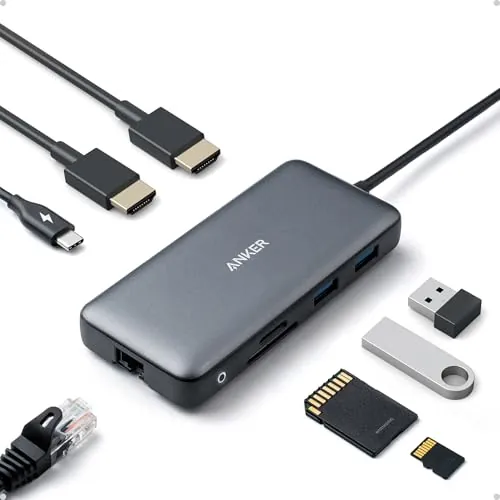
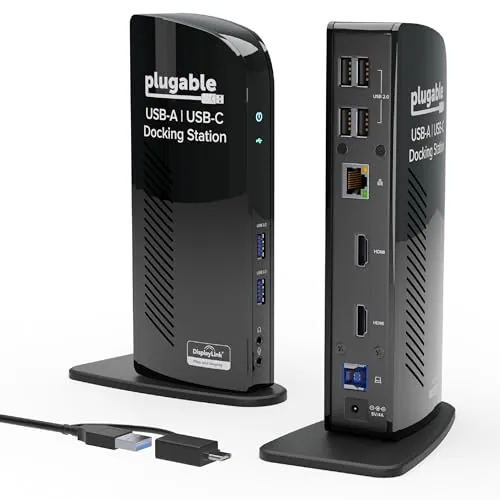
Anker A8380 vs Plugable UD-3900: Laptop Video Path and Charging
Anker PowerExpand 8-in-1 A8380 and the updated Plugable UD-3900 each support two HDMI displays and use different video paths. The original UD-3900 had one HDMI and one DVI port. A8380 needs USB-C DisplayPort Alt Mode; its listed dual-screen modes depend on the host's DisplayPort version. UD-3900 uses a USB-A/USB-C data connection with DisplayLink software and is listed for two displays up to 1920 × 1200 at 60 Hz. A8380 can pass through up to 85 W from a suitable PD setup; UD-3900 does not charge the laptop. Check your exact port, monitor mode, driver policy and the UD-3900's rear ports before ordering.
Read comparison