
Products compared

Apple
Apple MacBook Neo 13-inch, Indigo
U.S. Indigo configuration: A18 Pro, 8GB unified memory, 256GB SSD. Apple’s current U.S. education part list confirms this exact part-to-finish/capacity mapping; no price is used.
Model MHFF4LL/A
Amazon ASIN B0GR6FHGXX
ASUS
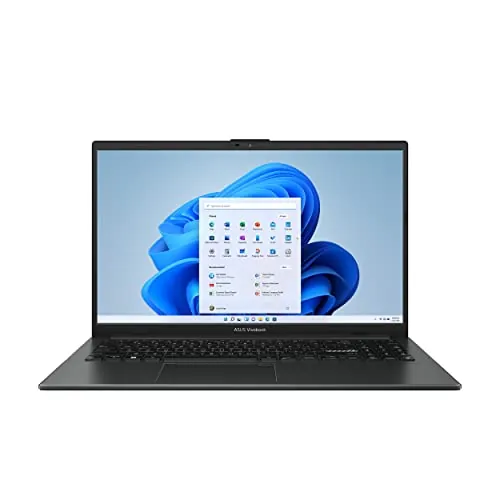
ASUS Vivobook Go 15 E1504FA-AS52
U.S. Mixed Black configuration; exact ASUS product card identifies Windows 11 Home, Ryzen 5 7520U, 8GB LPDDR5, 512GB PCIe 3.0 NVMe SSD and a 15.6-inch FHD display. Exact-unit weight and S Mode status are not established by the evidence used here.
Model E1504FA-AS52
Amazon ASIN B0BXRD41GM
Differences that matter
What matters most to you?
Choose a priority to see what it changes.
Sources for Operating system and app check
Sources for Display size and format
Sources for Memory and configuration identity
Sources for Carrying-weight evidence
Check required apps before choosing an operating system
The MacBook Neo runs macOS. ASUS lists Windows 11 Home for E1504FA-AS52, while its exact-model material does not state whether S Mode is enabled. Neither label answers whether your accounting, school, engineering, creative, VPN or peripheral software works. Check the software vendor’s current requirements and the maker’s support for each device before treating either as compatible.
If both platforms support your must-have tools, move to the hardware fit. If one app or device is essential and only supports one operating system, that evidence should decide the shortlist before screen size or headline CPU names.
Match screen size and storage to your work
The Indigo MacBook Neo part MHFF4LL/A has 256GB SSD and a 13-inch 2408 × 1506 display. ASUS lists 512GB SSD and a 15.6-inch FHD 1920 × 1080 screen for E1504FA-AS52. This gives ASUS twice the nominal storage and the larger diagonal display, while Neo has the smaller 13-inch format.
Think about project folders that must stay on the laptop and how many windows you keep visible. Installed software and files occupy part of either advertised drive, so reserve headroom and consider external or cloud storage only if that fits your workflow. There is no screen-quality or SSD-speed comparison here.
Use the exact part number for configuration checks
Apple’s current U.S. education part list maps MHFF4LL/A to an Indigo MacBook Neo with A18 Pro, 8GB and 256GB SSD. Apple’s technical specifications describe the Neo family’s 13-inch display, macOS, ports and 2.7 lb (1.23 kg) weight. Confirm the part number, not only the “MacBook Neo” name, because another Neo configuration may have 512GB storage or Touch ID.
For ASUS, verify E1504FA-AS52 and Mixed Black on the exact product listing. ASUS identifies that configuration with Ryzen 5 7520U, 8GB LPDDR5, 512GB PCIe 3.0 NVMe SSD, Windows 11 Home and a 15.6-inch FHD screen. Do not transfer RAM, storage, panel, operating mode or weight from another E1504FA SKU.
A practical pre-purchase checklist
1. Name every must-have app and peripheral, and confirm current support for macOS or the exact Windows setup. 2. Decide whether 256GB local SSD capacity is enough after applications and working files, or whether you prefer the listed 512GB on ASUS. 3. Choose the 13-inch or 15.6-inch screen format for your desk and typical window layout. 4. If carrying weight matters, compare Apple’s published Neo weight with an official or seller-confirmed exact ASUS weight; the latter is not established here.
Before checkout, confirm the exact part number and seller bundle. This guide compares the Indigo 8GB/256GB MHFF4LL/A with E1504FA-AS52, not every MacBook Neo or Vivobook Go 15.
Product details
Apple MacBook Neo 13-inch, Indigo
- Operating system
- macOS Source
- Display and storage
- 13-inch, 2408-by-1506 display; this Indigo part has 256GB SSD and 8GB unified memory. Source
- Published weight
- 2.7 lb (1.23 kg) for the MacBook Neo family; Apple does not list a different weight for MHFF4LL/A. Source
- Ports
- Two USB-C ports: one USB 3 with DisplayPort and up to 10Gb/s; one USB 2 up to 480Mb/s; plus 3.5mm headphone jack. Source
ASUS Vivobook Go 15 E1504FA-AS52
- Operating system
- Windows 11 Home; ASUS does not specify S Mode status for this exact listing in the cited evidence. Source
- Display and storage
- 15.6-inch FHD (1920 × 1080); 512GB PCIe 3.0 NVMe SSD and 8GB LPDDR5 listed for E1504FA-AS52. Source
- Processor
- AMD Ryzen 5 7520U for model E1504FA-AS52. Source
- Exact-unit weight
- Not established in the exact-model evidence reviewed. Do not infer it from another E1504FA configuration. Source
Before you buy
Community discussions
Confirm course software before choosing an operating system
Apple MacBook Neo 13-inch, Indigo
A student describes using the Neo for R coursework with several apps open. That is one person's software setup, not evidence about every course or workload.
What to check
List the apps and websites your course requires, then check that they support the operating system you plan to use before choosing between macOS and Windows.
Common questions
Will my Windows app run on the MacBook Neo?
The Neo runs macOS. This comparison does not test named apps; check the app publisher’s current system requirements and confirm macOS support before ordering.MacBook Neo Tech Specs
Does the ASUS Vivobook Go 15 E1504FA-AS52 have twice as much storage?
The official ASUS listing cited for E1504FA-AS52 identifies a 512GB SSD. Apple’s current U.S. part list identifies Indigo MHFF4LL/A as 256GB. That is twice the nominal capacity, not free space or a speed difference.Apple U.S. Education Price List (Apple Products), October 28, 2026ASUS Vivobook Go 15 E1504F U.S. product listing / where to buy
Is the ASUS version in S Mode?
The ASUS exact model card lists Windows 11 Home but does not specify S Mode status in the evidence used here. Confirm the shipped configuration with ASUS or the seller if this affects app installation.ASUS Vivobook Go 15 E1504F U.S. product listing / where to buy
Which laptop is lighter?
Apple lists MacBook Neo at 2.7 lb (1.23 kg). The exact ASUS E1504FA-AS52 weight was not established by the manufacturer source used here, so this comparison does not declare a lighter laptop.MacBook Neo Tech SpecsASUS Vivobook Go 15 E1504F U.S. product listing / where to buy
Which screen is better?
Apple lists a 13-inch 2408 × 1506 panel; ASUS lists a 15.6-inch 1920 × 1080 panel for E1504FA-AS52. Those facts describe size and resolution, not measured image quality. Choose based on your workspace and app layout.MacBook Neo Tech SpecsASUS Vivobook Go 15 E1504F U.S. product listing / where to buy
Sources and scope
Confirm your required apps and peripherals on the exact operating system before choosing. This ASUS configuration is listed with Windows 11 Home, and available documentation does not specify S Mode or the exact unit weight. Apple gives the MacBook Neo family weight; compare carried weight only with verified figures for both configurations. This guide compares published specifications for the Neo MHFF4LL/A and ASUS E1504FA-AS52.
Related comparisons
MacBook Neo 512GB Touch ID vs 256GB: Choose Storage or a Simpler Keyboard
Choose the Indigo 512GB MacBook Neo if you need more local storage or want its Touch ID keyboard. Choose the 256GB model if your applications and files fit and the standard keyboard suits you. Apple lists the same A18 Pro chip and 8GB unified memory for both configurations. Check the configuration code before ordering.
Read comparison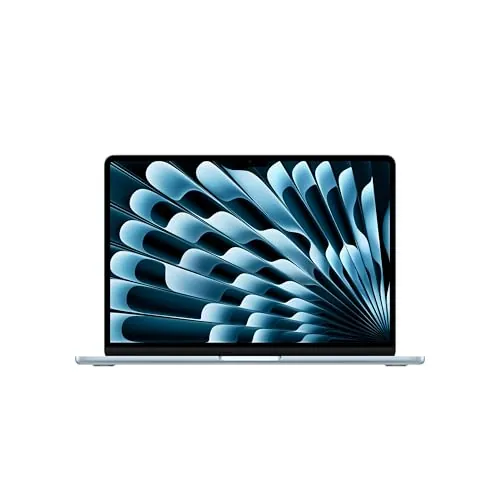
MacBook Neo A18 Pro vs MacBook Air M5: Ports, Displays and Storage
These exact selections are the Indigo MacBook Neo (MHFF4LL/A, 8GB/256GB) and Sky Blue 13-inch MacBook Air M5 (MDHH4LL/A, 16GB/512GB). Apple's specifications make the desk decision concrete: Neo supports one external display up to 4K/60Hz from its USB 3 port, while Air M5 supports up to two external displays and has two Thunderbolt 4 ports plus MagSafe 3. Check your monitor's input, the cables or adapter you already own, and whether each selected memory/storage configuration fits your files and apps. The specs do not establish a performance winner for your workload.
Read comparison