
Products compared

Apple
Apple MacBook Neo 512GB with Touch ID (Indigo)
U.S. Indigo configuration with 512GB SSD and Magic Keyboard with Touch ID.
Model MHFG4LL/A
Amazon ASIN B0GR6JMY9W
Apple
Apple MacBook Neo 256GB (Indigo)
U.S. Indigo configuration with 256GB SSD and standard Magic Keyboard.
Model MHFF4LL/A
Amazon ASIN B0GR6FHGXX
Differences that matter
What matters most to you?
Choose a priority to see what it changes.
Sources for External-storage and app setup
Start with the files you keep on the laptop
Apple identifies two Indigo MacBook Neo storage choices: 256GB and 512GB. The larger one doubles the nominal built-in SSD capacity, but the number alone does not say how much space your setup will leave free after macOS, apps and files are installed.
A practical check is to list the documents, downloaded media and active projects you want available without an internet connection. If that working set is comfortably within the 256GB configuration, the larger SSD may not change your routine. If you keep large libraries or projects locally, the 512GB model gives more nominal room. This is a capacity-fit judgment, not an SSD speed comparison.
Touch ID is bundled with this 512GB Indigo SKU
In Apple’s U.S. part list, MHFG4LL/A is the Indigo 512GB configuration with Touch ID; MHFF4LL/A is the Indigo 256GB configuration with the standard keyboard. Apple’s current specifications list both keyboard types, while the exact U.S. part numbers show which one comes with each configuration.
Choose Touch ID if the documented Mac sign-in and supported purchase shortcuts would be useful to you. Apple still requires the account password at startup. Because these two features are bundled in the compared SKUs, do not shop by storage capacity alone: verify the keyboard detail and part number on the exact listing.
What the higher-capacity configuration does not change
Apple’s specifications list an A18 Pro chip and 8GB unified memory for both MacBook Neo storage options. This comparison therefore does not treat the 512GB version as a faster processor, a higher-memory model or a battery upgrade.
Both use macOS. Before buying either one for a particular workflow, confirm that essential software has a Mac version that supports the current macOS release and your required features. This guide does not verify third-party application compatibility.
If you plan to use external storage
MacBook Neo lists one USB 3 USB-C port with support up to 10Gb/s and one USB 2 USB-C port up to 480Mb/s. The USB 3 port also supports DisplayPort. If an external drive is part of your plan, check the drive connector and how it will share that port with any display or other accessory; this is a port check, not a promise about a specific drive’s speed or compatibility.
Product details
Apple MacBook Neo 512GB with Touch ID (Indigo)
Before you buy
Community discussions
Touch ID and Apple Watch in a student setup
Apple MacBook Neo 256GB (Indigo)
A student says Touch ID's absence on the 256GB Neo has not been an issue for them because they use an Apple Watch to unlock the Mac and confirm password autofill. The post does not identify the laptop's color or part number.
What to check
Before choosing the 512GB version partly for Touch ID, consider whether you want that feature or already use an Apple Watch for authentication. Estimate internal storage separately.
Using an external drive for video projects
Apple MacBook Neo 512GB with Touch ID (Indigo)
An owner identifies an Indigo 512GB Neo and describes using a 2TB external NVMe drive for video files and project work. The post does not give the laptop's exact part number or region.
What to check
If you plan to keep projects on an external drive, check the drive capacity and port or hub access you need, then decide separately how much built-in storage you want. The post does not establish an export-speed comparison.
Common questions
Does 512GB mean the MacBook Neo is faster?
The published comparison confirms a larger SSD capacity, not faster storage or application performance. Apple lists the same A18 Pro chip and 8GB unified memory for both Indigo configurations, so choose based on capacity and keyboard workflow rather than an assumed speed gain.MacBook Neo - Tech SpecsApple Education Price List (Apple Products), October 28, 2026
Can I add Touch ID to the 256GB model later?
The U.S. part list identifies the 256GB Indigo MHFF4LL/A with the standard Magic Keyboard and the 512GB Indigo MHFG4LL/A with Touch ID. Treat these as bundled configurations and confirm the exact listing part number; this comparison does not establish a later keyboard upgrade path.Apple Education Price List (Apple Products), October 28, 2026MacBook Neo - Tech Specs
Can an external drive make 256GB enough?
It can be part of a storage plan, but the right answer depends on what you keep available offline and which drive you use. MacBook Neo lists one USB 3 USB-C port and one USB 2 USB-C port; check your drive’s requirements and how you will connect other devices. No particular drive or workflow is tested here.MacBook Neo - Tech Specs
Does Touch ID replace the Mac account password?
No. Apple’s Mac Touch ID settings documentation says a password is still required when the Mac starts. Touch ID can be enabled for supported Mac authentication tasks after setup.Touch ID & Password settings on Mac
Sources and scope
Apple’s published capacity is nominal, not a promise of free space after macOS and apps are installed. This comparison does not test SSD speed, battery life, app performance or biometric security. Check current app requirements and the exact part number on the seller’s listing before buying.
Related comparisons
MacBook Neo MHFF4LL/A vs ASUS Vivobook Go 15 E1504FA-AS52
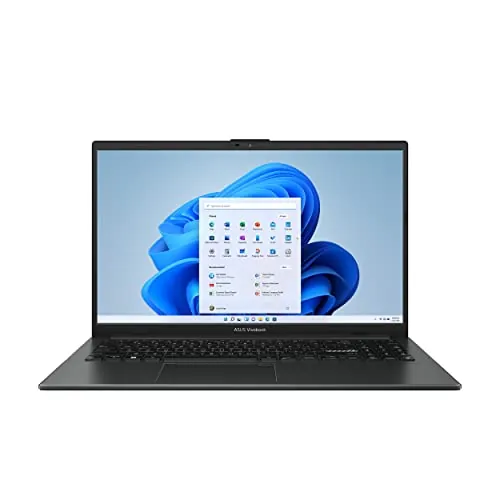
These exact U.S. configurations differ most in operating system, display size and nominal SSD capacity. Apple’s current U.S. list identifies Indigo part MHFF4LL/A as an 8GB/256GB MacBook Neo; Apple’s specs list macOS, a 13-inch display and 1.23kg family weight. ASUS identifies E1504FA-AS52 with Windows 11 Home, a 15.6-inch FHD panel, Ryzen 5 7520U, 8GB memory and 512GB SSD. Verify the apps and peripherals you actually need before choosing an OS, then decide whether 13-inch/256GB or 15.6-inch/512GB better fits your work. No speed, battery or screen-quality winner is established.
Read comparison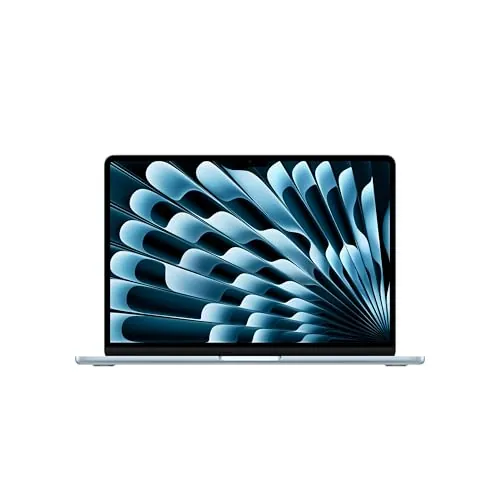
MacBook Neo A18 Pro vs MacBook Air M5: Ports, Displays and Storage
These exact selections are the Indigo MacBook Neo (MHFF4LL/A, 8GB/256GB) and Sky Blue 13-inch MacBook Air M5 (MDHH4LL/A, 16GB/512GB). Apple's specifications make the desk decision concrete: Neo supports one external display up to 4K/60Hz from its USB 3 port, while Air M5 supports up to two external displays and has two Thunderbolt 4 ports plus MagSafe 3. Check your monitor's input, the cables or adapter you already own, and whether each selected memory/storage configuration fits your files and apps. The specs do not establish a performance winner for your workload.
Read comparison