
Products compared
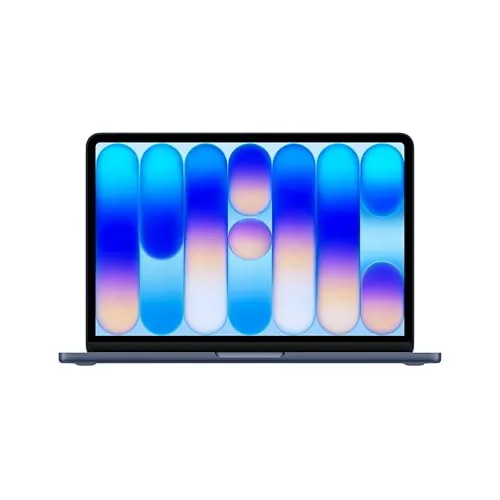
Apple
Apple MacBook Neo 13-inch with A18 Pro, Indigo
Indigo MacBook Neo, part MHFF4LL/A, with 8GB unified memory and 256GB SSD storage. Apple specifies two USB-C ports with different capabilities: USB 3 with DisplayPort and up to 10Gb/s, and USB 2 up to 480Mb/s. It supports one external display up to 4K at 60Hz.
Model MHFF4LL/A
Amazon ASIN B0GR6FHGXX
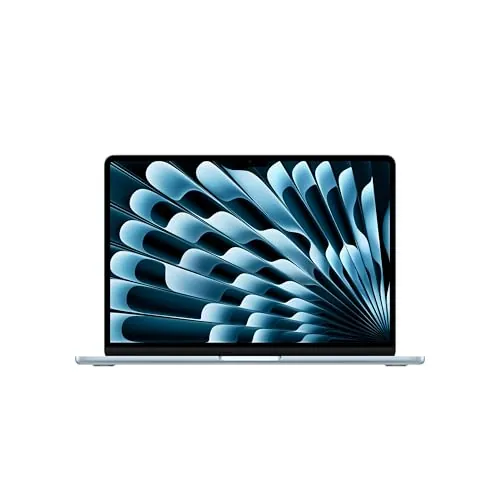
Apple
Apple MacBook Air 13-inch with M5, Sky Blue
Sky Blue 13-inch MacBook Air M5, part MDHH4LL/A, with 16GB unified memory and 512GB SSD storage. Apple specifies two Thunderbolt 4 USB-C ports for charging, DisplayPort, Thunderbolt 4 and USB 4, plus MagSafe 3 and a 3.5mm headphone jack. It supports up to two external displays under Apple’s documented modes.
Model MDHH4LL/A
Amazon ASIN B0GR1493ZV
Differences that matter
What matters most to you?
Choose a priority to see what it changes.
Sources for Selected memory and storage
Sources for External display count and modes
Sources for USB-C ports and charging route
Sources for Built-in display dimensions
Start with the monitors and their ports
If your desk uses one external display, the Neo specification lists support up to native 4K at 60Hz through its USB 3 USB-C port, with the built-in display running at full resolution too. Its other USB-C port is USB 2, so identify which one your display cable and other accessories need before deciding how to connect everything.
If you need two external displays, Apple's 13-inch Air M5 specification lists up to two. For two displays, Apple gives examples up to native 6K at 60Hz or 4K at 144Hz each, while the single-display maximums are different. Confirm the exact mode for your screens and cable chain; a product's maximum is not a guarantee for every dock or monitor.
A practical pre-buy check: count the screens you need simultaneously, record each monitor's resolution and refresh rate, and look up its input requirements. Then map the display, dock and charging connections to the laptop ports. Air's separate MagSafe 3 charging port can leave its two Thunderbolt 4 ports available; Neo lists charging on both USB-C ports, including the port used for its external display path.
Compare the selected memory and storage, not just the chip names
The Neo in this comparison is Indigo, 8GB/256GB; the Air is Sky Blue, 16GB/512GB. If you keep large photo, video or project libraries locally, estimate how much built-in storage you want and what you are willing to move to an external drive. If you use memory-heavy apps, compare these configurations with their requirements and your own workload.
Those are configuration facts, not a benchmark. The available evidence does not show which machine is faster for an unspecified collection of apps, files or background tasks, so decide whether the larger memory/storage configuration itself is worth having rather than treating it as proof of a particular speed difference.
Match the built-in screen and everyday accessory setup
Apple lists a 13.0-inch, 2408-by-1506 built-in display for Neo and a 13.6-inch, 2560-by-1664 display for Air M5. If you often work away from a monitor, compare those published dimensions with the amount of workspace you prefer; this is not a subjective screen-quality ranking.
Both models list a 3.5mm headphone jack. For USB-C accessories, check the actual device requirements: Neo's ports have different listed data rates, while Air M5 has two Thunderbolt 4 ports with charging, DisplayPort and USB 4 support. Choose by your monitor, dock and storage-device connection needs, and confirm any adapter separately.
Product details
Apple MacBook Neo 13-inch with A18 Pro, Indigo
- Selected memory and storage
- Indigo MacBook Neo (MHFF4LL/A): 8GB unified memory and 256GB SSD storage. Source
- External display support
- One external display up to native 4K at 60Hz; Apple lists the USB 3 USB-C port with DisplayPort 1.4 support. Source
- USB-C port capabilities
- One USB 3 port up to 10Gb/s and one USB 2 port up to 480Mb/s; both support charging. A 3.5mm headphone jack is also listed. Source
- Built-in display
- 13.0-inch diagonal display, 2408-by-1506 native resolution. Source
Apple MacBook Air 13-inch with M5, Sky Blue
- Selected memory and storage
- Sky Blue 13-inch MacBook Air M5 (MDHH4LL/A): 16GB unified memory and 512GB SSD storage. Source
- External display support
- Up to two external displays; Apple lists two displays up to native 6K at 60Hz or 4K at 144Hz, and one display up to 8K at 60Hz, 5K at 120Hz or 4K at 240Hz. Source
- Ports and charging
- Two Thunderbolt 4 USB-C ports supporting up to 40Gb/s, charging and DisplayPort, with a separate MagSafe 3 charging port and 3.5mm headphone jack. Source
- Built-in display
- 13.6-inch diagonal display, 2560-by-1664 native resolution. Source
Before you buy
Community discussions
Check the hub with your monitor and cable
Apple MacBook Neo 13-inch with A18 Pro, Indigo
A Neo owner reports using an Anker 2-port/7-function hub and says HDMI connects only when the hub is turned a particular way. Their post does not identify the Neo configuration, monitor or cable, or establish the cause.
What to check
If you plan to reuse a hub, check its display instructions and test the exact hub, monitor and cable with the computer's display-capable port before relying on that setup.
Try your preferred display scaling
Apple MacBook Neo 13-inch with A18 Pro, Indigo
A new Neo owner reports that 2560×1440 looked fuzzy on two external displays, while 1080p looked sharp but large and 4K sharp but small. The post describes one user's setup; it does not establish a cause or a fix.
What to check
If external-monitor text size matters, test your preferred resolution and scaling with your own monitor and cable before choosing. The post does not identify the Neo's color, storage configuration or part number.
Common questions
How many external monitors does the selected MacBook Neo support?
Apple lists one external display up to native 4K at 60Hz for MacBook Neo, while also supporting the built-in screen at full resolution. Its USB 3 USB-C port supports DisplayPort 1.4 speeds. Check your monitor's input and the required cable path.MacBook Neo - Tech Specs
Can the selected MacBook Air M5 run two external displays?
Yes. Apple lists up to two external displays for the 13-inch MacBook Air M5 and gives mode limits by display count. For two screens, listed examples include up to native 6K at 60Hz or 4K at 144Hz each; verify your monitors and connection path against Apple's specifications.MacBook Air (13-inch, M5) - Tech Specs
Do the two laptops have the same USB-C ports?
No. Neo lists one USB 3 port up to 10Gb/s and one USB 2 port up to 480Mb/s, both with charging support. Air M5 lists two Thunderbolt 4 USB-C ports up to 40Gb/s and a separate MagSafe 3 charging port.MacBook Neo - Tech SpecsMacBook Air (13-inch, M5) - Tech Specs
What should I check before connecting my dock or monitor?
Confirm the display count, resolution and refresh rate you want, then check the monitor or dock's supported host connection and the cable/adapter required. For Neo, Apple's external display path is the USB 3 port; Air's two Thunderbolt 4 ports support DisplayPort and Thunderbolt, and it has MagSafe 3 for charging.MacBook Neo - Tech SpecsMacBook Air (13-inch, M5) - Tech Specs
Sources and scope
This specification-based comparison covers Apple’s U.S. Indigo MacBook Neo 8GB/256GB (MHFF4LL/A) and Sky Blue 13-inch MacBook Air M5 16GB/512GB (MDHH4LL/A). It does not test speed, battery life, display quality or reliability. Other configurations can differ. Check the part number and your monitor’s supported input mode and required cable or adapter before buying.
Related comparisons
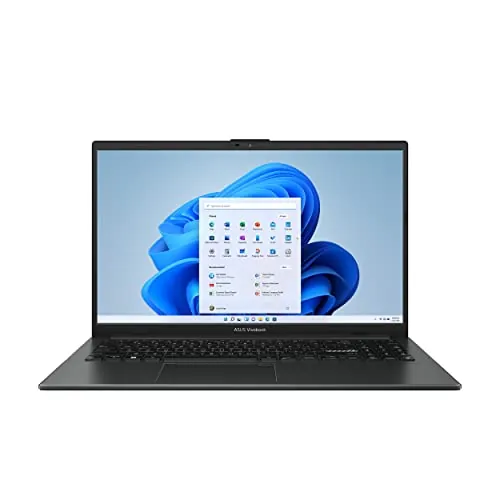
MacBook Neo MHFF4LL/A vs ASUS Vivobook Go 15 E1504FA-AS52
These exact U.S. configurations differ most in operating system, display size and nominal SSD capacity. Apple’s current U.S. list identifies Indigo part MHFF4LL/A as an 8GB/256GB MacBook Neo; Apple’s specs list macOS, a 13-inch display and 1.23kg family weight. ASUS identifies E1504FA-AS52 with Windows 11 Home, a 15.6-inch FHD panel, Ryzen 5 7520U, 8GB memory and 512GB SSD. Verify the apps and peripherals you actually need before choosing an OS, then decide whether 13-inch/256GB or 15.6-inch/512GB better fits your work. No speed, battery or screen-quality winner is established.
Read comparisonMacBook Neo 512GB Touch ID vs 256GB: Choose Storage or a Simpler Keyboard
Choose the Indigo 512GB MacBook Neo if you need more local storage or want its Touch ID keyboard. Choose the 256GB model if your applications and files fit and the standard keyboard suits you. Apple lists the same A18 Pro chip and 8GB unified memory for both configurations. Check the configuration code before ordering.
Read comparison