
Products compared
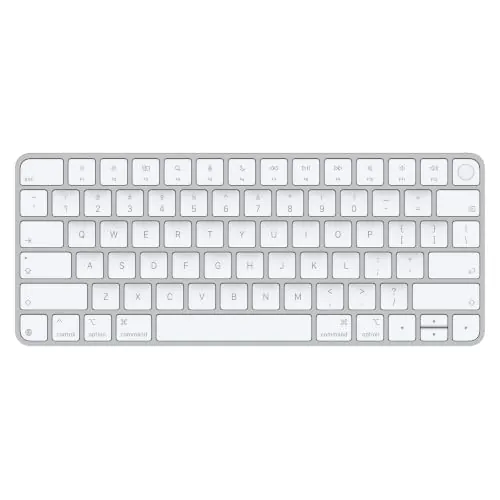
Apple
Apple Magic Keyboard with Touch ID for Mac models with Apple silicon (USB-C) - US English
US English, white keys, USB-C Touch ID model. Apple lists a Mac with Apple silicon and macOS 15.1 or later as the system requirement.
Model MJLY4LL/A
Amazon ASIN B0HGG4574D
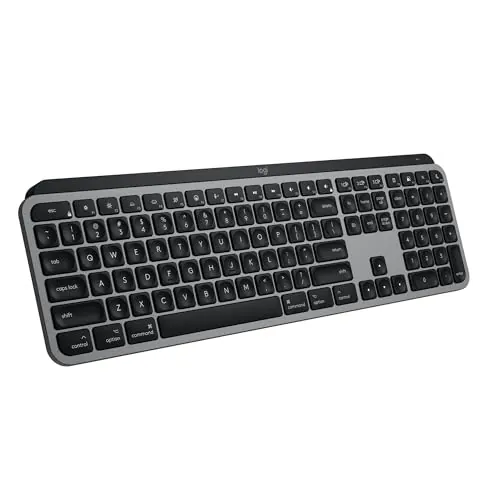
Logitech
Logitech MX Keys S for Mac Wireless Keyboard, Space Gray
Space Gray Mac-specific version. Logitech documents Bluetooth Low Energy pairing with up to three Macs and iPads, plus a USB receiver connection in the support specifications.
Model 920-011621
Amazon ASIN B0BXX499PC
Differences that matter
What matters most to you?
Choose a priority to see what it changes.
Sources for Touch ID and host requirement
Sources for Switching between Apple devices
Sources for Lighting, charging, and receiver check
Check the Mac requirement before you buy Apple for Touch ID
The exact Apple MJLY4LL/A is the US English USB-C Magic Keyboard with Touch ID, not the separate USB-C Magic Keyboard without Touch ID or a Lightning-era model. Apple requires a Mac with Apple silicon and macOS 15.1 or later for this Touch ID keyboard. If your Mac does not meet both conditions, do not choose it on the assumption that Touch ID will be available.
Apple lists Bluetooth and USB-C, says the keyboard pairs automatically with a Mac, and includes a woven USB-C charging cable. This is a fit check for the stated Mac setup; it does not make a broader claim about which other hosts can type through the keyboard.
Logitech’s Mac version spells out its multi-device workflow
The selected Logitech part is MX Keys S for Mac in Space Gray, part 920-011621. Logitech says this version has a dedicated Mac key layout and can pair over Bluetooth Low Energy with multiple Macs and iPads, switching among up to three Apple devices at a button press. That is a useful distinction if a desk setup regularly moves between a computer and tablet.
Logitech also documents proximity-triggered backlighting and Logi Options+ controls for brightness and lighting duration. The support page lists macOS 11 or later for software support at release; check Logitech’s current software page for your current OS before relying on customization. The page lists both Bluetooth and a 2.4 GHz USB-receiver connection, but its exact box table names only the keyboard and USB-C cable, so confirm receiver inclusion in the seller’s package.
Measure the desk, then plan the charging connection
Apple lists 10.98 inches across by 4.52 inches front-to-back. Logitech Support lists 430 mm long by 132 mm wide and labels the long side “Length.” Converted to a shared basis, the Logitech keyboard is about 151 mm longer and 17 mm deeper by these published measurements. Use that as a desk-space check, not as a typing-comfort score.
Both products list USB-C charging connections. Apple lists its woven USB-C cable in the box; Logitech Support lists a 100 cm USB-C charging cable. The reviewed Logitech box table does not list a receiver, even though the same support specification lists a USB receiver connection. If you need a receiver rather than Bluetooth, verify the exact retail contents before checkout.
Product details
Apple Magic Keyboard with Touch ID for Mac models with Apple silicon (USB-C) - US English
Logitech MX Keys S for Mac Wireless Keyboard, Space Gray
- Mac device switching
- Pair with multiple Macs and iPads via Bluetooth Low Energy and switch among up to three Apple devices at the keyboard button Source
- Listed connectivity and in-box cable
- Logitech Support lists Bluetooth Low Energy and 2.4 GHz USB-receiver connectivity; its box table lists the keyboard and 100 cm USB-C charging cable. Verify exact seller package contents before expecting a receiver. Source
- Listed keyboard dimensions
- 430 mm length × 132 mm width; maker labels the long side Length Source
Before you buy
Community discussions
An MX Keys S for Mac owner uses it with two computers
Logitech MX Keys S for Mac Wireless Keyboard, Space Gray
A buyer choosing a keyboard for a Mac mini asks about Touch ID. In the discussion, an MX Keys S for Mac owner says they use one keyboard with a personal Mac and work PC, and sign in using the Mac’s reader.
What to check
List the computers you actually use and how you sign in on the Mac. Check which keyboard layout and connection each device can use.
A Mac desk owner keeps both keyboard styles
Logitech MX Keys S for Mac Wireless Keyboard, Space Gray
A Mac user reviewing their desk setup says they have the MX Keys S for Mac and also own an Apple keyboard with a fingerprint reader. They do not identify the Apple layout.
What to check
Decide which keyboard you would keep on the desk most of the day and whether you want the fingerprint reader built into it.
Common questions
Will Touch ID on the Apple keyboard work with any Mac?
Apple specifies a Mac with Apple silicon running macOS 15.1 or later for this USB-C Touch ID model. Check both the chip and OS version before buying for that feature.Magic Keyboard with Touch ID for Mac models with Apple silicon (USB-C) - Tech Specs
Can the Logitech Mac model switch between a Mac and an iPad?
Logitech documents Bluetooth Low Energy pairing with multiple Macs and iPads and switching among up to three Apple devices at a keyboard button. Confirm the Bluetooth setup on your exact hosts.MX Keys S for Mac Wireless Keyboard | Logitech
Does the MX Keys S for Mac package include a USB receiver?
Logitech Support lists 2.4 GHz USB-receiver connectivity, but the product-specific box table reviewed lists the keyboard and a 100 cm USB-C charging cable. Check the current seller carton list before counting on a receiver.Specification - MX Keys S for Mac | Logitech Support
Which listed keyboard is shorter on a desk?
Apple lists its long side as 10.98 inches (about 279 mm). Logitech Support lists the MX Keys S for Mac at 430 mm long. These figures suggest the Logitech model takes more desk length; check your available space directly.Magic Keyboard with Touch ID for Mac models with Apple silicon (USB-C) - Tech SpecsSpecification - MX Keys S for Mac | Logitech Support
Sources and scope
This is a source-based feature and setup comparison, not a typing, comfort, security, reliability, or battery-duration test. Apple specifies an Apple-silicon Mac on macOS 15.1 or later for this Touch ID keyboard. Logitech support lists Bluetooth and a 2.4 GHz USB-receiver connection for the MX Keys S for Mac, but the exact retail package source reviewed lists the keyboard and USB-C charging cable; confirm any receiver inclusion on the seller’s current box list. Compare listed dimensions against your actual desk rather than treating them as a comfort or layout ranking.
Related comparisons
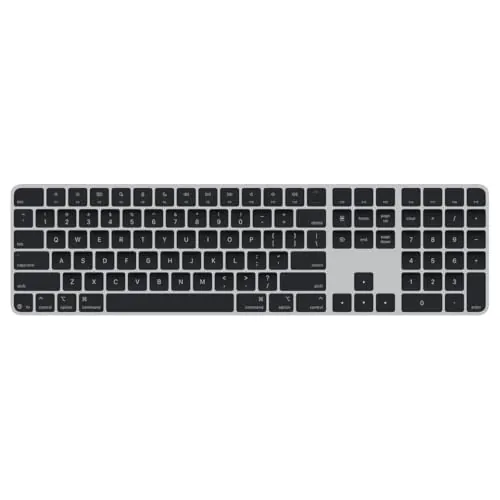
Logitech MX Keys S for Mac vs Apple Magic Keyboard with Touch ID: Which Fits Your Desk?
Both assigned products are Mac-layout keyboards with numeric keypads, but they solve different setup needs. Logitech documents Easy-Switch across up to three paired computers. Apple adds Touch ID for an Apple-silicon Mac running macOS 15.1 or later. Check that requirement first if Touch ID is the reason you are shopping, then compare each keyboard’s listed footprint with your desk or tray.
Read comparison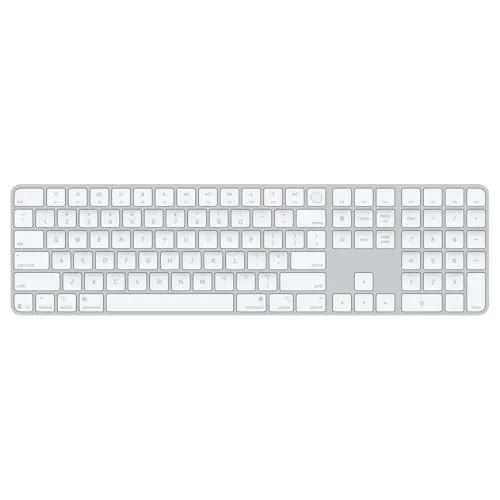
Apple Magic Keyboard with Touch ID and Numeric Keypad vs Logitech MX Keys S for Mac
These are both full-size Mac keyboards with numeric keypads, so the useful choice is about setup and daily workflow. Apple documents Touch ID for logins and purchases, but this exact USB-C model requires an Apple-silicon Mac on macOS 15.1 or later. Logitech documents backlighting, Smart Actions through Logi Options+, and button switching among up to three Macs or iPads over Bluetooth Low Energy. Check the Mac requirement, preferred connection, and exact box before ordering.
Read comparison