
Products compared
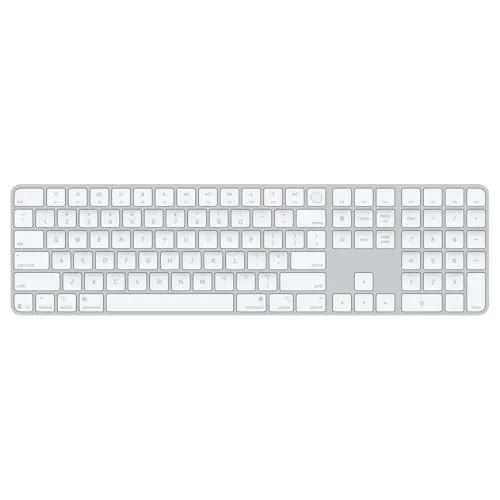
Apple
Apple Magic Keyboard with Touch ID and Numeric Keypad (USB-C), US English, White Keys
The assigned U.S. White Keys version with Touch ID and numeric keypad. The Apple product page identifies this configuration as for Mac models with Apple silicon and lists macOS 15.1 or later.
Model MXK73LL/A
Amazon ASIN B0DL731QNW
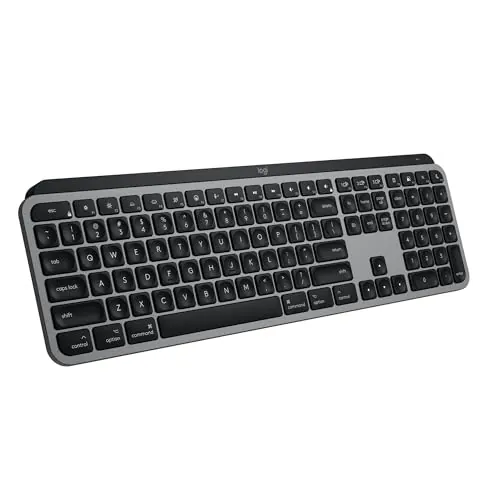
Logitech
Logitech MX Keys S for Mac, Space Gray
The assigned Space Gray Mac-layout version. Logitech documents backlighting, Smart Actions through Logi Options+, and switching among up to three Apple devices over Bluetooth Low Energy.
Model 920-011621
Amazon ASIN B0BXX499PC
Differences that matter
Sources for Switching, lighting and repeated actions
Sources for Connection plan and box check
Start with the Mac login workflow
The Apple offer is the precise MXK73LL/A configuration: U.S. English, White Keys, USB-C and a numeric keypad. Apple documents Touch ID for logins and purchases and lists a Mac with Apple silicon using macOS 15.1 or later as the requirement. If the Mac you plan to use does not meet that requirement, do not choose this one for its Touch ID workflow.
Logitech's 920-011621 is the Space Gray MX Keys S for Mac. Its exact product page emphasizes the Mac layout and Logi Options+ features, while its support specification names model family Y-R0073. The reviewed Logitech materials do not establish Touch ID support for it, so treat that feature as unverified rather than assuming an absence from a page proves incompatibility.
Choose the workflow you will use each day
Both selected keyboards have numeric keypads. Logitech's differentiators in the reviewed documentation are adaptive backlighting, programmable Smart Actions in Logi Options+, and a physical button for switching among up to three Macs or iPads over Bluetooth Low Energy. That is useful to consider if more than one Apple device shares the desk or if you plan to use the lighting and shortcut features.
Apple describes automatic Mac pairing, Bluetooth and USB-C. Its included woven USB-C cable can pair and charge the keyboard from a USB-C port on the Mac. Pick between the documented workflows: Touch ID on an eligible Mac, or Logitech's stated lighting, shortcut and device-switch functions. Neither source establishes a typing-speed, comfort or reliability winner.
Check the connection and actual package
The Logitech support specification lists Bluetooth Low Energy and a Logitech USB receiver connection using 2.4 GHz, and gives a 100 cm USB-C charging cable in the box. The in-box table does not confirm a receiver for this exact retail offer; verify the seller's contents if the receiver is a requirement. Bluetooth Low Energy is also listed, so a receiver is not the only documented path.
The same specification says Logi Options+ is supported and lists macOS 11 or later as a system requirement at release. Treat that as Logitech's at-release compatibility statement, not a guarantee that every present-day software feature works on every later host. Apple's model page includes a USB-C cable and lists the stricter system requirement specifically for the selected Touch ID product.
Measure the desk before choosing a full-size model
Apple lists its keyboard at 16.48 inches wide and 4.52 inches deep. Logitech lists the MX Keys S for Mac at 430 mm by 132 mm, about 16.93 by 5.20 inches. By these published body dimensions, Logitech needs about 0.45 inch more width and 0.68 inch more depth; that is a desk-fit comparison, not a typing or comfort judgment.
Measure the clear keyboard area and the space needed to move a mouse or reach other controls. If a compact keyboard is your actual priority, keep looking: neither assigned model removes the numeric-key section.
Product details
Apple Magic Keyboard with Touch ID and Numeric Keypad (USB-C), US English, White Keys
- Touch ID eligibility
- Apple lists a Mac with Apple silicon using macOS 15.1 or later as the system requirement for this model. Source
- Connections and in-box cable
- Bluetooth and USB-C; Apple says the included woven USB-C Charge Cable lets you pair and charge from a USB-C port on your Mac. Source
- Published dimensions
- 16.48 in wide by 4.52 in deep; measure the usable desk area and cable route before purchase. Source
Logitech MX Keys S for Mac, Space Gray
- Device switching and customization
- Logitech documents Bluetooth Low Energy pairing with up to three Macs or iPads, a button to switch, adaptive backlighting, and programmable Smart Actions in Logi Options+. Source
- Wireless connection and included cable
- The exact-family specification lists Bluetooth Low Energy and a Logitech 2.4 GHz USB receiver as connection methods, and lists a 100 cm USB-C charging cable in the box. It does not establish that a USB receiver is included with this exact retail offer. Source
- Published keyboard footprint
- 430 mm long by 132 mm wide (about 16.93 by 5.20 in); measure usable desk depth as well as width. Source
Before you buy
Community discussions
An MX Keys S for Mac owner uses it with two computers
Logitech MX Keys S for Mac, Space Gray
A buyer choosing a keyboard for a Mac mini asks about Touch ID. In the discussion, an MX Keys S for Mac owner says they use one keyboard with a personal Mac and work PC, and sign in using the Mac’s reader.
What to check
Map the computers you switch between and where you normally sign in. Check the exact keyboard layout and host requirements before buying.
Common questions
What Mac does the Apple MXK73LL/A Touch ID keyboard require?
Apple lists a Mac with Apple silicon running macOS 15.1 or later for this USB-C Touch ID model. Confirm both details on the Mac you will use before buying for the Touch ID workflow.Magic Keyboard with Touch ID and Numeric Keypad for Mac models with Apple silicon (USB-C) — U.S. English, White Keys
Can the MX Keys S for Mac switch among multiple Apple devices?
Logitech says it can pair with up to three Macs or iPads over Bluetooth Low Energy and switch between them with a button.MX Keys S for Mac Wireless Keyboard — 920-011621 Space Gray
Does the Logitech 920-011621 include a USB receiver?
The Logitech specification lists receiver-based 2.4 GHz connectivity but does not confirm that a receiver is in this exact retail package. Verify the seller's box contents if you need one; the same specification lists Bluetooth Low Energy as another connection method.Specification — MX Keys S for Mac
Are these both full-size keyboards with numeric keypads?
The assigned Apple model is explicitly a numeric-keypad model, and Logitech identifies MX Keys S for Mac as its full-size version with an integrated numeric keypad. Choose between them by the documented Touch ID, device switching, lighting and connection workflow instead.Magic Keyboard with Touch ID and Numeric Keypad for Mac models with Apple silicon (USB-C) — U.S. English, White KeysMX Keys S for Mac Wireless Keyboard — 920-011621 Space Gray
Sources and scope
This guide compares documented features and setup, not typing tests. Apple lists an Apple-silicon Mac with macOS 15.1 or later for the selected Touch ID keyboard. Logitech lists USB-receiver connectivity, but its reviewed exact-family in-box table does not confirm a receiver in the selected retail package.
Related comparisons
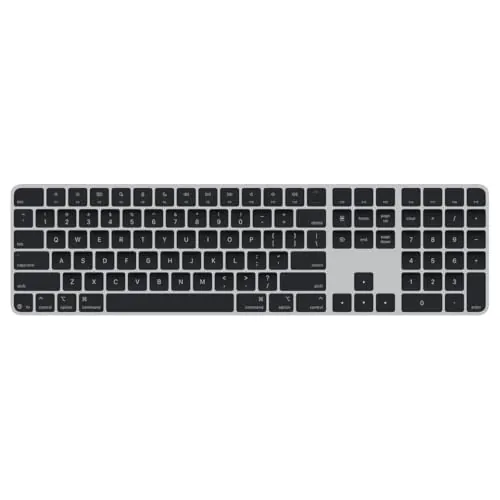
Logitech MX Keys S for Mac vs Apple Magic Keyboard with Touch ID: Which Fits Your Desk?
Both assigned products are Mac-layout keyboards with numeric keypads, but they solve different setup needs. Logitech documents Easy-Switch across up to three paired computers. Apple adds Touch ID for an Apple-silicon Mac running macOS 15.1 or later. Check that requirement first if Touch ID is the reason you are shopping, then compare each keyboard’s listed footprint with your desk or tray.
Read comparison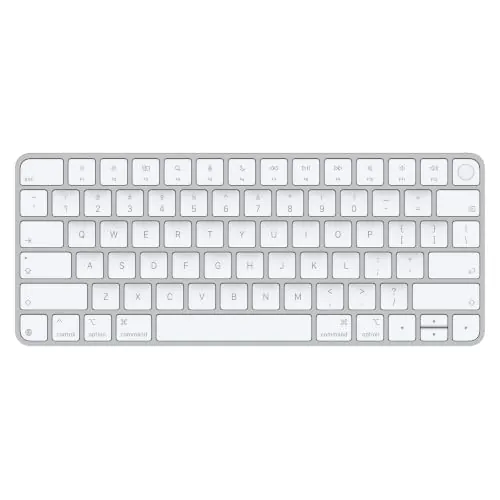
Apple Magic Keyboard with Touch ID USB-C vs Logitech MX Keys S for Mac: Which Mac Desk Workflow Fits?
These are both Mac-layout wireless keyboards, but the useful distinction is workflow. Apple’s exact USB-C Touch ID model requires a Mac with Apple silicon and macOS 15.1 or later for the documented setup. Logitech’s Mac-specific MX Keys S documents a button switch among up to three Apple devices, plus adjustable smart backlighting through Logi Options+. Measure the desk too: Apple lists a 10.98 × 4.52-inch footprint, while Logitech lists 430 × 132 mm.
Read comparison