
Products compared
Logitech
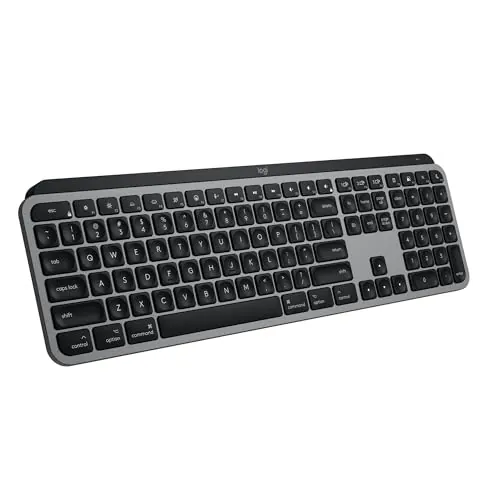
Logitech MX Keys S for Mac Wireless Keyboard
Space Gray, Mac-layout full-size wireless keyboard with numeric keypad and dedicated Easy-Switch keys.
Model 920-011621
Amazon ASIN B0BXX499PC
Apple
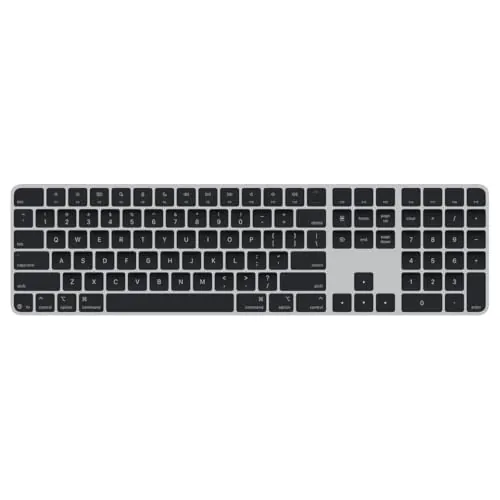
Apple Magic Keyboard with Touch ID and Numeric Keypad (USB-C)
US English, Black Keys configuration with USB-C and Touch ID; the Touch ID feature has a specific Mac and macOS requirement.
Model MXK83LL/A
Amazon ASIN B0DL6L189W
Differences that matter
What matters most to you?
Choose a priority to see what it changes.
Sources for Switching among paired devices
Sources for Checking a tight desk or tray
Start with your Mac setup
These are two full-size Mac-layout keyboards with numeric keypads, but the choice is not simply one brand against another. Logitech’s clearest distinction is Easy-Switch across as many as three paired devices. Apple’s is Touch ID on a Mac that meets its silicon and operating-system requirements.
If Touch ID is your reason to buy Apple, check the Mac first. If you move among several Macs or iPads, compare Logitech’s channel-switching routine with how you actually work. Neither source set measures typing speed, comfort, or connection reliability.
A practical multi-device desk versus a Touch ID desk
Logitech’s setup guide shows a concrete routine: select an Easy-Switch channel, hold its button to put that channel into pairing mode, pair the computer over Bluetooth, and use a short press to switch later. The Mac product page says the keyboard can pair with up to three Mac computers and iPads over Bluetooth Low Energy. Count this as a feature-fit choice if you use several Apple devices from one desk, not as proof of faster switching.
For Apple, keep the one-Mac statement narrow. Apple describes secure Touch ID pairing to one Mac at a time. That describes the biometric association; it does not establish that ordinary keyboard use is restricted to a single host. Do not treat it as a blanket device-connection comparison.
Check Touch ID eligibility before paying for it
Apple’s external USB-C Touch ID requirements are specific: the Mac needs Apple silicon and macOS 15.1 or later. Check both on the computer where you plan to use the keyboard. If a requirement is unmet, the cited sources do not support expecting external Touch ID to work there.
The requirement is about Touch ID, not a statement that the Apple keyboard cannot be used for ordinary typing on other systems. Apple also describes secure Touch ID pairing with one Mac at a time. Keep the biometric feature and the keyboard’s general connection behavior as separate questions.
Check the footprint against your actual tray
Logitech lists the MX Keys S for Mac body at 430 mm long by 132 mm wide and 21 mm high. Apple lists the USB-C Touch ID numeric-keypad configuration family at 41.87 cm wide by 11.49 cm deep, with height from 0.41 to 1.09 cm. In normal desk orientation, Apple’s listed footprint is slightly narrower and shallower.
Measure the usable surface, not just the outside of a tray. Include clearance for the cable route and any lip or nearby object. These are manufacturer-listed dimensions, not a promise of comfort or a fit test on your desk. Apple’s page is configuration-family evidence and does not independently crosswalk the assigned MXK83LL/A retail part.
Before you buy
1. Match Logitech model 920-011621, Space Gray, to ASIN B0BXX499PC; 2. match Apple MXK83LL/A, USB-C, US English, Black Keys, to ASIN B0DL6L189W; 3. for Touch ID, confirm Apple silicon and macOS 15.1 or later; 4. if you use several devices, decide whether Logitech’s dedicated Easy-Switch channels fit that routine; 5. measure your actual work surface if space is tight and compare the maker-listed dimensions.
Do not use the Apple one-Mac Touch ID secure-pairing note to infer that standard keyboard use is limited to one computer. This article does not report hands-on typing, comfort, battery, or reliability tests.
Product details
Logitech MX Keys S for Mac Wireless Keyboard
- Multi-device workflow
- Logitech says it can pair with up to three computers and switch channels with the Easy-Switch keys; the Mac version’s product page specifies Bluetooth Low Energy pairing with up to three Mac computers and iPads. Source
- Listed body dimensions
- 430 mm long × 132 mm wide × 21 mm high; use the maker’s stated axes to check the available desk or tray area. Source
Apple Magic Keyboard with Touch ID and Numeric Keypad (USB-C)
- Touch ID host requirement
- For this external USB-C Touch ID configuration, Apple specifies a Mac with Apple silicon and macOS 15.1 or later. This requirement is for Touch ID and does not decide whether ordinary typing works with another host. Source
- Secure biometric pairing
- Apple documents secure Touch ID pairing with one Mac at a time. This is a Touch ID pairing constraint, not a general limit on every keyboard connection. Source
- Listed configuration footprint
- Apple’s USB-C Touch ID numeric-keypad configuration family is listed at 41.87 cm wide × 11.49 cm deep, with height varying from 0.41 to 1.09 cm. The page is family-level and does not independently crosswalk MXK83LL/A. Source
Before you buy
Community discussions
An MX Keys S for Mac owner uses it with two computers
Logitech MX Keys S for Mac Wireless Keyboard
A buyer choosing a keyboard for a Mac mini asks about Touch ID. In the discussion, an MX Keys S for Mac owner says they use one keyboard with a personal Mac and work PC, and sign in using the Mac’s reader.
What to check
Check the full-width layout on your desk and whether you need to switch between computers or have Touch ID on the keyboard.
Common questions
Does Apple Touch ID work with every Mac?
No. Apple’s requirements for its external USB-C Touch ID keyboard specify a Mac with Apple silicon and macOS 15.1 or later. Confirm both before buying for Touch ID. This condition does not establish whether ordinary typing works with other hosts.Magic Keyboard with Touch ID and Numeric Keypad for Mac models with Apple silicon (USB-C) - Tech SpecsIf Touch ID isn't working on Mac
Can the MX Keys S for Mac switch between computers?
Yes. Logitech documents pairing with up to three computers and switching channels using Easy-Switch. The Mac product page describes Bluetooth Low Energy pairing with up to three Mac computers and iPads.Getting Started - MX Keys S for MacMX Keys S for Mac Wireless Keyboard
Does Apple’s one-Mac Touch ID pairing mean the Apple keyboard cannot connect to another computer?
That does not follow from Apple’s statement. Apple limits the secure biometric Touch ID pairing to one Mac at a time; the cited security page does not define every ordinary keyboard-connection mode.Magic Keyboard with Touch ID
Which one takes less room?
The cited Apple configuration family is listed at 41.87 cm wide by 11.49 cm deep, while Logitech lists the MX Keys S for Mac at 430 mm long by 132 mm wide. Compare those manufacturer-listed body measurements with your usable tray or desk area; the Apple page does not independently map the exact MXK83LL/A part.Magic Keyboard with Touch ID and Numeric Keypad for Mac models with Apple silicon (USB-C) - Tech SpecsSpecification - MX Keys S for Mac
Sources and scope
This guide covers Logitech MX Keys S for Mac, Space Gray, model 920-011621 / ASIN B0BXX499PC, and Apple Magic Keyboard with Touch ID and Numeric Keypad (USB-C), MXK83LL/A, US English, Black Keys / ASIN B0DL6L189W. Apple’s official technical material applies to the USB-C Touch ID numeric-keypad configuration family and does not itself map the retail part MXK83LL/A; that exact listing identity is confirmed by the current listing data and previously reviewed source material, so verify it on the offer before purchase. Apple support evidence was reused from the previously reviewed source material because the endpoints had previously rate-limited; it is not independently confirmed as current for this guide. Logitech details were checked against current US manufacturer sources. This is a documented-feature and fit-planning guide, not a typing, comfort, battery, connection-reliability, or performance test.
- MX Keys S for Mac Wireless Keyboard
- Getting Started - MX Keys S for Mac
- Specification - MX Keys S for Mac
- Magic Keyboard with Touch ID and Numeric Keypad for Mac models with Apple silicon (USB-C) - Tech Specs
- If Touch ID isn't working on Mac
- Magic Keyboard with Touch ID
- Official Apple USB-C Touch ID numeric-keypad layout illustration
Related comparisons
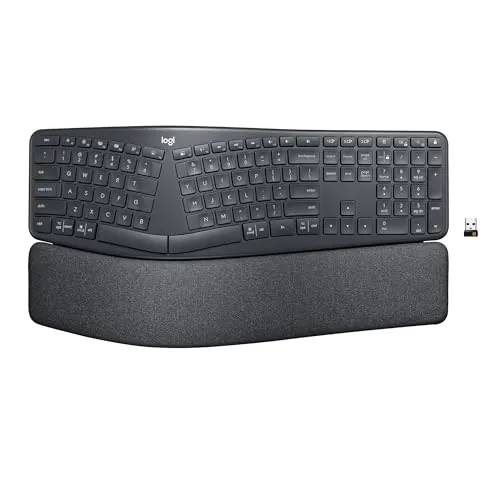
Logitech ERGO K860 vs Apple Magic Keyboard with Touch ID USB-C: Split Layout or Mac Authentication?
This is a choice between two different desk routines. The Graphite Logitech ERGO K860 (920-009166) has a curved split frame, a pillowed palm rest and Easy-Switch for up to three paired computers. Apple’s Magic Keyboard with Touch ID and Numeric Keypad (USB-C, US English, Black Keys; MXK83LL/A) keeps an unsplit layout and offers Touch ID only when paired with an Apple-silicon Mac that meets Apple’s macOS requirement. Choose by the shape you want and the exact host you use; split geometry is not a proven comfort or typing result.
Read comparison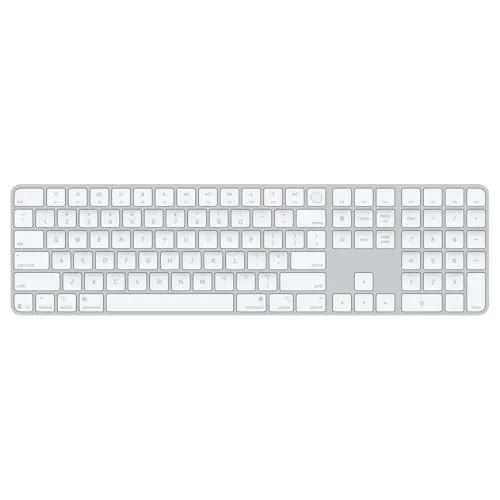
Apple Magic Keyboard with Touch ID and Numeric Keypad vs Logitech MX Keys S for Mac
These are both full-size Mac keyboards with numeric keypads, so the useful choice is about setup and daily workflow. Apple documents Touch ID for logins and purchases, but this exact USB-C model requires an Apple-silicon Mac on macOS 15.1 or later. Logitech documents backlighting, Smart Actions through Logi Options+, and button switching among up to three Macs or iPads over Bluetooth Low Energy. Check the Mac requirement, preferred connection, and exact box before ordering.
Read comparison