
Products compared
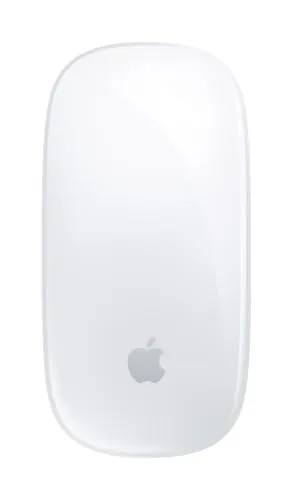
Apple
Apple Magic Mouse (USB-C) - White Multi-Touch Surface
Exact selected listing is the white USB-C Magic Mouse with Multi-Touch surface. Apple documents automatic Mac pairing and gestures including one-finger scrolling, page swipes and two-finger swipes between full-screen apps. USB-C Magic Mouse gestures require macOS Sequoia 15.1 or later. The box includes a woven USB-C charge cable; Apple describes connecting it to a USB-C port on Mac to pair and charge.
Model MXK53AM/A
Amazon ASIN B0DL72PK1P
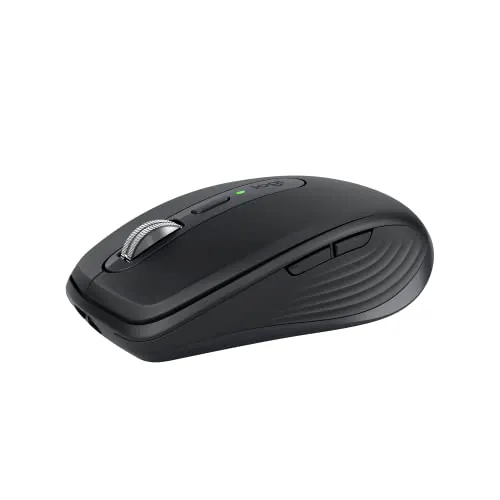
Logitech
Logitech MX Anywhere 3S Compact Wireless Mouse - Graphite
Exact selected listing is the Graphite MX Anywhere 3S (SKU 910-006925). Logitech documents Bluetooth pairing with up to three computers and manual Easy-Switch button channel changes. Its scroll wheel, side buttons and configurable top button provide a physical-button workflow; Flow adds software-based cursor movement and copy/paste only after its setup prerequisites are met. A Logi Bolt receiver is compatible but not included.
Model 910-006925
Amazon ASIN B0BPY4ZQXG
Differences that matter
What matters most to you?
Choose a priority to see what it changes.
Sources for One mouse across computers: Easy-Switch versus Flow
Pick the controls you want to use every day
The Magic Mouse turns its top surface into the main gesture area. Apple documents one-finger scrolling and page changes plus two-finger movement between full-screen apps; for this USB-C model, gestures require macOS Sequoia 15.1 or later. Check the OS before treating those gestures as a reason to choose it.
MX Anywhere 3S puts a MagSpeed wheel, side buttons and a configurable top button under your fingers. Logitech’s exact-model support says the top button can be made a gesture button in Options+; to use that gesture, hold the button while moving the mouse. This is a difference in input method, not a finding that one is easier or more comfortable.
Decide whether you need manual switching or Flow
For one mouse on multiple computers, MX Anywhere 3S supports up to three paired devices. Press its Easy-Switch button to select the channel. That button workflow is useful when you deliberately choose which computer is active.
Flow is a different setup: install Logitech Options+ on each computer, pair the mouse on a different Easy-Switch channel for each, and connect all computers to the same network. Logitech then documents cursor movement across screens and clipboard transfer for supported content. Apple documents automatic Mac pairing for this Magic Mouse but the reviewed Apple sources do not specify a comparable multi-computer workflow; leave that unanswered rather than assuming it cannot do it.
Check charging and host connections before ordering
The exact white Apple model includes a woven USB-C cable; Apple describes using it to pair and charge by connecting it to a USB-C port on a Mac. The product page does not say whether the mouse is usable while charging, so check Apple’s current instructions if that matters to your workflow.
The Graphite Logitech page lists Bluetooth for up to three devices across macOS, Windows, ChromeOS and Linux. It is also compatible with a Logi Bolt USB receiver, but Logitech says that receiver is not included. Its included USB-C cable can charge the mouse while you work. Confirm whether your computer can pair over Bluetooth or whether you will need the separate receiver before choosing the connection path.
Product details
Apple Magic Mouse (USB-C) - White Multi-Touch Surface
- Gestures and system requirements
- Multi-Touch surface; Apple lists Mac with macOS 15.1 or later and iPad with iPadOS 18.1 or later. The Apple Support gesture guide specifically requires macOS Sequoia 15.1 or later for USB-C Magic Mouse gestures. Source
- Wireless and charging connection
- Bluetooth and USB-C; Apple describes automatic pairing with Mac and includes a woven USB-C Charge Cable for pairing and charging through a USB-C port on Mac. Source
Logitech MX Anywhere 3S Compact Wireless Mouse - Graphite
- Manual computer switching
- Pair to up to three computers and short-press Easy-Switch to select another channel; Bluetooth supports macOS, Windows, ChromeOS and Linux. A Logi Bolt receiver is compatible but sold separately/not included in this exact-page listing. Source
- Flow prerequisites
- For Flow, pair the mouse to each computer on different channels, install Logi Options+ on each, and put the computers on the same wired or wireless network. Source
- Charging setup
- USB-C charging port; Logitech says the mouse can be used while charging with the included USB-C cable. Source
Before you buy
Community discussions
Planning mouse connections across personal and work computers
Logitech MX Anywhere 3S Compact Wireless Mouse - Graphite
The prospective buyer plans Bluetooth connections to two personal devices and asks about using a separate Bolt receiver on a work computer where Bluetooth and software installation are restricted. The post is a setup question, not a verified answer.
What to check
Check the approved connection and software options for your own computers, then confirm the exact receiver contents and whether the mouse’s device channels fit your routine.
Common questions
What macOS version do I need for USB-C Magic Mouse gestures?
Apple says USB-C Magic Mouse models require macOS Sequoia 15.1 or later for gestures. Its product page lists macOS 15.1 or later for Mac and iPadOS 18.1 or later for iPad as system requirements.Magic Mouse (USB-C) - White Multi-Touch Surface | Apple USUse Multi-Touch gestures on Mac | Apple Support
Is Logitech Easy-Switch the same as Logitech Flow?
No. Easy-Switch is the mouse button used to choose among up to three paired computer channels. Flow is separate software: pair on different channels, install Options+ on each computer and put the computers on the same network; then Logitech documents cursor-edge switching and clipboard transfer.Getting Started - MX Anywhere 3S | Logitech SupportWhat is Logitech Flow and how do I set it up and troubleshoot it? | Logitech Support
Does the MX Anywhere 3S include its USB receiver?
Logitech’s US Graphite product page says it is compatible with a Logi Bolt receiver and that the receiver is not included. It also supports Bluetooth pairing with up to three devices.MX Anywhere 3S Wireless Bluetooth Mouse | Logitech US, Graphite SKU 910-006925
Can I keep working with the MX Anywhere 3S while it charges?
Logitech says the MX Anywhere 3S can charge while you work using its included USB-C cable. Apple’s USB-C Magic Mouse page describes pairing and charging through a USB-C Mac connection but does not specify in-use charging, so this comparison makes no claim about that use state for Apple.Magic Mouse (USB-C) - White Multi-Touch Surface | Apple USMX Anywhere 3S Wireless Bluetooth Mouse | Logitech US, Graphite SKU 910-006925
Sources and scope
This guide compares published controls, supported setup and connections for Apple Magic Mouse USB-C White (MXK53AM/A) and Logitech MX Anywhere 3S Graphite (910-006925). It does not establish comfort, ergonomics, tracking, click feel, battery endurance in a particular routine, or overall performance. Apple documents automatic Mac pairing and Mac gestures but the reviewed Apple material does not specify a multi-computer switch workflow for this model; that behavior remains unknown, not proven absent. Logitech Flow requires Logi Options+ on each computer, a different Easy-Switch channel for each pairing, and the computers on the same network. Apple documents charging and pairing through its included USB-C cable to a USB-C port on Mac; it does not state whether the mouse can be used while charging. No prices or timing recommendation are included.
- Magic Mouse (USB-C) - White Multi-Touch Surface | Apple US
- Use Multi-Touch gestures on Mac | Apple Support
- MX Anywhere 3S Wireless Bluetooth Mouse | Logitech US, Graphite SKU 910-006925
- Getting Started - MX Anywhere 3S | Logitech Support
- What is Logitech Flow and how do I set it up and troubleshoot it? | Logitech Support
Related comparisons
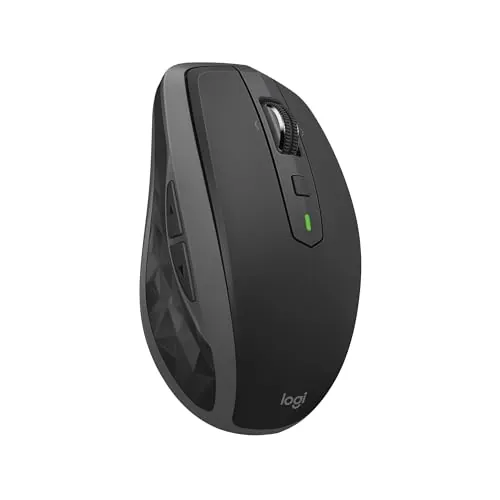
Logitech MX Anywhere 3S vs MX Anywhere 2S Bluetooth Edition: Receivers, USB-C and OS Fit
This comparison is for the assigned graphite SKUs: MX Anywhere 3S 910-006925 / ASIN B0BPY4ZQXG and MX Anywhere 2S Bluetooth Edition 910-007232 / ASIN B0CJXQVMHL. Both pair with up to three computers and support Bluetooth. The 3S can also use a Logi Bolt receiver, which Logitech says is not included; it cannot use a Unifying receiver. The 2S model family lists both Bluetooth and Unifying, but the assigned Bluetooth Edition listing says no USB receiver is included. Charging also differs: USB-C on the 3S, Micro-USB on the 2S. Decide by the receiver you own, the port and cable you want, and whether your computer can use Logitech's customization app.
Read comparison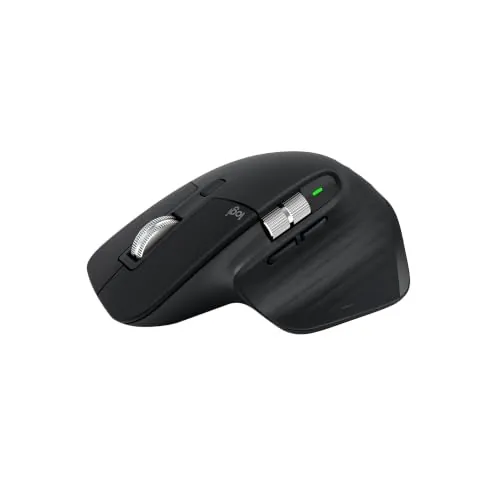
Logitech MX Anywhere 3S vs MX Master 3S Bluetooth Edition
Both assigned U.S. models support Bluetooth and can pair with up to three computers, but neither exact package includes a Logi Bolt receiver. MX Anywhere 3S weighs 95 g with its battery and scrolls horizontally by holding a side button while turning the main wheel; MX Master 3S Bluetooth Edition weighs 141 g and has a separate thumb wheel. Match the connection and control workflow to your computer before choosing.
Read comparison