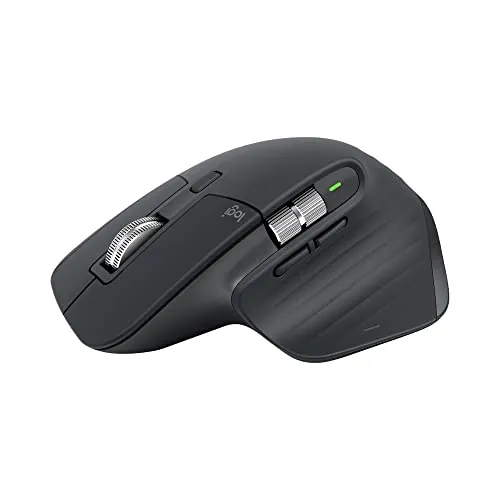
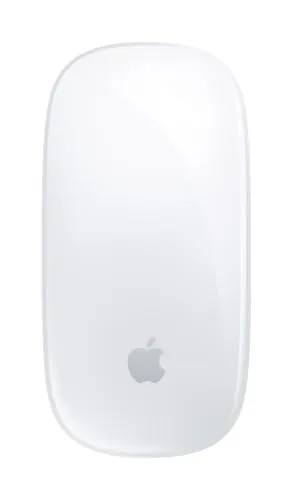
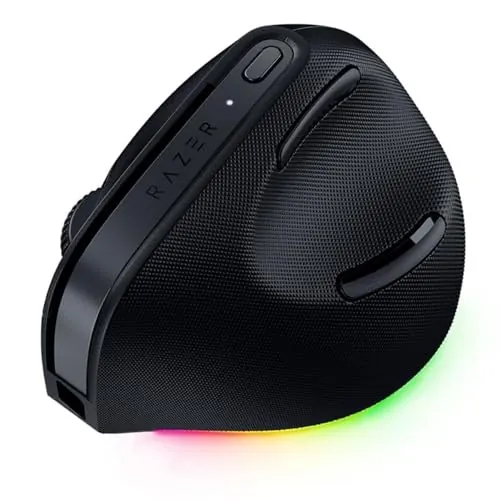
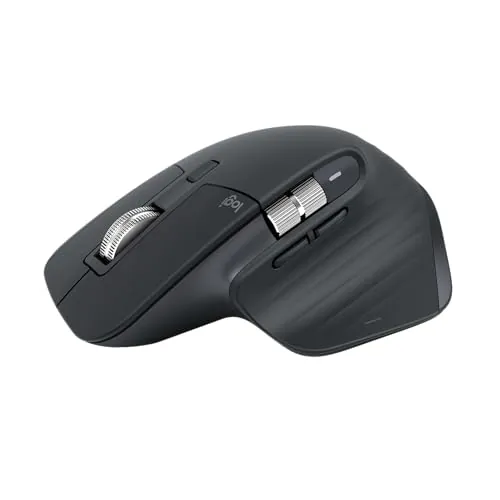
Pickagu

Mice

Find your model below to compare what is included and how the differences affect everyday use.

43 comparisons

Mice comparisons

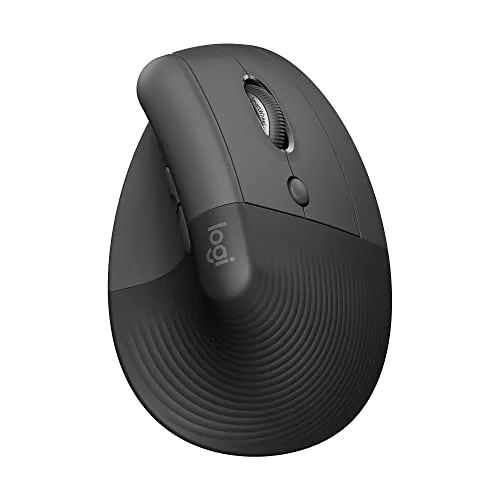
Logitech Lift Vertical Ergonomic Mouse (Graphite, right-handed) · Lift, part 910-006466
Logitech Lift Vertical Ergonomic Mouse (Graphite, right-handed)
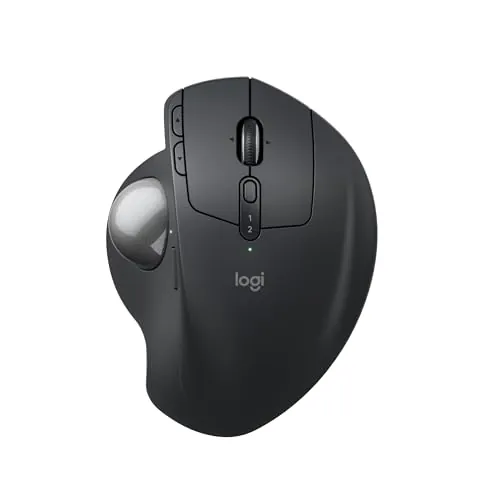
Logitech MX Vertical Advanced Ergonomic Mouse (Graphite, right-handed) · MX Vertical, part 910-005447
Logitech MX Vertical Advanced Ergonomic Mouse (Graphite, right-handed)

Logitech Lift vs MX Vertical: Hand Fit, Receiver and Charging

These are both right-handed Logitech vertical mice, but Logitech positions them for different hand-size ranges. Lift uses one AA battery and a Logi Bolt receiver; MX Vertical recharges over USB-C, can stay connected by cable while charging, and uses a Unifying receiver. Bluetooth is available on both.

Read comparison
Logitech MX Ergo S Wireless Trackball Mouse · 910-007259
Logitech MX Ergo S Wireless Trackball Mouse
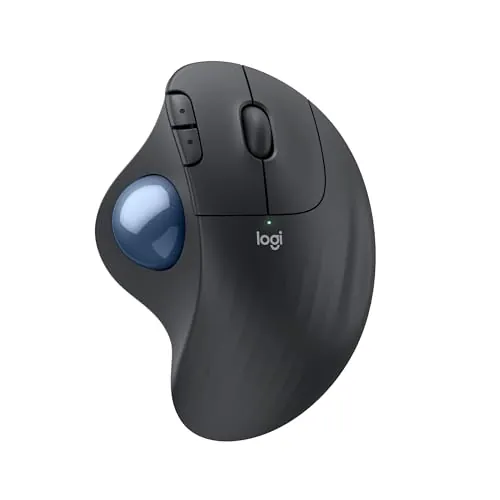
Logitech ERGO M575S Wireless Trackball Mouse · 910-007027
Logitech ERGO M575S Wireless Trackball Mouse

Logitech MX Ergo S vs ERGO M575S: Tilt, Thumb Controls and Power

Both are thumb-operated Logitech trackballs with Bluetooth and a Logi Bolt receiver in the manufacturer-listed box. The MX Ergo S adds a stated 20-degree tilt, a physical button for switching between speed and high-precision tracking, six customizable buttons and two-channel Easy-Switch; it recharges over USB-C, but the cable is not included. The ERGO M575S uses Logi Options+ for cursor-speed changes, offers three customizable buttons, and runs on one replaceable AA battery rated by Logitech for up to 18 months. Logitech's M575S support pages checked here do not state its saved-host count, so verify that requirement before relying on it for multi-computer switching.

Read comparison
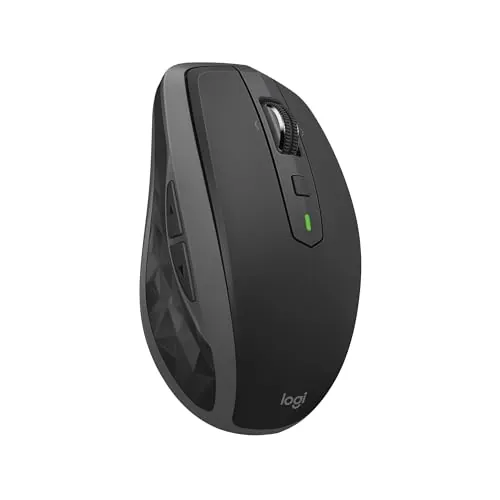
Logitech MX Anywhere 2S Bluetooth Edition Wireless Mouse (Graphite) · MX Anywhere 2S Bluetooth Edition, Graphite, part 910-007232 (M-R0067 family)
Logitech MX Anywhere 2S Bluetooth Edition Wireless Mouse (Graphite)
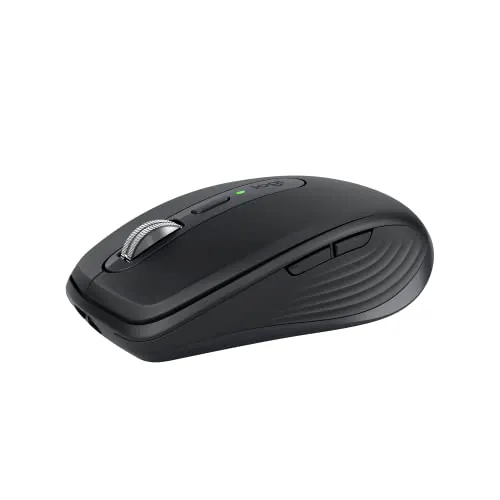
Logitech MX Anywhere 3S Compact Wireless Performance Mouse (Graphite) · MX Anywhere 3S, Graphite, part 910-006925
Logitech MX Anywhere 3S Compact Wireless Performance Mouse (Graphite)

Logitech MX Anywhere 3S vs MX Anywhere 2S Bluetooth Edition: Receivers, USB-C and OS Fit

This comparison is for the assigned graphite SKUs: MX Anywhere 3S 910-006925 / ASIN B0BPY4ZQXG and MX Anywhere 2S Bluetooth Edition 910-007232 / ASIN B0CJXQVMHL. Both pair with up to three computers and support Bluetooth. The 3S can also use a Logi Bolt receiver, which Logitech says is not included; it cannot use a Unifying receiver. The 2S model family lists both Bluetooth and Unifying, but the assigned Bluetooth Edition listing says no USB receiver is included. Charging also differs: USB-C on the 3S, Micro-USB on the 2S. Decide by the receiver you own, the port and cable you want, and whether your computer can use Logitech's customization app.

Read comparison
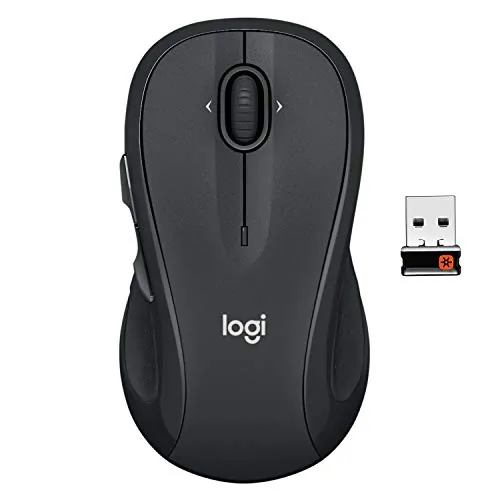
Logitech M510 Comfort Plus Wireless Mouse — Graphite · M510 Comfort Plus, retail part 910-006030
Logitech M510 Comfort Plus Wireless Mouse — Graphite
Logitech M720 Triathlon Multi-Device Wireless Mouse — Black · M720 Triathlon, retail part 910-006036
Logitech M720 Triathlon Multi-Device Wireless Mouse — Black

Logitech M510 vs M720 Triathlon: Receiver, Bluetooth, and Scrolling

The selected U.S. retail items are M510 Comfort Plus Graphite (910-006030) and M720 Triathlon Black (910-006036). Logitech's M510 model documentation describes a Unifying USB receiver, line-by-line scrolling, and tilt scrolling. The M720 adds Bluetooth Low Energy, up to three paired-device channels with a physical Easy-Switch button, and a wheel that toggles between faster and line-by-line scrolling. Check your host OS and available ports: Logitech's current M510 receiver compatibility list names Windows 10/11, ChromeOS, and Linux, while its M720 materials also list macOS and iPadOS support. Logitech's public M510 and M720 model pages do not identify the two assigned retail part numbers, so verify the exact listing and in-box receiver before buying.

Read comparison
Logitech MX Master 4 Graphite · 910-007558
Logitech MX Master 4 Graphite
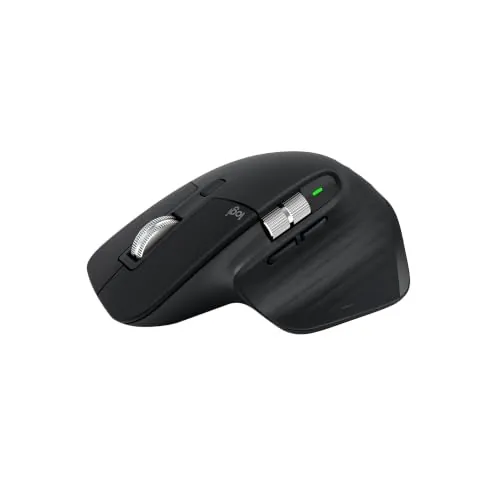
Logitech MX Master 3S Bluetooth Edition Black · 910-007500
Logitech MX Master 3S Bluetooth Edition Black

Logitech MX Master 4 vs MX Master 3S Bluetooth Edition: Receiver and Haptics

The U.S. Graphite MX Master 4 (910-007558) includes a USB-C receiver and adds configurable haptic feedback for supported actions. The Black MX Master 3S Bluetooth Edition (910-007500) is Bluetooth-first; Logitech says a Logi Bolt receiver is optional and not included. Both can use Logi Options+ for customization and Actions Ring workflows.

Read comparison
Logitech MX Anywhere 3S Wireless Bluetooth Mouse (Graphite) · 910-006925
Logitech MX Anywhere 3S Wireless Bluetooth Mouse (Graphite)
Logitech MX Master 3S Bluetooth Edition Wireless Mouse (Black) · 910-007500
Logitech MX Master 3S Bluetooth Edition Wireless Mouse (Black)

Logitech MX Anywhere 3S vs MX Master 3S Bluetooth Edition

Both assigned U.S. models support Bluetooth and can pair with up to three computers, but neither exact package includes a Logi Bolt receiver. MX Anywhere 3S weighs 95 g with its battery and scrolls horizontally by holding a side button while turning the main wheel; MX Master 3S Bluetooth Edition weighs 141 g and has a separate thumb wheel. Match the connection and control workflow to your computer before choosing.

Read comparison
Logitech MX Master 4 Wireless Mouse · 910-007558
Logitech MX Master 4 Wireless Mouse
Logitech M720 Triathlon Multi-Device Wireless Mouse · 910-006036
Logitech M720 Triathlon Multi-Device Wireless Mouse

Logitech MX Master 4 vs M720 Triathlon: Receiver, Scroll and Setup

The Logitech MX Master 4 Graphite (910-007558) pairs a separate thumbwheel with the Actions Ring, which requires Logi Options+, and a rechargeable USB-C setup. The M720 Triathlon Black (910-006036) moves horizontally by tilting its main wheel and uses a replaceable AA battery with a Unifying receiver in the box. Both also offer Bluetooth and can pair with up to three computers. Decide by your preferred controls, software setup, host connection and power routine; this is not a comfort or performance ranking.

Read comparison
Logitech MX Anywhere 3S Compact Wireless Mouse · 910-006925 (Graphite; MX Anywhere 3S)
Logitech MX Anywhere 3S Compact Wireless Mouse
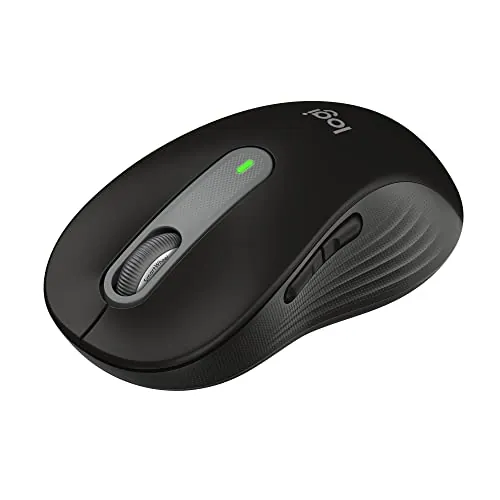
Logitech Signature M650 L Wireless Mouse · 910-006265 (Black; Signature M650 L large-size model)
Logitech Signature M650 L Wireless Mouse

Logitech MX Anywhere 3S vs Signature M650 L: Receiver, Wheel, and Desk Space

The MX Anywhere 3S documents Bluetooth switching among up to three computers and recharges over USB-C, but its compatible Logi Bolt receiver is sold separately. The Signature M650 L includes a Bolt receiver and AA battery. Compare the exact model names, scroll controls, and published body measurements before choosing.

Read comparison
Logitech M720 Triathlon Multi-Device Wireless Mouse · M720 Triathlon
Logitech M720 Triathlon Multi-Device Wireless Mouse
Logitech MX Anywhere 3S Compact Wireless Performance Mouse · MX Anywhere 3S, 910-006925
Logitech MX Anywhere 3S Compact Wireless Performance Mouse

Logitech M720 Triathlon vs MX Anywhere 3S: Receiver, Wheel and Power

The useful difference is how each mouse connects and how you move through long pages or wide spreadsheets. Logitech's M720 package lists a Unifying receiver and replaceable AA; the MX Anywhere 3S supports Bluetooth or a Logi Bolt receiver that is not included, and charges through its included USB-C cable. M720 tilts its wheel for direct horizontal scroll, while Anywhere 3S uses a side-button-plus-wheel gesture and a MagSpeed wheel with SmartShift. Both support switching among up to three paired computers. Choose from the port, battery and scroll routine you prefer; this is not a fit or runtime test.

Read comparison
Logitech M720 Triathlon Multi-Device Wireless Mouse — Black · 910-006036
Logitech M720 Triathlon Multi-Device Wireless Mouse — Black
Logitech MX Master 3S Bluetooth Edition Wireless Mouse — Black · 910-007500 / MR0096
Logitech MX Master 3S Bluetooth Edition Wireless Mouse — Black

Logitech M720 vs MX Master 3S Bluetooth Edition: Scrolling, Receiver and Desk Fit

This black Logitech pair differs most in receiver and power routine. M720 Triathlon (910-006036) includes a Unifying receiver, supports Bluetooth Low Energy, and uses a replaceable AA. MX Master 3S Bluetooth Edition (910-007500) pairs over Bluetooth or a separately obtained Logi Bolt receiver, and charges by USB-C with the cable sold separately. Their scrolling controls differ too: M720 uses a button to switch speed/precision modes and has a tilt wheel; the Master 3S automatically shifts MagSpeed modes as scroll speed changes, with manual override and a separate thumb wheel. Compare the exact mousepad space and host connections before choosing; this is not a comfort or scrolling-performance test.

Read comparison
Logitech M720 Triathlon Wireless Mouse · M720 Triathlon (910-006036)
Logitech M720 Triathlon Wireless Mouse
Logitech Signature M650 L Wireless Mouse · Signature M650 L (910-006265; Logitech M/N MR0091 by country)
Logitech Signature M650 L Wireless Mouse

Logitech M720 Triathlon vs Signature M650 L: Multi-Device Switching or a Simpler Large Mouse?

For a desk where one mouse needs to move among several computers or tablets, the M720 Triathlon's three Easy-Switch channels are the clearest distinction. The Signature M650 L is the large right-handed M650 size, with Bluetooth LE or its included Logi Bolt receiver and one listed connection channel. Compare receiver ecosystems, scroll gestures, and the large-hand form factor before choosing.

Read comparison
Logitech MX Master 3S Performance Wireless Mouse — Graphite with Logi Bolt receiver · 910-006561
Logitech MX Master 3S Performance Wireless Mouse — Graphite with Logi Bolt receiver
Apple Magic Mouse (USB-C) — White Multi-Touch Surface · MXK53AM/A
Apple Magic Mouse (USB-C) — White Multi-Touch Surface

Logitech MX Master 3S vs Apple Magic Mouse USB-C: Scroll Controls, Mac Setup, and Host Switching

Consider the Logitech MX Master 3S Graphite (model 910-006561) if you want a physical MagSpeed wheel, a thumb wheel or a documented Easy-Switch routine for up to three computers. Choose the white USB-C Apple Magic Mouse (MXK53AM/A) if you prefer Multi-Touch gestures and its documented Mac pairing and charging path. Before checkout, confirm the exact Logitech edition and receiver bundle and check your computer’s ports and operating system. These are feature-fit recommendations, not test results.

Read comparison
Razer Pro Click V2 Vertical Edition · RZ01-0525 / RZ01-05250100-R3U1
Razer Pro Click V2 Vertical Edition
Logitech Lift Vertical Ergonomic Mouse (Graphite, right-handed) · 910-006466 / M/N MR0094
Logitech Lift Vertical Ergonomic Mouse (Graphite, right-handed)

Razer Pro Click V2 Vertical Edition vs Logitech Lift: Fit, Connections and Power

The Razer Pro Click V2 Vertical Edition is a right-handed vertical mouse with USB-C wired, 2.4 GHz and Bluetooth modes; Logitech Lift Graphite is also a right-handed vertical mouse, with Logitech guidance for small-to-medium hands and Bolt or Bluetooth LE. Compare the shapes with a mouse you already handle comfortably, then check device switching, receiver needs and software support. Neither maker's specifications establish a comfort or health outcome.

Read comparison
Logitech MX Master 3S Bluetooth Edition · 910-007499
Logitech MX Master 3S Bluetooth Edition
Logitech MX Ergo S Advanced Wireless Trackball · 910-007259
Logitech MX Ergo S Advanced Wireless Trackball

Logitech MX Master 3S Bluetooth Edition vs MX Ergo S: Mouse Movement, Desk Space and Receiver Fit

This pair is specific: Graphite MX Master 3S Bluetooth Edition, part 910-007499, versus the base Graphite MX Ergo S, part 910-007259 (not MX Ergo S Plus). The Master is a conventional mouse with a MagSpeed main wheel, thumb wheel and gesture button; the Ergo S moves the pointer with a thumb-operated ball, has a 20-degree tilted base and a tilt-capable scroll wheel. Logitech lists three Easy-Switch computer channels for the Master and two for Ergo S. The Master Bluetooth Edition does not include a Logi Bolt receiver, while the base Ergo S box does; both can pair over Bluetooth and neither includes its USB-C charging cable. On a desk, Ergo S has the larger published device footprint, but the trackball does not require sweeping the mouse body to steer the pointer. Measure your fixed space and the Master mouse's travel area separately; Logitech's device dimensions do not establish the room any one person needs.

Read comparison
Razer Pro Click V2 Vertical Edition · RZ01-05250100-R3U1
Razer Pro Click V2 Vertical Edition
Logitech MX Master 4 Graphite · 910-007558
Logitech MX Master 4 Graphite

Razer Pro Click V2 Vertical Edition vs Logitech MX Master 4 Graphite

The Razer Pro Click V2 Vertical Edition (RZ01-05250100-R3U1) is a right-handed vertical design with six-button layout and 2.4 GHz, Bluetooth, or wired USB-C options. Logitech MX Master 4 Graphite (910-007558) keeps the MX Master shape and adds a customizable Haptic Sense Panel, Actions Ring, MagSpeed wheel, and a separate thumb wheel for side-to-side scrolling. Neither shape is a comfort guarantee; pick the grip you prefer, then confirm software and receiver fit.

Read comparison
Logitech MX Master 4 Wireless Mouse, Graphite · 910-007558
Logitech MX Master 4 Wireless Mouse, Graphite
Logitech Lift Vertical Ergonomic Mouse, Graphite (right-handed) · 910-006466
Logitech Lift Vertical Ergonomic Mouse, Graphite (right-handed)

Logitech MX Master 4 vs Lift: Choose by Grip, Controls and Setup

This is a feature-fit choice between the MX Master 4’s MagSpeed wheel, thumb wheel and customizable Actions Ring, and Lift’s 57° vertical shape, SmartWheel and side-button horizontal-scroll gesture. The exact Graphite Lift SKU here is the standard right-handed version. Check setup too: MX Master 4 uses a USB-C receiver and rechargeable USB-C power; Lift uses a USB-A Logi Bolt receiver and one AA battery. These are documented differences, not comfort or performance test results.

Read comparison
Logitech MX Master 4 Wireless Mouse, Graphite · 910-007558
Logitech MX Master 4 Wireless Mouse, Graphite
Logitech G502 HERO Wired Gaming Mouse, Black · 910-005469
Logitech G502 HERO Wired Gaming Mouse, Black

Logitech MX Master 4 vs G502 HERO: Multi-Computer Scrolling or Wired Controls?

The Graphite Logitech MX Master 4 (910-007558) connects by Bluetooth or its included wireless USB receiver, switches among up to three paired computers and charges over USB-C. It adds a dedicated thumb wheel and adaptive MagSpeed scrolling; Actions Ring and advanced customization require Logi Options+. The Black wired Logitech G502 HERO (910-005469) stays connected by USB and maps 11 programmable inputs, including wheel tilt, DPI controls and profile selection. Choose MX Master 4 for multi-computer and horizontal-scroll routines; choose G502 HERO for a fixed wired desk where its physical command map fits. This is a feature-fit guide, not a productivity, gaming or comfort test.

Read comparison
Logitech M720 Triathlon Full Size Multi-Device Wireless Mouse - Black · 910-006036
Logitech M720 Triathlon Full Size Multi-Device Wireless Mouse - Black
Logitech Lift Vertical Ergonomic Wireless Mouse - Graphite · 910-006466
Logitech Lift Vertical Ergonomic Wireless Mouse - Graphite

Logitech M720 Triathlon 910-006036 vs Lift Graphite 910-006466: Shape, Scroll, and Setup

The selected black Logitech M720 Triathlon listing (910-006036) is a full-size, conventional right-hand mouse with button-switched scroll modes, tilt-wheel horizontal scrolling, Bluetooth, and Unifying support. The right-hand Graphite Logitech Lift (910-006466) uses a 57° vertical shape designed for small-to-medium hands, a SmartWheel, Bluetooth Low Energy, and Logi Bolt. Choose by the shape and controls you want to use; neither maker’s design language proves individual comfort or a health outcome.

Read comparison
Logitech MX Master 4 Wireless Mouse, Graphite · 910-007558
Logitech MX Master 4 Wireless Mouse, Graphite
Logitech MX Vertical Ergonomic Wireless Mouse, Graphite · 910-005447
Logitech MX Vertical Ergonomic Wireless Mouse, Graphite

Logitech MX Master 4 vs MX Vertical: Grip, Receiver, and Scroll Controls

MX Master 4 Graphite pairs a sculpted conventional mouse shape with a Logi Bolt receiver, Bluetooth, a fast-shift main wheel and a separate thumb wheel. MX Vertical Graphite has a 57-degree handshake-style shape, an Unifying receiver, Bluetooth, a USB-C cable mode and a line-by-line wheel. Compare your hand reach, existing receiver, and whether you need a wired fallback before buying.

Read comparison
Logitech MX Vertical Advanced Ergonomic Mouse · MX Vertical (910-005447)
Logitech MX Vertical Advanced Ergonomic Mouse
Logitech MX Ergo S Advanced Wireless Trackball · MX Ergo S (910-007259)
Logitech MX Ergo S Advanced Wireless Trackball

Logitech MX Vertical vs MX Ergo S: Mouse Movement, Desk Space and Setup

Both are rechargeable Logitech pointing devices, but their day-to-day motion is different. MX Vertical is a conventional mouse with a 57° upright shape, a Unifying receiver, Bluetooth and a cable mode. MX Ergo S is a thumb-operated trackball that stays put, tilts 20°, and connects by Bluetooth or its included Logi Bolt receiver. Check the desk movement you can spare and whether the receiver you already own matches.

Read comparison
Logitech M240 Silent Bluetooth Mouse - Graphite · 910-007113
Logitech M240 Silent Bluetooth Mouse - Graphite
Logitech M720 Triathlon Multi-Device Wireless Mouse - Black · 910-006036
Logitech M720 Triathlon Multi-Device Wireless Mouse - Black

Logitech M240 Silent vs M720 Triathlon: Bluetooth, Switching and Hand Fit

These Logitech mice suit different desk routines. M240 Silent is a compact, either-hand Bluetooth mouse powered by one AA; M720 Triathlon is a full-size right-hand mouse with Bluetooth or an included Unifying receiver, three selectable device channels, and extra side and thumb controls. Check the exact M240 listing if you plan to use a Bolt receiver: its U.S. product page describes Bluetooth without a dongle, while Logitech's broader MR0105 specification lists Bolt as optional and not included.

Read comparison
Logitech M240 Silent Bluetooth Mouse — Graphite · 910-007113
Logitech M240 Silent Bluetooth Mouse — Graphite
Logitech ERGO M575S Wireless Trackball — Graphite + Blue Ball · 910-007027
Logitech ERGO M575S Wireless Trackball — Graphite + Blue Ball

Logitech M240 Silent vs ERGO M575S: Movement, Navigation and Receiver Choice

This comparison is about how you steer the pointer and what comes in the box. The graphite M240 Silent (910-007113) is a compact, ambidextrous Bluetooth mouse with a conventional moving body. The Graphite + Blue Ball ERGO M575S (910-007027) is a stationary thumb trackball with Back/Forward keys and an included Logi Bolt receiver. Check your desk space, hand use and host ports before choosing.

Read comparison
Logitech M720 Triathlon Multi-Device Mouse · 910-006036, Black
Logitech M720 Triathlon Multi-Device Mouse
Logitech MX Vertical Advanced Ergonomic Mouse · 910-005447, Graphite
Logitech MX Vertical Advanced Ergonomic Mouse

Logitech M720 Triathlon vs MX Vertical: Grip, Pairing and Power

Both are right-hand Logitech mice with three device channels, Bluetooth and Unifying receiver support. The daily tasks differ: M720 uses one replaceable AA, a conventional full-size contoured shape and an Easy-Switch workflow; MX Vertical has a 57° upright body, a USB-C rechargeable battery that can be used corded, and an Easy-Switch button on its underside. Compare the documented hand-size guidance, physical envelope, receiver/host setup and button layout before choosing. The shape does not establish better comfort or health outcomes.

Read comparison
Logitech MX Master 4 Wireless Mouse, Graphite, US · MX Master 4 (910-007558)
Logitech MX Master 4 Wireless Mouse, Graphite, US
Logitech ERGO M575S Wireless Trackball Mouse, Graphite with Blue Ball, US · ERGO M575S (910-007027)
Logitech ERGO M575S Wireless Trackball Mouse, Graphite with Blue Ball, US

Logitech MX Master 4 vs ERGO M575S: Mouse Movement, Receiver and Charging

This US comparison covers the Graphite MX Master 4 (910-007558) and Graphite with Blue Ball ERGO M575S (910-007027). Master 4 uses conventional whole-mouse movement, supports up to three paired computers, and charges through USB-C; Logitech says its charging cable is not included. M575S moves the pointer with a thumb-operated trackball while its body stays in place, and its exact US package uses one AA battery with Bluetooth or a Logi Bolt receiver. Decide first whether you want a moving mouse or fixed trackball, then check your available ports and power routine.

Read comparison