
Products compared

Logitech
Logitech M720 Triathlon Full Size Multi-Device Wireless Mouse - Black
Selected listed variants: black M720 Triathlon, retail part 910-006036. M720 is a right-hand, full-size contoured design; verify the exact offer's included receiver and battery before checkout.
Model 910-006036
Amazon ASIN B087Z6LSHW
Logitech
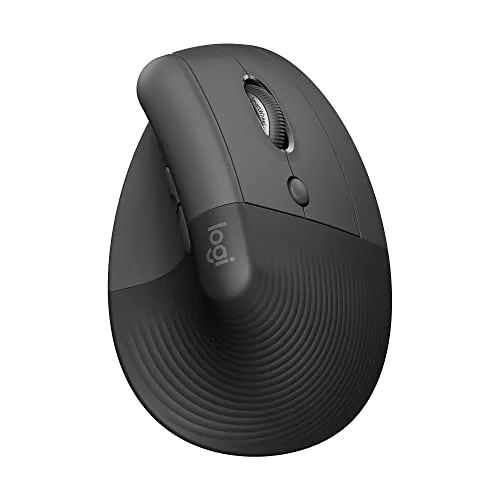
Logitech Lift Vertical Ergonomic Wireless Mouse - Graphite
Selected U.S. Graphite right-hand Lift. Not Lift Left, Sand, Rose, or the separate Lift for Business part numbers.
Model 910-006466
Amazon ASIN B09J1TB35S
Differences that matter
What matters most to you?
Choose a priority to see what it changes.
Sources for Scroll gestures and horizontal movement
Choose the hand position before comparing features
The selected M720 is the black, full-size 910-006036 listing. Logitech's M720 product information describes the M720 shape as contoured and right-handed. The selected Lift is the Graphite right-hand model 910-006466; Logitech gives it a 57° vertical shape and small-to-medium-hand design target. These are distinct hand positions and sizes to consider, not evidence that one will relieve pain or feel better for a particular person.
If you use a left-handed mouse or need a shape sized outside Logitech's stated Lift range, this exact pair is not a complete fit answer: the M720 is right-handed and the assigned Lift is the right-hand version. Check any alternative's exact side and hand-size guidance separately.
Compare wheel gestures you will use every day
M720 has a button to switch between fast and click-by-click scroll modes, plus a wheel that tilts to move horizontally. Lift's SmartWheel uses line-by-line steps or faster inertia scroll according to how you turn it. For horizontal scrolling, Lift requires holding a side button while turning the wheel; it is still available, but the gesture is different.
Think about the spreadsheets, wide timelines, and long pages you actually use. If you prefer the wheel itself to move sideways, M720's documented tilt control is the closer match. If you want Lift's vertical grip, confirm that its side-button-plus-wheel gesture suits you. No measured scrolling-speed or productivity comparison is represented here.
Check devices, receiver type, and exact retail part
Both models are documented for three-device switching. M720 supports Bluetooth or Unifying and the setup guide says each of its three channels can use either connection type. Lift supports Bluetooth Low Energy or Logi Bolt, with its Easy-Switch button on the underside. Logitech explicitly says Bolt and Unifying receivers cannot pair with one another, so a Unifying receiver already on your computer will not serve Lift. Bluetooth is an option when the host supports it.
Both are AA-powered in Logitech documentation. The M720 support specifications list one AA and a Unifying receiver, but the assigned retail part is 910-006036 while the current Logitech M720 shop page shows 910-004790. Confirm receiver and battery contents against the exact listing you select. Lift's support guide shows one AA and the Logi Bolt receiver behind its battery door.
Product details
Logitech M720 Triathlon Full Size Multi-Device Wireless Mouse - Black
Choose the selected black M720 listing if you prefer a conventional full-size right-hand contour and want its dedicated scroll-mode button and tilt-wheel horizontal scrolling. Logitech's current M720 shop page carries a different retail part number, so use the ASIN and listing data part 910-006036 to check the exact package you order.
- Scroll controls
- Button-selected dual-mode scrolling and horizontal tilt-wheel scrolling Source
- Wireless and channel options
- Bluetooth or Unifying; the setup guide says all three Easy-Switch channels can use either connection type Source
- Battery and documented M720 box contents
- M720 support specifications list one replaceable AA battery and a Unifying receiver; check the selected 910-006036 seller listing for exact bundle contents Source
Logitech Lift Vertical Ergonomic Wireless Mouse - Graphite
Choose this exact Graphite, right-hand Lift if you want its upright 57° shape and Logitech's small-to-medium-hand design guidance. Its wheel and device-switch controls work differently from the M720, and its Logi Bolt receiver cannot pair with a Unifying device.
- Shape and stated hand-size range
- 57° vertical design; Logitech describes Lift as intended for small-to-medium hands and provides a left-hand version separately Source
- Scrolling and host switching
- SmartWheel has line-by-line and faster inertia scroll modes; horizontal scroll uses a held side button plus the wheel; Easy-Switch pairs up to three devices with its button on the underside Source
- Wireless and battery
- Bluetooth Low Energy or Logi Bolt receiver; one AA battery. The setup guide shows the Bolt receiver stored behind the battery door. Source
Before you buy
Community discussions
Lift owner describes a fixed-step scrolling limitation
Logitech Lift Vertical Ergonomic Wireless Mouse - Graphite
A Lift owner said its wheel moved by a fixed amount in their setup, which they had set to six lines. They wanted finer movement for map or image zooming and asked about alternatives; their comparison was with an MX Master whose generation was not specified.
What to check
If you use wheel input for fine zoom or code navigation, try the Lift in those tasks before choosing based only on its SmartWheel description; the post does not compare it with the exact M720 in this guide.
Checking the mouse channel before typing
Logitech M720 Triathlon Full Size Multi-Device Wireless Mouse - Black
Someone using an M720 and K850 on three PCs occasionally started typing before switching both devices to the same computer.
What to check
Try the mouse’s channel button and indicator as part of your normal desk setup. Check how easy it is to see the active device before you type.
Common questions
Does the right-hand Lift lose horizontal scrolling compared with M720?
No. Logitech documents horizontal scrolling on Lift by holding a side button while turning the wheel. M720 instead tilts its wheel sideways. The gesture changes, so choose based on the motion you prefer.Logitech M720 Triathlon Multi-Computer Wireless Mouse, current U.S. shop page part 910-004790Logitech Support Getting Started: Lift Vertical Ergonomic Mouse
Can Lift use the M720's Unifying receiver?
No. Logitech says Logi Bolt devices and Unifying USB receivers are not compatible with each other. Lift can connect through Bluetooth Low Energy if the computer supports it, or through a Logi Bolt receiver.Logitech Support: Are Logi Bolt devices compatible with Unifying USB receivers?Logitech Support Getting Started: Lift Vertical Ergonomic Mouse
Do both mice switch among three devices?
Yes. Logitech documents three Easy-Switch channels on M720 and up to three devices on Lift. The Lift switch is on the underside; the M720 setup guide identifies its own toggle/connect control and channel-selection process.Logitech M720 Triathlon Multi-Computer Wireless Mouse, current U.S. shop page part 910-004790Logitech M720 Triathlon Setup GuideLogitech Support Getting Started: Lift Vertical Ergonomic Mouse
What should I verify in the M720 box?
Logitech's M720 technical-specification page lists one AA battery and a Unifying receiver for the M720 family. The selected listing part is 910-006036, while Logitech's current M720 shop page uses 910-004790, so check the selected listing for the exact retail package contents.Logitech M720 Triathlon Technical SpecificationsLogitech M720 Triathlon Multi-Computer Wireless Mouse, current U.S. shop page part 910-004790
Sources and scope
This is a source-based comparison of Logitech-documented M720 and Lift designs, not a comfort, productivity, durability, battery, or pointer-performance test. The selected listing data M720 part is 910-006036; the currently opened Logitech M720 shop page uses part 910-004790, while its support specifications identify the M720 internal model as M-R0062. We use M720-family controls and connection documentation and do not assume retail package contents are identical between part numbers. Check the selected 910-006036 listing for its exact in-box items. The selected Lift page is the Graphite Lift route ending 910-006466; this does not describe Lift Left or another color.
- Logitech M720 Triathlon Multi-Computer Wireless Mouse, current U.S. shop page part 910-004790
- Logitech M720 Triathlon Technical Specifications
- Logitech M720 Triathlon Setup Guide
- Logitech Lift Vertical Ergonomic Mouse, U.S. Graphite right-hand route 910-006466
- Logitech Support Getting Started: Lift Vertical Ergonomic Mouse
- Logitech Support: Are Logi Bolt devices compatible with Unifying USB receivers?
Related comparisons

Logitech Lift vs MX Vertical: Hand Fit, Receiver and Charging
These are both right-handed Logitech vertical mice, but Logitech positions them for different hand-size ranges. Lift uses one AA battery and a Logi Bolt receiver; MX Vertical recharges over USB-C, can stay connected by cable while charging, and uses a Unifying receiver. Bluetooth is available on both.
Read comparison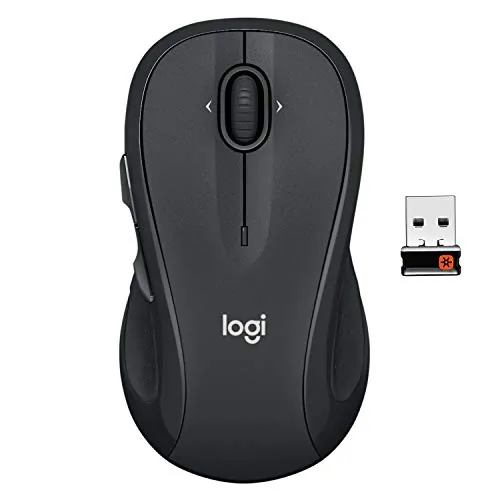
Logitech M510 vs M720 Triathlon: Receiver, Bluetooth, and Scrolling
The selected U.S. retail items are M510 Comfort Plus Graphite (910-006030) and M720 Triathlon Black (910-006036). Logitech's M510 model documentation describes a Unifying USB receiver, line-by-line scrolling, and tilt scrolling. The M720 adds Bluetooth Low Energy, up to three paired-device channels with a physical Easy-Switch button, and a wheel that toggles between faster and line-by-line scrolling. Check your host OS and available ports: Logitech's current M510 receiver compatibility list names Windows 10/11, ChromeOS, and Linux, while its M720 materials also list macOS and iPadOS support. Logitech's public M510 and M720 model pages do not identify the two assigned retail part numbers, so verify the exact listing and in-box receiver before buying.
Read comparison