
Products compared
Logitech
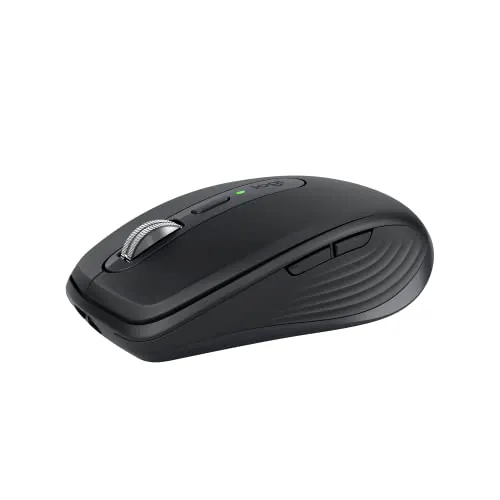
Logitech MX Anywhere 3S Compact Wireless Mouse
US Graphite selection; rechargeable compact mouse. The selected listing maps this exact ASIN to model 910-006925.
Model 910-006925 (Graphite; MX Anywhere 3S)
Amazon ASIN B0BPY4ZQXG
Logitech
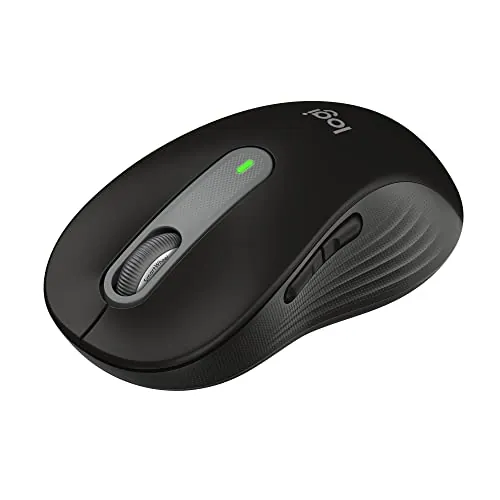
Logitech Signature M650 L Wireless Mouse
US Black M650 L large-size selection, distinct from the medium M650 and separately named M650 L Left variant. The selected listing maps this exact ASIN to model 910-006265.
Model 910-006265 (Black; Signature M650 L large-size model)
Amazon ASIN B09KX9P829
Differences that matter
What matters most to you?
Choose a priority to see what it changes.
Sources for Receiver in the selected package
Sources for Documented Bluetooth host workflow
Sources for Scroll control
Sources for Manufacturer-published body measurements
Sources for Power routine
Start with the connection you actually need
MX Anywhere 3S has the more explicit documented multi-computer Bluetooth routine: Logitech says it can pair with up to three computers and the Easy-Switch button changes the selected channel. The product page also says that it is compatible with a Logi Bolt receiver, but that the receiver is not included. If Bluetooth meets your setup, you do not need to buy Bolt just to start using the mouse.
Signature M650 L is listed for Bluetooth Low Energy Direct and Logi Bolt. Its exact M650L support specification describes Bluetooth Direct as one channel, and separately lists the Bolt connection; it does not publish a total number of hosts across the two methods. The in-box Bolt receiver is stored inside the mouse. If you need to rotate among several M650 L computers, confirm that exact setup with Logitech before purchase rather than reading the one-channel line as a total-device cap.
Two wheel systems, with different controls
MX Anywhere 3S uses a MagSpeed wheel. Logitech documents line-by-line ratchet and free-spinning modes, a manual mode-shift button, and an automatic speed-adaptive shift option. This gives a buyer a specific control choice: leave the wheel to switch automatically or select a mode manually.
M650 L uses SmartWheel, which Logitech describes as switching between line-by-line ratchet scrolling and speed/inertia scrolling when you move the wheel. Both manuals describe precise and faster scroll styles. There is no controlled side-by-side test here, so choose by the mode behavior you want rather than a claimed speed, precision, noise, or quality advantage.
USB-C recharge or included AA battery
The 3S recharges through USB-C and Logitech says its cable is included. M650 L ships with one AA battery and Logitech marks it user-replaceable. The practical distinction is when you handle power: connect a cable to recharge the 3S, or replace the M650 L's cell when needed. Logitech's stated battery-life estimates come from different product specifications and conditions, so they are not a direct runtime comparison in this guide.
If you choose the 3S for a Bolt setup, add the compatible receiver to your plan separately; the USB-C cable is for charging. If you choose the M650 L for Bolt, the receiver is already stored under its battery cover, and the exact package specification also lists the AA cell.
Use the listed measurements as a desk-space check
Logitech's MX Anywhere 3S support table lists 34.4 × 65 × 100.5 mm; its Signature M650 support page gives a separate 118.7 × 66.2 × 42 mm row for M650 L. The pages do not present the measurement axes consistently enough to treat the numbers as a precise orientation drawing. The M650 L row is for the large model; do not substitute the shorter medium M650 measurements.
For a small desk pad, laptop sleeve, or travel pouch, confirm the measurement orientation in the exact listing or product documentation and compare it with the space you have. The values can screen for obvious size differences, but do not establish hand comfort or guarantee a fit in a particular sleeve.
Product details
Logitech MX Anywhere 3S Compact Wireless Mouse
This model's clearest documented distinction is its Easy-Switch setup for as many as three Bluetooth-paired computers. It charges over USB-C; the product page says its Logi Bolt receiver is compatible but not in the box. Its MagSpeed wheel can shift between ratchet and free-spin scrolling.
- Bluetooth device switching
- Up to 3 paired computers using Easy-Switch Source
- Receiver
- Compatible with Logi Bolt only; receiver not included Source
- Power and charging
- Rechargeable over USB-C; cable included Source
- Scroll wheel
- MagSpeed wheel with line-by-line and free-spinning modes; automatic and manual mode changes are documented Source
- Published body measurements
- 34.4 × 65 × 100.5 mm (manufacturer support table order) Source
Logitech Signature M650 L Wireless Mouse
The M650 L package includes its Logi Bolt receiver and a replaceable AA battery. Its SmartWheel provides ratchet and faster inertia-style scrolling. Logitech's family specification lists a distinct measurement row for M650 L; confirm the exact L model and color on the retailer listing.
- Connection options
- Logi Bolt receiver or Bluetooth Low Energy Direct; the exact M650L specification labels Bluetooth Direct as 1 channel and does not state combined host capacity Source
- In the box
- Logi Bolt receiver and one AA battery, stored inside the mouse Source
- Power
- One user-replaceable AA battery; manufacturer runtime estimate is not compared here Source
- Scroll wheel
- SmartWheel switches between line-by-line ratchet and speed/inertia scrolling Source
- Published body measurements
- 118.7 × 66.2 × 42 mm (manufacturer support table order, M650 L row) Source
Before you buy
Community discussions
MX Anywhere 3S wheel-mode report on macOS
Logitech MX Anywhere 3S Compact Wireless Mouse
An owner using a Bolt receiver on macOS reported the 3S changing from ratchet to free-spin mode despite SmartShift and Smooth Scroll being off. The post does not confirm a fix or explain why it happened.
What to check
If you depend on a particular wheel mode, test the 3S in your own host and receiver setup and check that its mode controls behave as you expect before choosing between the two wheel systems.
Common questions
Does the MX Anywhere 3S include a Logi Bolt receiver?
No. Logitech's US product page says the MX Anywhere 3S is compatible with Logi Bolt only and that the receiver is not included. It can also connect over Bluetooth, so a Bolt receiver is only needed if you choose that connection method.MX Anywhere 3S US Graphite product page
Can the MX Anywhere 3S switch among multiple computers?
Logitech documents pairing it with up to three different computers and changing channels with the Easy-Switch button. The M650 L specification lists one Bluetooth Low Energy Direct channel and also lists Bolt, but it does not state a combined host limit across those methods.Getting Started - MX Anywhere 3SSpecification - Signature M650L
How do the scroll wheels differ?
The MX Anywhere 3S MagSpeed wheel has ratchet and free-spin modes, with automatic shifting and a manual mode-shift button documented. M650 L SmartWheel switches between line-by-line ratchet and faster inertia-style scrolling. These are descriptions of controls, not a measured performance comparison.Getting Started - MX Anywhere 3SGetting Started - Signature M650
Which mouse uses a replaceable battery?
The M650 L uses one user-replaceable AA battery, which is listed in the box. MX Anywhere 3S is rechargeable over USB-C with the charging cable included. Manufacturer battery-life estimates are not directly compared here.Specification - Signature M650LMX Anywhere 3S US Graphite product page
Which one takes less room on a desk?
Logitech's support pages publish different three-number measurement sets for the two models. The table headings are inconsistent between pages, so use those values as a rough planning reference and measure your working area if a few millimeters matter; this guide does not promise a fit.Specification - MX Anywhere 3SSpecification - Signature M650 (includes the distinct M650 L row)
Sources and scope
This is a feature and setup comparison from Logitech documentation, not a hands-on test. Logitech's support tables present the two products' body dimensions with inconsistent axis labels/order, so the listed measurements below are planning references only; measure your actual desk or mouse area if space is tight. The M650 L specification lists one Bluetooth Direct channel and also lists Logi Bolt, but does not state a combined host limit across both connection methods. Battery-life figures are omitted because manufacturer estimates are not a like-for-like runtime test.
Related comparisons
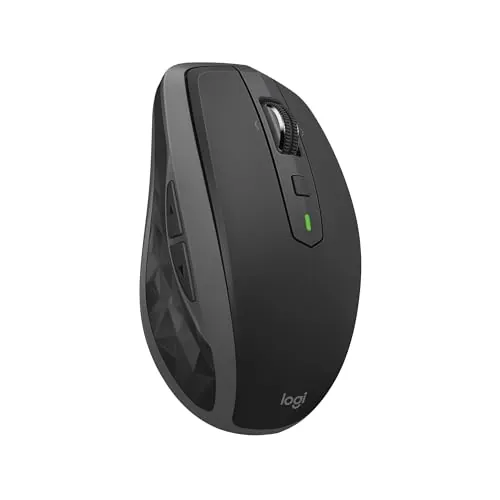
Logitech MX Anywhere 3S vs MX Anywhere 2S Bluetooth Edition: Receivers, USB-C and OS Fit
This comparison is for the assigned graphite SKUs: MX Anywhere 3S 910-006925 / ASIN B0BPY4ZQXG and MX Anywhere 2S Bluetooth Edition 910-007232 / ASIN B0CJXQVMHL. Both pair with up to three computers and support Bluetooth. The 3S can also use a Logi Bolt receiver, which Logitech says is not included; it cannot use a Unifying receiver. The 2S model family lists both Bluetooth and Unifying, but the assigned Bluetooth Edition listing says no USB receiver is included. Charging also differs: USB-C on the 3S, Micro-USB on the 2S. Decide by the receiver you own, the port and cable you want, and whether your computer can use Logitech's customization app.
Read comparison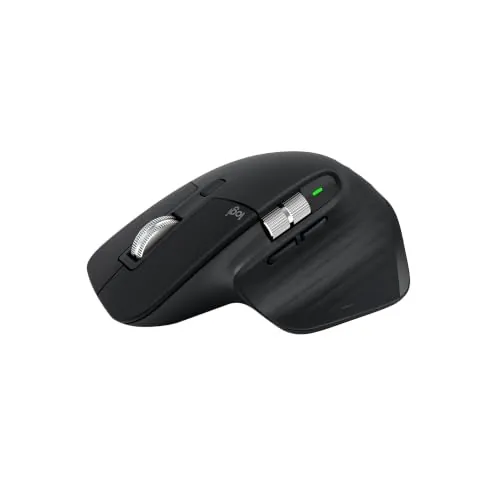
Logitech MX Anywhere 3S vs MX Master 3S Bluetooth Edition
Both assigned U.S. models support Bluetooth and can pair with up to three computers, but neither exact package includes a Logi Bolt receiver. MX Anywhere 3S weighs 95 g with its battery and scrolls horizontally by holding a side button while turning the main wheel; MX Master 3S Bluetooth Edition weighs 141 g and has a separate thumb wheel. Match the connection and control workflow to your computer before choosing.
Read comparison