
Products compared
Logitech
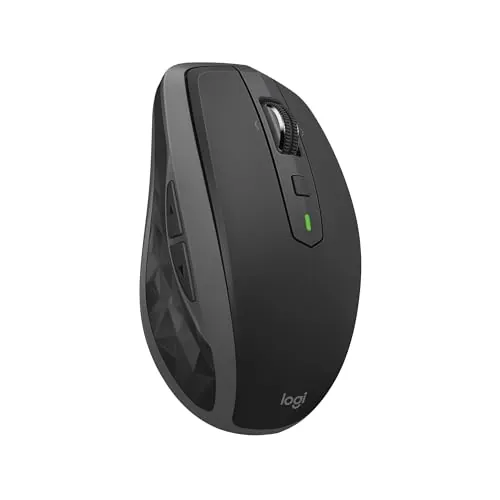
Logitech MX Anywhere 2S Bluetooth Edition Wireless Mouse (Graphite)
Assigned Graphite Bluetooth Edition SKU 910-007232. Logitech's 2S model-family technical specification lists Bluetooth 4.0 and Unifying 2.4GHz support, but the selected ASIN listing says no USB receiver is included. Do not transfer the generic MX Anywhere 2S setup page's 'provided Unifying receiver' wording to this Bluetooth Edition package. It charges by Micro-USB. Logitech's technical sheet lists operating systems supported at release; check current OS requirements before purchase.
Model MX Anywhere 2S Bluetooth Edition, Graphite, part 910-007232 (M-R0067 family)
Amazon ASIN B0CJXQVMHL
Logitech
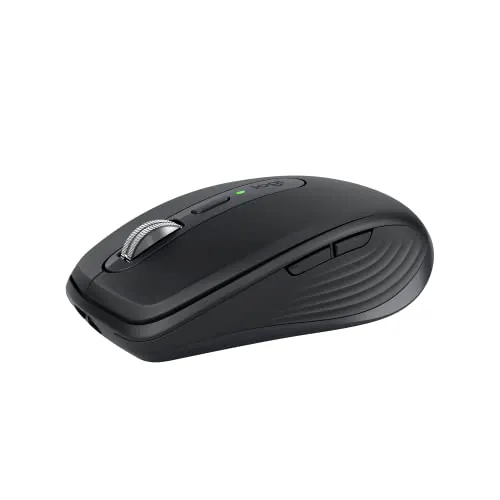
Logitech MX Anywhere 3S Compact Wireless Performance Mouse (Graphite)
Assigned standard Graphite MX Anywhere 3S SKU 910-006925, not the Mac or Business edition. Logitech lists Bluetooth and Logi Bolt receiver connectivity; its standard product page says the Logi Bolt receiver is not included. This model does not use a Unifying receiver. Logitech lists USB-C charging and includes a USB-C cable; advanced customization uses Logi Options+ on supported systems.
Model MX Anywhere 3S, Graphite, part 910-006925
Amazon ASIN B0BPY4ZQXG
Differences that matter
What matters most to you?
Choose a priority to see what it changes.
Sources for Wireless receiver: included versus supported
Sources for Charging cable already on your desk
Sources for Scroll-wheel interaction
Sources for Host operating system and customization app
Sources for Switching between work computers
Match the receiver to the mouse and the box
Start with the USB receiver you already own. The standard MX Anywhere 3S supports Bluetooth or Logi Bolt, and Logitech says the Bolt receiver is not included. It is not a Unifying mouse. The assigned 2S is specifically the Graphite Bluetooth Edition, part 910-007232. Logitech's 2S M-R0067 technical sheet lists Bluetooth and Unifying protocols, but the assigned Amazon title says no USB receiver; the generic 2S setup page's 'provided Unifying receiver' refers to a broader package and should not be used as this SKU's box list.
In practice, use Bluetooth if the host has it. For USB pairing, confirm that you have the correct receiver family: Bolt for 3S, or the appropriate Unifying option for 2S. If the listing's contents matter to your purchase, verify the part number and exact package before ordering rather than assuming that supported wireless protocols arrive as accessories.
Choose for your cable and scrolling routine
The 3S uses USB-C and Logitech says its included cable allows charging while you work. The 2S charges through Micro-USB. If you keep one cable at your desk or travel with a small kit, choose the connector you want to maintain. Logitech gives each model its own quick-charge and full-charge estimates; the figures do not share a controlled test, so this comparison does not rank battery performance.
The wheel interaction also differs. The 2S setup guide describes a press on its wheel to move between hyperfast and click-to-click scrolling. The 3S guide describes MagSpeed's shift between line-by-line and free-spinning modes, with its own mode-shift button and SmartShift behavior. Try the input style if you can; published mode descriptions do not establish which feels better to you.
Check operating system separately from app features
Both setup paths include Bluetooth, and both can switch among multiple paired computers using Easy-Switch. Logitech's 3S specification lists Windows, macOS, iPadOS, ChromeOS and Linux at release, with Bluetooth requirements by platform. The 2S technical sheet records Windows and Mac OS version minimums at release, which are older and depend on whether you pair over Bluetooth or Unifying. Check Logitech's current requirements for the operating system version you run.
Basic pointer operation is a separate question from programmable buttons and profiles. Logitech's current Options+ support hub lists both MX Anywhere 3S and 2S, while also saying Options+ has no native Linux build. If you use Linux, confirm whether basic cursor, buttons and wheel controls are enough before choosing based on customization features.
Product details
Logitech MX Anywhere 2S Bluetooth Edition Wireless Mouse (Graphite)
- Connections supported by 2S model family
- Bluetooth 4.0 and Unifying 2.4GHz; the assigned Bluetooth Edition listing says no USB receiver is included Source
- Charging
- Micro-USB; Logitech's guide describes charging from a USB power source Source
- Device switching
- Up to three computers with Easy-Switch; Bluetooth setup is supported Source
- OS/app support
- Original specification lists Windows and Mac OS version minimums at release; Logitech's current Options+ support list includes MX Anywhere 2S Source
Logitech MX Anywhere 3S Compact Wireless Performance Mouse (Graphite)
- Connections and receiver
- Bluetooth Low Energy or Logi Bolt receiver; Logitech says the Logi Bolt receiver is not included and is the only compatible USB receiver Source
- Charging
- USB-C port; USB-C charging cable included Source
- Device switching
- Pair with up to three devices over Bluetooth; Easy-Switch button changes the active device Source
- OS and customization
- Logitech lists Windows, macOS, ChromeOS and Linux for Bluetooth use; Logi Options+ is supported for customization on supported systems Source
Before you buy
Community discussions
Work PC blocked from Bluetooth or Options+
Logitech MX Anywhere 3S Compact Wireless Performance Mouse (Graphite)
A prospective buyer said their work computer prohibited Bluetooth and Options+ installation and asked whether a separately obtained Bolt receiver could be paired without Options+ on that computer. The post does not establish an answer.
What to check
If a managed computer is part of your setup, confirm its Bluetooth, receiver, software, and pairing policies with IT before choosing a connection route.
Middle-click question for MX Anywhere 3S
Logitech MX Anywhere 3S Compact Wireless Performance Mouse (Graphite)
A shopper who returned an MX Anywhere 2S over its middle-click control asked whether the 3S scroll wheel also provides the middle-click action they wanted. The post does not report an answer.
What to check
If middle-click is essential, verify the exact 3S wheel and button behavior with Logitech or an in-person test rather than inferring it from the button count.
Common questions
Does the exact MX Anywhere 2S in this comparison include a Unifying receiver?
The selected ASIN B0CJXQVMHL is the Graphite Bluetooth Edition, Logitech part 910-007232; its exact Amazon listing title says no USB receiver. Logitech's generic 2S support guide discusses a provided Unifying receiver for the family, but that does not establish box contents for this Bluetooth Edition. Check the exact package listing if a receiver is essential.Logitech B2B U.S. MSRP Price List — exact 910-007232 Bluetooth Edition identityGetting Started - MX Anywhere 2S — Logitech Support
Can the MX Anywhere 3S pair with a Unifying receiver?
No. Logitech says the standard MX Anywhere 3S is compatible with a Logi Bolt USB receiver only, and that the receiver is not included. The 3S also pairs over Bluetooth.MX Anywhere 3S Graphite — Logitech USA product page, part 910-006925Specification - MX Anywhere 3S — Logitech Support
What charging cable should I keep available?
The 3S charges over USB-C and Logitech says a USB-C cable is included. The 2S charges over Micro-USB. Neither charges through the USB receiver; plug the correct cable into the mouse and a USB power source.Getting Started - MX Anywhere 3S — Logitech SupportGetting Started - MX Anywhere 2S — Logitech Support
Will button customization work on my OS?
Logitech's current Options+ support list includes both MX Anywhere 3S and 2S. Its support page says there is no native Linux Options+ build, while the 3S technical spec says basic sensor, wheel and button functions work without extra drivers on ChromeOS and most popular Linux distributions. Verify the requirements for your OS version and the customization you need.All about Logi Options+ — Logitech SupportSpecification - MX Anywhere 3S — Logitech Support
Sources and scope
Identity and packaging statements are for the exact assigned US ASINs and Logitech part numbers only. The 2S technical specifications are for the MX Anywhere 2S M-R0067 family and list Bluetooth and Unifying support; the assigned 910-007232 Bluetooth Edition marketplace title identifies no USB receiver in that listing. The generic 2S setup page's phrase 'provided Unifying receiver' is not treated as contents of this Bluetooth Edition package. The standard 3S product page says it is compatible with Logi Bolt only and that the receiver is not included; Mac and Business editions are not substituted. OS minimums in technical sheets are stated as support at release and may not reflect current updates. No connection-latency, click-noise, comfort, battery-life head-to-head, durability or performance testing was performed.
- MX Anywhere 3S Graphite — Logitech USA product page, part 910-006925
- Specification - MX Anywhere 3S — Logitech Support
- Getting Started - MX Anywhere 3S — Logitech Support
- MX Anywhere 2S Technical Specifications — Logitech Support
- Getting Started - MX Anywhere 2S — Logitech Support
- Logitech B2B U.S. MSRP Price List — exact 910-007232 Bluetooth Edition identity
- All about Logi Options+ — Logitech Support
Related comparisons
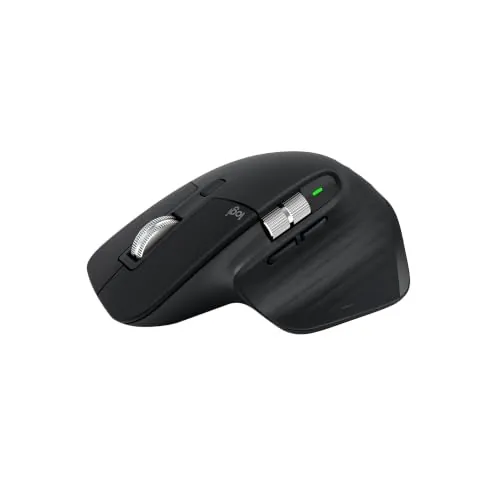
Logitech MX Anywhere 3S vs MX Master 3S Bluetooth Edition
Both assigned U.S. models support Bluetooth and can pair with up to three computers, but neither exact package includes a Logi Bolt receiver. MX Anywhere 3S weighs 95 g with its battery and scrolls horizontally by holding a side button while turning the main wheel; MX Master 3S Bluetooth Edition weighs 141 g and has a separate thumb wheel. Match the connection and control workflow to your computer before choosing.
Read comparison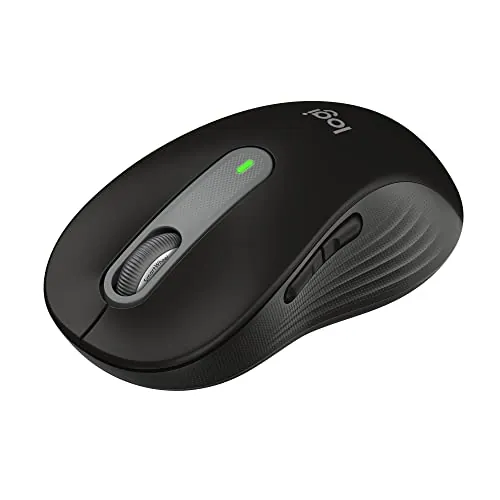
Logitech MX Anywhere 3S vs Signature M650 L: Receiver, Wheel, and Desk Space
The MX Anywhere 3S documents Bluetooth switching among up to three computers and recharges over USB-C, but its compatible Logi Bolt receiver is sold separately. The Signature M650 L includes a Bolt receiver and AA battery. Compare the exact model names, scroll controls, and published body measurements before choosing.
Read comparison