
Products compared
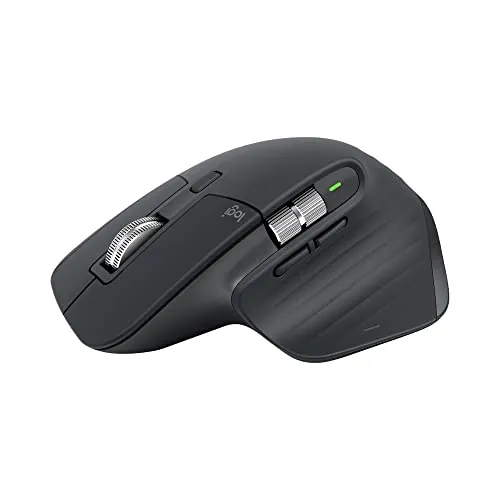
Logitech
Logitech MX Master 3S Performance Wireless Mouse — Graphite with Logi Bolt receiver
Graphite Standard Edition listed with a Logi Bolt receiver; verify the retailer’s selected option and box contents before checkout.
Model 910-006561
Amazon ASIN B0B11LJ69K
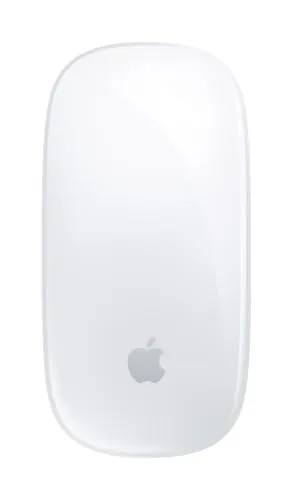
Apple
Apple Magic Mouse (USB-C) — White Multi-Touch Surface
Exact white U.S. product-page part number; USB-C model, not the older Lightning-port Magic Mouse variant.
Model MXK53AM/A
Amazon ASIN B0DL72PK1P
Differences that matter
Sources for Physical wheel controls or a touch surface
Sources for How many computers you want to switch between
Sources for Ports, receiver and charging cable
Sources for Extra controls and operating-system checks
Start with the control motion you prefer
Logitech describes the MX Master 3S MagSpeed wheel changing from line-by-line movement to free-spin as you scroll faster; a button can change modes manually. A separate thumb wheel is used for side-to-side movement. That gives you physical wheel controls to consider if your work involves long pages or wide documents, without proving a speed or accuracy advantage.
Apple describes the Magic Mouse's Multi-Touch surface for swiping between web pages and scrolling through documents. If you prefer touching the top surface to make those gestures, that is the documented interaction here. Try the motion you will use most often where possible; neither maker's page answers which style will feel better in your hand.
Map the computers and connection steps on your desk
The Logitech setup guide lays out a specific multi-computer routine: pair up to three computers, then use Easy-Switch to select a channel. It also supports receiver or Bluetooth setup. Flow is a separate Logitech feature; the guide says it needs Options+ installed on both computers. Decide whether you only need to switch mouse channels or want the added software workflow.
Apple's exact white USB-C product page says the mouse pairs automatically with a Mac and can pair and charge through its included woven cable when connected to a Mac USB-C port. The page does not document a comparable three-computer switch. If that is central to your setup, ask Apple about your exact host combination before checkout instead of treating missing detail as a feature exclusion.
Check the precise variant, ports and software before checkout
The Logitech product in this comparison is Graphite model 910-006561 with a Logi Bolt receiver. Its MX Master 3S support article describes receiver-or-Bluetooth connection and a USB-C charging port with a provided cable. A regional Logitech sheet maps part 910-006561 to Graphite and lists a Logi Bolt receiver and USB-A-to-USB-C cable, but this does not confirm a U.S. seller’s current package. Check the exact U.S. listing; Logitech also lists a separate Bluetooth Edition.
Apple model MXK53AM/A is the white USB-C Magic Mouse. Apple lists Bluetooth and USB-C, includes the woven charge cable, and specifies macOS 15.1 or later for Mac and iPadOS 18.1 or later for iPad. Logitech Options+ is needed for the documented gesture button and further thumb-wheel customization; Logitech says Mac back/forward buttons also require the software. Before ordering, check your operating system, available USB ports and the controls you expect to use.
Product details
Logitech MX Master 3S Performance Wireless Mouse — Graphite with Logi Bolt receiver
- Scroll controls
- MagSpeed shifts between line-by-line and free-spin scrolling; a top button can switch modes manually, and the thumb wheel scrolls side to side. Source
- Connection and host switching
- The setup guide describes the included Logi Bolt receiver or direct Bluetooth pairing, plus Easy-Switch pairing and channel selection for up to three computers. Source
- Software-dependent controls
- Logitech Options+ is needed for documented gesture-button actions and additional thumb-wheel customization; Logitech also says to install it to enable back/forward buttons on Mac. Source
Apple Magic Mouse (USB-C) — White Multi-Touch Surface
- Pointer interaction
- The Multi-Touch surface supports gestures such as swiping between web pages and scrolling through documents. Source
- Pairing and charging cable
- Apple says it pairs automatically with a Mac and includes a woven USB-C Charge Cable for pairing and charging through a Mac USB-C port. Source
- Published system requirements
- Apple lists Mac with macOS 15.1 or later and iPad with iPadOS 18.1 or later. Source
Before you buy
Community discussions
Decide which controls you use more often
Apple Magic Mouse (USB-C) — White Multi-Touch Surface
A Mac mini buyer compared the USB-C Magic Mouse with the MX Master 3S. One respondent said they use an MX Master with multiple devices and prefer the Magic Mouse touch surface for scrolling and panning design documents.
What to check
List the controls you reach for during a normal workday. Try the Apple gestures you use most and check how the MX Master 3S switches between your computers.
Common questions
Can the MX Master 3S switch between more than one computer?
Logitech's setup guide says the MX Master 3S can pair with up to three computers and switch channels with the Easy-Switch button. It separately describes Flow, which requires Options+ on both computers. Apple's cited Magic Mouse page describes automatic pairing with a Mac but does not specify an equivalent channel-switch routine.Getting Started — MX Master 3SMagic Mouse (USB-C) — White Multi-Touch Surface
Does this Apple Magic Mouse use Lightning or USB-C?
Apple model MXK53AM/A is the white USB-C version. Apple lists a USB-C port and includes a woven USB-C Charge Cable; this is not the older Lightning-port Magic Mouse.Magic Mouse (USB-C) — White Multi-Touch Surface
Does the Logitech need Options+ to work?
The setup guide documents receiver or Bluetooth pairing and basic wheel/scroll use. It says Options+ is needed for the gesture button, extra thumb-wheel customization and Mac back/forward button use. Check your operating system if those configurable actions matter.Getting Started — MX Master 3S
Will every Logitech MX Master 3S listing include a Logi Bolt receiver?
Do not assume so from the product family name. This comparison covers Graphite Standard Edition model 910-006561 with a Logi Bolt receiver; Logitech also lists a separate Bluetooth Edition. Check the exact selected ASIN, edition and box contents before checkout.Getting Started — MX Master 3SMX Master 3S Grey / Pale Grey product sheet (regional Logitech-hosted document)
Sources and scope
This guide compares documented controls, setup and exact-model boundaries; it does not rank comfort, hand fit, tracking, speed, click noise, battery runtime or performance. The Apple page documents gestures and automatic Mac pairing but does not establish whether Magic Mouse has a comparable multi-computer switching workflow. Logitech's regional 910-006561 sheet helps identify the graphite SKU and listed box contents, but is not a U.S. seller/package attestation. Confirm the selected U.S. listing shows the intended Standard Edition and receiver before purchase.
Related comparisons
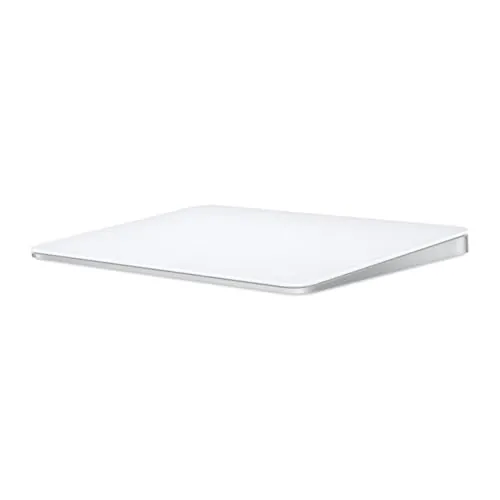
Apple Magic Mouse vs Magic Trackpad: Gestures, Desk Space and Charging
The white USB-C Magic Mouse (MXK53AM/A) combines mouse movement with a touch surface for scrolling and swipes. The white USB-C Magic Trackpad (MXK93AM/A) adds a broad glass surface, documented pinch and rotate gestures, and Force Touch. Both include a USB-C charge cable and list macOS 15.1 or later; only the Trackpad remains usable while charging.
Read comparison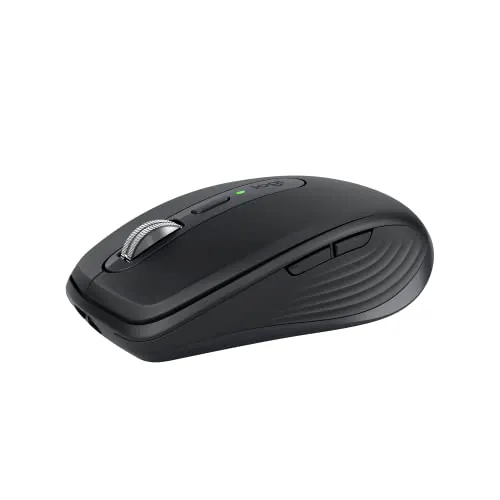
Apple Magic Mouse USB-C vs Logitech MX Anywhere 3S: Gestures or Switching?
This exact pair is a white USB-C Apple Magic Mouse (MXK53AM/A) versus a Graphite Logitech MX Anywhere 3S (910-006925). Apple’s mouse uses a Multi-Touch surface and its gestures require macOS Sequoia 15.1 or later. Logitech uses a wheel and buttons, and pairs with up to three Bluetooth computers for manual Easy-Switch channel selection. Logitech Flow is a separate workflow for cursor movement and clipboard transfer: pair on different channels, install Logi Options+ on each computer, and connect the computers to the same network. Both use USB-C charging cables, but Logitech explicitly says it can be used while charging; Apple’s page documents pairing/charging by connecting the included cable to a USB-C port on a Mac and does not specify in-use charging. These are feature and setup differences, not comfort or performance rankings.
Read comparison