
Products compared

Logitech
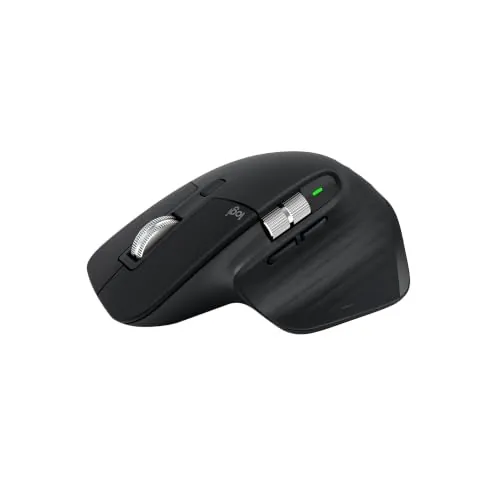
Logitech MX Master 4 Graphite
U.S. Graphite configuration; verify the part number on the exact retailer listing.
Model 910-007558
Amazon ASIN B0FC5SJNQX
Logitech
Logitech MX Master 3S Bluetooth Edition Black
U.S. Black Bluetooth Edition; this is not a receiver-included bundle.
Model 910-007500
Amazon ASIN B0G2SG3NFT
Differences that matter
What matters most to you?
Choose a priority to see what it changes.
Sources for Receiver in the box
Sources for Haptic feedback
Sources for Software and host check
Start with the exact edition and connection you need
This comparison is for the U.S. Graphite MX Master 4, part 910-007558, and the U.S. Black MX Master 3S Bluetooth Edition, part 910-007500. Verify the part number and color on the retailer page: Logitech sells other versions and bundles within these product families.
The MX Master 4 quick-start guide lists a USB-C dongle in its box contents and also explains Bluetooth setup. Logitech's exact 3S Bluetooth Edition specification lists Bluetooth Low Energy and says it can pair to a Logi Bolt receiver, but that receiver is not included. If you want a dongle connection, compare the total setup you already own: the port on your computer, whether a compatible Bolt receiver is already available, and whether you will need to buy one separately. The two supplied editions do not have the same receiver-in-box status.
Pay for haptics only if your workflow can use them
MX Master 4 adds configurable tactile feedback for supported actions, including moving through Actions Ring bubbles and steps that you configure in Smart Actions. Logitech's support instructions say haptics are configured in Options+ and list limited gesture directions and supported app plugins. Specific app events are required; not every action inside every app triggers feedback. If a plugin you depend on is absent from the supported list, the feature may not apply to your workflow.
Logitech identifies haptics as currently available only with MX Master 4 in its Options+ feature overview. By contrast, Actions Ring bubbles themselves can be used for any MX mouse. So the useful distinction is not 'ring versus no ring': it is whether MX Master 4's supported haptic cues are worth configuring on your computer.
Check work-computer software rules before buying
Both exact editions are presented by Logitech as compatible with Logi Options+ customization. Logitech's current U.S. download page lists Windows 10 or later and macOS 14 or later for Options+. These are current app-download requirements, so check Logitech's live page for changes and check whether your employer allows installation or background operation of the software.
Separate basic pointer operation from optional custom actions: if you cannot install Options+, do not count on configuring haptics, Actions Ring shortcuts or app-specific customizations as part of your decision. This guide does not claim that either mouse is faster, more comfortable or better for a particular user's hand.
Product details
Logitech MX Master 4 Graphite
Pick this exact Graphite edition if having a USB-C receiver in the box or MX Master 4-specific haptic feedback matters. The haptics are tied to supported actions and app plugins, so check that the actions you use are supported before paying for this difference.
- Included receiver
- USB-C dongle/receiver is listed in the MX Master 4 box contents. Source
- Haptic feedback
- Configurable haptics for specific supported actions; Logi Options+ is required for configuration. Source
- Actions Ring
- Can be configured in Logi Options+; the Actions Ring feature is also available for other MX mice. Source
Logitech MX Master 3S Bluetooth Edition Black
Choose this Bluetooth Edition if Bluetooth is your intended connection or you already own a compatible Logi Bolt receiver. Do not expect a receiver in this edition's box; Logitech's exact-model support page says it is not included.
- Connection and receiver
- Bluetooth Low Energy; compatible with a Logi Bolt receiver, which is not included. Source
- Customization software
- Logi Options+ supports button customization and app-specific settings. Source
- Actions Ring
- Logi Options+ describes Actions Ring bubbles as available for any MX mouse. Source
Before you buy
Community discussions
An MX Master 3S owner reports a changed drag-and-thumb-button workflow on MX Master 4
Logitech MX Master 4 Graphite
A person upgrading from an MX Master 3S says the MX Master 4's thumb Actions Ring button did not respond for them while they held a mouse button and dragged a window or file on macOS. They returned the mouse. This is one user's workflow report, not a general performance test.
What to check
If you use the thumb button while dragging, test that exact sequence on the MX Master 4 before switching from a 3S. This account does not establish how often the behavior matters to other users or whether a software change alters it.
A 3S owner asks whether the MX Master 4 can keep a hold-to-pan gesture
Logitech MX Master 4 Graphite
A prospective buyer asks whether the MX Master 4's thumb Action Ring button can be reassigned to gestures and held for Zoom/Pan, as they do with the MX Master 3S. The recovered post contains the question but no answer, so it does not confirm that mapping or behavior.
What to check
If hold-to-pan zoom is part of your 3S routine, verify the exact MX Master 4 mapping and hold behavior in current Logitech software before buying; do not assume the same gesture transfers across models.
Common questions
Does the MX Master 3S Bluetooth Edition include a USB receiver?
No. Logitech's specification for the Bluetooth Edition says it connects by Bluetooth Low Energy and can use a Logi Bolt receiver, but that receiver is not included.Specification: MX Master 3S Bluetooth Edition
Does the MX Master 4 include a receiver?
The MX Master 4 quick-start guide lists a USB-C dongle in the box, along with the mouse and user documentation. Check the exact retailer bundle before ordering.MX Master 4 Universal Quick Start Guide: box contents and connection setup
Is Actions Ring only available on MX Master 4?
No. Logitech says Actions Ring bubbles can be used for any MX mouse through Options+. Haptic feedback for supported Actions Ring interactions is the MX Master 4-specific feature described by Logitech.Logi Options+ App: features, supported operating systems and devicesHaptic Feedback: MX Master 4
Will every app or action produce haptic feedback on MX Master 4?
No. Logitech says only specific actions and app events are supported; the Options+ haptics settings show supported installed plugins, and more plugins may be available in its Marketplace.Haptic Feedback: MX Master 4
What should I check before ordering for a work computer?
Confirm whether you can use Bluetooth, whether a USB-C receiver is usable on that host, and whether you are allowed to install or run Logi Options+ for the custom actions you want. Logitech's current download page lists Windows 10 or later and macOS 14 or later; confirm current requirements before buying.Logi Options+ App: features, supported operating systems and devicesMX Master 4 Universal Quick Start Guide: box contents and connection setupSpecification: MX Master 3S Bluetooth Edition
Sources and scope
The receiver comparison is specific to the supplied exact editions and the MX Master 4 guide's listed USB-C dongle; confirm the final retailer package contents and host port before purchase. Logitech's software requirements and plugin list can change. No independent hands-on comparison, latency test, comfort assessment, or app-by-app haptics test was performed.
- MX Master 4 Graphite (U.S. product page, part 910-007558)
- MX Master 4 Universal Quick Start Guide: box contents and connection setup
- MX Master 3S Bluetooth Edition Black (U.S. product page, part 910-007500)
- Specification: MX Master 3S Bluetooth Edition
- Haptic Feedback: MX Master 4
- Logi Options+ App: features, supported operating systems and devices
Related comparisons
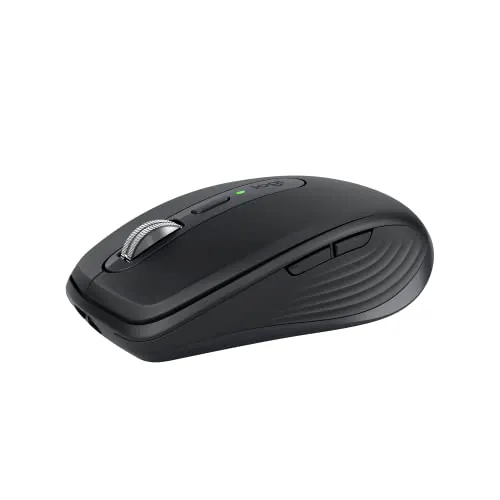
Logitech MX Anywhere 3S vs MX Master 3S Bluetooth Edition
Both assigned U.S. models support Bluetooth and can pair with up to three computers, but neither exact package includes a Logi Bolt receiver. MX Anywhere 3S weighs 95 g with its battery and scrolls horizontally by holding a side button while turning the main wheel; MX Master 3S Bluetooth Edition weighs 141 g and has a separate thumb wheel. Match the connection and control workflow to your computer before choosing.
Read comparison
Logitech MX Master 4 vs M720 Triathlon: Receiver, Scroll and Setup
The Logitech MX Master 4 Graphite (910-007558) pairs a separate thumbwheel with the Actions Ring, which requires Logi Options+, and a rechargeable USB-C setup. The M720 Triathlon Black (910-006036) moves horizontally by tilting its main wheel and uses a replaceable AA battery with a Unifying receiver in the box. Both also offer Bluetooth and can pair with up to three computers. Decide by your preferred controls, software setup, host connection and power routine; this is not a comfort or performance ranking.
Read comparison