
Products compared
Logitech
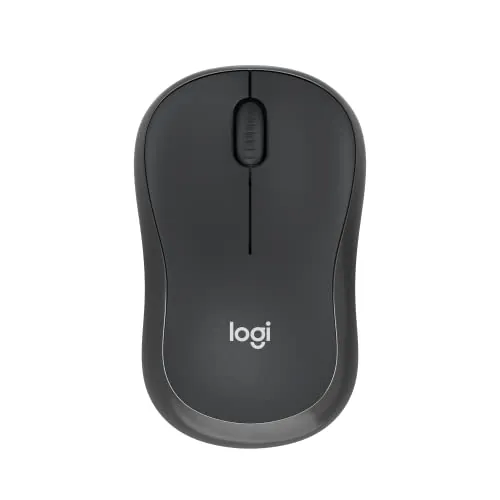
Logitech M240 Silent Bluetooth Mouse - Graphite
U.S. Graphite M240 Silent. Logitech presents this retail configuration as a compact Bluetooth mouse; one AA battery is pre-installed.
Model 910-007113
Amazon ASIN B0BXNR9DB6

Logitech
Logitech M720 Triathlon Multi-Device Wireless Mouse - Black
Black M720 Triathlon. A full-size right-hand shape with Bluetooth or Unifying connection and an explicitly documented three-channel setup.
Model 910-006036
Amazon ASIN B087Z6LSHW
Differences that matter
What matters most to you?
Choose a priority to see what it changes.
Sources for Computer connection and switching
Sources for Buttons and scrolling workflow
Start with the computer connection you will actually use
For M240 part 910-007113, Logitech's U.S. product page describes a Bluetooth pair-and-play setup that needs no dongle or computer port. A separate support specification for M/N MR0105 lists Logi Bolt as an optional, not-included connection. Since the support page does not name the assigned retail part number, treat Bolt as a verify-before-buy detail rather than a guaranteed M240 feature for this listing.
M720's setup guide is more explicit about a receiver-based workflow: one Unifying receiver comes in the box, and each of its three selectable channels can use either Bluetooth Smart or Unifying. If you switch among computers, pair each intended host to a channel in advance and check whether you will use Bluetooth or an available USB port.
Match the body to hand orientation and carrying
Logitech lists M240 at 99 x 60 x 39 mm and 73.8 g with battery, and describes it as compact and usable by either left- or right-handed users. M720’s M/N M-R0062 specification lists 115 x 74 x 45 mm and 135 g with AA; Logitech describes it as full-size and right-handed. Use these listed dimensions to check a bag or desk; they do not establish which shape is more comfortable for a particular person.
If the mouse will stay at a desk, the full-size M720 body may match a preference for a right-hand contour. If the same mouse needs to serve both hands or travel with a laptop, M240's stated compact, either-hand design is the more relevant starting point.
Decide whether extra controls fit your daily work
The M720 product page lists two side buttons, a thumb button, a dual-mode scroll wheel and horizontal tilt scrolling. Its setup guide separately shows the Easy-Switch control used to select and pair device channels. These controls can matter for moving through long pages, spreadsheets and several prepared computers.
Logitech's M240 MR0105 support specification lists three buttons: left/right click, middle click and a connectivity button. That is a published control list, not proof that all M240 software options or behaviors are absent. Choose based on the controls you expect to use, not a generic button-count ranking.
Treat battery figures as maker estimates
Logitech says M240 ships with one AA installed and advertises up to 18 months with auto-sleep. M720’s M/N M-R0062 technical specification lists one replaceable AA and up to 24 months, while its product page attributes that estimate to auto-sleep and the on/off switch. These figures help identify the power format and each model’s stated estimate, but they are not a controlled comparison under the same computer, settings or use pattern.
If you want to minimize setup steps, M240's product page states that its AA is pre-installed. For M720, check the exact package and current listing contents. In either case, choose by the connection, controls and shape you need rather than treating the two advertised month counts as a guaranteed runtime difference.
Product details
Logitech M240 Silent Bluetooth Mouse - Graphite
Pick the M240 if compact size, either-hand use and Bluetooth pairing match your routine. The U.S. product page does not require a receiver. If you are buying specifically to reuse a Logi Bolt receiver, first confirm that the exact listing/part matches Logitech's MR0105 support specification; do not assume an adapter or receiver is included.
- Connection on the U.S. product page
- Bluetooth pairing; Logitech says no dongle or computer port is required Source
- Shape and orientation
- Compact design intended for either left- or right-handed users Source
- Battery and controls
- One pre-installed AA; Logitech advertises up to 18 months with auto-sleep. The MR0105 support specification lists three buttons and optional Logi Bolt (not included); confirm that specification against the selected retail part if Bolt matters. Source
Logitech M720 Triathlon Multi-Device Wireless Mouse - Black
Choose M720 when you prefer a full-size right-hand contour, want its documented Easy-Switch channels, or need the included Unifying receiver for a compatible computer. Each channel can use Bluetooth or Unifying; check the host's ports and receiver setup before buying.
- Connections and included receiver
- Bluetooth or Logitech Unifying; the setup guide says one Unifying receiver is included Source
- Device switching
- Three Easy-Switch channels; select a channel and hold the toggle/connect button for three seconds to pair by Bluetooth or Unifying Source
- Shape and work controls
- Full-size, contoured right-hand design; 115 x 74 x 45 mm and 135 g with AA; two side buttons, a thumb button, dual-mode scrolling and horizontal tilt-wheel scrolling Source
- Battery estimate
- One replaceable AA; Logitech states up to 24 months with auto-sleep and the on/off switch Source
Before you buy
Community discussions
Switching an M240 between a Mac and Android TV
Logitech M240 Silent Bluetooth Mouse - Graphite
An M240 owner using a Mac and Android TV says switching between the two meant removing the mouse from Bluetooth settings and pairing it again; they contrasted this with a multi-device keyboard.
What to check
If you move between hosts, compare this owner’s re-pairing workflow with the M720’s documented device-channel controls. The post records one person’s setup, not a universal connection issue.
A small-hand owner chooses the compact M240
Logitech M240 Silent Bluetooth Mouse - Graphite
After trying several mice, one user chose the M240 for Bluetooth, a compact basic design, and a snug laptop bag. They said its shape worked well for their smaller hand; that is their own fit report.
What to check
The M720 is a larger, right-handed design. Compare its shape and extra controls with the compact M240 using your own grip; this owner’s preference is only one fit example.
Common questions
Does M720 include a USB receiver?
Yes. Logitech's M720 setup guide says one Unifying receiver is included. Its three Easy-Switch channels can each be paired by Bluetooth Smart or Unifying.M720 Triathlon Mouse Setup Guide
Should I buy M240 to reuse a Logi Bolt receiver?
Verify the exact listing before doing so. Logitech's support specification for model M/N MR0105 lists optional Logi Bolt and says it is not included, but that page does not identify the assigned retail part number 910-007113. The U.S. product page for 910-007113 describes Bluetooth and says no dongle is required. Do not assume a receiver is in the box.Specification - M240, Logitech SupportM240 Silent Bluetooth Mouse, Graphite, U.S. product page
Can M720 switch between three computers?
Logitech documents three Easy-Switch channels. Each can be paired using Bluetooth or Unifying, and the setup guide shows selecting a channel and holding the toggle/connect control for three seconds to pair. Confirm that each target device supports the connection you plan to use.M720 Triathlon Mouse Setup GuideM720 Triathlon Multi-Computer Wireless Mouse, U.S. product page
Is one model quieter or more comfortable?
This comparison does not test click sound or hand comfort. Logitech's shape descriptions can help you shortlist by size and orientation, but they do not predict your personal fit.M240 Silent Bluetooth Mouse, Graphite, U.S. product pageM720 Triathlon Multi-Computer Wireless Mouse, U.S. product page
Sources and scope
This guide compares the U.S. Graphite M240 Silent listing (910-007113) with the Black M720 Triathlon (910-006036), using Logitech's published product information and M720 setup guide. The M240 U.S. product page describes Bluetooth and says no dongle is required; a separate Logitech support specification for model M/N MR0105 lists optional Logi Bolt, not included. Because that support page identifies the hardware model rather than the assigned retail part, verify the exact seller listing before relying on Bolt. No pair test was conducted for sound, tracking, battery endurance, comfort or reliability.
Related comparisons
Logitech M510 vs M720 Triathlon: Receiver, Bluetooth, and Scrolling
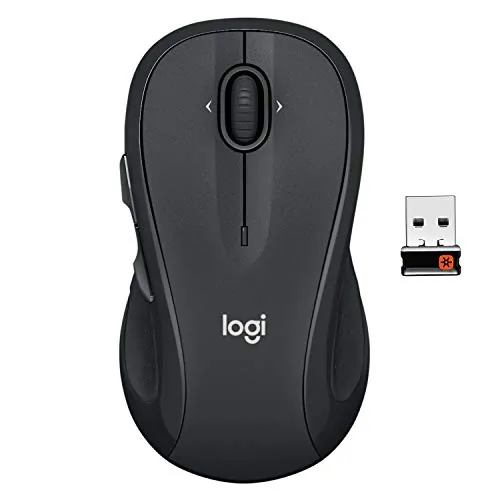
The selected U.S. retail items are M510 Comfort Plus Graphite (910-006030) and M720 Triathlon Black (910-006036). Logitech's M510 model documentation describes a Unifying USB receiver, line-by-line scrolling, and tilt scrolling. The M720 adds Bluetooth Low Energy, up to three paired-device channels with a physical Easy-Switch button, and a wheel that toggles between faster and line-by-line scrolling. Check your host OS and available ports: Logitech's current M510 receiver compatibility list names Windows 10/11, ChromeOS, and Linux, while its M720 materials also list macOS and iPadOS support. Logitech's public M510 and M720 model pages do not identify the two assigned retail part numbers, so verify the exact listing and in-box receiver before buying.
Read comparison
Logitech MX Master 4 vs M720 Triathlon: Receiver, Scroll and Setup
The Logitech MX Master 4 Graphite (910-007558) pairs a separate thumbwheel with the Actions Ring, which requires Logi Options+, and a rechargeable USB-C setup. The M720 Triathlon Black (910-006036) moves horizontally by tilting its main wheel and uses a replaceable AA battery with a Unifying receiver in the box. Both also offer Bluetooth and can pair with up to three computers. Decide by your preferred controls, software setup, host connection and power routine; this is not a comfort or performance ranking.
Read comparison