
Products compared

Logitech
Logitech M720 Triathlon Multi-Device Mouse
Full-size, contoured right-hand mouse with Bluetooth LE or Logitech Unifying wireless, three device channels and one replaceable AA battery.
Model 910-006036, Black
Amazon ASIN B087Z6LSHW

Logitech
Logitech MX Vertical Advanced Ergonomic Mouse
Right-hand mouse with a 57° upright body, Bluetooth or Unifying wireless, three-device switching, a rechargeable USB-C battery and corded use over its USB cable.
Model 910-005447, Graphite
Amazon ASIN B07FNJB8TT
Differences that matter
What matters most to you?
Choose a priority to see what it changes.
Sources for Receiver, Bluetooth and device-switching setup
Sources for Button and scroll controls you reach during work
Sources for How you restore power
Start with hand position and available space
M720 is Logitech's full-size contoured right-hand profile, with listed dimensions of 115 × 74 × 45 mm. MX Vertical rises to 78.5 mm in Logitech's datasheet and places the hand at a 57° angle; Logitech positions it for medium-to-large hands. Check both the feel and the mouse's footprint/height against your own workspace. Those manufacturer dimensions and fit guidance cannot predict comfort for a particular person.
Both selected mice are right-hand designs. If you need left-handed controls or a guaranteed health result, keep looking: the published specifications do not establish either.
Pair the mice with the devices you actually use
M720 supports Bluetooth LE or a Unifying receiver and provides three Easy-Switch channels. Its setup guide says those channels can be paired using either Bluetooth Smart or Unifying, and walks through selecting a channel and entering pairing mode. Logitech's technical specifications for the M720 family list a receiver and AA in the box; confirm the selected 910-006036 listing's exact package before relying on its contents.
MX Vertical can pair through Bluetooth or the Unifying USB receiver and can also connect by USB-C cable. Its guide says it can pair with up to three devices, but puts the Easy-Switch button on the bottom. If you change hosts often, include that selector location in your setup decision.
Check the buttons and scroll behavior you will use
M720's maker page calls out two side buttons and a hidden thumb button; its setup guide labels forward, back and thumb controls, a fast scroll wheel and Easy-Switch. Technical specifications count eight standard and special buttons. The product page also describes a tilt wheel for horizontal scrolling.
MX Vertical's maker documents four customizable buttons, a cursor-speed switch and a precision wheel. Treat the button counts as separate maker categories, not a direct total-button comparison. If you use side navigation, frequent channel changes or cursor-speed switching, compare where each control sits and whether it matches your routine.
Pick the power task you prefer
M720 takes one replaceable AA battery. MX Vertical has a built-in rechargeable battery with a USB-C port, and Logitech explicitly supports using the mouse corded while the cable is connected. Decide whether you would rather keep a replacement battery available or plug in to recharge; this comparison says nothing about how often either mouse needs power.
Before you order, check whether the exact seller package includes the Unifying receiver you want and confirm that your host has a suitable port or Bluetooth. If charging by cable matters, MX Vertical's documented corded connection is a practical use option as well as a charging path.
Product details
Logitech M720 Triathlon Multi-Device Mouse
M720 combines a familiar full-size right-hand contour with Bluetooth or a Unifying receiver and three switchable device channels. Its power task is replacing one AA. Logitech documents side back/forward and thumb controls plus a dual-mode tilt wheel; choose it when that button/scroll arrangement and conventional profile match how you work.
- Shape and size
- Right-handed, full-size contoured shape; 115 × 74 × 45 mm per Logitech support specifications Source
- Connections and channels
- Bluetooth Low Energy or Logitech Unifying 2.4 GHz; three Easy-Switch channels Source
- Power and controls
- One replaceable AA; M720 specifications list 8 standard/special buttons, Easy-Switch and a tilt/hyper-fast wheel Source
Logitech MX Vertical Advanced Ergonomic Mouse
MX Vertical uses a substantially taller 57° upright shape, which Logitech positions for medium-to-large hands. It supports Bluetooth, a Unifying receiver and USB-C cable operation; the cable can serve as a wired connection while the mouse is switched on. Its selector for up to three paired devices is on the underside, and its built-in battery recharges over USB-C.
- Shape and hand guidance
- 57° vertical angle; Logitech positions the shape for medium-to-large hands Source
- Physical envelope
- 120 × 79 × 78.5 mm; right-handed Source
- Connections and power
- Unifying USB receiver, Bluetooth or USB-C cable; built-in USB-C rechargeable battery; the setup guide documents corded use while switched on Source
- Buttons and device selector
- Four customizable buttons per Logitech data sheet; Easy-Switch button is on the underside Source
Before you buy
Community discussions
Trying the reach around a larger vertical shape
Logitech MX Vertical Advanced Ergonomic Mouse
A new MX Vertical owner wanted to know whether the shape was too large for their hand after using it for a day.
What to check
Try the wheel, side buttons and grip with your own hand. Compare how far you reach on each mouse during repeated clicks and scrolling.
Common questions
Can both mice switch between three computers?
Yes. Logitech lists three Easy-Switch channels for M720 and says MX Vertical can pair with up to three devices. M720's setup guide describes pairing a channel by Bluetooth Smart or Unifying; MX Vertical's selector is on the underside.M720 Triathlon Technical SpecificationsM720 Triathlon Mouse Setup GuideGetting Started - MX Vertical
Can MX Vertical work while charging?
Logitech's setup guide says to switch MX Vertical on and connect its USB cable to use it corded; it also says that while charging the mouse is connected through the cable.Getting Started - MX Vertical
Does the MX Vertical angle mean it will fit every hand better?
No. Logitech lists the 57° angle and positions MX Vertical for medium-to-large hands, but those specifications do not prove an individual's comfort or health result. Compare the physical measurements with your hand and try the shape if possible.Logitech MX Vertical Ergonomic Wireless Mouse, AMR 910-005447MX Vertical Advanced Ergonomic Mouse Data Sheet
Do I have to use a USB receiver with either mouse?
No. Logitech documents Bluetooth for both. Both also support a Unifying receiver; M720 supports one AA battery, while MX Vertical's USB-C connection is both its charging path and a documented corded-use option. Verify which accessories are in the exact seller package.M720 Triathlon Technical SpecificationsGetting Started - MX VerticalMX Vertical Advanced Ergonomic Mouse Data Sheet
Sources and scope
Check how your hand rests on the M720 and the 57-degree MX Vertical. Logitech recommends the latter for medium-to-large hands. Try the selector and side buttons with your own grip if fit decides the purchase.
Related comparisons
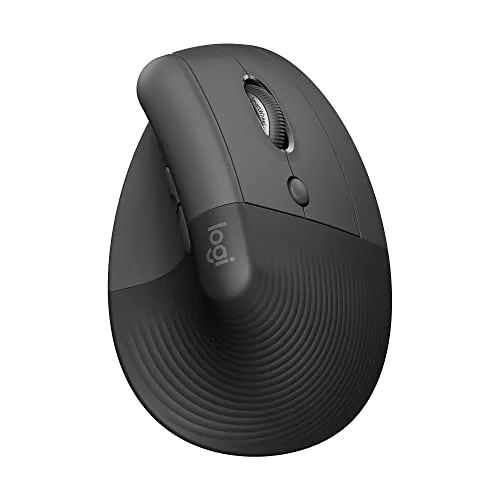
Logitech Lift vs MX Vertical: Hand Fit, Receiver and Charging
These are both right-handed Logitech vertical mice, but Logitech positions them for different hand-size ranges. Lift uses one AA battery and a Logi Bolt receiver; MX Vertical recharges over USB-C, can stay connected by cable while charging, and uses a Unifying receiver. Bluetooth is available on both.
Read comparison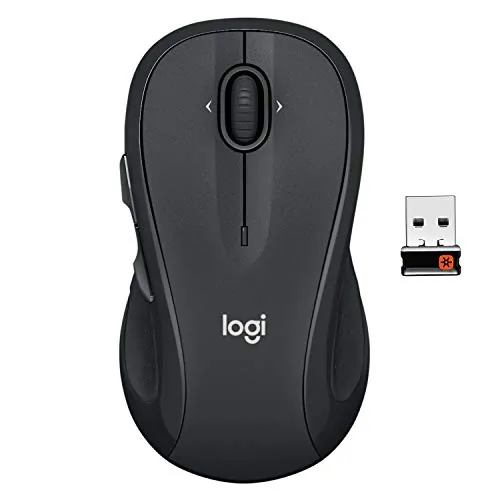
Logitech M510 vs M720 Triathlon: Receiver, Bluetooth, and Scrolling
The selected U.S. retail items are M510 Comfort Plus Graphite (910-006030) and M720 Triathlon Black (910-006036). Logitech's M510 model documentation describes a Unifying USB receiver, line-by-line scrolling, and tilt scrolling. The M720 adds Bluetooth Low Energy, up to three paired-device channels with a physical Easy-Switch button, and a wheel that toggles between faster and line-by-line scrolling. Check your host OS and available ports: Logitech's current M510 receiver compatibility list names Windows 10/11, ChromeOS, and Linux, while its M720 materials also list macOS and iPadOS support. Logitech's public M510 and M720 model pages do not identify the two assigned retail part numbers, so verify the exact listing and in-box receiver before buying.
Read comparison