
Products compared
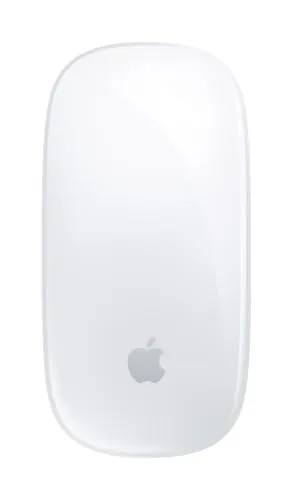
Apple
Apple Magic Mouse - White Multi-Touch Surface
White USB-C configuration. Apple lists the Magic Mouse and a woven USB-C Charge Cable in the box. Apple lists macOS 15.1 or later for Mac use.
Model Magic Mouse (USB-C, White; MXK53AM/A)
Amazon ASIN B0DL72PK1P

Logitech
Logitech MX Master 4 Wireless Mouse - Graphite
Graphite configuration. Logitech documents wireless setup through its included USB receiver or Bluetooth, with Easy-Switch for up to three computers. Logi Options+ is needed for Actions Ring and several custom controls.
Model MX Master 4 (Graphite; 910-007558)
Amazon ASIN B0FC5SJNQX
Differences that matter
What matters most to you?
Choose a priority to see what it changes.
Sources for Switching between computers
Sources for Software and custom actions
Sources for Charging and connection setup
Start with the control layout
Apple's exact white USB-C product page identifies a Multi-Touch surface and macOS 15.1 or later for Mac use. Logitech's MX Master 4 instead lists a MagSpeed wheel, thumb wheel, gesture button, back/forward buttons and a Haptic Sense Panel. Think about the actions you reach for repeatedly: a surface-based gesture workflow or separate physical controls. Neither page supplies a matched comfort or productivity test.
The Logitech's scroll-wheel mode can be changed manually, and its support page also describes automatic switching between line-by-line and free-spin modes. That describes the control behavior; it does not establish that one mouse scrolls faster or works better for a particular person.
Count your hosts and decide whether setup software fits
If the mouse will move among computers, Logitech documents Easy-Switch for up to three paired computers. Initial setup can use the included USB receiver or Bluetooth. Apple's cited page says this exact Magic Mouse automatically pairs with a Mac, but does not provide a comparable three-computer switch specification, so don't assume identical host switching.
Logi Options+ is part of the MX Master 4 decision if you want the Actions Ring, gestures, app-specific wheel behavior or Mac back/forward buttons. The basic hardware control list and the software-dependent controls are not the same promise: check that installing and configuring Options+ suits the computers where you intend to use the mouse.
Check the charging routine you need
Apple lists the USB-C Magic Mouse as rechargeable and includes a woven USB-C Charge Cable. Logitech's exact MX Master 4 setup guide identifies its USB-C charging port, and the mouse can connect by receiver or Bluetooth. These facts establish the connector generation and wireless setup paths, not whether either mouse can be comfortably operated during charging.
If you plan to keep working while the Magic Mouse charges, confirm its use and cable-position requirements in Apple's current instructions before choosing. This comparison does not establish whether it can be used while charging.
Product details
Apple Magic Mouse - White Multi-Touch Surface
Logitech MX Master 4 Wireless Mouse - Graphite
- Connection choices
- Included wireless USB receiver or Bluetooth Source
- Host switching
- Easy-Switch can pair with up to three computers Source
- Physical controls
- MagSpeed scroll wheel, mode-shift button, Haptic Sense Panel, thumb wheel, gesture button, back/forward buttons and USB-C charging port Source
- Software-dependent features
- Actions Ring requires Logi Options+; Logitech also documents Options+ setup for gestures, Mac back/forward buttons and app-specific thumb-wheel controls Source
Before you buy
Community discussions
A drag-and-drop shortcut did not carry over for one MX Master 4 upgrader
Logitech MX Master 4 Wireless Mouse - Graphite
A user switching from MX Master 3S says they used to hold a click while pressing the thumb control to move a window or dragged file between macOS Spaces. On the MX Master 4, they report the Haptic Sense Panel/Actions Ring control did not respond while a primary click was held; they say Logitech support described that behavior as expected. This is one reported workflow, not a guarantee about every setup.
What to check
If your work depends on holding a click while invoking a thumb or gesture control, test that exact sequence on the MX Master 4 before switching from your current mouse.
A new owner is still deciding how to use the MX Master 4 gesture button
Logitech MX Master 4 Wireless Mouse - Graphite
An owner moving from an MX Anywhere 2S says the Master 4's buttons were initially confusing and planned to keep the Actions Ring specific to apps while standardizing other button assignments. The post shares a setup intention, not a tested app-support result.
What to check
List the repeated actions you want on mouse buttons, then check whether the exact software and app setup you use can assign them before treating the Actions Ring as a reason to switch.
Common questions
Does the exact white Magic Mouse listing use USB-C?
Yes. Apple's exact MXK53AM/A white product page identifies it as the USB-C model and lists a woven USB-C Charge Cable in the box.Magic Mouse (USB-C) - White Multi-Touch Surface, MXK53AM/A — Apple U.S. product page
Can the MX Master 4 switch among multiple computers?
Logitech's setup guide says Easy-Switch can pair the mouse with up to three computers and change channels using the mouse button.Getting Started - MX Master 4 — Logitech Support
Do I need Logitech software for the MX Master 4's extra controls?
Logitech says Logi Options+ is necessary for Actions Ring. Its setup article also documents Options+ for gestures, expanded thumb-wheel functions and enabling back/forward buttons on Mac.Getting Started - MX Master 4 — Logitech Support
Sources and scope
Apple lists a USB-C charging port and cable for the white Magic Mouse. Check Apple’s current charging instructions if operating while charging matters to you. Logitech’s setup guide covers MX Master 4. Confirm your operating system supports the Logi Options+ features you plan to use. This guide compares documented controls and connection choices without measured comfort or productivity results.
Related comparisons
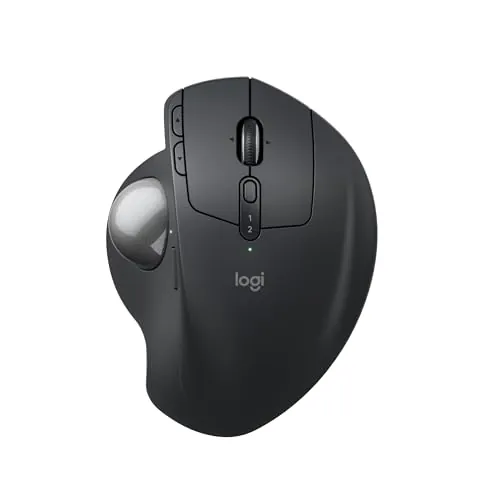
Logitech MX Master 4 vs MX Ergo S: Mouse Movement, Trackball and Switching
Both are rechargeable Logitech pointing devices, but they use different steering methods and switching controls. Compare desk motion, paired-computer count, the MX Master 4's Options+ Haptic Sense Panel, and the MX Ergo S base model's included Logi Bolt receiver before choosing.
Read comparison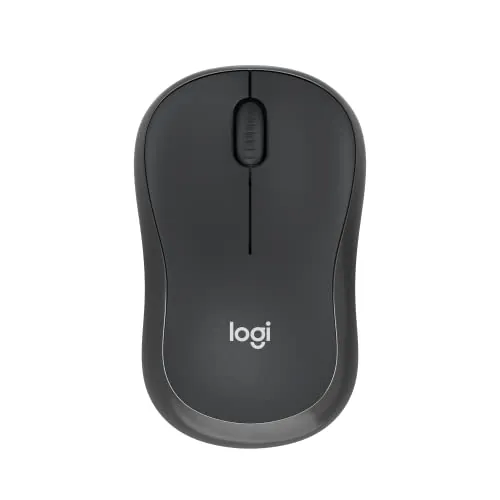

Logitech M240 Graphite vs MX Vertical Graphite: Handedness, Connection and Power
These are different desk setups, not a tested comfort comparison. Logitech describes the M240 Graphite as suitable for left- and right-handed use, with Bluetooth and a replaceable AA battery. MX Vertical Graphite is right-handed and supports Bluetooth, a Unifying receiver or a USB-C cable; Logitech also documents switching among up to three paired computers. Decide first who will use the mouse, then check the host connection you need and whether you prefer replacing an AA or recharging.
Read comparison