
Products compared

Logitech
Logitech MX Master 4 Wireless Mouse (Graphite)
U.S. consumer Graphite model; standard MX Master 4, not the Mac or Business edition.
Model 910-007558
Amazon ASIN B0FC5SJNQX
Logitech
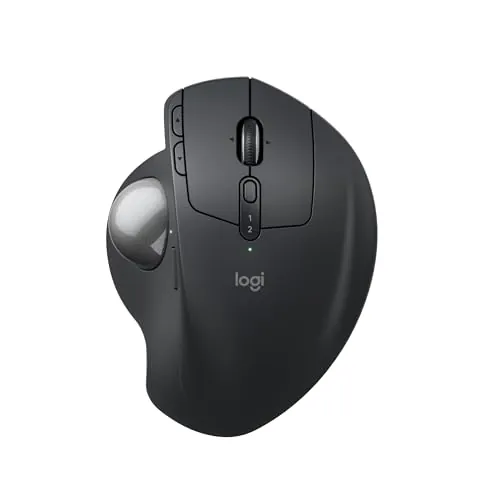
Logitech MX Ergo S Wireless Trackball (Graphite, base model)
U.S. Graphite base MX Ergo S, not MX Ergo S Plus with the extra wedge.
Model 910-007259
Amazon ASIN B0D6PTR6MP
Differences that matter
Sources for How you steer
Sources for Receiver, Bluetooth and setup
Sources for Software and charging details
Start with the way you steer
The MX Master 4 is a conventional mouse: move its body over a tracking surface. The MX Ergo S is a thumb-operated trackball: roll its ball to steer while the device body stays put. That difference is about the movement each design asks of you, not evidence that one is more comfortable or accurate.
For a desk with a defined mouse path, consider whether that path is available around your keyboard and other items. With the Ergo S, there is no mouse-body tracking path to clear, but the device and your hand still occupy space. If you are unsure which motion suits you, try each before buying when a local demo is available.
Count computers, then check the switch you will use
Logitech documents three computer channels for MX Master 4 and two for MX Ergo S. If your daily setup has a third computer, that channel difference can decide the pair. For a two-computer desk, compare the actual selection steps: Master 4 has a hardware Easy-Switch button and its Haptic Sense Panel can open an Actions Ring bubble after you configure it; Ergo S uses a selector on top, with a short press showing the chosen channel and another press changing it.
Do not choose Master 4 solely because you want Actions Ring. Logitech's software page says Actions Ring bubbles can be used with MX mice, and its support article shows assigning Easy-Switch to a bubble. The Master 4-specific distinction is the dedicated haptic panel; Actions Ring use still requires Logi Options+. Logitech's current pages also specify native haptics for Master 4 on Windows 11 updates from late March 2026 onward, so verify current host and app requirements if that feature matters.
Match the receiver and software to your computers
Both product families can connect over Bluetooth, but their receiver details are not identical. Logitech's MX Ergo S specification lists Logi Bolt and says its base box contains a USB-A receiver. Logitech's MX Master 4 setup page confirms an included wireless USB receiver but does not identify that receiver's connector type on the cited page. If your computer has only USB-C ports, check the exact Master 4 package or plan on a Bluetooth connection if your host supports it; do not infer a receiver adapter is included.
The Ergo S specification lists different supported operating systems for its USB-A receiver and Bluetooth Low Energy. Check the row for the connection you plan to use. The current Options+ download page may change over time; check it and your workplace software permissions before depending on custom buttons, Actions Ring, or other app-based setup.
Confirm the exact package and charging cable
This is the graphite base MX Ergo S, part number 910-007259, not MX Ergo S Plus with an added detachable wedge. Logitech's specification lists the Logi Bolt receiver in both boxes and says the charging cable is not included. Its U.S. product page also presents the base model and Plus as separate styles, so match the model number at checkout.
Both devices recharge over USB-C. The exact Master 4 setup guide identifies its USB-C charging port; the Ergo S product and specification pages identify USB-C charging. Because the Master 4 setup page does not state whether a cable is in the box, confirm its exact offer contents instead of assuming either way.
Product details
Logitech MX Master 4 Wireless Mouse (Graphite)
- Pointer control
- Move the mouse body across a tracking surface. Source
- Computer channels
- Pairs with up to three computers; Easy-Switch changes the selected channel. Source
- Haptic panel and Actions Ring
- The Haptic Sense Panel opens the Actions Ring; configuring and using the Ring requires Logi Options+. Source
- Wireless setup
- Logitech documents an included wireless USB receiver or direct Bluetooth pairing; the cited setup page does not identify the receiver connector type. Source
Logitech MX Ergo S Wireless Trackball (Graphite, base model)
- Pointer control
- Steer the pointer with the thumb-operated trackball while the mouse body stays in place. Source
- Computer channels
- Connects to two devices; a top Easy-Switch button selects the channel. Source
- Included receiver and cable
- The base-model box lists a Logi Bolt USB-A receiver; a charging cable is not included. Source
- Other connection
- Bluetooth Low Energy is supported; the listed system requirements vary by connection method. Source
Before you buy
Community discussions
An early MX Master 4 review flags mouse lifting as a fit check
Logitech MX Master 4 Wireless Mouse (Graphite)
After a few hours with the Master 4, one reviewer liked the extra button, adjustable haptics and thumb control, but said its weight and changed grip felt uncomfortable when lifting it to reposition. They compared it with their prior MX Master 3 and MX3S experience and were still testing.
What to check
Try the mouse in your normal workspace, including the small lifts or repositioning you actually do. This short-term report is one person's fit experience and does not predict comfort for other hands or compare it with the MX Ergo S.
A buyer asks about switching between two USB receivers
Logitech MX Master 4 Wireless Mouse (Graphite)
A shopper using separate Windows and Mac computers asks whether an MX Master 4 can switch between two USB receivers without Bluetooth and whether the device-switch control can be remapped to a top button. The post is a question; it does not report a verified setup.
What to check
Confirm the exact package's included receiver and test the switching method you want on your computers. Do not assume the button can be remapped from this question.
Common questions
Is Actions Ring exclusive to MX Master 4?
No. Logitech describes Actions Ring bubbles for MX mice generally. Master 4 adds a dedicated Haptic Sense Panel that opens the Ring, and the Master 4 setup guide says Options+ is needed for Ring use. The Ergo S comparison here is its two-channel top selector.Getting Started - MX Master 4Logi Options+ software and feature informationLogitech MX Ergo S Easy-Switch function
Which one supports more paired computers?
Logitech documents up to three computers for MX Master 4 and two devices for MX Ergo S. Pairing still depends on using a supported Bluetooth or receiver setup for the host.Getting Started - MX Master 4Logitech MX Ergo S Easy-Switch function
Does the MX Ergo S listing here include the extra wedge?
No. The comparison is for base model 910-007259. Logitech's specification distinguishes the MX Ergo S Plus, which adds a detachable wedge; verify the exact model and package contents on the offer page.Specification - MX Ergo SMX Ergo S U.S. Graphite product page
Are either of these wired or battery-powered with replaceable cells?
The cited manufacturer pages describe both as rechargeable wireless devices using USB-C charging. The MX Ergo S spec says its battery is not user-replaceable. This comparison does not rank battery endurance.Getting Started - MX Master 4Specification - MX Ergo S
Sources and scope
This comparison covers Logitech's consumer Graphite MX Master 4 (910-007558) and base MX Ergo S (910-007259), not the Master 4 for Mac/Business or MX Ergo S Plus. It uses manufacturer documentation, not hands-on testing. It makes no comfort, health, speed, precision, battery-life or reliability ranking. Logitech's current Master 4 setup guide confirms an included wireless USB receiver but does not identify its connector type there; verify the box and host-port fit for the exact listing. Options+ availability and host requirements can change, so check the current software page before relying on configurable features.
Related comparisons
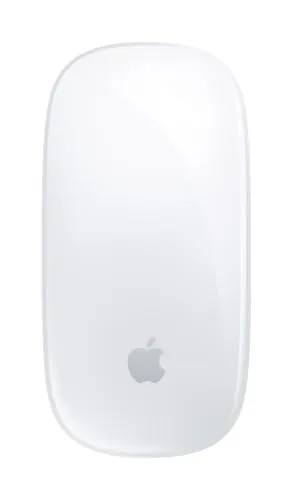
Apple Magic Mouse USB-C vs Logitech MX Master 4: Touch Surface or Dedicated Controls?
The white USB-C Apple Magic Mouse uses a Multi-Touch surface and is listed for Mac with macOS 15.1 or later. The graphite Logitech MX Master 4 adds a MagSpeed wheel, thumb wheel, gesture and back/forward buttons, plus Easy-Switch for up to three computers. Its Actions Ring and several custom controls require Logi Options+. Choose by the input layout and software setup you will actually use; these sources do not establish a tested comfort or productivity winner.
Read comparison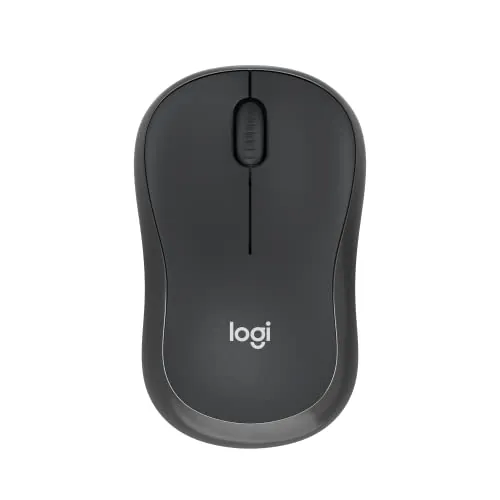

Logitech M240 Graphite vs MX Vertical Graphite: Handedness, Connection and Power
These are different desk setups, not a tested comfort comparison. Logitech describes the M240 Graphite as suitable for left- and right-handed use, with Bluetooth and a replaceable AA battery. MX Vertical Graphite is right-handed and supports Bluetooth, a Unifying receiver or a USB-C cable; Logitech also documents switching among up to three paired computers. Decide first who will use the mouse, then check the host connection you need and whether you prefer replacing an AA or recharging.
Read comparison