
Products compared
ASUS
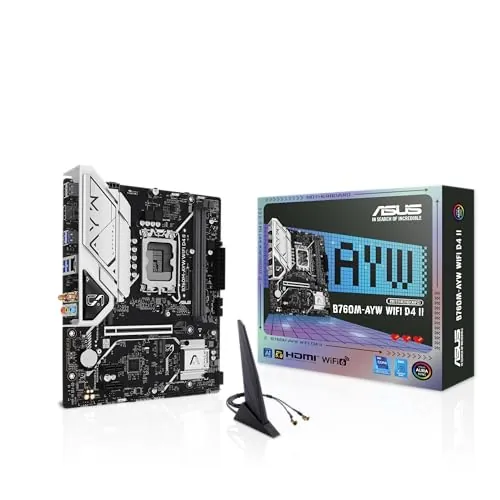
ASUS B760M-AYW WIFI D4 II
Black microATX Intel B760 motherboard with LGA1700 socket and DDR4 memory.
Model B760M-AYW WIFI D4 II
Amazon ASIN B0FP3MRTC1
ASUS
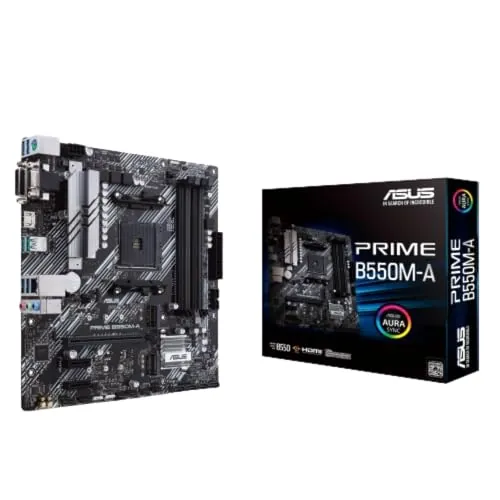
ASUS PRIME B550M-A WIFI II
Black microATX AMD B550/AM4 motherboard with DDR4 memory.
Model PRIME B550M-A WIFI II
Amazon ASIN B0B5M97W1T
Differences that matter
What matters most to you?
Choose a priority to see what it changes.
Sources for CPU platform and BIOS gate
Sources for DDR4 slots and listed maximum
Sources for M.2 and x16 link modes
Sources for Wired/wireless network, headers and case envelope
Start with your processor, not the chipset name
These boards are for different CPU sockets. ASUS lists the B760M-AYW WIFI D4 II for Intel LGA1700 processors including Core 12th, 13th and 14th Gen, Pentium Gold and Celeron. The PRIME B550M-A WIFI II is an AMD AM4 board for listed Ryzen 3000, 4000G, 5000 and 5000G desktop families. The exact support page matters: ASUS lists a validated BIOS revision for individual CPUs on the B550M board, and CPU support should be checked for the exact model before purchase.
Practical check: copy the complete processor SKU from your current PC or parts list, open the support page for the matching board, and check both the CPU entry and BIOS requirement. Socket names and broad family labels are not enough to confirm an already-built system will start with a specific unit's firmware.
Both use DDR4, but memory capacity and slots differ
ASUS lists two DDR4 DIMM sockets and up to 64 GB for B760M-AYW WIFI D4 II. PRIME B550M-A WIFI II has four DDR4 sockets and a listed 128 GB maximum. Both pages caution that memory rates and supported configurations vary with the CPU and memory configuration.
If you plan to reuse a kit, count its modules and check the exact part number in ASUS's memory support information. More sockets or a higher listed maximum do not guarantee a particular kit's speed or stability.
Map drives and add-in cards to the right CPU-dependent slots
The B760M page lists two M.2 2280 PCIe 4.0 x4 sockets, one PCIe 5.0 x16 slot and two PCIe 4.0 x1 slots for supported 12th-, 13th- and 14th-generation Core processors. The B550M page lists two M.2 sockets, four SATA ports and an x16 slot, but the stated generation changes by processor family: Ryzen 5000/3000 listings get PCIe 4.0 x4 for M.2_1 and PCIe 4.0 x16, while 5000G/4000G listings get PCIe 3.0 x4 and PCIe 3.0 x16. M.2_2 is listed as PCIe 3.0 x4/SATA.
Before ordering, make a parts map with the CPU family, each NVMe drive's form factor/interface, SATA devices and expansion cards. Check the exact manufacturer's slot table and manual for the installed combination. Published interface modes aren't a measured throughput comparison and don't prove every possible device combination.
Network, fan headers and physical fit
The spec pages list 2.5Gb Ethernet for B760M-AYW and 1Gb Ethernet for PRIME B550M-A. Both list dual-band Wi-Fi 6; the B760M page also cautions its Bluetooth version can vary by wireless module. Think about the wired port you need with your switch/router and count fan leads: B760M has one CPU-fan and two chassis-fan headers; B550M adds one CPU-optional-fan header alongside one CPU and two chassis headers.
Both are microATX, but ASUS lists different dimensions: 24.4 × 21.1 cm for B760M-AYW and 24.4 × 24.4 cm for PRIME B550M-A. Confirm the case supports the exact board width and that there is room for side cables and the planned GPU/cooler. Both pages list 24-pin main and 8-pin CPU power connectors; check the PSU cable set and case front-panel headers against the manual.
Product details
ASUS B760M-AYW WIFI D4 II
ASUS lists Wi-Fi 6 on 2.4/5 GHz and Bluetooth 5.3 on the model page; it notes that Bluetooth version can vary by Wi-Fi module. Its internal headers include one CPU-fan and two chassis-fan headers.
- CPU socket and stated families
- Intel LGA1700; ASUS lists Core 12th, 13th and 14th Gen, Pentium Gold and Celeron. Check the exact CPU support list. Source
- Memory
- 2 DDR4 DIMM slots; ASUS lists maximum 64 GB. Memory rate and module support depend on CPU and configuration. Source
- Storage and expansion
- Two M.2 2280 PCIe 4.0 x4 sockets, one PCIe 5.0 x16 slot and two PCIe 4.0 x1 slots, as listed for supported 12th/13th/14th Gen Core CPUs; four SATA ports. Source
- Network and power headers
- 2.5Gb Ethernet, dual-band Wi-Fi 6, and 24-pin main plus 8-pin CPU power connectors. Source
- Board envelope
- microATX, 24.4 × 21.1 cm (9.6 × 8.3 in). Source
ASUS PRIME B550M-A WIFI II
The B550 model page lists one CPU-fan, one CPU-optional-fan and two chassis-fan headers. ASUS's CPU support table gives a validated BIOS version per listed processor; confirm that gate rather than assuming every AM4 CPU works on the installed BIOS.
- CPU socket and stated families
- AMD AM4; ASUS lists Ryzen 5000, 5000G, 4000G and 3000 desktop processor families. Consult its model-specific CPU list for support and minimum BIOS. Source
- Memory
- 4 DDR4 DIMM slots; ASUS lists maximum 128 GB. Supported speed depends on the CPU and memory configuration. Source
- Storage and expansion
- Two M.2 sockets and four SATA ports. M.2_1 is PCIe 4.0 x4/SATA with listed Ryzen 5000/3000 families, PCIe 3.0 x4/SATA with 5000G/4000G; M.2_2 is PCIe 3.0 x4/SATA. The x16 slot is PCIe 4.0 with 5000/3000 and PCIe 3.0 with 5000G/4000G families. Source
- Network and power headers
- 1Gb Ethernet, 2x2 dual-band Wi-Fi 6 and 24-pin main plus 8-pin CPU power connectors. Source
- Board envelope
- mATX, 24.4 × 24.4 cm (9.6 × 9.6 in). Source
Before you buy
Community discussions
Checking a build around parts already ordered
ASUS B760M-AYW WIFI D4 II
A builder who picked the B760M-AYW WiFi D4 II asked about the rest of a planned system, including the processor, memory and case.
What to check
List the processor, memory type and case you plan to keep, then compare them with the exact motherboard’s support and form-factor information.
Planning cable access in a compact case
ASUS B760M-AYW WIFI D4 II
A builder considering the B760M-AYW WiFi D4 II discussed it as part of a compact build where component and cable placement matter.
What to check
Compare the board layout with the case drawing and plan where the power and front-panel cables will enter.
Reaching an M.2 slot after the graphics card goes in
ASUS PRIME B550M-A WIFI II
A Prime B550M-A WiFi II owner in Australia asked about reaching an M.2 slot with the graphics card installed.
What to check
Check the exact board diagram with your card position and size in mind. Decide whether to install the SSD before fitting the graphics card.
Common questions
Can I move one CPU between these boards?
No: the B760M-AYW WIFI D4 II uses Intel LGA1700, while PRIME B550M-A WIFI II is AMD AM4. Choose according to your exact processor, then check ASUS's CPU support list and any required BIOS version.B760M-AYW WIFI D4 II — Tech SpecsB760M-AYW WIFI D4 II — CPU SupportPRIME B550M-A WIFI II — Tech SpecsPRIME B550M-A WIFI II — CPU Support
Do both boards support DDR4?
Yes. ASUS lists DDR4 on both, but the B760M-AYW has two DIMM slots and a 64 GB maximum; PRIME B550M-A has four slots and a 128 GB maximum. Confirm the exact kit with ASUS's memory support information.B760M-AYW WIFI D4 II — Tech SpecsPRIME B550M-A WIFI II — Tech Specs
Are the two M.2 sockets equivalent on the B550M board?
No. ASUS lists M.2_2 as PCIe 3.0 x4/SATA. M.2_1 is PCIe 4.0 x4/SATA with listed Ryzen 5000/3000 desktop CPUs and PCIe 3.0 x4/SATA with listed 5000G/4000G families. Check the exact CPU and drive against ASUS's specification and manual.PRIME B550M-A WIFI II — Tech Specs
Is microATX the same size on both?
No. ASUS lists both as microATX, but gives 24.4 × 21.1 cm for B760M-AYW and 24.4 × 24.4 cm for PRIME B550M-A. Check the exact case's board support and clearance before ordering.B760M-AYW WIFI D4 II — Tech SpecsPRIME B550M-A WIFI II — Tech Specs
Sources and scope
The choice depends on the exact CPU and installed parts. ASUS's B550 support list specifies minimum BIOS revisions for individual CPUs, and the board's M.2_1 and x16 link generations depend on CPU family. Published specifications do not establish real-world throughput, component compatibility for every third-party part, or a universally better platform. Check the precise board name and BIOS revision on the unit you receive.
Related comparisons
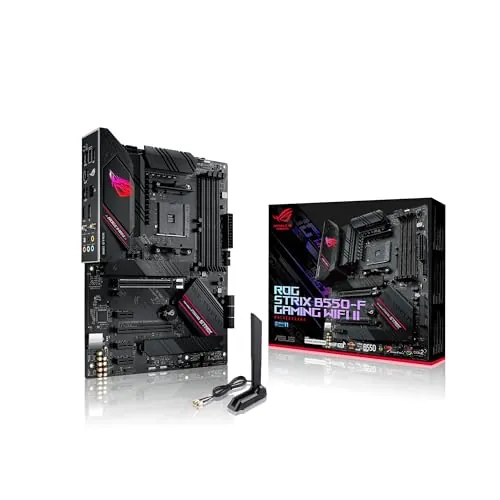
ASUS ROG Strix B550-F Gaming WiFi II vs Prime B550M-A WiFi II
Both are AM4 B550 Wi-Fi motherboards, but the ROG Strix is a full ATX board with more listed SATA ports, a 2.5Gb Ethernet port, Wi-Fi 6E, and a rear USB-C port. The Prime is a square microATX board with fewer listed SATA and rear USB ports. The practical choice depends on your case, installed cards and drives, and whether your network and peripherals can use the ROG's extra interfaces.
Read comparison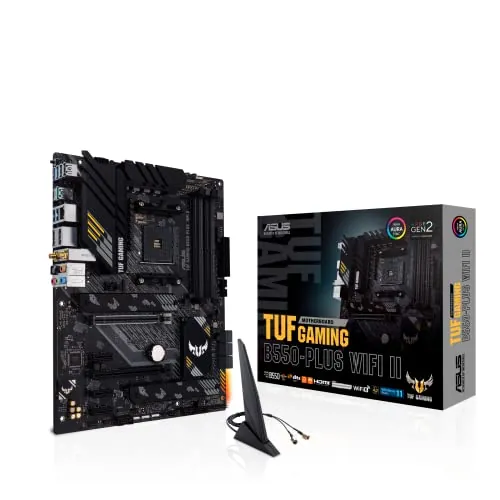
ASUS TUF B550-PLUS WIFI II vs PRIME B550M-A WIFI II: Case, Slots and I/O
The TUF B550-PLUS WIFI II is the full-size ATX choice with an extra expansion layout, two more SATA ports, rear USB-C and 2.5Gb Ethernet. The PRIME B550M-A WIFI II uses a smaller microATX outline and adds D-Sub and DVI-D display outputs. Check the exact case, card plan and CPU/BIOS list before choosing; these are manufacturer specifications, not test results.
Read comparison