
Products compared
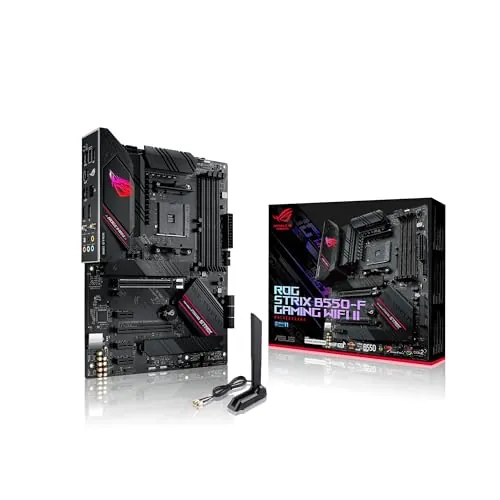
ASUS ROG
ASUS ROG Strix B550-F Gaming WiFi II
The U.S. model is an AM4 ATX motherboard with onboard Wi-Fi.
Model ROG STRIX B550-F GAMING WIFI II
Amazon ASIN B09GP7P1XS
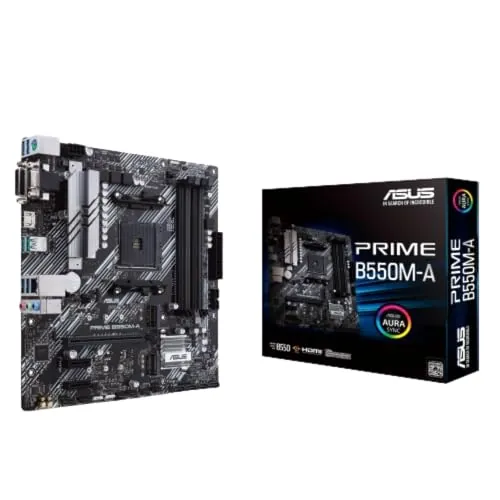
ASUS
ASUS Prime B550M-A WiFi II
The U.S. model is an AM4 microATX motherboard with onboard Wi-Fi.
Model PRIME B550M-A WIFI II
Amazon ASIN B0B5M97W1T
Differences that matter
What matters most to you?
Choose a priority to see what it changes.
Sources for Case fit and board footprint
Sources for Expansion-card layout
Sources for M.2 and SATA drive plan
Sources for Rear connectivity
Plan the case and cards first
The ROG measures 30.5 × 24.4 cm in ATX format; the Prime measures 24.4 × 24.4 cm in microATX format. Match those dimensions to the case manual and leave room for the graphics card and any other cards. Board size alone does not establish whether a wide card will block a slot.
Then map expansion cards by connector. The ROG manual explicitly says the second x16-length slot shares bandwidth with three x1 slots: when that second slot runs at x4, the x1 slots are disabled; using one of those x1 connectors changes the second slot to x1 mode. The Prime lists one x16 slot and two x1 slots, but the listed configuration is not proof every card combination is compatible.
Make a drive map before using the second M.2 slot
Both boards list two M.2 slots. The ROG lists six SATA ports, but its manual and spec page say installing a drive in M.2_2 turns off SATA6G_5 and SATA6G_6. If your plan includes a second M.2 drive, count only four remaining SATA ports on that ROG configuration.
The Prime lists four SATA ports. Its M.2_1 mode varies with the processor family: ASUS lists PCIe 4.0 x4 for Ryzen 5000/3000 desktop CPUs and PCIe 3.0 x4 for Ryzen 5000G/4000G. Verify the exact CPU for both the CPU support list and the expected interface mode.
Check whether the extra ports match your setup
The ROG lists 2.5Gb Ethernet, Wi-Fi 6E and one rear USB Type-C port; the Prime lists 1Gb Ethernet, Wi-Fi 6 and six rear USB Type-A ports. These are interface differences, not proof of real-world speed. Count the devices you intend to connect and check your router or access point before treating the ROG's network options as useful.
ASUS notes for the ROG that 6GHz Wi-Fi availability can vary by country and requires Windows 11 or later. Also check whether your case's front USB cables match the internal headers on the selected board; the rear-port count does not determine front-panel support by itself.
Product details
ASUS ROG Strix B550-F Gaming WiFi II
The ROG board is the larger ATX option and lists six SATA ports, 2.5Gb Ethernet, Wi-Fi 6E and a rear USB-C port. Its exact M.2_2 and PCIe slot-sharing notes matter if you plan several drives or add-in cards.
ASUS Prime B550M-A WiFi II
The Prime is a square microATX board with four listed SATA ports, 1Gb Ethernet, Wi-Fi 6 and six rear USB-A ports. Its smaller board size is useful only if the chosen case and build layout actually benefit from microATX.
Before you buy
Community discussions
Keeping an existing AM4 processor and DDR4 memory
ASUS ROG Strix B550-F Gaming WiFi II
A builder staying on AM4 considered the ROG Strix B550-F Gaming WiFi II and wanted to keep their Ryzen 9 5900XT and DDR4 memory.
What to check
Check the exact processor, memory and firmware support for each board. Make sure the board size fits the case you plan to keep.
Counting storage and USB connections before a B550 upgrade
ASUS ROG Strix B550-F Gaming WiFi II
A builder considering the ROG Strix B550-F Gaming WiFi II needed two M.2 drives, four SATA devices, Wi-Fi and multiple USB connections.
What to check
Write down the storage drives and front/rear USB devices you will connect. Check both board manuals for M.2/SATA sharing, headers, rear ports and network needs before selecting a layout.
Common questions
Does the ROG keep all six SATA ports when I install a second M.2 drive?
No. ASUS says populating the ROG's M.2_2 slot disables SATA6G_5 and SATA6G_6. Count the remaining four SATA ports in that layout.ROG STRIX B550-F GAMING WIFI II - Tech SpecsROG STRIX B550-F GAMING WIFI II User Manual, E18592
Will a Ryzen CPU or a graphics card fit either motherboard?
The board pages list supported CPU families, but the exact CPU and BIOS support list must be checked. Physical graphics-card fit depends on the case, card dimensions and which neighboring slots the card covers; those parts are not specified here.ROG STRIX B550-F GAMING WIFI II - Tech SpecsPRIME B550M-A WIFI II - Tech Specs
Is Wi-Fi 6E a reason by itself to pick the ROG?
Only if your region, operating system and Wi-Fi equipment support the 6GHz band and you want that connection option. ASUS says the ROG's 6GHz availability varies by regulation and requires Windows 11 or later; the Prime lists Wi-Fi 6 on 2.4GHz and 5GHz.ROG STRIX B550-F GAMING WIFI II - Tech SpecsPRIME B550M-A WIFI II - Tech Specs
Sources and scope
This is a source-based feature and build-fit comparison, not a test of board performance, stability, thermals, Wi-Fi throughput or long-term reliability. The case, CPU, graphics card, installed expansion cards, drive count, network gear and front-panel connectors are unspecified. Verify those exact parts and the current CPU support list before purchase. ASUS's Prime documentation in this review does not resolve every possible slot-sharing combination; do not infer that unlisted sharing cannot occur.
Related comparisons
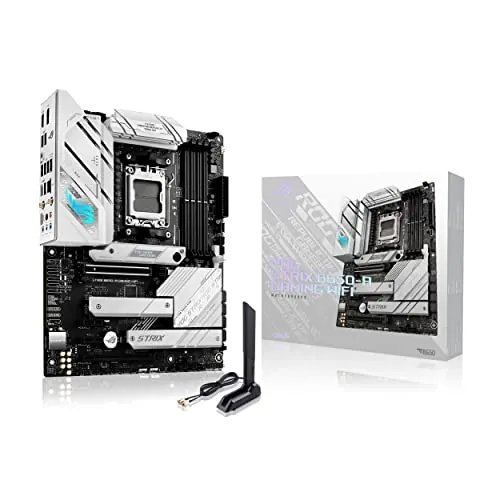
ASUS ROG Strix B650-A vs B550-F WiFi II: CPU, RAM, and Slot Fit
The ROG Strix B650-A Gaming WiFi is an AM5, DDR5 board for listed Ryzen 9000, 8000, and 7000 desktop processor families. The ROG Strix B550-F Gaming WiFi II is AM4 with DDR4 for listed Ryzen 5000/3000 and 5000/4000 G-series families. Their storage layouts also differ: three M.2 plus four SATA on B650-A, versus two M.2 plus six SATA on B550-F WiFi II, with model-specific shared-slot rules. Check the exact CPU/BIOS, RAM kit, drives, and PCIe cards before ordering.
Read comparison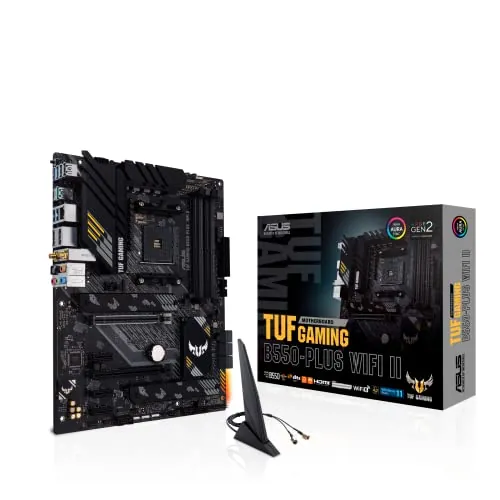
ASUS TUF B550-PLUS WiFi II vs ROG Strix B550-F WiFi II: 6 GHz and Slot Planning
Both are ATX AM4/DDR4 B550 boards with two M.2 slots and similar front USB headers. The ROG model adds a documented 6 GHz Wi-Fi 6E option; the manuals also make clear that both boards need careful planning if you combine the lower x16 slot with PCIe x1 cards. Check your exact CPU's minimum BIOS and case before choosing.
Read comparison