
Products compared
ASUS
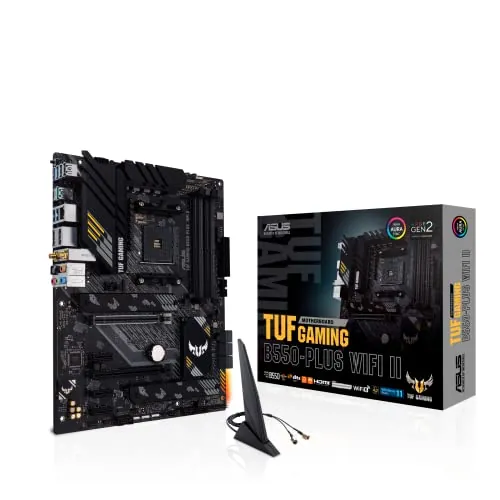
ASUS TUF Gaming B550-PLUS WiFi II
US WiFi II ATX motherboard; AM4 socket and DDR4 memory.
Model TUF GAMING B550-PLUS WIFI II
Amazon ASIN B09K4QMPL9
ASUS
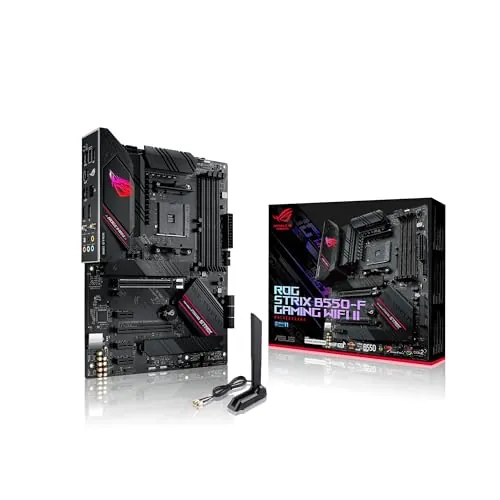
ASUS ROG Strix B550-F Gaming WiFi II
US WiFi II ATX motherboard; AM4 socket and DDR4 memory.
Model ROG STRIX B550-F GAMING WIFI II
Amazon ASIN B09GP7P1XS
Differences that matter
What matters most to you?
Choose a priority to see what it changes.
Sources for Wi-Fi bands and 6 GHz conditions
Sources for Lower PCIe slot and x1 card sharing
Sources for Second M.2 drive and SATA ports
Sources for Case and front USB fit
Sources for CPU and BIOS support check
The decision starts with 6 GHz
The ROG board lists Wi-Fi 6E and the 6 GHz band; ASUS says 6 GHz regulatory availability varies by country and the function is ready in Windows 11 or later. Make sure your router/network also offers a usable 6 GHz path before paying for that distinction. If your setup only uses 2.4/5 GHz, this comparison does not establish a wireless speed or range difference.
The TUF's US page lists 2x2 Wi-Fi 6 on 2.4/5 GHz. Both product pages list Bluetooth 5.2 and 2.5 Gb Ethernet. The remaining buyer checks are the exact CPU/BIOS, your storage and expansion map, and physical case fit.
Map the add-in cards before choosing
Both boards list a primary CPU-connected x16 slot plus a lower chipset x16-shaped slot and three x1 slots. The lower slot is governed by sharing rules, so don't count the long connector as an always-available x4 connection. TUF's spec says PCIEX16_2 drops to x1 if any PCIe 3.0 x1 slot is occupied. ROG's manual states the full table: PCIEX16_2 runs x4 with the three x1 slots disabled; occupy any of those x1 slots and PCIEX16_2 runs x1.
Practical check: write each card's target slot next to the manual diagram, including a capture card, add-in network card, controller or storage card. If your plan needs x4 at PCIEX16_2 and an x1 card at the same time, neither product's documented arrangement meets that requirement as written. Also check physical thickness and blocked neighboring slots in your case; this comparison does not measure component clearance.
Treat the footprint and storage conflict as shared checks
These are both ATX boards listed at 30.5 × 24.4 cm, with two M.2 slots, six SATA ports and the same published front USB header capacity. Check the case against an ATX board and match the front USB 3.2 Gen 1 and USB 2.0 header count to the case's plugs.
On either board, populating M.2_2 disables SATA6G_5 and SATA6G_6. Make a connector map before buying drives: choose which M.2 socket each module will use, then assign SATA devices to the ports that remain enabled. A listed ATX size does not confirm GPU, cooler or cable clearance in an individual case.
Verify the exact CPU and BIOS pairing
Both model families use AM4, but ASUS's exact-board CPU support tables show individual processors and the BIOS version from which each was validated. Search your processor's full name under the selected WiFi II board and record the minimum BIOS shown. If the current board BIOS is unknown, ask the seller or use ASUS's documented update method rather than treating an AM4 label as a complete compatibility check.
The choice is then straightforward: pick ROG for a supported 6 GHz requirement; pick TUF when 2.4/5 GHz is sufficient and the rest of your build checks pass. If your card map, case or CPU/BIOS check remains unresolved, pause before ordering either one.
Product details
ASUS TUF Gaming B550-PLUS WiFi II
- Wireless
- 2x2 Wi-Fi 6 on 2.4 and 5 GHz; Bluetooth 5.2 listed. Source
- Expansion layout
- One CPU-connected x16 slot (PCIe 4.0 with Ryzen 5000/3000, PCIe 3.0 with Ryzen 5000G/4000G), one chipset PCIe 3.0 x16 slot operating at x4 or x1 under the listed sharing condition, and three PCIe 3.0 x1 slots. Source
- Storage and case format
- Two M.2 slots and six SATA ports; populating M.2_2 disables SATA6G_5 and SATA6G_6. ATX, 30.5 × 24.4 cm. Source
ASUS ROG Strix B550-F Gaming WiFi II
- Wireless
- 2x2 Wi-Fi 6E on 2.4, 5 and 6 GHz; ASUS says 6 GHz regulation varies by country and the function is ready in Windows 11 or later. Source
- Expansion layout
- One CPU-connected PCIe 4.0 x16 slot and one chipset PCIe 3.0 x16 slot operating at x4 or x1; the lower slot shares bandwidth with three PCIe 3.0 x1 slots. Source
- Storage and case format
- Two M.2 slots and six SATA ports; populating M.2_2 disables SATA6G_5 and SATA6G_6. ATX, 30.5 × 24.4 cm. Source
Before you buy
Community discussions
Map expansion cards and drives together
ASUS TUF Gaming B550-PLUS WiFi II
A TUF B550-PLUS WIFI II owner asked how using both lower PCIe x1 slots would affect the rest of the build.
What to check
Mark the slot each card would use and check the board manual for any connections that share resources.
Common questions
Is the ROG a drop-in upgrade for every AM4 Ryzen CPU?
Both product specifications list AM4 and overlapping Ryzen families, but each ASUS support page provides an exact CPU table and minimum BIOS for each processor. Check the exact CPU model and selected WiFi II board rather than assuming socket fit alone guarantees boot support.TUF GAMING B550-PLUS WIFI II CPU SupportROG STRIX B550-F GAMING WIFI II CPU Support
Will the ROG's 6 GHz Wi-Fi work with any router?
Do not assume so. ASUS lists 6 GHz for this Wi-Fi 6E model and notes that availability varies by country and that the function is ready in Windows 11 or later. Check that your actual network provides 6 GHz and that local rules permit it.ROG STRIX B550-F GAMING WIFI II Tech Specs
Can I use an x1 card and run the lower ROG x16 slot at x4?
ASUS's WiFi II manual says no: when PCIEX16_2 runs x4, PCIEX1_1, PCIEX1_2 and PCIEX1_3 are disabled. When any of those x1 slots is occupied, PCIEX16_2 runs at x1. Check the manual's slot diagram against your actual card layout.ROG STRIX B550-F GAMING WIFI II User's Manual
Do the second M.2 slots disable SATA drives?
Yes. ASUS lists SATA6G_5 and SATA6G_6 as disabled when M.2_2 is populated on each model. Plan the SSD and SATA connections together before assembly.TUF GAMING B550-PLUS WIFI II Tech SpecsROG STRIX B550-F GAMING WIFI II Tech Specs
Sources and scope
This is a specification and build-planning comparison, not a network, gaming, audio or platform performance test. Features and CPU support can change; confirm the exact retail board name, the CPU support list and current BIOS requirement before purchase. 6 GHz availability depends on operating-system, router and local-regulatory conditions.
Related comparisons
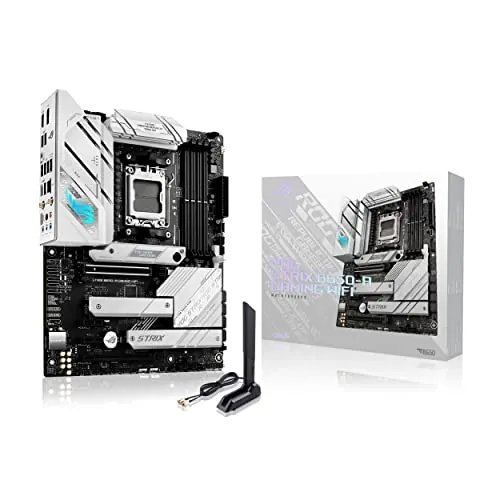
ASUS ROG Strix B650-A vs B550-F WiFi II: CPU, RAM, and Slot Fit
The ROG Strix B650-A Gaming WiFi is an AM5, DDR5 board for listed Ryzen 9000, 8000, and 7000 desktop processor families. The ROG Strix B550-F Gaming WiFi II is AM4 with DDR4 for listed Ryzen 5000/3000 and 5000/4000 G-series families. Their storage layouts also differ: three M.2 plus four SATA on B650-A, versus two M.2 plus six SATA on B550-F WiFi II, with model-specific shared-slot rules. Check the exact CPU/BIOS, RAM kit, drives, and PCIe cards before ordering.
Read comparison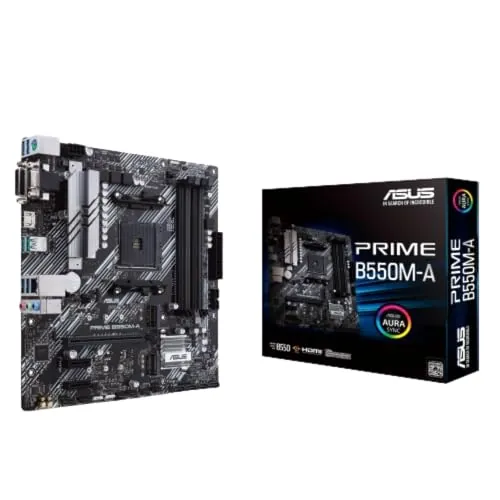
ASUS ROG Strix B550-F Gaming WiFi II vs Prime B550M-A WiFi II
Both are AM4 B550 Wi-Fi motherboards, but the ROG Strix is a full ATX board with more listed SATA ports, a 2.5Gb Ethernet port, Wi-Fi 6E, and a rear USB-C port. The Prime is a square microATX board with fewer listed SATA and rear USB ports. The practical choice depends on your case, installed cards and drives, and whether your network and peripherals can use the ROG's extra interfaces.
Read comparison