
Products compared
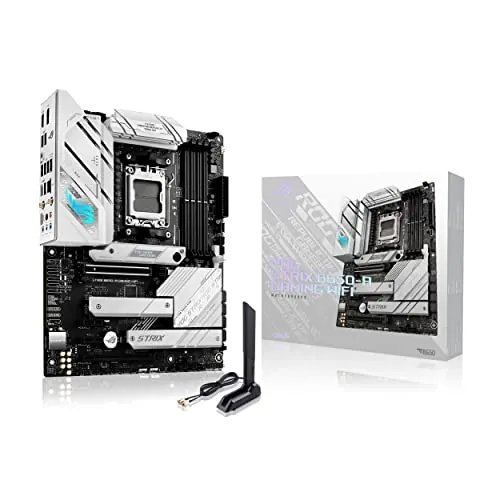
ASUS
ASUS ROG Strix B650-A Gaming WiFi
U.S. ATX AM5 motherboard; verify exact processor support and BIOS requirements on ASUS's board-specific CPU list.
Model ROG STRIX B650-A GAMING WIFI
Amazon ASIN B0BHMW8R6S
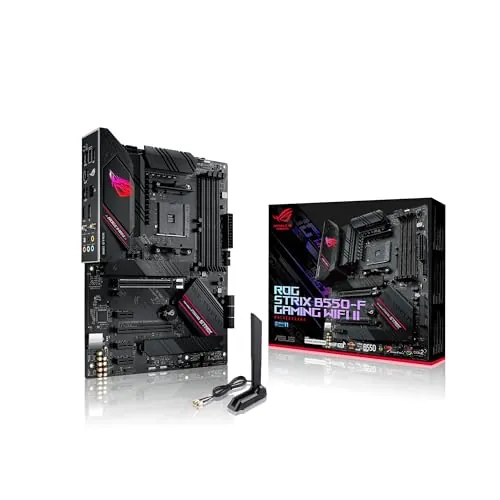
ASUS
ASUS ROG Strix B550-F Gaming WiFi II
U.S. ATX AM4 motherboard; verify the exact processor and required BIOS version on ASUS's board-specific CPU list.
Model ROG STRIX B550-F GAMING WIFI II
Amazon ASIN B09GP7P1XS
Differences that matter
What matters most to you?
Choose a priority to see what it changes.
Sources for CPU socket and listed processor families
Sources for Memory generation and re-use
Sources for M.2 and SATA inventory
Sources for M.2, SATA, and PCIe slot interactions
Start with the parts you plan to keep
This is primarily a platform and connector-layout choice. The B650-A is the AM5/DDR5 path for ASUS-listed Ryzen 9000, 8000, and 7000 desktop families; the B550-F WiFi II is the AM4/DDR4 path for its listed Ryzen families. If reusing a CPU, check the exact board support list and minimum BIOS version. If reusing memory, verify its generation and exact kit against the target board’s list or QVL.
A family label is not a full compatibility check. CPU support can vary by exact model and BIOS, and ASUS says memory support depends on CPU and DIMM configuration. No user-specific components were provided, so this page gives a verification workflow rather than a build-compatibility promise.
Map storage and add-in cards before ordering
Count M.2 and SATA drives separately. ASUS lists three M.2 slots and four SATA ports on the B650-A, and two M.2 slots and six SATA ports on the B550-F WiFi II. Then apply the board-specific interactions: B650-A M.2_3 cannot operate with PCIEx16_2; B550-F WiFi II M.2_2 disables SATA6G_5/6, and its chipset PCIe x16 slot shares bandwidth with the three x1 slots.
A useful pre-buy worksheet is: (1) write down the exact drive type and planned socket/port; (2) list every add-in card and target slot; (3) mark any sharing or disable rule in the matching manual; and (4) check the exact CPU-specific lane details before finalizing the layout. This will expose a connector conflict early, but does not guarantee that a specific card or drive fits your case or build.
Choose by upgrade plan, not a generic board ranking
For a new build already planned around an AM5 CPU and DDR5, the B650-A is the matching platform if its storage and expansion layout fits. For a build retaining a specific supported AM4 CPU and DDR4 memory, the B550-F WiFi II is the matching platform if its available connections fit. These are feature-fit choices, not claims that one board is faster or more reliable.
If your parts list requires the B650-A M.2_3 and PCIEx16_2 at the same time, or needs B550-F SATA6G_5/6 while M.2_2 is occupied, revise the layout or compare another exact model. Verify the manual and CPU support information for the board revision you will actually buy.
Product details
ASUS ROG Strix B650-A Gaming WiFi
- CPU platform
- AM5; ASUS lists Ryzen 9000, 8000, and 7000 desktop processor families. Exact CPU support and required BIOS version must be checked on the model-specific list. Source
- Memory
- DDR5. ASUS says supported memory type, data rate, and module count vary with CPU and configuration; check the memory support list for the exact kit. Source
- Storage
- Three M.2 slots and four SATA 6 Gb/s ports. M.2 slot details vary by CPU family. Source
- Documented shared slot
- M.2_3 shares bandwidth with PCIEx16_2; when either slot is operating, the other is disabled, per ASUS's manual and spec page. Source
ASUS ROG Strix B550-F Gaming WiFi II
- CPU platform
- AM4; ASUS lists Ryzen 5000 and 3000 plus Ryzen 5000 and 4000 G-series desktop processor families. Check the exact CPU and BIOS entry before buying. Source
- Memory
- DDR4. ASUS directs buyers to its memory QVL; supported configurations vary with the CPU and DIMM setup. Source
- Storage
- Two M.2 slots and six SATA 6 Gb/s ports. When M.2_2 is populated, SATA6G_5 and SATA6G_6 are disabled. Source
- Documented shared slots
- The chipset PCIe x16 slot shares bandwidth with the three PCIe x1 slots; populating M.2_2 disables SATA6G_5/6. Source
Before you buy
Community discussions
A builder wants to keep a Ryzen 9 and DDR4
ASUS ROG Strix B550-F Gaming WiFi II
A builder with a Ryzen 9 5900XT and DDR4 puts the ROG Strix B550-F Gaming WiFi II on their shortlist while planning to stay on AM4.
What to check
List the processor and memory you would keep. Check which platform supports them before comparing ports and storage slots.
An AM4 buyer counts the ports and drives they need
ASUS ROG Strix B550-F Gaming WiFi II
A buyer considering the B550-F Gaming WiFi II wants to reuse DDR4 and lists two M.2 drives, SATA devices and several USB connections as their requirements.
What to check
List every storage device and USB connection you plan to use together. Check the board manual for shared connections before choosing.
Common questions
Can I move DDR4 memory from the B550-F WiFi II to the B650-A?
No. ASUS specifies DDR4 for the B550-F WiFi II and DDR5 for the B650-A. If changing boards, select memory for the target board and check its current ASUS memory support list/QVL with the exact CPU and DIMM configuration.ROG STRIX B650-A GAMING WIFI — U.S. Tech SpecsROG STRIX B550-F GAMING WIFI II User Manual
What must I check before reusing my CPU?
Confirm its exact model on ASUS's CPU support list for the exact board and check the required BIOS revision. The listed processor families do not guarantee support for every CPU within a family or every board BIOS version.ROG STRIX B650-A GAMING WIFI — U.S. Tech SpecsROG STRIX B550-F GAMING WIFI II — U.S. Tech Specs
What happens if I install a drive in B550-F WiFi II's M.2_2 slot?
ASUS says SATA6G_5 and SATA6G_6 are disabled when M.2_2 is populated. Plan those SATA drives for other available ports, or revise the storage layout.ROG STRIX B550-F GAMING WIFI II — U.S. Tech SpecsROG STRIX B550-F GAMING WIFI II User Manual
Can the B650-A use M.2_3 and PCIEx16_2 at once?
No. ASUS's manual says the two share bandwidth and the M.2_3 drive is disabled when PCIEx16_2 is operating; ASUS's current spec page expresses the same mutual-exclusion rule from the other direction. Check the manual for your exact installation plan.ROG STRIX B650-A GAMING WIFI — U.S. Tech SpecsROG STRIX B650-A GAMING WIFI User Manual
Sources and scope
This guide compares ASUS-published platform and connection details; it does not verify a specific build because no CPU, BIOS version, memory kit, drive list, graphics card, or expansion card was supplied. CPU support can depend on the exact processor and BIOS, and memory support depends on the CPU and DIMM configuration. No system was assembled or benchmarked, and no performance winner or current price is claimed.
Related comparisons
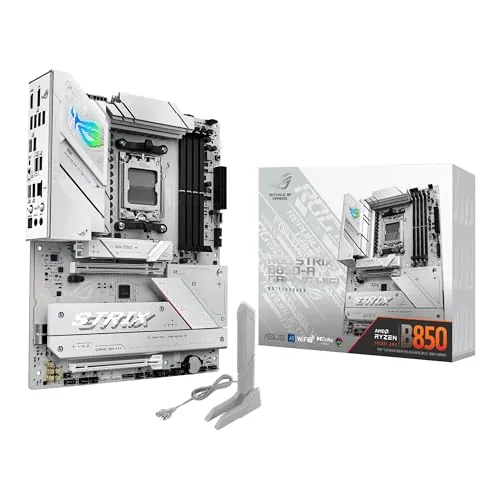
ASUS ROG Strix B650-A vs B850-A: Map Your CPU, Drives and Rear I/O
Both are AM5 ATX boards listed for Ryzen 7000, 8000 and 9000 desktop processors, but their practical layouts differ. The B650-A lists 3 M.2 and 4 SATA ports; the B850-A lists 4 M.2 and 2 SATA ports. CPU family changes the primary M.2 and graphics-slot modes, while both boards document shared bandwidth between M.2_3 and a chipset x16 slot. The B650-A manual and its repeated spec footnote disagree about which connection is disabled, so verify that condition before finalizing the card map. Compare the exact CPU, drive and card plan, memory kit, USB plug types and audio connections before choosing.
Read comparison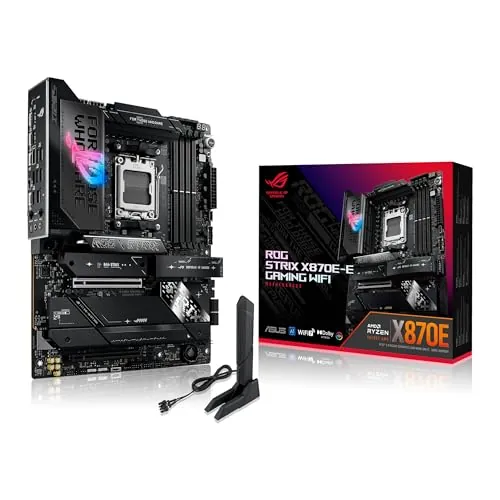
ROG Strix B650-A vs X870E-E: M.2 Lanes, USB4, and RAM Limits
Both are AM5 ROG Strix boards for Ryzen 7000, 8000, and 9000 series, but their lane maps are not interchangeable. B650-A offers three M.2 sockets and a chipset M.2_3 that shares bandwidth with its secondary chipset x4 slot; X870E-E offers five sockets, but Ryzen 8000 disables M.2_2/_3 and Ryzen 7000/9000 drops the primary graphics slot to x8 when either is populated. Choose after mapping your exact CPU, drives, add-in cards, and case USB headers.
Read comparison