
Products compared
ASUS
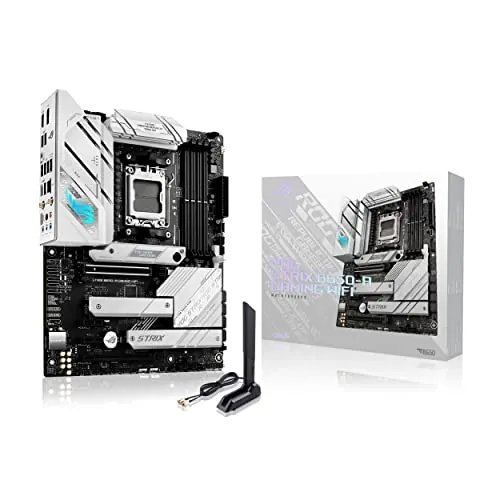
ASUS ROG Strix B650-A Gaming WiFi
AM5 ATX motherboard with B650 chipset, Wi-Fi 6E listing, three M.2 positions, four SATA ports and a 9-port rear USB layout.
Model ROG STRIX B650-A GAMING WIFI
Amazon ASIN B0BHMW8R6S
ASUS
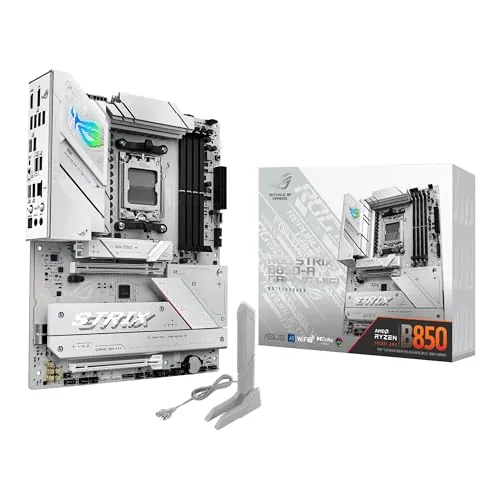
ASUS ROG Strix B850-A Gaming WiFi
AM5 ATX motherboard with B850 chipset, Wi-Fi 7 listing, four M.2 positions, two SATA ports and a 10-port rear USB layout.
Model ROG STRIX B850-A GAMING WIFI
Amazon ASIN B0DPLP33YR
Differences that matter
What matters most to you?
Choose a priority to see what it changes.
Sources for CPU socket and memory planning
Sources for Graphics slot modes depend on CPU family
Sources for M.2, SATA and shared-slot map
Sources for Rear USB and audio connections
Sources for Wireless setup and operating system
Start with the parts you already chose
These are both AM5 ATX boards and ASUS lists Ryzen 7000, 8000 and 9000 desktop processor families for each. Start with the exact CPU model, not just 'AM5': the CPU family changes the listed M.2 and primary PCIe slot modes. Then check ASUS's current CPU support and BIOS requirements for that processor.
Next, gather the exact DDR5 kit part number, number of DIMMs, graphics card, NVMe drives, SATA devices and expansion cards. The published memory rates are OC ceilings and ASUS says support varies with the CPU and memory configuration. This comparison does not treat a board's top-line rate as a guaranteed kit speed.
Draw the slot map before selecting a board
The clearest storage trade is B650-A's three M.2 slots plus four SATA ports versus B850-A's four M.2 positions plus two SATA ports. The primary M.2 slot is listed for PCIe 5.0 x4 with Ryzen 7000/9000 and PCIe 4.0 x4 with Ryzen 8000 on both boards. M.2_2 is Gen 4 x4 for 7000/9000 and Gen 4 x4/x2 for 8000.
Both boards document bandwidth sharing between the chipset-connected x16 slot and M.2_3. The B850-A spec says M.2_3 is disabled while that slot operates. The B650-A manual says the same, but its repeated spec footnote says that an operating M.2_3 disables the x16 slot; check ASUS support material before counting both connections. B850-A's separately listed M.2_4 is chipset-connected Gen 4 x4, with no separate CPU-family condition stated on the specification page.
For graphics expansion, ASUS lists the B650-A CPU slot as Gen 4 x16 for Ryzen 7000/9000 and x8 or x4 for 8000. B850-A lists Gen 5 x16 for Ryzen 7000/9000 and Gen 4 x8 or x4 for Ryzen 8000. These are interface modes, not proof of a real-world GPU performance lead.
Match the rear panel to your desk
The B650-A lists nine rear USB ports, including four 10Gbps ports and four USB 2.0 Type-A ports, plus five audio jacks. B850-A lists ten rear USB ports with a different spread—one 20Gbps Type-C, three 10Gbps ports, four 5Gbps Type-A and two USB 2.0 Type-A—plus two analog audio jacks and optical S/PDIF.
Count the devices that will stay connected and write down their connector type and required link speed. If your receiver uses optical, B850-A explicitly lists that output. If your setup relies on several rear analog jacks or more 10Gbps ports, B650-A's listed layout may fit more directly. Confirm whether your case's front Type-C connection and USB header needs match the board's internal connectors too.
Treat wireless and memory figures as setup checks
B850-A's page specifies Wi-Fi 7, but says full Wi-Fi 7 features require Windows 11 24H2 or later; Windows 11 21H2, 22H2 and 23H2 support Wi-Fi 6E only, and ASUS lists no Windows 10 Wi-Fi driver. Its 6GHz band is subject to local regulation. The B650-A page labels Wi-Fi 6E and notes 6GHz regulatory variation, but its same-page frequency-band line lists only 2.4/5GHz. Verify the exact driver and regional band behavior if this is a deciding feature.
There is also a memory specification conflict worth avoiding: B650-A's U.S. page shows a current 192GB / DDR5 7600+ OC block and repeats an older 128GB / DDR5 6400+ OC block. Since ASUS says memory support depends on CPU and DIMM configuration, do not use a maximum-capacity or speed headline alone to choose. Check the current board support list for the exact kit and CPU.
Product details
ASUS ROG Strix B650-A Gaming WiFi
- Socket and listed CPU families
- AM5; ASUS lists Ryzen 9000, 8000 and 7000 desktop processors. Check the exact CPU support list. Source
- Memory
- Four DDR5 DIMM slots, dual-channel, EXPO support. ASUS lists up to 7600+ MT/s (OC); supported speed and DIMM count depend on CPU and memory configuration. Source
- Storage and expansion
- Three M.2 slots and four SATA 6Gb/s ports; M.2_3 shares bandwidth with the chipset PCIe 4.0 x16 slot. Source
- Rear USB and audio
- Nine rear USB ports: one 20Gbps Type-C, four USB 3.2 Gen 2 (three Type-A and one Type-C), and four USB 2.0 Type-A; five audio jacks. Source
ASUS ROG Strix B850-A Gaming WiFi
- Socket and listed CPU families
- AM5; ASUS lists Ryzen 9000, 8000 and 7000 desktop processors. Check the exact CPU support list. Source
- Memory
- Four DDR5 DIMM slots, dual-channel, EXPO and AEMP support. ASUS lists up to 8000+ MT/s (OC); supported speed depends on the CPU and memory configuration. Source
- Storage and expansion
- Four M.2 slots and two SATA 6Gb/s ports; M.2_3 shares bandwidth with the chipset PCIe 4.0 x16 slot, while M.2_4 is listed as chipset PCIe 4.0 x4. Source
- Rear USB and audio
- Ten rear USB ports, including one 20Gbps Type-C and three 10Gbps ports (two Type-A and one Type-C); two audio jacks and optical S/PDIF out. Source
Before you buy
Community discussions
A first-time builder checks a specific memory kit while choosing a B650 board
ASUS ROG Strix B650-A Gaming WiFi
A builder considering the B650-A for a 7800X3D and 7900 XT also asked whether their DDR5 kit appeared on the support list for another board. The thread does not establish compatibility for either model.
What to check
Check the exact memory kit against the support list for each board you are considering, then compare the documented memory limits for your CPU and DIMM configuration.
Common questions
Do both motherboards use AM5 and support the same Ryzen generations?
ASUS's U.S. pages list AM5 and Ryzen 9000, 8000 and 7000 desktop processor families for both models. That does not confirm every CPU/BIOS combination; check the exact processor on the model's current CPU support list before buying.ROG Strix B650-A Gaming WiFi — U.S. Tech SpecsROG Strix B850-A Gaming WiFi — U.S. Tech Specs
Does the B850-A always provide a faster graphics connection?
No such result follows from the slot label alone. ASUS lists PCIe 5.0 x16 for Ryzen 9000/7000 on B850-A, while the B650-A lists PCIe 4.0 x16 for those CPU families. With Ryzen 8000, the listed modes differ and narrow to x8 or x4. A tested speed difference depends on the exact CPU, card and workload; this guide has no matched benchmark.ROG Strix B650-A Gaming WiFi — U.S. Tech SpecsROG Strix B850-A Gaming WiFi — U.S. Tech Specs
Can I populate every M.2 slot and the chipset expansion slot at once?
Both boards document sharing between M.2_3 and the chipset x16 slot. B850-A specs say M.2_3 is disabled while that slot operates; the B650-A manual says likewise, while its repeated specification footnote says the opposite. Verify this B650-A conflict with ASUS before assembly. B850-A additionally lists M.2_4 under the chipset.ROG Strix B650-A Gaming WiFi — U.S. Tech SpecsROG Strix B850-A Gaming WiFi — U.S. Tech SpecsROG Strix B650-A Gaming WiFi — User Manual
Which board has more rear USB ports?
The B650-A lists nine rear USB ports; B850-A lists ten. Their mix differs: B650-A has four 10Gbps ports and four USB 2.0 ports, while B850-A has three 10Gbps, four 5Gbps and two USB 2.0 ports. Compare Type-A/Type-C plugs and your device speeds, not only the total.ROG Strix B650-A Gaming WiFi — U.S. Tech SpecsROG Strix B850-A Gaming WiFi — U.S. Tech Specs
Sources and scope
This is a specification and manual comparison, not an assembled-system or performance test. ASUS's B650-A U.S. specifications page contains repeated memory blocks with different maximum capacities and a Wi-Fi 6E label alongside a frequency-band line that lists only 2.4/5GHz; this guide therefore does not rank maximum RAM capacity or assume B650-A 6GHz behavior. For either board, confirm the exact CPU and BIOS support, memory kit in ASUS's support list, GPU/PCIe card placement, and the seller's exact board model before ordering. PCIe generation labels do not establish a real-world GPU speed difference.
Related comparisons
ASUS ROG Strix B650-A vs B550-F WiFi II: CPU, RAM, and Slot Fit
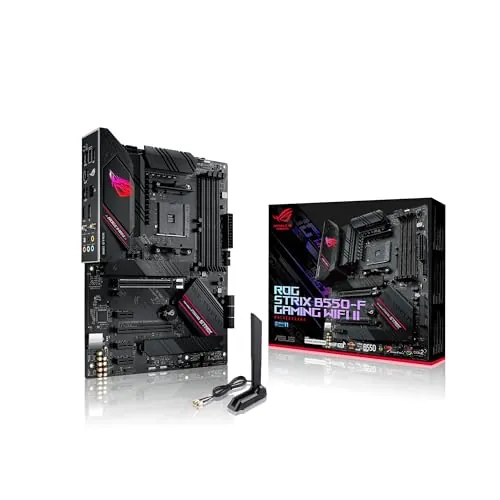
The ROG Strix B650-A Gaming WiFi is an AM5, DDR5 board for listed Ryzen 9000, 8000, and 7000 desktop processor families. The ROG Strix B550-F Gaming WiFi II is AM4 with DDR4 for listed Ryzen 5000/3000 and 5000/4000 G-series families. Their storage layouts also differ: three M.2 plus four SATA on B650-A, versus two M.2 plus six SATA on B550-F WiFi II, with model-specific shared-slot rules. Check the exact CPU/BIOS, RAM kit, drives, and PCIe cards before ordering.
Read comparison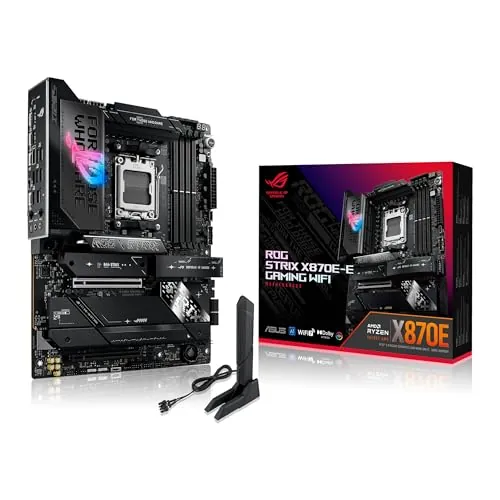
ASUS ROG Strix X870E-E vs B850-A: USB4, M.2 Lanes and DDR5 Build Fit
The US ASUS ROG Strix X870E-E Gaming WiFi documents two rear USB4 40Gbps Type-C ports and five M.2 sockets; the ROG Strix B850-A Gaming WiFi lists four M.2 sockets and a different M.2_3/secondary-slot conflict, with no USB4 port in its rear-I/O list. Both are AM5 DDR5 boards with four DIMM slots and up to 256GB listed, while supported memory speed and module count depend on the CPU and configuration. Before choosing, map your exact Ryzen generation, every M.2 drive, graphics card, add-in card and RAM kit to the ASUS board specifications. This is a feature-fit guide, not a benchmark ranking.
Read comparison