
Products compared
ASUS
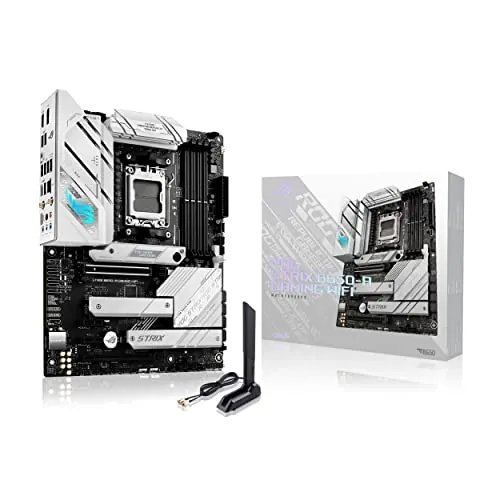
ASUS ROG STRIX B650-A GAMING WIFI
U.S. AM5 ATX motherboard; verify the listing and board silkscreen match the non-E B650-A model.
Model ROG STRIX B650-A GAMING WIFI
Amazon ASIN B0BHMW8R6S
ASUS
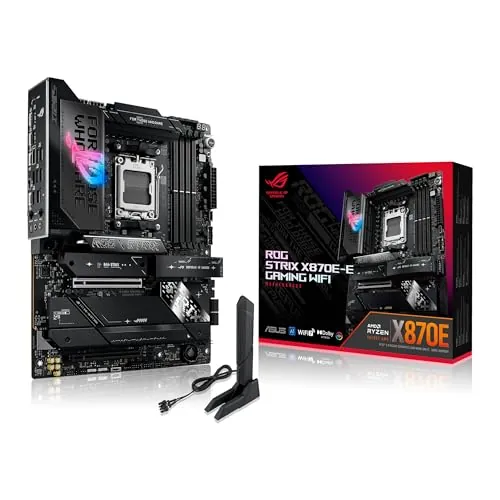
ASUS ROG STRIX X870E-E GAMING WIFI
U.S. AM5 ATX motherboard; distinguish it from similarly named X870E-E WIFI7 or other regional variants by checking the exact board name.
Model ROG STRIX X870E-E GAMING WIFI
Amazon ASIN B0DDZNZF76
Differences that matter
What matters most to you?
Choose a priority to see what it changes.
Sources for Graphics-card and expansion-slot lane sharing
Sources for Memory capacity and tuning check
Sources for Rear USB connection plan
Plan the CPU and storage map first
The socket name alone does not tell you which M.2 sockets remain active or how the graphics slot is wired. The two ASUS tables split modes by Ryzen generation. For the X870E-E, Ryzen 8000 disables two CPU-connected M.2 sockets; for Ryzen 7000/9000, using either of those sockets shares lanes with the top graphics slot. The B650-A has fewer sockets, and its third M.2 position shares with a separate chipset slot.
Use the exact CPU row in the specification, then sketch the devices you intend to install. If a particular GPU lane width or expansion card is mandatory, check the full board manual and ASUS lane-sharing table before ordering.
What USB4 and the memory limits change
The X870E-E’s two rear USB4 ports and rear USB-C power delivery are concrete reasons to choose it when those connections are part of the desk setup. Its 256 GB listed memory ceiling also exceeds the B650-A’s 192 GB ceiling. Those specifications do not promise faster file transfers or a particular RAM overclock: the connected device, cable, CPU and memory configuration still matter.
For a memory-heavy build, confirm the exact CPU and DIMM kit in the current support lists. For a port-heavy build, check the physical connector and port count you actually need, including the case’s front USB-C cable.
Product details
ASUS ROG STRIX B650-A GAMING WIFI
- Storage layout
- Three M.2 sockets plus four SATA ports. With Ryzen 9000/7000, M.2_1 is PCIe 5.0 x4 and M.2_2 PCIe 4.0 x4; Ryzen 8000 changes these CPU-connected modes. ASUS's B650-A specifications and manual identify sharing between M.2_3 and the secondary chipset slot, but disagree on which is disabled. Verify the exact slot map before using both. Source
- Memory and platform
- AM5; ASUS lists Ryzen 9000, 8000 and 7000 support, four DDR5 DIMM slots and up to 192 GB. Memory data rate and supported module count vary with CPU/configuration; check the CPU and memory support lists. Source
- Rear USB
- Nine rear ports, including one USB 3.2 Gen 2x2 Type-C, four USB 3.2 Gen 2 ports (three Type-A and one Type-C), and four USB 2.0 Type-A. Source
ASUS ROG STRIX X870E-E GAMING WIFI
- Storage layout
- Five M.2 sockets plus four SATA ports. With Ryzen 9000/7000, M.2_1/_2/_3 support PCIe 5.0 x4 and M.2_4/_5 are chipset PCIe 4.0 x4; using either M.2_2 or M.2_3 changes the top PCIe 5.0 graphics slot to x8. Ryzen 8000 disables M.2_2 and M.2_3. Source
- Memory and platform
- AM5; ASUS lists Ryzen 9000, 8000 and 7000 support, four DDR5 DIMM slots and up to 256 GB. Listed overclocked memory ceilings vary by CPU series; supported speed and module count depend on the CPU/configuration and should be checked against the current support list. Source
- Rear USB
- Thirteen rear ports, including two USB4 Type-C ports rated up to 40 Gbps, one USB 20 Gbps Type-C port with up to 30 W power delivery, and ten USB 10 Gbps ports. Source
Before you buy
Community discussions
A builder plans for a second M.2 drive and a future CPU upgrade
ASUS ROG STRIX B650-A GAMING WIFI
One builder listed the B650-A with a 9800X3D, a 2 TB M.2 drive and a possible second drive while asking about future CPU upgrades. The post is a parts-planning question, not a report of a completed build.
What to check
Check support for your exact CPU, then map current and planned M.2 drives and expansion cards against each board’s slot-sharing notes before choosing.
Common questions
Does the X870E-E always give me five usable M.2 drives?
No. ASUS lists five physical M.2 sockets, but Ryzen 8000 disables M.2_2 and M.2_3. Ryzen 7000/9000 can use them, with either socket reducing the top graphics slot to x8.ASUS ROG STRIX X870E-E GAMING WIFI — Technical Specifications (U.S.)
Will either motherboard run every Ryzen 7000, 8000, or 9000 CPU out of the box?
The spec pages list those processor series but direct buyers to the exact CPU support list. Confirm the precise CPU and minimum BIOS version before purchase; series-level socket support does not establish every SKU’s readiness.ASUS ROG STRIX B650-A GAMING WIFI — Technical SpecificationsASUS ROG STRIX X870E-E GAMING WIFI — Technical Specifications (U.S.)
Is the X870E-E’s memory speed rating a guarantee for my RAM kit?
No. ASUS says supported speed and module count vary with the CPU and memory configuration. Check the exact module part number against the current memory support list/QVL and treat the overclocked ceiling as conditional.ASUS ROG STRIX B650-A GAMING WIFI — Technical SpecificationsASUS ROG STRIX X870E-E GAMING WIFI — Technical Specifications (U.S.)
Does x8 instead of x16 mean the X870E-E will make my GPU slower?
The cited spec establishes a lane-width change when M.2_2 or M.2_3 is occupied; it does not establish an application performance difference. This comparison has no matched GPU benchmark data, so use the lane map to plan rather than infer a measured outcome.ASUS ROG STRIX X870E-E GAMING WIFI — Technical Specifications (U.S.)
Sources and scope
This is a specification-based board-layout comparison, not a benchmark or a test of installed systems. CPU support, BIOS requirements, memory speed, drive compatibility and available lane modes depend on the exact CPU and configuration; confirm the current ASUS CPU support list, memory QVL and full lane-sharing table before buying. ASUS's B650-A specifications and manual identify sharing between M.2_3 and the secondary chipset slot, but disagree on which is disabled. Verify the exact slot map before using both.
Related comparisons
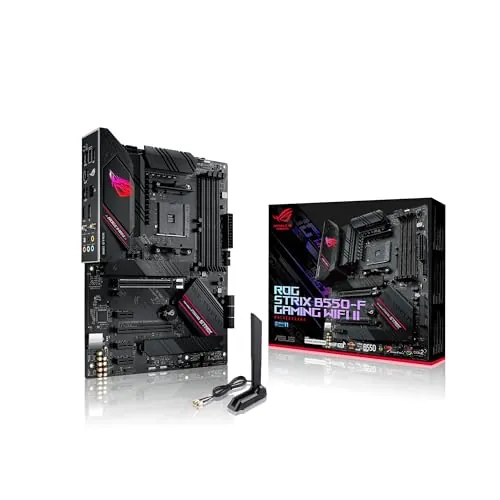
ASUS ROG Strix B650-A vs B550-F WiFi II: CPU, RAM, and Slot Fit
The ROG Strix B650-A Gaming WiFi is an AM5, DDR5 board for listed Ryzen 9000, 8000, and 7000 desktop processor families. The ROG Strix B550-F Gaming WiFi II is AM4 with DDR4 for listed Ryzen 5000/3000 and 5000/4000 G-series families. Their storage layouts also differ: three M.2 plus four SATA on B650-A, versus two M.2 plus six SATA on B550-F WiFi II, with model-specific shared-slot rules. Check the exact CPU/BIOS, RAM kit, drives, and PCIe cards before ordering.
Read comparison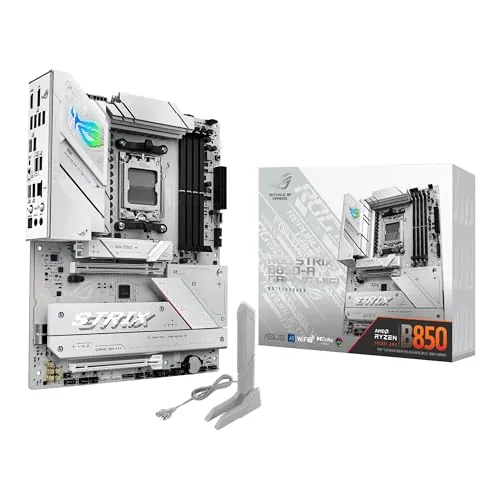
ASUS ROG Strix B650-A vs B850-A: Map Your CPU, Drives and Rear I/O
Both are AM5 ATX boards listed for Ryzen 7000, 8000 and 9000 desktop processors, but their practical layouts differ. The B650-A lists 3 M.2 and 4 SATA ports; the B850-A lists 4 M.2 and 2 SATA ports. CPU family changes the primary M.2 and graphics-slot modes, while both boards document shared bandwidth between M.2_3 and a chipset x16 slot. The B650-A manual and its repeated spec footnote disagree about which connection is disabled, so verify that condition before finalizing the card map. Compare the exact CPU, drive and card plan, memory kit, USB plug types and audio connections before choosing.
Read comparison