
Products compared
ASUS
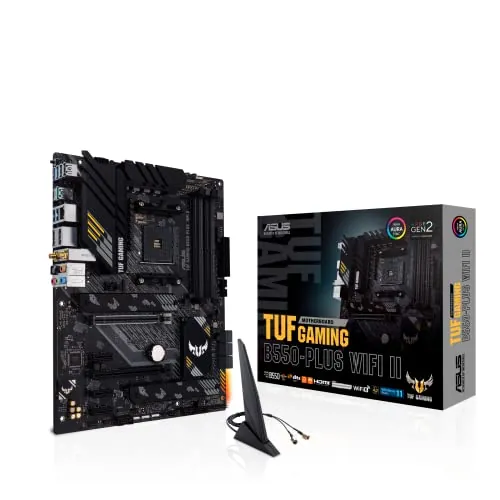
ASUS TUF GAMING B550-PLUS WIFI II
U.S. Wi-Fi II motherboard listing; ATX board. Verify your exact CPU, BIOS and case before purchase.
Model TUF GAMING B550-PLUS WIFI II
Amazon ASIN B09K4QMPL9
ASUS
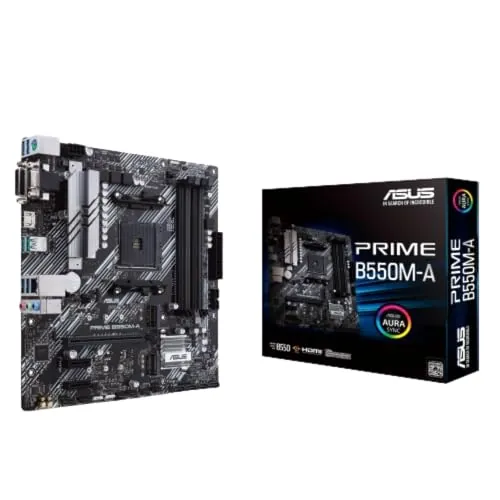
ASUS PRIME B550M-A WIFI II
U.S. Wi-Fi II motherboard listing; microATX board. Verify your exact CPU, BIOS and case before purchase.
Model PRIME B550M-A WIFI II
Amazon ASIN B0B5M97W1T
Differences that matter
What matters most to you?
Choose a priority to see what it changes.
Sources for Published board outline
Sources for Expansion positions and lane note
Sources for Storage connections
Sources for Rear-panel connections
Sources for CPU and BIOS check
Start with the case, then map the cards
ASUS lists the TUF at 12 × 9.6 inches in ATX format and the PRIME at 9.6 × 9.6 inches in microATX format. If you are trying to use a smaller case, check its exact motherboard support and internal clearances rather than assuming a board outline guarantees fit. The TUF documents a primary CPU-dependent x16 slot, a chipset x16-length slot and three x1 slots; the PRIME lists a primary CPU-dependent x16 slot and two x1 slots.
For the TUF, add one check to your slot diagram: its chipset x16-length slot runs at x1 mode whenever any PCIe x1 slot is occupied. Place your intended graphics, capture, network or storage cards on the manual's slot map and verify each card's lane requirement separately. The slot lists describe board capabilities, not the physical clearance or performance of a completed PC.
Count drives and the plugs you will use
Both manuals list two M.2 slots, but the TUF lists six SATA ports and the PRIME lists four. On the TUF, ASUS specifically says the M.2_2 slot shares bandwidth with SATA6G_56, which is disabled when M.2_2 is populated. Make a drive list before choosing, then check the exact manual storage table for how your intended drives connect.
The TUF's rear panel has eight USB ports including one Type-C; the PRIME has six rear USB ports, all Type-A. Both list a front USB 3.2 Gen 1 header and two USB 2.0 headers, so case-front USB planning should use the chassis cable and header layout, not just the rear-port count. The TUF lists 2.5Gb Ethernet, while the PRIME lists 1Gb Ethernet; these are port ratings, not observed transfer speeds.
Match monitor and CPU requirements before checkout
The TUF lists DisplayPort and HDMI; the PRIME lists D-Sub, DVI-D and HDMI. ASUS qualifies board graphics by CPU type, so motherboard video outputs are not a substitute for checking the exact processor's graphics capability. Choose based on the display input you need only after that processor check.
Both are AM4 Wi-Fi II boards, but that shared socket and family label are not a BIOS compatibility guarantee. Open each ASUS CPU support list, find the exact processor and note its minimum validated BIOS. If a particular CPU/BIOS is decisive, verify the board's shipped BIOS with the seller or choose a documented update path before you buy.
Product details
ASUS TUF GAMING B550-PLUS WIFI II
- Board outline
- ATX, 12 × 9.6 in (30.5 × 24.4 cm) Source
- Expansion layout
- CPU-dependent primary x16 slot; one chipset x16-length slot and three chipset x1 slots; the x16-length chipset slot drops to x1 mode when any x1 slot is occupied. Source
- Selected rear connections
- Eight rear USB ports including one Type-C; DisplayPort and HDMI; 2.5Gb Ethernet. Source
Before you buy
Community discussions
Check the case cable against the board header layout
ASUS TUF GAMING B550-PLUS WIFI II
A builder pairing the TUF B550-PLUS WIFI II with a Lian Li V100 case asked about USB header adapter warnings in the build list.
What to check
Match the case’s front-panel USB cables to the internal header diagram for the exact board.
Common questions
Will the smaller PRIME board fit any ATX case?
Do not infer case compatibility from board dimensions alone. Check the exact case maker's supported motherboard formats and clearances. ASUS lists the PRIME at 9.6 × 9.6 inches and the TUF at 12 × 9.6 inches.PRIME B550M-A WIFI II User ManualTUF GAMING B550-PLUS WIFI II User's Manual, version V2
Does the TUF's second x16-length slot always run at x4?
No. ASUS documents it as a chipset x16-length slot supporting x4 mode, but it runs at x1 mode when any PCIe x1 slot is occupied. Check the slot map against the cards you intend to install.TUF GAMING B550-PLUS WIFI II User's Manual, version V2
Can I connect a monitor to either motherboard's rear video ports?
Only if the exact installed CPU supports motherboard graphics. ASUS notes that graphics specifications vary with CPU type; verify the processor before relying on D-Sub, DVI-D, DisplayPort or HDMI on the board.TUF GAMING B550-PLUS WIFI II User's Manual, version V2PRIME B550M-A WIFI II User Manual
Are the same processors supported at the same BIOS level on both boards?
Check each Wi-Fi II model's ASUS CPU support list separately. This guide does not verify a particular processor or installed BIOS revision.ASUS TUF GAMING B550-PLUS WIFI II CPU SupportASUS PRIME B550M-A WIFI II CPU Support
Sources and scope
This guide compares ASUS's model-specific manuals and support lists; the boards were not installed or tested together. Published board dimensions do not prove clearance in a particular case, and slot counts do not establish fit or performance for a planned card. No specific CPU, BIOS, display, case, or add-in-card combination was checked. No prices or current-offer claims are included.
Related comparisons
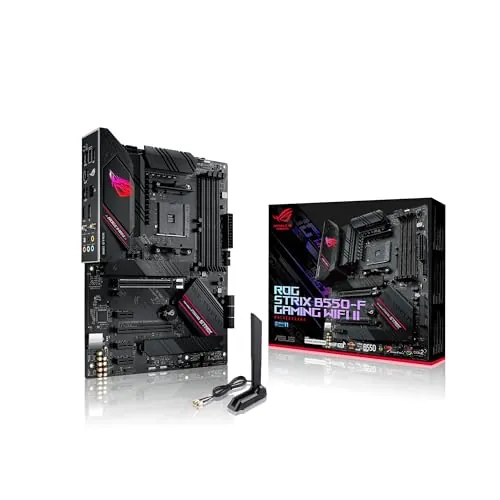
ASUS ROG Strix B550-F Gaming WiFi II vs Prime B550M-A WiFi II
Both are AM4 B550 Wi-Fi motherboards, but the ROG Strix is a full ATX board with more listed SATA ports, a 2.5Gb Ethernet port, Wi-Fi 6E, and a rear USB-C port. The Prime is a square microATX board with fewer listed SATA and rear USB ports. The practical choice depends on your case, installed cards and drives, and whether your network and peripherals can use the ROG's extra interfaces.
Read comparisonASUS TUF B550-PLUS WiFi II vs ROG Strix B550-F WiFi II: 6 GHz and Slot Planning
Both are ATX AM4/DDR4 B550 boards with two M.2 slots and similar front USB headers. The ROG model adds a documented 6 GHz Wi-Fi 6E option; the manuals also make clear that both boards need careful planning if you combine the lower x16 slot with PCIe x1 cards. Check your exact CPU's minimum BIOS and case before choosing.
Read comparison