
Products compared
ASUS
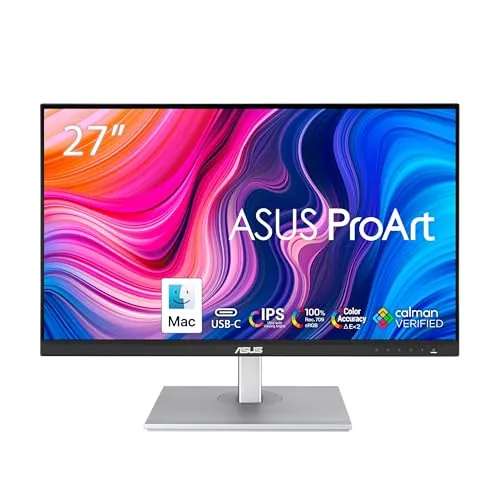
ASUS ProArt Display PA278CV
27-inch QHD professional monitor; exact PA278CV U.S. model, with USB-C, USB hub and ergonomic stand specifications.
Model PA278CV
Amazon ASIN B08LCPY1TR

ASUS
ASUS ROG Strix XG27ACS
27-inch QHD gaming monitor; exact ROG Strix XG27ACS model, with USB-C DisplayPort Alt Mode and a height-adjustable stand.
Model XG27ACS
Amazon ASIN B0CV24GQ9W
Differences that matter
Sources for USB-C power and connected peripherals
Sources for Stand positioning and portrait work
Sources for Port and cable plan before purchase
Check the display signal path, not just the headline refresh number
Both exact models are QHD, but the input tables differ. The PA278CV is listed up to 75Hz. ASUS lists the XG27ACS up to 180Hz over DisplayPort or USB-C DP Alt Mode and up to 144Hz over HDMI. Those are manufacturer signal limits, not a guarantee that a particular computer, dock, adapter and cable will produce the maximum mode.
Before ordering, identify your source's output port and look up the exact target resolution and refresh combination in its documentation. This check can rule out an input mismatch without treating specifications as a measured motion or image-quality comparison.
Match USB-C power and stand movement to your desk
For laptop docking, compare the laptop's charging requirement with the monitor's USB-C PD rating: up to 65W on PA278CV versus 7.5W on XG27ACS. PA278CV also lists four downstream USB-A ports. The XG27ACS's cited specifications document USB-C video and 7.5W PD; they do not list a USB-A hub.
For positioning, both factory stands document tilt, ±45° swivel and ±90° pivot. PA278CV lists up to 150mm height adjustment and +35° to −5° tilt; the XG27ACS manual lists up to 120mm and +20° to −5°. Compare those ranges with your desk and seated position; manufacturer movement ranges cannot establish comfort or stability.
Product details
ASUS ProArt Display PA278CV
ASUS ROG Strix XG27ACS
- Resolution and refresh
- 27-inch 2560 × 1440; listed up to 180Hz via DisplayPort/USB-C and 144Hz via HDMI Source
- USB-C power
- DP Alt Mode video; USB-C Power Delivery listed at 7.5W Source
- Stand adjustment
- Factory stand: height 0–120mm, tilt +20° to −5°, swivel ±45° and pivot ±90°; VESA 100 × 100mm mounting also listed Source
Before you buy
Community discussions
Checking the matte surface with a bright document
ASUS ROG Strix XG27ACS
An XG27ACS owner noticed a grain-like sheen most clearly on light backgrounds such as web pages and documents.
What to check
If the screen will be used for work as well as games, check the XG27ACS coating on a bright document before deciding from refresh rates alone.
Using one cable for a laptop and its peripherals
ASUS ProArt Display PA278CV
A PA278CV owner used USB-C with an M1 Pro MacBook so the monitor could also connect the mouse and audio interface.
What to check
Check how laptop charging and desk peripherals would connect on each option. Test the monitor’s USB ports with the cable and laptop you plan to use.
Common questions
Can the XG27ACS run at 180Hz over HDMI?
ASUS lists the XG27ACS signal range up to 180Hz through DisplayPort and USB-C, and up to 144Hz through HDMI. The actual mode still depends on the computer, cable and settings.ROG Strix XG27ACS — ASUS ROG USA technical specificationsASUS LCD Monitor XG Series User Guide (XG27ACS series, English)
Will the XG27ACS USB-C port fully charge my laptop?
Its USB-C port supports DP Alt Mode and ASUS lists 7.5W Power Delivery. Compare that rating with your laptop's power needs; do not assume it replaces the laptop's power adapter.ROG Strix XG27ACS — ASUS ROG USA technical specificationsASUS LCD Monitor XG Series User Guide (XG27ACS series, English)
Which stand supports portrait rotation?
Both exact-model manuals/specifications document height adjustment, ±45° swivel and ±90° pivot. ASUS lists 150mm height travel and +35° to −5° tilt for PA278CV; the XG27ACS manual lists 120mm height travel and +20° to −5° tilt.ProArt Display PA278CV — ASUS USA product pageASUS LCD Monitor XG Series User Guide (XG27ACS series, English)
Sources and scope
This guide compares official specifications and setup workflows, not measured display performance. Maximum refresh depends on the host, port, cable, resolution, settings and timing support. Stand movement comes from the exact model pages/manuals: both factory stands document height, tilt, swivel and portrait pivot; the PA278CV lists different adjustment ranges from the XG27ACS. No comfort ranking is inferred.
Related comparisons
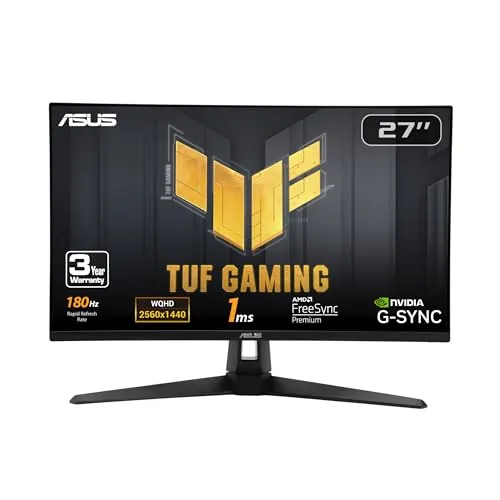
ASUS ROG Strix XG27ACS vs TUF VG27AQ3A: USB-C, 180Hz and Desk Setup
Both exact ASUS models are 27-inch 2560×1440 Fast IPS monitors with a listed maximum refresh rate of 180Hz. The connector path matters: ASUS lists HDMI up to 144Hz on both; ROG XG27ACS also lists DisplayPort and USB-C DisplayPort Alt Mode up to 180Hz, while TUF VG27AQ3A lists DisplayPort up to 180Hz. ROG adds USB-C with 7.5W power delivery and a stand that raises up to 120 mm and rotates to portrait. TUF has two HDMI inputs, built-in 2W × 2 speakers, tilt and swivel, but no stand height adjustment or pivot. Before buying, match the monitor input to your computer's output and decide whether you need to raise the screen or connect multiple HDMI sources.
Read comparison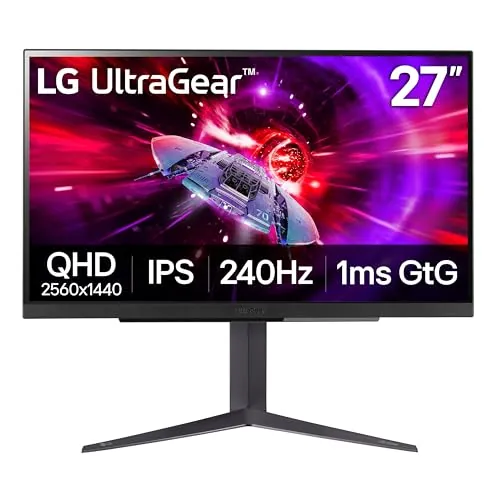
ASUS ROG Strix XG27ACS vs LG 27GR83Q-B.AUS: Refresh Rate, USB-C, and Stand Fit
Both are 27-inch QHD gaming displays, but the useful refresh ceiling depends on your cable path. ASUS XG27ACS carries video over USB-C DisplayPort Alt Mode and supports 180Hz through USB-C/DisplayPort, with HDMI listed to 144Hz. LG 27GR83Q-B.AUS offers two HDMI 2.1 inputs and DisplayPort, with up to 240Hz when the graphics card supports the required interface. Check the exact host output, cable and stand movement your desk needs before buying.
Read comparison