
Products compared

ASUS
ASUS ROG Strix XG27ACS
U.S. black 27-inch QHD model; exact selected ASIN B0CV24GQ9W.
Model XG27ACS
Amazon ASIN B0CV24GQ9W
LG
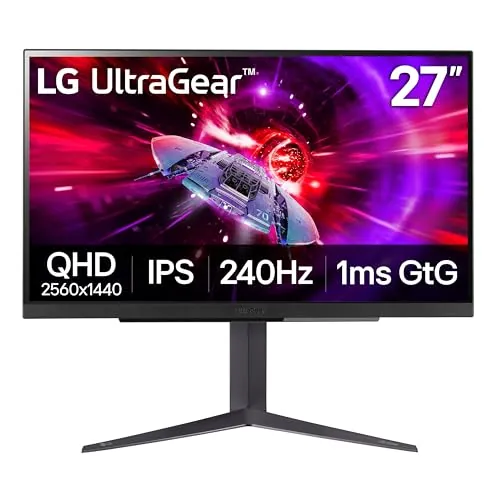
LG UltraGear 27GR83Q-B
U.S. black regional SKU 27GR83Q-B.AUS; the LG support page confirms the assigned regional suffix.
Model 27GR83Q-B.AUS
Amazon ASIN B0C63HDHPR
Differences that matter
What matters most to you?
Choose a priority to see what it changes.
Sources for Maximum listed refresh by connection path
Sources for USB-C laptop connection
Sources for Stand movement listed by the manufacturer
Sources for Screen size and resolution
Check the source port before comparing the refresh headline
The XG27ACS's published refresh ceiling varies by input: ASUS lists DisplayPort 1.4 and USB-C DisplayPort Alt Mode up to 180Hz, while HDMI 2.0 is listed up to 144Hz. This is why a 180Hz headline alone is not enough; if your PC is connected by HDMI, the input's listed ceiling is the relevant number.
LG lists the 27GR83Q-B at up to 240Hz and specifies that a graphics card supporting DisplayPort 1.4 or HDMI 2.1 is required. Its listed ports include DisplayPort and two HDMI 2.1 inputs. Check your GPU's output and the cable before choosing the 240Hz path. LG's official page groups the maximum claim with those interfaces instead of publishing separate port timing rows, so verify the exact system if that ceiling is decisive.
For a laptop desk, distinguish USB-C video from USB-C charging
ASUS explicitly documents USB-C DisplayPort Alt Mode video, which makes it a direct option for a laptop whose USB-C port supports DisplayPort video. ASUS lists 7.5W Power Delivery; treat that as a low-power output detail, not proof of a single-cable laptop charging solution.
LG's product page lists HDMI 2.1, DisplayPort, a USB upstream port, and two USB downstream ports, but not USB-C video. A USB hub connection is not the same thing as a USB-C display input. If your setup depends on one cable from a laptop, verify both video output and charging needs before selecting the monitor.
Compare the stand movement you will actually use
Both brands describe pivot, so a portrait orientation is listed for either stand. ASUS's overview additionally names tilt, swivel, and height adjustment; its tech-spec table quantifies tilt (+20° to −5°) and height (0–120mm) but leaves swivel and pivot out. Keep both official descriptions in view rather than treating an omitted field as a confirmed absence.
LG's feature summary lists tilt, height, and pivot without a stated swivel range or numeric height range. If you need to turn the screen toward a second seat or fit it below a shelf, confirm the exact LG adjustment range and your desk clearance.
A three-step pre-buy check
First, write down the exact laptop or graphics card and the port you will use. Second, compare that output with the monitor's per-input limit: XG27ACS HDMI is listed to 144Hz, its USB-C/DisplayPort paths to 180Hz, and LG's 240Hz claim requires DP 1.4 or HDMI 2.1 graphics support. Third, choose only after confirming the host port and cable support the intended 2560 × 1440 mode.
Then check the stand: portrait pivot is listed on both; ASUS's overview also names swivel, while LG's summary does not. For ASUS USB-C, include a separate laptop power plan if 7.5W will not meet the computer's charging requirement.
Product details
ASUS ROG Strix XG27ACS
- Maximum listed refresh by input
- DisplayPort 1.4 and USB-C DisplayPort Alt Mode: 48–180Hz vertical frequency; HDMI 2.0: 48–144Hz vertical frequency Source
- USB-C video and power
- USB-C supports DisplayPort Alt Mode video and lists 7.5W Power Delivery; this is not a documented full-power laptop charging setup Source
- Stand adjustments
- ASUS overview describes tilt, swivel, pivot, and height adjustment; specification table quantifies height at 0–120mm and lists tilt, but omits swivel and pivot Source
- Display format
- 27-inch, 2560 × 1440 QHD Source
LG UltraGear 27GR83Q-B
- Maximum listed refresh and inputs
- Up to 240Hz using a graphics card that supports DisplayPort 1.4 or HDMI 2.1; two HDMI 2.1 ports and DisplayPort are listed Source
- USB-C video
- The official product page lists HDMI, DisplayPort, USB upstream, and two USB downstream ports; it does not list USB-C video input Source
- Stand adjustments
- LG lists tilt, height, and pivot adjustment; its feature summary does not specify a swivel adjustment range Source
- Display format
- 27-inch, 2560 × 1440 QHD IPS Source
Before you buy
Community discussions
Trying the DisplayPort and HDMI paths separately
ASUS ROG Strix XG27ACS
An XG27ACS owner reported seeing an intermittent horizontal line on DisplayPort that they did not see over HDMI. They also found the matte texture visible on bright scenes.
What to check
Test the port and refresh mode you expect to use. Check a bright window and moving image on the same setup.
Common questions
Can the ASUS XG27ACS run at 180Hz over HDMI?
ASUS's exact-model technical specifications list HDMI at 48–144Hz vertical frequency. The page lists up to 180Hz for DisplayPort and USB-C, so use those paths when the 180Hz ceiling is the goal.ASUS ROG Strix XG27ACS — technical specifications
Does ASUS USB-C carry video, and will it charge a laptop?
ASUS says the USB-C port supports DisplayPort Alt Mode video and lists 7.5W Power Delivery. That confirms video and limited power output, but does not establish that it can replace your laptop charger; check your computer's USB-C video support and power requirement.ASUS ROG Strix XG27ACS — technical specifications
Can the LG 27GR83Q-B reach 240Hz over either HDMI or DisplayPort?
LG's official product page lists two HDMI 2.1 inputs and DisplayPort and says a graphics card supporting HDMI 2.1 or DisplayPort 1.4 is required to achieve up to 240Hz. Check the graphics card and cable for the input you intend to use; the product page does not provide a separate per-port timing table.LG UltraGear 27GR83Q-B — U.S. product page
Does the ASUS stand swivel and pivot?
ASUS's overview says its XG27ACS stand provides tilt, swivel, pivot, and height adjustment. The separate technical-specification table quantifies tilt and 0–120mm height but omits swivel and pivot. Because the manufacturer's pages report different detail, confirm the exact movement you need if it is a purchase requirement.ASUS ROG Strix XG27ACS USB Type-C Gaming Monitor — product overviewASUS ROG Strix XG27ACS — technical specifications
Sources and scope
No claim is made about measured motion clarity, input latency, HDR performance, image-quality superiority, or the product listing hands-on use. ASUS's product overview names tilt, swivel, pivot and height, while its technical table only quantifies tilt and height; swivel/pivot are preserved as an official-page detail difference. LG's official page states up to 240Hz with a compatible DP 1.4 or HDMI 2.1 graphics card but does not publish an input-by-input mode table; verify the exact GPU, output and cable. LG's listed stand summary does not state a swivel range or numeric height adjustment.
- ASUS ROG Strix XG27ACS USB Type-C Gaming Monitor — product overview
- ASUS ROG Strix XG27ACS — technical specifications
- ASUS XG27ACS User Guide and supported timing list
- LG UltraGear 27GR83Q-B — U.S. product page
- LG 27GR83Q-B.AUS — exact regional U.S. support page and manual listing
- Amazon.com listing for selected ASUS ASIN B0CV24GQ9W
- Amazon.com listing for selected LG ASIN B0C63HDHPR
Related comparisons
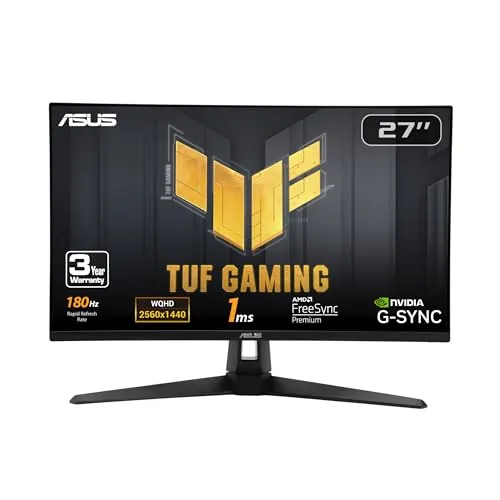
ASUS ROG Strix XG27ACS vs TUF VG27AQ3A: USB-C, 180Hz and Desk Setup
Both exact ASUS models are 27-inch 2560×1440 Fast IPS monitors with a listed maximum refresh rate of 180Hz. The connector path matters: ASUS lists HDMI up to 144Hz on both; ROG XG27ACS also lists DisplayPort and USB-C DisplayPort Alt Mode up to 180Hz, while TUF VG27AQ3A lists DisplayPort up to 180Hz. ROG adds USB-C with 7.5W power delivery and a stand that raises up to 120 mm and rotates to portrait. TUF has two HDMI inputs, built-in 2W × 2 speakers, tilt and swivel, but no stand height adjustment or pivot. Before buying, match the monitor input to your computer's output and decide whether you need to raise the screen or connect multiple HDMI sources.
Read comparison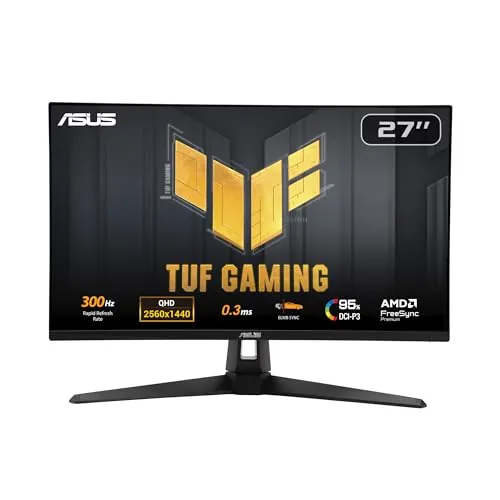
ASUS TUF Gaming VG27AQM5A vs ROG Strix XG27ACS
Both are 27-inch QHD (2560 × 1440) ASUS Fast IPS monitors, but their connections lead to different setups. The TUF VG27AQM5A lists QHD up to 300 Hz over HDMI and DisplayPort, while its USB-C connector is a firmware service port. The ROG XG27ACS supports video over USB-C DisplayPort Alt Mode with 7.5 W power delivery, and lists QHD up to 180 Hz over USB-C/DisplayPort or 144 Hz over HDMI. Its stand adds 0–120 mm height adjustment; the TUF stand does not. Match the input to your actual PC or console before choosing.
Read comparison