
Products compared

ASUS
ASUS ProArt Display PA278QV
U.S. black 27-inch QHD monitor with four USB Type-A downstream ports and one USB Type-B upstream port. A separate host data connection is needed to use the hub.
Model PA278QV
Amazon ASIN B088BC5HMM
Dell
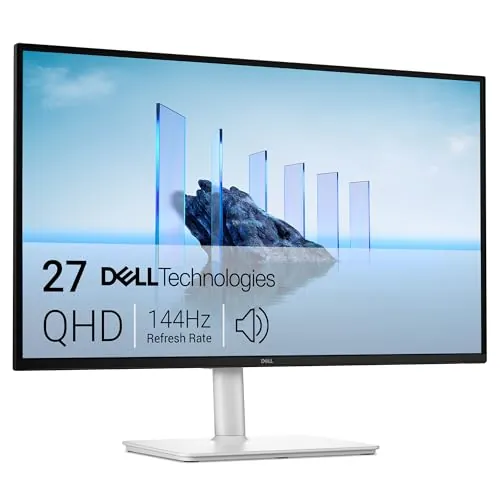
Dell 27 Plus QHD Monitor S2725DSM
U.S. Ash White 27-inch QHD model. Dell lists HDMI and DisplayPort 1.4 video inputs, and specifies no USB or USB-C ports.
Model S2725DSM (manufacturer part GTT45)
Amazon ASIN B0GD1LMWH3
Differences that matter
What matters most to you?
Choose a priority to see what it changes.
Sources for QHD refresh ceiling and input evidence
Sources for Where USB peripherals plug in
Sources for Stand adjustment and desk clearance
Check the display mode your computer can actually send
Both exact models are 27-inch QHD monitors, but their listed ceilings differ. ASUS specifies a 75Hz maximum; its manual includes a 2560 × 1440 at 74.924Hz timing without tying it to an individual input. Dell specifies QHD 144Hz and explicitly says that mode is supported over HDMI. Dell also lists DisplayPort 1.4, but the same page does not give an input-by-input maximum timing.
If 144Hz at QHD is a hard requirement, Dell is the supported feature fit when the entire path—computer output, cable and any dock or adapter—can supply Dell's documented HDMI mode. If 75Hz is enough, the display ceiling may not decide the purchase; move on to peripheral wiring and desk fit. This is a specification comparison, not a motion or gaming test.
Decide whether a USB hub belongs at the monitor
PA278QV has four USB Type-A downstream sockets, but ASUS's manual says a Type-B-to-Type-A upstream connection to the computer enables them. Video and USB data are distinct paths: HDMI by itself will not switch on the hub. Check your computer's ports, the devices you plan to attach and whether the selected package has the upstream cable before treating the four sockets as ready to use.
Dell's exact S2725DSM GTT45 page lists one HDMI and one DisplayPort 1.4 input, USB: No and USB Type-C: No. Its monitor cannot be the USB connection point. This is not a drawback when your keyboard, mouse and other devices already connect conveniently to your PC; otherwise plan a separate compatible hub and host connection.
Treat host ports and monitor inputs as a connection plan
For an ASUS setup, draw two lines from the host: one video cable to DVI, HDMI, DisplayPort or mini DisplayPort, and a separate USB data cable from the monitor's Type-B upstream port to the host. ASUS's manual names Type-A at the host for its supplied upstream cable; a host with only USB-C needs a verified adapter path, not an assumed one. Neither product page documents a one-cable USB-C video-and-charge setup for these models.
For Dell, decide on HDMI if you are buying specifically for the documented QHD 144Hz input. Its DisplayPort 1.4 connector may suit another host configuration, but confirm the precise mode with Dell and your source before relying on it. Sibling Dell monitor codes are not interchangeable: this guide's USB finding is for S2725DSM manufacturer part GTT45.
Measure the stand and desk before checkout
ASUS lists height adjustment up to 150mm and a with-stand maximum dimension of 24.21 inches wide, 20.94 inches high and 8.90 inches deep. Dell lists 110mm of height adjustment, a 24.07-inch width, 7.95-inch stand depth, and stand height from 15.36 to 19.69 inches. Compare these figures with the desk depth, shelf clearance and the space needed to rotate the panel to portrait. They describe fit ranges, not how comfortable either screen will feel.
Product details
ASUS ProArt Display PA278QV
- Display mode ceiling
- Maximum refresh rate 75Hz; ASUS manual lists QHD 2560 × 1440 at 74.924Hz but does not map that timing to a particular input Source
- Video and USB ports
- DisplayPort 1.2, mini DisplayPort, HDMI 1.4, dual-link DVI-D, four USB 3.2 Gen 1 Type-A downstream and one Type-B upstream Source
- Stand travel and footprint
- Height adjustment 0–150mm; listed with-stand dimensions 24.21 in W × 20.94 in H × 8.90 in D at the stated maximum dimensions Source
Dell 27 Plus QHD Monitor S2725DSM
- Display mode
- Maximum preset is QHD 2560 × 1440 at 144Hz; Dell explicitly states support for that mode over HDMI. DisplayPort 1.4 is listed, but the cited page does not provide a separate maximum timing by that input. Source
- Video and USB ports
- One HDMI input and one DisplayPort 1.4 input; Dell lists USB: No and USB Type-C: No Source
- Stand travel and base depth
- Height adjustment up to 110mm; listed stand height 15.36–19.69 in and stand depth 7.95 in Source
Before you buy
Community discussions
Replacing a dual-screen desk setup
ASUS ProArt Display PA278QV
A PA278QV owner says they use two 27-inch monitors side by side for work and gaming and are considering an upgrade as their PC and work needs change. The post describes their setup and plans; it does not compare the Dell or establish monitor performance.
What to check
Before replacing a dual-screen setup, measure the space for the screen or screens you plan to use and list the host connections and peripherals you need. Then check whether the exact monitor and any required upstream cable fit that setup; this post does not report a USB-hub or Dell connection test.
Common questions
Does the PA278QV's HDMI cable also activate its USB ports?
No. ASUS describes the video cable and USB upstream data cable as separate connections. The USB-B upstream link to the host enables the monitor's USB-A ports; connect video separately to the display input.ASUS PA278QV / PA278QEV Series LCD Monitor User Guide
Can the S2725DSM deliver 144Hz over DisplayPort?
Dell lists a DisplayPort 1.4 input and a QHD 144Hz maximum preset, but the exact-model page explicitly states QHD 144Hz support over HDMI. It does not separately assign that maximum to DisplayPort, so verify your specific DisplayPort host and Dell documentation before buying for that mode.Dell 27 Plus QHD Monitor S2725DSM, manufacturer part GTT45, U.S. specifications
Will an external USB hub solve the Dell's missing monitor hub?
It can provide a separate place to connect peripherals if it fits your host and devices. It does not add USB ports to the monitor. With the Dell, connect the hub to the computer; with ASUS, use its separate USB upstream link if you want to route devices through the monitor.ASUS PA278QV / PA278QEV Series LCD Monitor User GuideDell 27 Plus QHD Monitor S2725DSM, manufacturer part GTT45, U.S. specifications
Are these one-cable USB-C laptop docking monitors?
No. ASUS lists video inputs plus separate USB Type-B upstream; Dell explicitly lists no USB Type-C. If one USB-C cable for display, data and charging is required, look for a model whose exact specifications document those features.ASUS ProArt Display PA278QV U.S. Technical SpecificationsDell 27 Plus QHD Monitor S2725DSM, manufacturer part GTT45, U.S. specifications
Sources and scope
No pair test establishes color accuracy, motion clarity, gaming results, visual quality, comfort or reliability. ASUS lists 75Hz maximum and its QHD 74.924Hz timing table does not assign the timing to a particular input. Dell explicitly documents QHD 144Hz over HDMI; the cited page does not assign the same maximum to DisplayPort. Confirm the source, cable, adapter and selected Dell part. Dell's support user-guide PDF fetch timed out during research; the exact Dell GTT45 specifications page itself provides the port, USB absence, HDMI mode and physical stand facts used here. ASUS says region-specific accessory contents can vary, so confirm the upstream cable in the selected package.
Related comparisons

ASUS ProArt PA279CRV vs PA278QV: 4K USB-C or QHD Legacy Inputs?
Both are 27-inch ASUS ProArt IPS monitors, but they solve different desk problems. PA279CRV is 3840×2160 (4K) and its USB-C input supports DisplayPort Alt Mode and up to 96 W Power Delivery; with a compatible laptop it can carry video and USB data through one cable while connecting the monitor's hub. PA278QV is 2560×1440 (QHD), lists HDMI, DisplayPort, Mini DisplayPort and dual-link DVI-D, and has a four-port USB-A hub that needs a separate USB-B upstream connection. Before buying, check the laptop's USB-C video support and power needs, or check which legacy video port your desktop uses. ASUS lists different color-space coverage on the two models; these manufacturer specifications do not predict a user's calibrated result.
Read comparison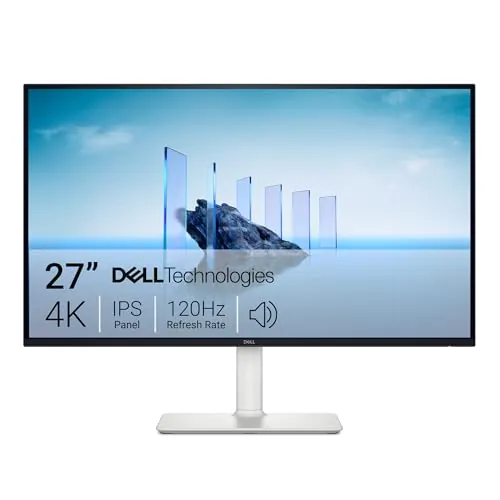
Dell S2725QS vs S2725DSM: 4K 120Hz or QHD 144Hz?
Both are 27-inch Dell monitors with an adjustable stand and integrated speakers, but their documented modes and connections differ. The S2725QS lists 3840 × 2160 at up to 120Hz, two HDMI inputs plus DisplayPort, 2 × 5W speakers and 130mm of height travel. The S2725DSM lists 2560 × 1440 at up to 144Hz, one HDMI input plus DisplayPort, 2 × 3W speakers and 110mm of height travel. Choose after checking the output modes your computer or console supports, the number of sources you want connected, and your desk setup. These are manufacturer specifications, not a comparison of image quality or gaming performance.
Read comparison