
Products compared

ASUS
ASUS ProArt Display PA279CRV 27-inch 4K UHD Monitor
The assigned US listing identifies the exact PA279CRV. ASUS specifies a 27-inch 3840×2160 IPS panel, USB-C DisplayPort Alt Mode with up to 96 W Power Delivery, and a built-in USB hub. The exact Amazon listing names a USB-C cable, HDMI cable and DisplayPort cable in the observed box contents.
Model PA279CRV
Amazon ASIN B0BQPSX5CR

ASUS
ASUS ProArt Display PA278QV 27-inch QHD Monitor
The assigned US listing identifies the exact PA278QV. ASUS specifies a 27-inch 2560×1440 IPS monitor with DisplayPort 1.2, Mini DisplayPort, HDMI 1.4 and dual-link DVI-D, plus four USB Type-A hub ports. The USB hub needs a USB-B upstream connection to the computer; the observed Amazon in-box list does not show the USB-B-to-A cable, while ASUS notes accessories vary by region.
Model PA278QV
Amazon ASIN B088BC5HMM
Differences that matter
What matters most to you?
Choose a priority to see what it changes.
Sources for Resolution and native desktop detail
Sources for Laptop video, data and charging path
Sources for Using the built-in USB hub
Sources for Color-space specifications
Sources for Cables observed for the exact US listings
Confirm the screen and exact model first
Both assigned Amazon US ASINs identify a 27-inch ASUS ProArt display: PA279CRV, B0BQPSX5CR, and PA278QV, B088BC5HMM. ASUS lists PA279CRV at 3840×2160 and PA278QV at 2560×1440. Those are different native pixel counts on nominally the same screen size. If you cut 4K footage or inspect dense source material, the PA279CRV gives a native 4K panel; if your application layout and output are QHD, check whether PA278QV already supplies the resolution you use.
The listed PPI figures describe pixel density, not a guarantee that every viewer prefers one screen. Operating-system scaling, viewing distance and application panels affect the usable desktop. Measure your actual workflow rather than treating more pixels as an automatic performance score.
Map the laptop's USB-C path before buying PA279CRV
PA279CRV's USB-C input supports DisplayPort Alt Mode and up to 96 W Power Delivery. ASUS's user guide says compatible DP Alt Mode sources can send video, audio and data through the USB-C connection. The monitor also has its own USB hub ports, so a compatible laptop can connect display and peripherals through that upstream cable.
Before treating this as a one-cable setup, check the laptop's own specifications: its USB-C port must support DP Alt Mode, and the laptop's charging requirement must fit within 96 W. If either condition fails, plan a separate video path and/or keep the laptop power adapter. A USB-C-shaped port by itself does not prove video support.
Plan separate display and hub cables for PA278QV
PA278QV lists DisplayPort 1.2, Mini DisplayPort, HDMI 1.4 and dual-link DVI-D, along with four USB-A hub ports. Choose the display input that matches the computer. To pass USB data to the monitor's hub, ASUS's manual says the USB Type-B upstream connection enables the downstream ports, so add that host cable as well as the video cable.
Cable check matters for the selected ASIN: the observed Amazon in-box list includes HDMI, DisplayPort, DisplayPort-to-miniDP and audio cables but does not name a USB-B-to-A upstream cable. ASUS's US spec lists a USB Type-B-to-A cable among PA278QV accessories and says accessories vary by region. Check the live box contents; if it is absent, the hub still needs a suitable upstream cable sourced separately.
Match the color-space specification to your output
ASUS lists 99% Adobe RGB and 99% DCI-P3 for PA279CRV; it lists 100% sRGB and 100% Rec.709 for PA278QV. The PA278QV page also states factory calibration Delta E < 2. These numbers help identify the manufacturer-stated target spaces, but they are not a shared independent measurement and do not prove which individual sample will be more accurate today.
List the delivery profile you use—such as sRGB/Rec.709, Adobe RGB or DCI-P3—and compare it with the modes your software and client deliverables require. If the task needs verified color accuracy, use an appropriate calibration and measurement workflow rather than inferring that from a spec sheet alone.
Product details
ASUS ProArt Display PA279CRV 27-inch 4K UHD Monitor
Choose PA279CRV when a 4K canvas or USB-C laptop workflow matters. For the one-cable setup, verify that the laptop's USB-C port supports DisplayPort Alt Mode and that 96 W is sufficient for its charging needs; keep the laptop charger if it needs more power.
- Panel resolution and density
- 27-inch IPS, 3840×2160, 163 pixels per inch; maximum refresh rate 60 Hz. Source
- USB-C laptop connection
- One USB-C DisplayPort Alt Mode input; the user guide says a compatible host supporting DP Alt Mode can carry video, audio and data, and specifies up to 96 W Power Delivery. Source
- Monitor hub
- ASUS lists three USB 3.2 Gen 1 Type-A hub ports and one USB 3.2 Gen 1 Type-C hub port. Source
- Listed color-space coverage
- ASUS lists 100% sRGB, 99% Adobe RGB and 99% DCI-P3; these are manufacturer specifications, not a direct comparative measurement. Source
ASUS ProArt Display PA278QV 27-inch QHD Monitor
Choose PA278QV when QHD is enough and you need one of its listed legacy video inputs. For the USB hub, plan two host connections—a video cable and USB-B upstream cable—and verify that the exact retailer box includes the upstream cable or source one separately.
- Panel resolution and density
- 27-inch IPS, 2560×1440, 109 pixels per inch; ASUS lists 75 Hz and Adaptive-Sync. Source
- Video inputs
- DisplayPort 1.2, Mini DisplayPort, HDMI 1.4 and dual-link DVI-D. Source
- USB hub connection
- Four USB 3.2 Gen 1 Type-A downstream ports; the PA278QV manual identifies a Type-B upstream port and says that cable connection enables the monitor's USB ports. Source
- Listed color-space coverage
- ASUS lists 100% sRGB and 100% Rec.709, with factory calibration Delta E < 2; these are manufacturer specifications, not a direct comparative measurement. Source
Before you buy
Community discussions
Sharing the desk between a Windows workstation and a laptop
ASUS ProArt Display PA279CRV 27-inch 4K UHD Monitor
An ASUS PA279CRV owner considering a second display described long workdays in design and photo apps on Windows, plus occasional use with a MacBook Air. They wanted to move their current monitor to the side of the desk.
What to check
List the video outputs on both the desktop and laptop. Check whether the PA279CRV’s one-cable arrangement solves a connection you will actually use.
Using a 27-inch 4K monitor for CAD and editorial work
ASUS ProArt Display PA279CRV 27-inch 4K UHD Monitor
A shopper considering the ASUS PA279CRV and Dell S2725QS worked mostly in sRGB, with a desktop PC using DisplayPort. They put long-session viewing and panel uniformity ahead of USB-C charging and hub features.
What to check
Open your normal documents and artwork at your usual viewing distance. Compare UI scaling and sharpness before choosing between 4K and QHD.
Mac user asks about text clarity on PA278QV
ASUS ProArt Display PA278QV 27-inch QHD Monitor
A Mac user said text and interface elements looked blurry on a PA278QV and asked whether BetterDisplay settings could improve them. The post does not identify a confirmed setting or solution.
What to check
If Mac text rendering is decisive, check the scaling options available on your exact Mac and preview the PA278QV’s QHD output before buying; this post does not establish that a particular app setting fixes the issue.
Common questions
Can the PA279CRV connect to a laptop with one USB-C cable?
It can carry video, audio and data over USB-C when the laptop's USB-C port supports DisplayPort Alt Mode. The monitor supports up to 96 W Power Delivery. Check the laptop's port capability and charging requirement; if it needs more than 96 W, keep its own charger connected.ASUS PA279CRV User Guide
Does the PA278QV USB hub work from the video cable alone?
No. ASUS's manual identifies a USB Type-B upstream port and says connecting the upstream cable enables the monitor's USB ports. Plan a separate video cable and USB-B upstream cable from the computer.ASUS PA278QV User Guide
Is the PA278QV USB-B upstream cable included with ASIN B088BC5HMM?
The observed Amazon in-box list names HDMI, DisplayPort, DisplayPort-to-miniDP and audio cables, but not USB-B-to-A. ASUS's US technical specification lists a USB Type-B-to-A cable among accessories and notes accessories vary by region. Confirm the live exact-ASIN listing or box before depending on it.Amazon US listing: ASUS ProArt PA278QV, ASIN B088BC5HMMASUS ProArt Display PA278QV Tech Specs
Which one is better for color work?
ASUS lists 99% Adobe RGB and 99% DCI-P3 coverage for PA279CRV, while its PA278QV page lists 100% sRGB and 100% Rec.709, with factory calibration Delta E < 2. These specifications describe supported color-space targets; they do not by themselves prove which physical unit produces more accurate results in your workflow.ASUS ProArt Display PA279CRV Tech SpecsASUS ProArt Display PA278QV
Sources and scope
This guide compares the assigned US listing data identities and ASUS model specifications; this guide did not test these monitors. PA279CRV supports USB-C DisplayPort Alt Mode and up to 96 W USB Power Delivery, but video over USB-C depends on the host supporting DP Alt Mode and 96 W may not meet every laptop's power requirement. PA278QV has no USB-C input or Power Delivery listed in the cited ASUS US I/O specifications; it uses a separate video connection and USB-B upstream cable for its USB hub. ASUS notes that accessories vary by region, and the observed Amazon PA278QV in-box list does not name a USB-B-to-A cable. Confirm the exact box and host ports. Gamut percentages and color-accuracy labels are manufacturer specifications, not independent measurements of the user's unit or proof of superior real-world color.
Related comparisons
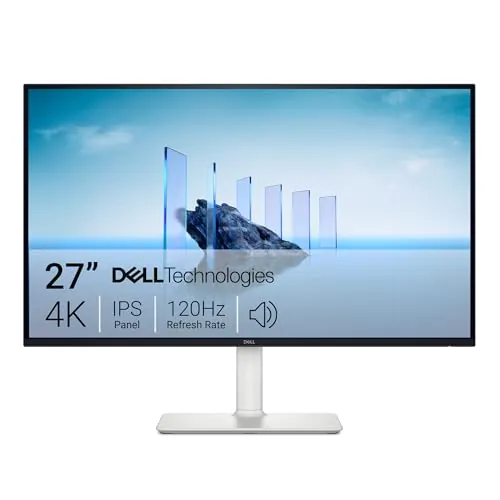
Dell S2725QS vs ASUS ProArt PA279CRV: Pick the Right Laptop Connection
Both are 27-inch 4K monitors, but their port layouts answer different desk needs. Dell S2725QS lists two HDMI 2.1 inputs and DisplayPort 1.4, with supported signals up to 120 Hz. ASUS PA279CRV supports 60 Hz and adds USB-C DisplayPort video with up to 96 W power delivery, a USB hub and DisplayPort daisy-chain output. Check your computer's ports and charging needs before buying; a retailer listing title that calls the S2725QS USB-C is not supported by Dell's exact-model port list.
Read comparison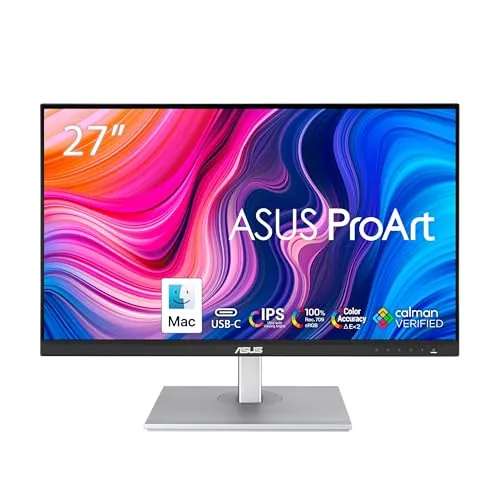
ASUS ProArt PA278CV vs PA279CRV: QHD or 4K for Your Desk?
Both are 27-inch ProArt IPS monitors with factory calibration claims, USB-C video, and daisy-chain connections. The PA278CV is 2560×1440 at 109 PPI, rated up to 75Hz, and lists 100% sRGB/100% Rec.709 with 65W USB-C power. The PA279CRV is 3840×2160 at 163 PPI, 60Hz, and lists 99% Adobe RGB and 99% DCI-P3 with 96W USB-C power. Choose by your deliverable color space, laptop charging needs, and host support for multi-display output.
Read comparison