
Products compared
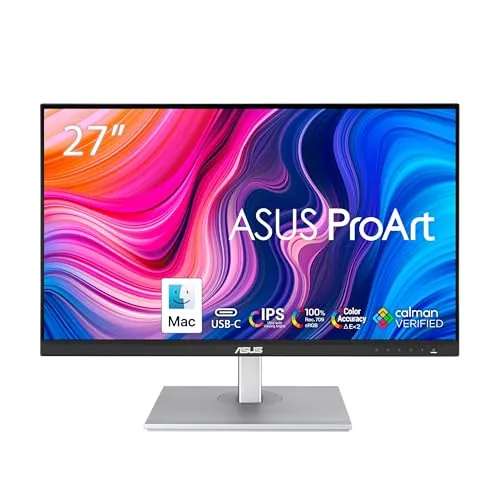
ASUS
ASUS ProArt Display PA278CV 27-inch QHD Monitor
Assigned U.S. listing; 27-inch QHD IPS monitor, black/silver as cataloged.
Model PA278CV
Amazon ASIN B08LCPY1TR

ASUS
ASUS ProArt Display PA279CRV 27-inch 4K HDR Monitor
Assigned U.S. listing; 27-inch 4K IPS monitor, black as cataloged.
Model PA279CRV
Amazon ASIN B0BQPSX5CR
Differences that matter
What matters most to you?
Choose a priority to see what it changes.
Sources for Native pixel grid on the same 27-inch size
Sources for ASUS-listed color spaces and calibration claims
Sources for USB-C laptop connection and rated power
Sources for Daisy-chain path and setup conditions
Sources for Desk and device hub trade-off
Start with the image or document you actually deliver
The PA278CV is the QHD option: ASUS specifies a 27-inch 2560×1440 panel, 109 PPI, and up to 75Hz. ASUS lists 100% sRGB and 100% Rec.709 coverage, plus Calman Verified and factory calibration with a ΔE<2 claim. That makes it a clear specification fit when your deliverables target those spaces and 27-inch QHD is enough at your normal viewing distance.
The PA279CRV raises the native grid to 3840×2160 at a listed 163 PPI, while its maximum refresh-rate listing is 60Hz. ASUS lists 99% Adobe RGB and 99% DCI-P3 coverage (and 100% sRGB), along with HDR10, PIP/PBP and a factory-calibration claim below ΔE 2. Choose it when those specific features answer your work requirement. The numbers do not prove better uniformity or guarantee that a color-managed workflow is configured correctly.
Size the USB-C power and video path to the host laptop
Both monitors list USB-C video through DisplayPort Alt Mode, but their rated power ceilings differ: up to 65W for PA278CV and up to 96W for PA279CRV. Compare that ceiling with the laptop maker's recommended input and the load you expect while working. A USB-C-shaped socket on the laptop is not enough by itself; ASUS says the source must support DP Alt Mode for the video signal. The cable, computer port, required power and selected display mode determine whether one-cable use works in your setup.
The hub layouts also differ. PA278CV lists four USB-A ports; PA279CRV lists three USB-A plus a downstream USB-C port. If your keyboard, storage and calibration hardware already fill the hub, count the ports you need before choosing.
Treat daisy chain as a host-and-settings check, not a port-count promise
ASUS lists daisy-chain DisplayPort on both models. PA278CV's manual says to set DisplayPort Stream to 1.2 and turn Auto Source Detection off; its example for 2560×1440 at 30Hz assumes no USB-C device is connected. PA279CRV's manual documents daisy chaining from either DisplayPort or USB-C, requires the source to support Multi-Stream Transport (MST), and says the monitor must be in Normal Level power-saving mode. In Deep Level, connected monitors clone the same content, and connecting a DP-out cable fixes the input selection.
Before buying for a two-display setup, look up the exact laptop/GPU and operating-system display limits and confirm MST for the connection path and target modes. Apple notes that the number of external displays supported depends on the Mac model and display resolution/refresh rate; a monitor's Mac-compliance badge alone does not identify your computer's limits.
Decide what is worth moving up from QHD
On a 27-inch screen, the PA279CRV's 163-PPI specification is denser than the PA278CV's 109-PPI specification. That gives the 4K model the finer native pixel grid, but your operating-system scaling determines whether the desktop feels like a larger workspace or simply sharper text and details. Check the scale you use in your creative and office apps before paying for pixels that may not change your actual layout.
A useful purchase rule: stay with PA278CV if QHD resolution and the listed sRGB/Rec.709 set cover your work, and its 75Hz/150mm/four-USB-A combination fits your desk. Move to PA279CRV when 4K density, Adobe RGB/DCI-P3, HDR/PIP/PBP or a 96W USB-C ceiling is a requirement you will use.
Product details
ASUS ProArt Display PA278CV 27-inch QHD Monitor
- Resolution and refresh rate
- 27-inch, 2560×1440 QHD, listed 109 PPI, up to 75Hz. Source
- Manufacturer-listed color coverage
- 100% sRGB and 100% Rec.709; Calman Verified, factory-calibrated with ΔE<2 claim. Source
- USB-C power and video
- USB-C DisplayPort Alt Mode with up to 65W USB-C Power Delivery; connect only if the host port supports DP Alt Mode and its charging requirement fits this rating. Source
- Daisy-chain and hub ports
- Two DisplayPort 1.2 ports listed for daisy chain, HDMI 1.4, four USB-A hub ports; the manual specifies DP 1.2 and Auto Source Detection off for independent DisplayPort daisy-chain operation. Source
- Stand adjustment
- Height adjustment up to 150mm; tilt, swivel, and pivot are listed. Source
ASUS ProArt Display PA279CRV 27-inch 4K HDR Monitor
- Resolution and refresh rate
- 27-inch, 3840×2160 4K, listed 163 PPI, up to 60Hz. Source
- Manufacturer-listed color coverage
- 100% sRGB, 99% Adobe RGB, and 99% DCI-P3; Calman Verified, factory-pre-calibrated with ΔE<2 claim. Source
- USB-C power and video
- USB-C DisplayPort Alt Mode with up to 96W USB-C Power Delivery; host video and power requirements still determine whether one-cable use works for your laptop. Source
- Daisy-chain and hub ports
- Two DisplayPort 1.4 ports listed for daisy chain, and the manual documents daisy chain over DisplayPort or USB-C with an MST-capable source; two HDMI 2.0, one USB-C downstream and three USB-A hub ports. Source
- HDR and multi-source features
- HDR10 support, VESA DisplayHDR 400 certification, and PIP/PBP are listed; these are feature-support labels, not a claim about a universal HDR picture-quality result. Source
Before you buy
Community discussions
Using a 27-inch 4K monitor for CAD and editorial work
ASUS ProArt Display PA279CRV 27-inch 4K HDR Monitor
A shopper considering the ASUS PA279CRV and Dell S2725QS worked mostly in sRGB, with a desktop PC using DisplayPort. They put long-session viewing and panel uniformity ahead of USB-C charging and hub features.
What to check
List your actual color spaces and the documents you view every day. Check whether the added 4K workspace or Adobe RGB mode would change any step you do regularly.
Three PA278CV displays in one Windows daisy chain
ASUS ProArt Display PA278CV 27-inch QHD Monitor
A user chained three PA278CV monitors from a laptop over USB-C and DisplayPort. They reported that Windows lowered the third display’s refresh rate or resolution when the others were set to their requested maximums, while Linux showed all three at those settings on the same setup. This post does not establish why the operating systems differed.
What to check
For a three-display chain, verify the laptop or GPU’s MST and display limits together with the target resolution and refresh rate for every screen. Test on the operating system you plan to use rather than generalizing from this report.
Common questions
Is PA279CRV just a higher-resolution PA278CV?
No. ASUS lists a 27-inch 2560×1440, 109-PPI, 75Hz PA278CV with 100% sRGB/Rec.709 coverage, 65W USB-C PD, and four USB-A hub ports. PA279CRV is 27-inch 3840×2160, 163 PPI and 60Hz, with listed 99% Adobe RGB/DCI-P3 coverage, 96W USB-C PD, HDR10, PIP/PBP, and a different hub layout. Which differences matter depends on your delivery space, laptop and desk.ASUS ProArt Display PA278CV U.S. overviewASUS ProArt Display PA278CV U.S. technical specificationsASUS ProArt Display PA279CRV U.S. technical specifications
Which monitor is better for color work?
Match it to the color space you deliver. ASUS lists 100% sRGB and 100% Rec.709 for PA278CV; PA279CRV lists 99% Adobe RGB and 99% DCI-P3 as well as 100% sRGB. Both ASUS pages advertise Calman Verified and a factory calibration claim below ΔE 2. These manufacturer-listed claims do not prove identical real-world performance or uniformity, and they do not replace checking your software, profile and output workflow.ASUS ProArt Display PA278CV U.S. overviewASUS ProArt Display PA279CRV U.S. overviewASUS ProArt Display PA279CRV U.S. technical specifications
Will either monitor charge my laptop over USB-C?
Both list USB-C with DisplayPort Alt Mode and Power Delivery: up to 65W on PA278CV and 96W on PA279CRV. Check that your laptop's particular USB-C port carries video and compare the monitor's maximum power with the laptop maker's requirement. The wattage alone cannot establish that a one-cable setup will meet every laptop's needs.ASUS ProArt Display PA278CV U.S. technical specificationsASUS ProArt Display PA279CRV U.S. technical specificationsASUS PA278CV Series User GuideASUS PA279CRV User Guide
Can these displays daisy-chain a second monitor from my laptop?
Both list daisy-chain DisplayPort connections, but the computer has to support MST and the needed display count/resolution. PA278CV's manual requires DisplayPort Stream 1.2 and Auto Source Detection off, and its described 2560×1440@30Hz chain example assumes no USB-C device is connected. PA279CRV's manual documents daisy chain over DisplayPort or USB-C, requires an MST-capable source, and says its Power Saving setting must be Normal Level. Confirm your exact host and target modes rather than relying on the monitor ports alone.ASUS PA278CV Series User GuideASUS PA279CRV User GuideASUS Support: How to Daisy Chain MonitorsApple Support: Connect displays to your Mac
Does the PA279CRV refresh faster because it is the newer 4K model?
No. ASUS lists a maximum 60Hz refresh rate for PA279CRV and 75Hz for PA278CV. If motion refresh is more important than 4K density or wider listed color coverage, the QHD model has the higher stated ceiling. Actual supported modes also depend on the source and connection.ASUS ProArt Display PA278CV U.S. technical specificationsASUS ProArt Display PA279CRV U.S. technical specifications
Sources and scope
This feature-fit guide uses the assigned exact U.S. ASINs and ASUS's model-specific U.S. pages/manuals; it is not hands-on testing. Manufacturer color-space percentages, Calman/Delta-E claims, HDR badges and Power Delivery ceilings describe listed specifications, not measured panel uniformity, performance of the buyer's color-managed pipeline, or power delivery under all host conditions. The two product pages use different color-space claims: PA278CV lists 100% sRGB and 100% Rec.709, while PA279CRV lists 100% sRGB, 99% Adobe RGB and 99% DCI-P3. The coverage values do not establish identical measurement methodology or general color superiority. USB-C video requires host DisplayPort Alt Mode and charging depends on laptop requirements. Daisy chain requires source-side MST and model-specific OSD/power settings; PA278CV's manual's example carries limitations, and neither manufacturer manual promises every OS/GPU configuration. Confirm exact laptop/Mac model display count, output path and desired resolution/refresh before buying. No exact-product display testing or price claim is included.
- ASUS ProArt Display PA278CV U.S. overview
- ASUS ProArt Display PA278CV U.S. technical specifications
- ASUS PA278CV Series User Guide
- ASUS ProArt Display PA279CRV U.S. overview
- ASUS ProArt Display PA279CRV U.S. technical specifications
- ASUS PA279CRV User Guide
- ASUS Support: How to Daisy Chain Monitors
- Apple Support: Connect displays to your Mac
Related comparisons

ASUS ProArt PA279CRV vs PA278QV: 4K USB-C or QHD Legacy Inputs?
Both are 27-inch ASUS ProArt IPS monitors, but they solve different desk problems. PA279CRV is 3840×2160 (4K) and its USB-C input supports DisplayPort Alt Mode and up to 96 W Power Delivery; with a compatible laptop it can carry video and USB data through one cable while connecting the monitor's hub. PA278QV is 2560×1440 (QHD), lists HDMI, DisplayPort, Mini DisplayPort and dual-link DVI-D, and has a four-port USB-A hub that needs a separate USB-B upstream connection. Before buying, check the laptop's USB-C video support and power needs, or check which legacy video port your desktop uses. ASUS lists different color-space coverage on the two models; these manufacturer specifications do not predict a user's calibrated result.
Read comparison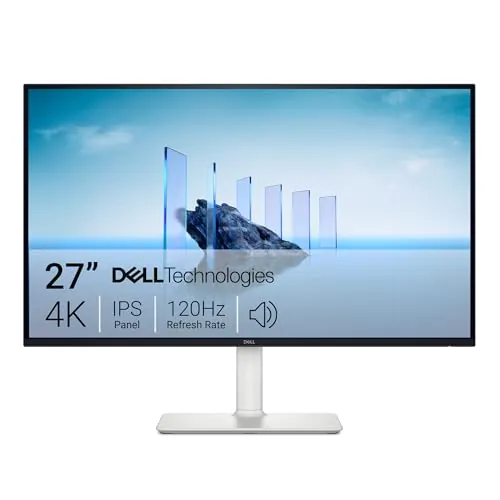
Dell S2725QS vs ASUS ProArt PA279CRV: Pick the Right Laptop Connection
Both are 27-inch 4K monitors, but their port layouts answer different desk needs. Dell S2725QS lists two HDMI 2.1 inputs and DisplayPort 1.4, with supported signals up to 120 Hz. ASUS PA279CRV supports 60 Hz and adds USB-C DisplayPort video with up to 96 W power delivery, a USB hub and DisplayPort daisy-chain output. Check your computer's ports and charging needs before buying; a retailer listing title that calls the S2725QS USB-C is not supported by Dell's exact-model port list.
Read comparison